
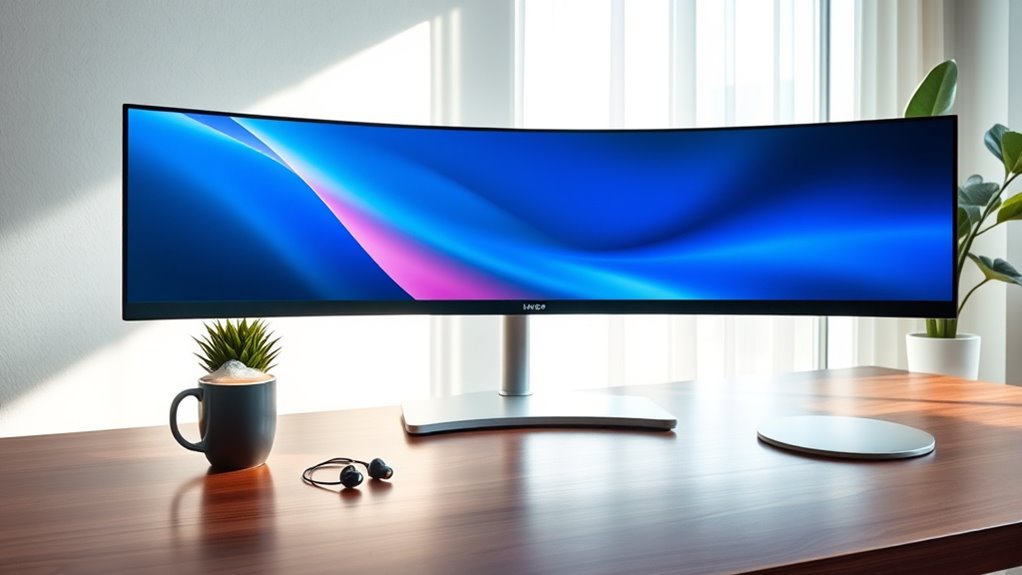

To determine how big your monitor is, measure it diagonally from one corner to the opposite corner. Keep in mind the aspect ratio, like 16:9, which can affect how content appears. The screen technology also plays a role in the display quality. Consider these factors carefully as they impact your overall viewing experience. If you want to understand more about monitor selection and usage, there’s plenty more to explore.
Understanding Monitor Sizes
Have you ever wondered how monitor sizes are measured? It’s not just about the diagonal length of the screen; it’s a combination of several factors, including aspect ratio and screen technology. The aspect ratio, which represents the width-to-height ratio, can influence how you experience visual content. Common ratios like 16:9 or 21:9 can alter the perceived screen space, impacting your productivity or gaming experience. Additionally, different screen technologies, such as LCD or OLED, can affect the display’s overall size and clarity. Understanding these elements helps you make an informed decision when choosing a monitor. By grasping how these factors intertwine, you can select a screen that truly aligns with your needs for freedom and flexibility in your workspace.
Measuring Your Space
Once you understand how monitor sizes are determined, the next step is evaluating the space where your monitor will be placed. Start by using effective measuring techniques to gauge the dimensions of your desk or workspace. Measure the width, depth, and height, ensuring you account for any space constraints like shelves or walls. It’s essential to envision how the monitor will fit into your environment, considering both aesthetics and functionality. Don’t forget to leave room for ventilation and cable management. If you’re tight on space, consider a smaller monitor or a mount that frees up desk area. Ultimately, knowing your space helps you select a monitor that maximizes your productivity while fitting seamlessly into your setup.
The Importance of Resolution
While you might be focused on the physical size of your monitor, resolution plays a crucial role in determining your overall viewing experience. Higher resolution types, like 4K and QHD, offer more pixels, resulting in sharper images and better detail. This increased pixel density allows for vibrant colors and smoother graphics, which is imperative for tasks like gaming, graphic design, or even casual browsing. If you’re using a smaller monitor with a low resolution, you’ll likely notice pixelation, making text and images appear less clear. Ultimately, selecting the right resolution type for your monitor size guarantees that you enjoy the freedom of a visually immersive experience, allowing your content to shine without compromise.
Optimal Viewing Distance
When considering your monitor’s ideal viewing distance, screen size plays an essential role. Keeping a proper distance not only enhances your viewing experience but also supports your eye health. By understanding these guidelines, you can create a comfortable and efficient workspace.
Screen Size Considerations
As you consider the ideal viewing distance for your monitor, it’s essential to understand how screen size influences your experience. Different monitor types and their screen aspect ratios can greatly affect how far you should sit. For instance, widescreen monitors may allow you to sit closer without losing detail, while larger screens often require more distance to prevent distortion. A general rule of thumb is to sit at a distance that’s about 1.5 to 2.5 times the diagonal screen size. This guarantees ideal clarity and comfort. Ultimately, your personal preferences and the specific monitor type you choose will dictate your ideal viewing distance, allowing you to create a setup that feels just right for you.
Eye Health Guidelines
To maintain ideal eye health, it is crucial to evaluate your viewing distance in relation to your monitor’s size. Generally, you should sit about an arm’s length away for maximum comfort. This distance helps reduce eye strain and allows your eyes to relax while you work or enjoy media. If your monitor is particularly large, consider increasing that distance slightly. Additionally, pay attention to screen brightness; it should be balanced to avoid glare and discomfort. Too much brightness can exacerbate eye strain, while too little can lead to squinting. Adjusting your viewing distance and screen settings not only enhances your visual experience but also promotes long-term eye health, allowing you the freedom to engage with your screen comfortably.
Different Use Cases for Monitor Sizes
When choosing a monitor size, it’s crucial to think about how you’ll use it. For gaming, larger screens can enhance immersion, while in professional settings, optimizing workspace with the right size can boost productivity. Understanding these use cases will help you make an informed decision tailored to your needs.
Gaming Experience Enhancement
While many gamers might focus solely on resolution and refresh rates, the size of your monitor can greatly enhance your overall gaming experience. A larger display allows for a more immersive technology experience, drawing you deeper into the game world. When combined with high-quality gaming peripherals, the right monitor size can amplify your reaction time and spatial awareness. For example, a 27-inch screen provides a perfect balance between detail and field of view, ideal for fast-paced games. On the other hand, ultrawide monitors expand your peripheral vision, making you feel like you’re truly inside the action. Ultimately, choosing the right monitor size is about personal preference and how you want to engage with your games, elevating every session to new heights.
Professional Workspaces Optimization
Choosing the right monitor size for your professional workspace can greatly impact productivity and comfort, especially as different tasks demand varying levels of detail and screen real estate. For instance, if you’re involved in graphic design or video editing, a larger monitor (27 inches or more) can enhance your ability to see intricate details. Conversely, for tasks like data entry or email management, a 24-inch monitor can suffice, allowing for a more compact workspace layout. Ergonomic design should also factor into your decision; positioning your monitor at eye level reduces strain and promotes better posture. Ultimately, evaluating your specific needs and workspace layout will help you choose the ideal monitor size, leading to a more efficient and enjoyable work experience.
Personal Preferences and Comfort
Many people underestimate the impact of monitor size on personal comfort and productivity. The right monitor can enhance your visual experience, making it easier to work for extended periods without strain. It’s crucial to evaluate your visual preferences—do you prefer a larger screen that allows for multitasking or a smaller one for a more focused view?
| Monitor Size | Personal Comfort Level |
|---|---|
| 21 inches | Moderate |
| 24 inches | High |
| 27 inches | Very High |
| 32 inches | Excellent |
| 34 inches | Exceptional |
Choosing a monitor that aligns with your personal comfort can greatly improve your overall work experience. Ultimately, your comfort should be prioritized for a productive environment.
Future-Proofing Your Monitor Choice
When selecting a monitor, it’s essential to take into account not just your current needs but also how your requirements might evolve over time. As future technology advances, your monitor should be adaptable to changes in software, graphics, and even connectivity options. Consider factors like resolution, refresh rate, and compatibility with emerging standards to guarantee longevity. A thorough longevity assessment can help you gauge whether a monitor will still meet your needs in a few years. Investing in a versatile model today can save you from frequent upgrades, granting you the freedom to focus on your work or entertainment without constant adjustments. Ultimately, being forward-thinking in your choice can enhance your overall user experience.
Frequently Asked Questions
How Do I Convert Inches to Centimeters for Monitor Size?
To convert inches to centimeters, you can use the conversion method of multiplying inches by 2.54. Measurement tools like calculators or conversion apps can simplify this process, ensuring accuracy in your conversions.
What Is the Average Lifespan of a Monitor?
A monitor’s average lifespan typically ranges from 3 to 7 years, akin to a tree’s growth amidst changing seasons. Embracing advancements in display technology can enhance monitor longevity, ensuring you enjoy vivid imagery for longer.
Can Monitor Size Affect Eye Strain?
Yes, monitor size can affect eye strain. Larger screens with higher resolution and ideal display brightness help reduce eye fatigue, allowing you to enjoy longer viewing sessions without discomfort. Adjust settings for best results.
Do Larger Monitors Consume More Electricity?
Yes, larger monitors typically consume more electricity due to increased screen size and energy consumption. However, monitor efficiency varies by model, so choosing an energy-efficient monitor can help minimize your overall energy use.
How Do I Mount a Monitor on the Wall?
To mount a monitor on the wall, choose the right wall bracket based on your monitor type. Securely attach it at eye level, freeing up desk space and creating a sleek, modern aesthetic in your workspace.
