
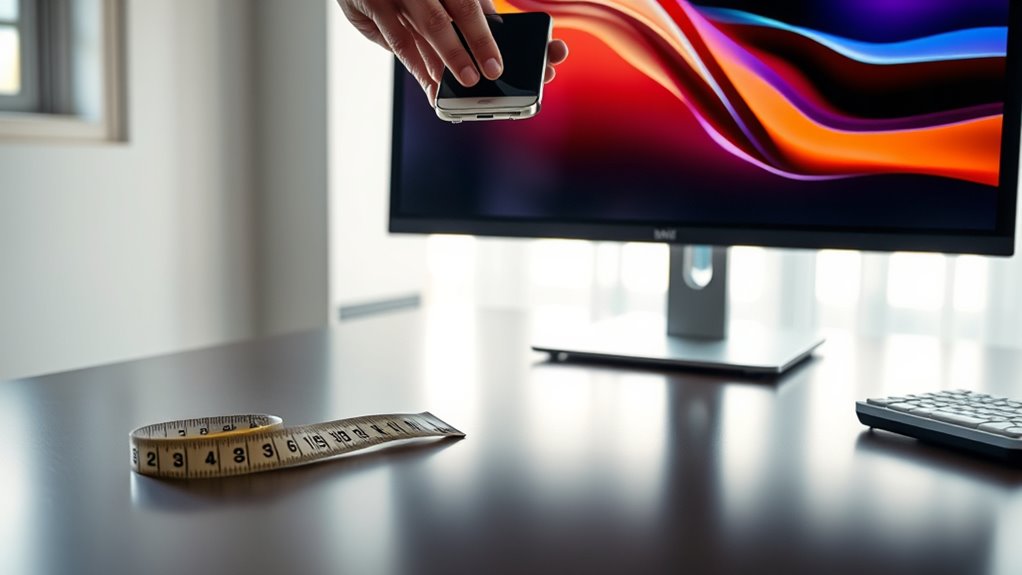

To determine the right monitor size, measure your desk space and consider your usage needs, like gaming or graphic design. Remember that monitors are measured diagonally, and different aspect ratios affect workspace. Think about screen resolution for image clarity and comfort, as well as how the monitor fits into your overall layout. Choose a size that balances visual enjoyment and practicality. If you want to explore more tips for an ideal setup, keep going.
Understanding Monitor Size Measurements
When you’re looking to buy a new monitor, it’s essential to understand how monitor size is measured. Monitors are typically measured diagonally from one corner of the screen to the opposite corner. This measurement gives you the size in inches, but it doesn’t tell the whole story. Different monitor types—like ultrawide, 16:9, or 4:3—can affect your viewing experience, so size comparison is significant. For instance, an ultrawide monitor may offer a more immersive experience, even if its diagonal measurement is similar to a traditional monitor. Always consider how the monitor’s aspect ratio and size will fit into your workspace and lifestyle. Understanding these factors will help you make a more informed choice, ensuring you get the freedom you desire in your setup.
Assessing Your Workspace Dimensions
Before choosing a monitor, you need to assess your workspace dimensions. Measure your desk space, consider how far you’ll sit from the screen, and evaluate your ergonomic positioning to guarantee comfort. These factors will help you select a monitor that fits seamlessly into your setup.
Measure Desk Space
Measuring your desk space is essential for selecting the right monitor size. Start by evaluating your desk dimensions; you’ll need to know its width, depth, and height. Consider the surface area available for the monitor, along with any additional items like a keyboard, mouse, or decorative elements.
Once you have these measurements, visualize how the monitor will fit within that space. A larger screen can enhance your experience, but if your desk is cramped, it might feel overwhelming. Remember to leave some room for movement and comfort. Balancing monitor size with your desk’s surface area guarantees you create a workspace that feels open and inviting, allowing you the freedom to work efficiently and comfortably.
Consider Viewing Distance
After evaluating your desk space, the next step is to contemplate your viewing distance. Finding the ideal distance between your eyes and the screen is essential for achieving screen comfort. Ideally, you should sit about an arm’s length away from your monitor, which typically ranges from 20 to 30 inches, depending on screen size. This distance helps reduce eye strain and allows you to maintain a comfortable posture. When determining your monitor size, consider how far you’ll be sitting from it during use. A larger screen may require more distance, while a smaller one can be closer. Ultimately, aligning your monitor with your viewing distance will enhance your overall experience and productivity.
Evaluate Ergonomic Positioning
To guarantee a comfortable and productive setup, you’ll want to evaluate the ergonomic positioning of your workspace. Here are four key factors to take into account:
- Monitor Height: Your monitor should be at eye level, so you’re not straining your neck.
- Screen Tilt: A slight tilt can reduce glare and improve visibility, making it easier on your eyes.
- Distance: Position the monitor about an arm’s length away to avoid eye strain.
- Chair Height: Make sure your chair supports a 90-degree angle at your knees, allowing your feet to rest flat on the ground.
Evaluating Your Usage Needs
When considering what monitor size suits you best, it’s essential to evaluate how you plan to use it. Begin by identifying your usage scenarios. Are you gaming, working on graphic design, or just browsing the web? Each of these activities comes with different task requirements. For instance, gamers may prefer larger screens for immersive experiences, while professionals in design might need extra screen real estate for detailed work. Also, think about how much space you have available. A large monitor looks great, but if you’re short on desk space, it could become a hassle. Ultimately, understanding your specific needs will help you choose a monitor size that enhances your experience and fits seamlessly into your setup.
Considering Screen Resolution and Quality
When choosing a monitor, screen resolution and pixel density play vital roles in your viewing experience. Higher pixel density means sharper images, which is essential for tasks like graphic design or gaming. Additionally, understanding the aspect ratio can help you select a monitor that fits your needs, whether for multitasking or entertainment.
Pixel Density Importance
Pixel density plays an essential role in determining the visual quality of your monitor, impacting everything from text readability to image sharpness. A higher pixel density generally means better image clarity, allowing you to enjoy finer details in your visuals. Here’s why it matters:
- Text Readability: Clearer text makes it easier to read documents and browse the web.
- Image Sharpness: High pixel density enhances the detail in images and graphics.
- Color Accuracy: Better pixel density can improve the vibrancy of colors.
- Viewing Comfort: A sharper display reduces eye strain during long usage.
When choosing a monitor, don’t overlook pixel density. It’s key to experiencing true visual freedom and enjoyment.
Aspect Ratio Impact
Although you might not think about it often, the aspect ratio of your monitor can greatly influence your viewing experience, particularly in relation to screen resolution and overall quality. Choosing the right aspect ratio benefits you by enhancing your field of vision, making it easier to multitask and enjoy immersive content. Common ratios like 16:9 provide excellent compatibility with most media, ensuring you won’t miss out on cinematic experiences or detailed gameplay. However, if you’re into design or content creation, a wider ratio may offer better workspace management. Ultimately, understanding aspect ratio compatibility helps you select a monitor that fits your needs, ensuring you enjoy stunning visuals without compromising on quality or comfort.
The Importance of Viewing Distance
Understanding the importance of viewing distance can greatly enhance your overall monitor experience. The right distance affects your viewing comfort and guarantees you’re not straining your eyes. Here are four key points to take into account:
- Optimal Distance: Aim for about 1.5 to 2.5 times the diagonal size of your monitor for ideal comfort.
- Screen Size Matters: Larger screens can be viewed from a greater distance without sacrificing clarity.
- Resolution Effects: Higher resolution displays allow you to sit closer without noticing pixelation.
- Personal Preference: Individual comfort varies, so adjust based on your unique needs and habits.
Comparing Aspect Ratios
When choosing a monitor, comparing aspect ratios is essential, as it greatly impacts your viewing experience. The most common ratios are 16:9 and 21:9, with widescreen advantages that cater to various needs. A 16:9 aspect ratio is perfect for standard gaming preferences, providing a balance between immersive gameplay and compatibility with most games. However, if you’re into cinematic experiences or multitasking, a 21:9 ratio offers a broader field of view, enhancing immersion and productivity. Consider how you’ll use the monitor. If gaming is your priority, opt for a widescreen model that suits your gaming preferences. Ultimately, understanding aspect ratios empowers you to choose a monitor that aligns with your lifestyle and enhances your enjoyment.
Exploring Multi-Monitor Setups
If you’re looking to boost your productivity or enhance your gaming experience, exploring multi-monitor setups can be a game changer. With the right monitor arrangement and screen alignment, you can create a workspace or gaming environment that suits your needs flawlessly. Here are four tips to get started:
Boost your productivity and gaming experience with a perfectly arranged multi-monitor setup tailored to your needs.
- Choose the right monitors: Opt for similar sizes and resolutions for a seamless experience.
- Consider your layout: Decide between horizontal, vertical, or a combination based on your tasks.
- Adjust settings: Tweak display settings for ideal color and brightness across all screens.
- Organize your workspace: Make certain cables are managed and monitors are positioned for comfort and accessibility.
Embrace the freedom of multiple screens and watch your efficiency soar!
Frequently Asked Questions
What Is the Ideal Monitor Size for Gaming Versus Productivity?
For gaming, you’ll want a larger monitor, around 27 inches, to enhance immersion. For productivity needs, a 24 to 27-inch display strikes a balance, allowing multitasking without overwhelming your workspace or vision.
How Does Monitor Size Affect Eye Strain Over Time?
Monitor size affects eye strain by influencing screen distance. A larger monitor at the right ergonomic setup allows you to sit comfortably, reducing strain. Make certain your screen is positioned properly to maintain eye health during prolonged use.
Are Larger Monitors More Energy-Consuming Than Smaller Ones?
Yes, larger monitors generally consume more power. On average, a 27-inch display can use up to 50% more energy than a 21-inch one. Prioritize energy efficiency to reduce power consumption and enjoy freedom from high energy bills.
What Are the Best Brands for Large Monitors?
When considering large monitors, brands like Dell, LG, and Samsung often shine. Check brand comparisons and monitor reviews to find the best fit for your needs; they offer diverse features and performance levels you’ll appreciate.
Can Monitor Size Impact Color Accuracy for Graphic Design?
Sure thing, you’ll find monitor size can affect color accuracy. A larger screen often supports a wider color gamut and higher screen resolution, ensuring your designs pop with precision and vibrancy, giving you creative freedom.
