
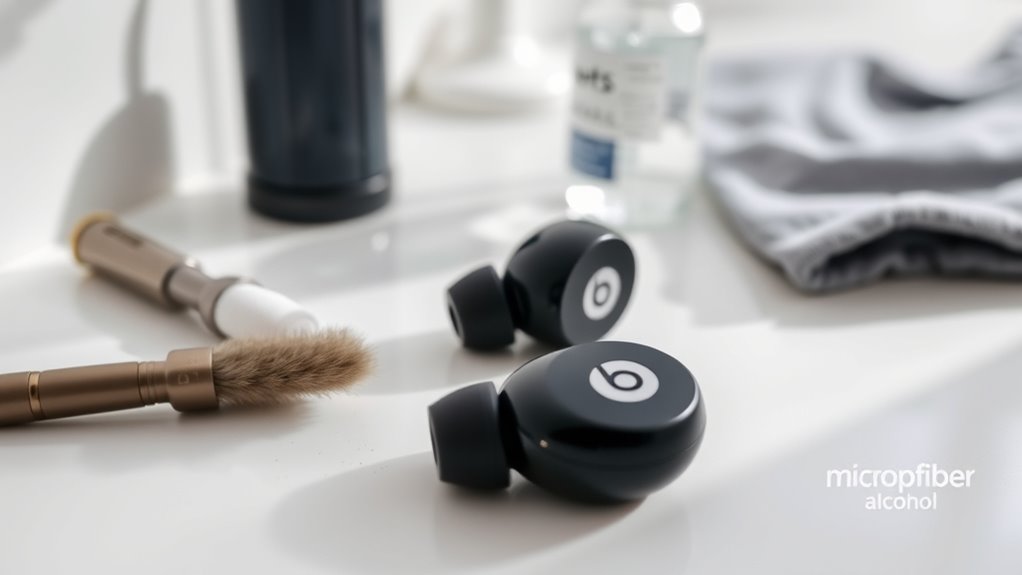

To clean your Beats earbuds, start by gathering a microfiber cloth, isopropyl alcohol, cotton swabs, and a small brush. Remove the ear tips and soak them in warm, soapy water. Wipe down the earbud surfaces with the cloth and isopropyl alcohol, using cotton swabs for tight spots. Allow everything to dry completely before reassembling. Finally, store your earbuds in a case to keep them protected. Continue for more detailed cleaning tips and best practices.
Gather Your Cleaning Supplies
To clean your Beats earbuds effectively, you’ll need a few essential supplies. Start with a soft, lint-free cloth to avoid scratches. Isopropyl alcohol is great for disinfecting, while a cotton swab helps reach tight spots. You’ll also want a small brush, like a toothbrush, to dislodge dirt without damaging the components. For stubborn grime, consider a microfiber cloth for gentle cleaning methods. Having these items on hand makes maintenance easy and efficient. Remember to keep your earbuds dry and avoid using harsh chemicals that can cause harm. With these maintenance tips, you’ll guarantee your Beats earbuds stay in top condition, providing you with the freedom to enjoy your music without interruption.
Remove Ear Tips and Grilles
To clean your Beats earbuds effectively, start by safely detaching the ear tips. Once removed, inspect the grilles for any debris that may have accumulated. This step guarantees you’re ready for proper cleaning techniques to keep your earbuds in top condition.
Detach Ear Tips Safely
When you’re ready to clean your Beats earbuds, safely detaching the ear tips is essential for accessing the grilles underneath. Start by identifying the ear tip materials; some are silicone, while others might be foam. Gently grip the ear tip, making sure not to apply excessive force. Twist slightly to loosen the grip, and then pull straight off. This safe removal process helps avoid damage to both the tips and the earbuds. If your earbuds have removable grilles, you’ll want to do the same with them. Always handle with care, as forcing anything can lead to breakage. Once the ear tips are off, you’ll have an easier time cleaning those hidden areas and ensuring your earbuds perform at their best.
Inspect Grilles for Debris
After you’ve safely removed the ear tips, it’s time to inspect the grilles for any debris. This step is essential for effective grille maintenance, as accumulated dirt can affect sound quality. Use a soft brush or a dry cloth to gently dislodge any particles stuck in the grilles. Be careful not to apply too much pressure, as you don’t want to damage the delicate mesh. If you spot any stubborn debris, a toothpick or similar tool can help with precise debris removal, but use it sparingly. Regular inspection and cleaning of your grilles will guarantee your Beats earbuds perform at their best, allowing you to enjoy your music without interruption.
Proper Cleaning Techniques
While cleaning your Beats earbuds, it’s crucial to start with the proper technique for removing the ear tips and grilles. Begin by gently twisting the ear tips counterclockwise until they detach. Be careful not to apply excessive force, which can damage the tips or the earbuds themselves.
Once the tips are off, you can clean the grilles with a soft brush or a microfiber cloth, avoiding common cleaning mistakes like using water or harsh chemicals.
Here’s a quick reference table for best practices:
| Step | Action | Best Cleaning Products |
|---|---|---|
| Remove Ear Tips | Twist counterclockwise | Rubbing alcohol or vinegar |
| Clean Grilles | Use a soft brush | Microfiber cloth |
| Dry Completely | Air dry completely | – |
Clean the Ear Tips
To keep your Beats earbuds in top shape, start by removing the ear tips. Clean them with a gentle solution to remove dirt and grime. Make sure to dry them thoroughly before putting them back on your earbuds.
Remove Ear Tips
Start by gently pulling the ear tips away from the earbuds until they detach. Depending on the ear tip materials—foam, silicone, or rubber—this should be straightforward. If you encounter resistance, try twisting the tips slightly as you pull. It’s crucial to handle them with care to avoid damaging the earbuds. Once removed, inspect the ear tips for any wear or tear. If they’re worn out, consider ear tip replacement to guarantee maximum comfort and sound quality. Remember, clean ear tips contribute to a better listening experience. You can now proceed to clean the detached ear tips using your preferred cleaning method. Keeping your earbuds in top shape not only enhances performance but also prolongs their lifespan.
Clean With Solution
Cleaning your ear tips with a solution is essential for maintaining hygiene and sound quality. Start by choosing a suitable cleaning solution—preferably a gentle soap or alcohol-based cleaner. Dip a soft cloth or cotton swab in the solution and gently wipe the ear tips, making sure to reach any crevices where dirt can accumulate. Avoid soaking them to prevent moisture from entering the earbuds. Rinse the tips under lukewarm water if the solution allows, then gently pat them dry with a clean cloth. This earbud maintenance step not only enhances your listening experience but also prolongs the life of your Beats earbuds. Regularly cleaning your ear tips will keep them fresh and ready for your next adventure.
Dry Thoroughly Before Use
After you’ve cleaned the ear tips, it’s important to confirm they’re completely dry before using your Beats earbuds again. Moisture can damage the internal components, so take a moment to focus on effective drying techniques. You can air dry them by placing them upside down on a clean, dry towel. This helps prevent water from pooling in the tips. If you’re in a hurry, a gentle blast of cool air from a hairdryer can speed up the process, but keep it at a safe distance to avoid heat damage. Always check for any remaining moisture before reattaching them. Proper drying not only guarantees your earbuds function efficiently but also contributes to moisture prevention, extending their lifespan.
Wipe Down the Earbuds
Gently wipe down your Beats earbuds with a microfiber cloth to remove dirt, sweat, and fingerprints. This simple step keeps your earbuds looking fresh and functioning well. Use soft, non-abrasive cleaning materials to avoid scratches. It’s best to incorporate this cleaning into your routine, ideally every few days, especially after workouts or long listening sessions. Regular cleaning helps prevent grime buildup and extends the life of your earbuds. If you notice stubborn spots, slightly dampen the cloth with water, but avoid getting moisture into any openings. By maintaining this cleaning frequency, you’ll enjoy clearer sound and a more comfortable listening experience. Embrace the freedom of clean earbuds, and keep your music flowing without distractions!
Disinfect and Deodorize
Maintaining your Beats earbuds goes beyond just wiping them down; disinfecting and deodorizing is important too. To keep them fresh, start with a disinfecting solution, like a mix of isopropyl alcohol and water. Use a soft cloth to gently clean the earbuds and guarantee you get into all the crevices. For deodorizing techniques, consider using baking soda; just sprinkle a small amount into a container with the earbuds and let it sit overnight. This helps absorb odors without damaging your devices. Always let them air out before using them again. Regularly disinfecting and deodorizing not only prolongs the life of your earbuds but also enhances your overall listening experience. Don’t let grime and odors hold you back!
Reassemble and Store Properly
Once you’ve cleaned and disinfected your Beats earbuds, it’s crucial to reassemble and store them properly to guarantee their longevity. Start by verifying each component is completely dry before putting them back together. Check for any debris that might have slipped through during cleaning, then gently reattach the ear tips and any other parts.
For ideal earbud organization, consider using a dedicated case or pouch to keep them safe. Look for storage solutions that prevent tangling and damage, such as a hard case with compartments. If you travel frequently, a compact carrying case can be a game-changer. By following these steps, you’ll make certain your Beats earbuds remain in top condition and ready for your next adventure.
Frequently Asked Questions
Can I Use Alcohol Wipes on My Beats Earbuds?
You can absolutely use alcohol wipes on your Beats earbuds! They’re incredibly effective for cleaning, but make sure to avoid getting moisture in the speaker areas. A little care goes a long way for longevity!
How Often Should I Clean My Beats Earbuds?
You should clean your Beats earbuds at least once a week to maintain proper earbud hygiene. Establish a cleaning schedule that fits your routine, ensuring they’re always fresh and ready for your next listening session.
Are There Any Specific Products to Avoid?
Avoid harsh cleaning materials like bleach or alcohol; they’re like storms in a calm sea. Stick to gentle solutions and safe techniques, ensuring your earbuds stay pristine without damaging their delicate components.
Will Cleaning Affect the Sound Quality?
Cleaning your earbuds won’t negatively impact sound clarity or audio performance. In fact, it can enhance both by removing debris that muffles sound. Just make sure you use gentle methods to preserve their quality and functionality.
Can I Wash the Earbuds in Water?
No, you shouldn’t wash your earbuds in water. Doing so can cause water damage. Instead, use safe cleaning techniques like a damp cloth for the exterior and a gentle brush for the speaker mesh.
