
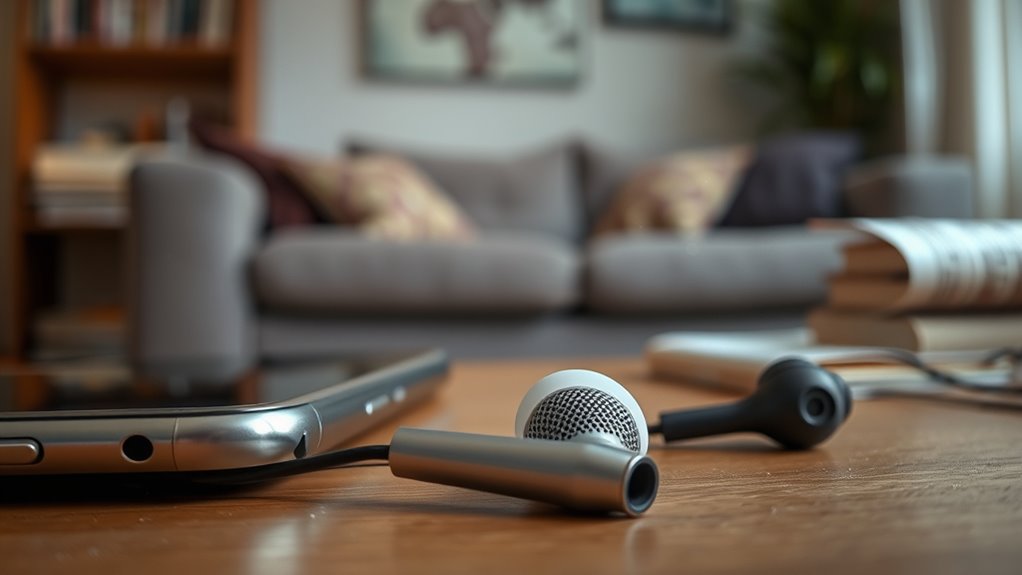

If your right earbud isn’t working, it could be due to several common issues. Check the connection to verify it’s secure and clean of dirt. Inspect the earbud for visible damage or debris blocking the speaker. Try connecting it to a different device to see if the problem persists. Additionally, make certain your firmware is up-to-date and consider resetting the earbuds for troubleshooting. To find out more solutions, just keep going!
Common Causes of Earbud Malfunctions
If your earbuds suddenly stop working, several common issues could be at play. One of the most frequent problems is wear and tear, which can greatly affect earbud longevity. Over time, the wires may fray, or the drivers could fail, leading to a loss in sound quality. Another issue might stem from dirt or debris clogging the speaker mesh, muffling audio and impacting your listening experience. Additionally, moisture exposure can damage internal components, resulting in malfunction. If your earbuds have been dropped or mishandled, this could also contribute to their failure. To maintain sound quality and prolong the life of your earbuds, handle them with care and store them properly when not in use.
Checking the Connection
One of the first steps in troubleshooting your earbuds is checking the connection. Confirm your earbuds are properly plugged into the device. A loose connection can often cause one side to stop working. If you’re using Bluetooth earbuds, make sure they’re paired correctly and within range. Sometimes, simply disconnecting and reconnecting can resolve the issue.
Next, explore your audio settings. Check the balance settings to verify the sound isn’t shifted to one side. Additionally, consider the volume levels; sometimes, they’re inadvertently adjusted, affecting sound output. Regular earbud maintenance, like cleaning the jack and verifying no debris is obstructing the connection, can also help. Taking these steps can bring your earbuds back to life, letting you enjoy your tunes freely again.
Inspecting the Earbuds for Damage
While checking your earbuds for functionality, it’s vital to inspect them for any visible damage. Proper earbud maintenance not only helps in identifying issues but also guarantees peak sound quality. Here’s what to look for:
- Frayed or exposed wires: Any signs of wear can affect sound transmission.
- Cracks in the casing: Physical damage may indicate internal flaws.
- Blocked speaker grilles: Dust or debris can muffle sound.
- Loose connectors: Confirm all parts fit tightly for a solid connection.
- Damaged ear tips: Worn tips can lead to discomfort and reduced audio quality.
Testing With Different Devices
After checking for visible damage, the next step is testing your earbuds with different devices. This helps you determine if the issue lies with your earbuds or the original device. Start by connecting your earbuds to another phone, tablet, or computer. Make sure to adjust the device settings, ensuring the audio is directed to your earbuds. If they work with a different device, the problem might be with the original device’s settings or compatibility issues. Check for any software updates or Bluetooth connectivity problems. If your earbuds still don’t work with multiple devices, it’s likely a hardware issue. Testing with different devices not only identifies the problem but also gives you the freedom to explore other audio options.
Cleaning Your Earbuds
If your earbuds aren’t working properly, cleaning them might be an effective solution. Regular earbud maintenance can prevent sound issues and extend their lifespan. Here are some cleaning techniques to take into account:
- Use a soft, dry cloth to wipe the outer surface.
- Gently remove ear tips and clean them with warm, soapy water.
- Use a small brush or a toothpick to clear debris from speaker grills.
- Avoid using alcohol or harsh chemicals that could damage materials.
- Store your earbuds in a case to protect them from dust and dirt.
Taking a few minutes to clean your earbuds can make a significant difference, ensuring they deliver the quality sound you expect. Keep them in top shape!
Bluetooth Connectivity Issues
If you’re facing issues with your earbuds, Bluetooth connectivity might be the culprit. You may encounter pairing problems or signal interference that disrupts your listening experience. Let’s explore how to troubleshoot these common connectivity issues.
Pairing Problems
Have you ever struggled to connect your earbuds to your device? Pairing problems can be frustrating, especially if you’re trying to enjoy your favorite tunes. To guarantee a smooth connection, keep these tips in mind:
- Check earbud compatibility with your device.
- Verify your earbuds are charged.
- Follow the correct pairing sequence: turn on Bluetooth, select your earbuds, and confirm the connection.
- Forget the device on your earbuds, then reconnect.
- Restart both your earbuds and device if necessary.
These steps can help you troubleshoot pairing issues and get your earbuds working again. Don’t let connectivity hassles hold you back from enjoying your audio experience!
Signal Interference
Even after successfully pairing your earbuds, you might still encounter issues due to signal interference. This can often stem from various sources of electronic interference. Wi-Fi networks, microwaves, and other Bluetooth devices can disrupt the wireless signals your earbuds rely on. If you’re in a crowded area, multiple devices can create a chaotic environment for your Bluetooth connection, leading to audio dropouts or one earbud not working.
To improve your experience, try moving away from other electronic devices or switching to a less congested frequency band. Additionally, verify your earbuds are fully charged, as low battery levels can worsen connectivity issues. By addressing these factors, you can regain the freedom of enjoying your music without interruptions.
Software and Firmware Updates
While it’s easy to overlook, keeping your earbuds’ software and firmware up to date is essential for peak performance. Regular updates can improve software compatibility and resolve any issues that may cause your right earbud to malfunction. Here’s why you shouldn’t skip this step:
- Enhances audio quality
- Fixes bugs and glitches
- Guarantees better battery management
- Supports new features and functionalities
- Increases overall device stability
To check for updates, refer to your manufacturer’s app or website. Performing firmware upgrades not only maximizes performance but also extends the lifespan of your earbuds. Don’t let outdated software hold you back; embrace the freedom of flawless sound by staying current!
Resetting Your Wireless Earbuds
If your wireless earbuds aren’t working properly, resetting them might solve the issue. You’ll want to know common reset methods and follow pairing troubleshooting steps to get them back on track. Let’s explore how to effectively reset your earbuds and troubleshoot any pairing problems.
Common Reset Methods
Resetting your wireless earbuds can often resolve common issues like connectivity problems or audio distortion. It’s essential to know the right methods to regain that seamless listening experience. Here are some common reset methods you can try:
- Power off your earbuds and turn them back on.
- Use the manufacturer’s app to initiate a reset.
- Simultaneously press and hold the buttons on both earbuds.
- Remove them from your device’s Bluetooth settings and reconnect.
- Charge the earbuds fully before attempting a reset.
Additionally, practicing earbud maintenance tips can help avoid common user mistakes that lead to malfunctions. Regularly cleaning your earbuds and ensuring they’re stored properly can enhance their lifespan and performance, keeping your audio crisp and clear.
Pairing Troubleshooting Steps
When your wireless earbuds aren’t pairing with your device, it can be frustrating, but a few troubleshooting steps can often resolve the issue. First, verify your earbuds are charged and within range of your device. Next, delete any previous pairing information from your device settings to eliminate potential pairing issues. Then, reset your earbuds by holding down the power button until you see a flashing light, indicating they’re in pairing mode. After that, try reconnecting them to your device. If they still won’t pair, restart your device and check for any software updates that might affect pairing devices. These steps should help you get back to enjoying your audio without hassle.
When to Seek Professional Help
Although many earbud issues can be resolved with simple troubleshooting, there are times when seeking professional help is necessary. If you find yourself facing persistent problems, it’s important to know when to consult a professional. Consider reaching out for assistance in the following situations:
Knowing when to seek professional help for earbud issues can save you time and enhance your listening experience.
- Your earbud is physically damaged or broken.
- Audio quality is consistently poor, despite troubleshooting.
- Earbuds are not charging or powering on at all.
- You’ve tried multiple devices, and the problem persists.
- You experience discomfort or pain while using them.
In these cases, professional assistance can save you time and guarantee you get back to enjoying your music or calls without hassle. Don’t hesitate to seek help when needed!
Frequently Asked Questions
Can Moisture Affect the Performance of My Earbuds?
Yes, moisture can affect your earbuds’ performance. It may cause corrosion or damage internal components. To maintain them, keep them dry and store them in a moisture-free place to guarantee longevity and peak sound quality.
How Can I Improve Sound Quality on My Earbuds?
To improve sound quality on your earbuds, adjust your device’s sound settings and guarantee proper earbud maintenance. Regularly clean them and avoid moisture exposure to enhance performance and enjoy your audio experience fully.
Are Some Earbuds More Prone to Failure Than Others?
Some earbud brands are indeed more prone to failure, like a car that breaks down often. Common defects can stem from poor materials or design flaws, so researching before buying can save you hassle later.
Do Earbud Warranties Cover Malfunctioning Issues?
Yes, earbud warranties often cover malfunction types related to manufacturing defects. However, warranty terms can vary, so check your specific policy to verify your issue qualifies for repair or replacement under their guidelines.
Can I Fix My Earbuds Myself or Should I Always Seek Help?
You can fix your earbuds yourself using DIY repair techniques, but it’s wise to start with earbud maintenance tips. If you’re unsure, seeking professional help might save time and prevent further damage.
