
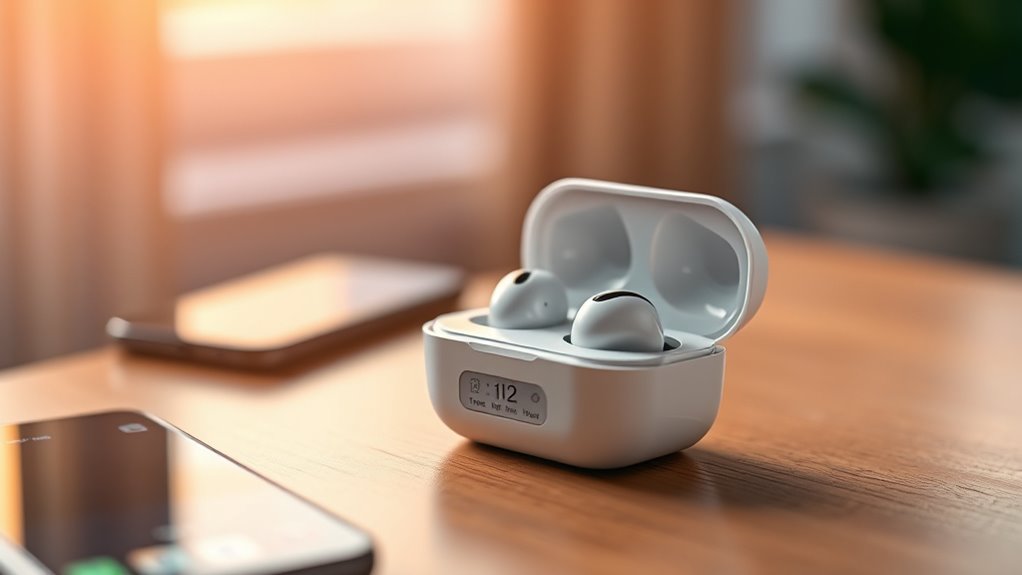

Most earbuds take about 1 to 1.5 hours to fully charge, but this can vary by brand and model. For instance, Apple AirPods charge in about an hour, while Samsung Galaxy Buds and Sony WF-1000XM series take roughly 1.5 hours. To optimize battery health, avoid letting them fully discharge and charge regularly. Keeping an eye on charging indicators can help, and there’s more useful info on maintaining battery life and troubleshooting issues just ahead.
Understanding Earbud Battery Life
When you’re enjoying your favorite tunes, it’s easy to overlook the importance of understanding earbud battery life. Knowing the earbud lifespan is essential for uninterrupted listening. Most earbuds last several hours on a single charge, but factors like volume level and usage frequency can affect this. To maximize battery life, practice good battery maintenance. Avoid letting your earbuds fully discharge, as this can shorten their lifespan. Instead, charge them regularly and store them in a cool, dry place when not in use. Keep an eye on the battery indicator to avoid unexpected shutdowns during your jam sessions. By understanding these aspects, you can enjoy your music freely, knowing your earbuds are ready when you are.
Average Charging Times for Popular Brands
When you’re choosing earbuds, knowing their charging times can make a big difference. For instance, Apple AirPods typically take about an hour to charge, while Samsung Galaxy Buds may need around 1.5 hours. Sony’s WF-1000XM series falls in a similar range, ensuring you won’t be waiting too long to get back to your favorite tunes.
Apple AirPods Charging Times
Although charging times can vary among different brands, Apple AirPods are known for their impressive efficiency. When it comes to AirPods maintenance and ensuring their longevity, understanding charging times is key.
| Model | Charging Time | Playtime after Charge |
|---|---|---|
| AirPods (1st Gen) | 1 hour | Up to 5 hours |
| AirPods (2nd Gen) | 1 hour | Up to 5 hours |
| AirPods Pro | 1 hour | Up to 4.5 hours |
| AirPods Max | 2.5 hours | Up to 20 hours |
With a quick charge, you can enjoy your favorite tunes without missing a beat. Keeping an eye on these times helps maximize your AirPods lifespan, allowing you to stay free and connected.
Samsung Galaxy Buds Duration
Samsung Galaxy Buds offer quick charging times, making them a convenient choice for on-the-go music lovers. With just 15 minutes of charging, you can get about 1.5 hours of playback time, which is perfect for those last-minute outings. The full charge takes around 1.5 hours, ensuring you won’t be waiting long to enjoy your favorite tunes. Samsung features, such as adaptive battery optimization, enhance battery performance, allowing you to extend usage throughout the day. Plus, the included charging case provides extra power, giving you up to 22 hours of listening time. So whether you’re commuting or working out, you can count on your Galaxy Buds to keep up with your active lifestyle without missing a beat.
Sony WF-1000XM Series Charge
The Sony WF-1000XM series is known for its impressive charging capabilities, making them a solid option for audiophiles. You’ll find that these earbuds can fully charge within about 1.5 hours when placed in their charging case. If you’re in a hurry, a quick 10-minute charge can give you up to 90 minutes of playback time, perfect for those on-the-go moments. To maintain ideal battery health, it’s important to consistently use the charging case and avoid letting the earbuds drain completely before recharging. This routine keeps your playback time robust and enhances the longevity of the battery. So, whether you’re commuting or relaxing, you can trust the WF-1000XM series to keep the music flowing.
Factors Affecting Charging Speed
When you’re trying to figure out how long it takes to charge your earbuds, several factors play an important role in determining the speed of that process. First, the charging technology in your earbuds can greatly influence how quickly they power up. If your earbuds support fast charging, you’ll enjoy a shorter wait time. Second, the battery chemistry plays a vital part; lithium-ion batteries, for example, charge faster than traditional ones. Additionally, the capacity of the battery affects charging duration—larger batteries take more time. Finally, the performance of your charging cable and adapter matters. Using the right combination can optimize charging speed, giving you the freedom to enjoy your music sooner. Keep these factors in mind to enhance your listening experience!
Quick Charge Features in Earbuds
While many earbuds come with standard charging capabilities, quick charge features can greatly enhance your listening experience by minimizing downtime. Fast charging technology allows you to get back to your favorite tunes in no time, often providing several hours of playback from just a few minutes of charging. This means you can squeeze in a quick recharge before heading out, making your earbuds truly convenient for your on-the-go lifestyle. Whether you’re rushing to catch a train or getting ready for a workout, these features guarantee you won’t be left without music when you need it most. Investing in earbuds with quick charge capabilities gives you the freedom to enjoy uninterrupted listening anytime, anywhere.
Charging Cases vs. Direct Charging
Although you can charge your earbuds directly using a USB cable, many users prefer the convenience of charging cases. These compact solutions not only keep your earbuds safe but also enhance charging efficiency. With advancements in battery technology, charging cases can deliver multiple charges before needing to be plugged in themselves. This means you can enjoy extended listening time without being tethered to an outlet.
Direct charging offers a quick solution when you’re in a pinch, but it limits your freedom. Using a charging case, you can simply toss it in your bag and recharge on the go. Ultimately, the choice between charging cases and direct charging boils down to how you value convenience versus speed in your daily routine.
Tips for Optimizing Earbud Battery Life
How can you make your earbuds last longer between charges? Start with some smart battery maintenance tips. First, avoid letting your earbuds drain completely before charging. Instead, try to keep them between 20-80% for peak battery health. Next, be mindful of your charging habits—don’t leave them plugged in overnight, as this can shorten their lifespan. Also, store your earbuds in a cool, dry place; extreme temperatures can affect battery performance. When not in use, consider turning them off or using the low-power mode if available. Finally, regularly clean your earbuds to prevent dirt buildup, which can interfere with their functionality. By following these simple steps, you’ll enjoy longer-lasting earbuds and more freedom to listen!
Signs Your Earbuds Are Fully Charged
Knowing when your earbuds are fully charged is essential for ideal use. You can typically rely on indicator lights, mobile app notifications, or a battery percentage display to signal that charging is complete. Let’s explore these signs to guarantee you’re getting the most out of your devices.
Indicator Light Signals
Most modern earbuds come equipped with indicator lights that signal their charging status, making it easy for you to know when they’re fully charged and ready to use. Typically, these lights use different indicator light colors to convey their charging status meanings. For example, a solid green light often indicates a full charge, while a red or amber light may show that charging is still in progress. Some models even flash when the battery is low. By paying attention to these signals, you can maximize your freedom to enjoy music or take calls without interruption. So, keep an eye on those lights, and you’ll always be in the know about your earbuds’ battery life!
Mobile App Notifications
Ever wondered if there’s an easier way to know when your earbuds are fully charged? Mobile app notifications can be a game changer! Many modern earbuds come with companion apps that send battery notifications. These alerts let you know exactly when your earbuds hit that sweet 100%.
You won’t have to guess or rely solely on LED indicators anymore. Instead, you can enjoy the freedom of knowing your earbuds are ready to go with just a glance at your phone. Plus, these mobile alerts often provide additional features like battery health tips and charging status for both earbuds and the case. Stay connected and informed, ensuring your listening experience is always uninterrupted!
Battery Percentage Display
A reliable way to check if your earbuds are fully charged is through the battery percentage display. This feature gives you a clear visual cue, ensuring you’re always ready for your next adventure. When you see that 100% indication, know your earbuds are at peak battery health. It’s important to monitor battery levels regularly, as frequent charge cycles can wear down battery capacity over time. If you notice a drop in performance or a significant decrease in battery life, it might be time to think about replacing them. By keeping an eye on that percentage, you can extend your earbuds’ lifespan and enjoy uninterrupted listening—because freedom means never missing a beat!
Troubleshooting Charging Issues
Why aren’t your earbuds charging as expected? First, check your charging cables. A damaged or incompatible cable can prevent a full charge. Make sure you’re using the original cable or a certified replacement. Next, inspect the charging port on both the earbuds and the case for debris or damage. Dust build-up can block the connection, so clean it gently. Battery maintenance is essential too; if your earbuds are older, the battery might be losing capacity. Try resetting your earbuds, as this can resolve minor glitches. Finally, if you’re still having issues, consult the manufacturer’s support for troubleshooting tips or consider a replacement. Don’t let charging problems hold you back from enjoying your freedom!
Frequently Asked Questions
Can I Use My Earbuds While They Are Charging?
You can’t have your cake and eat it too; using your earbuds while they’re charging may affect the charging time. However, you can enjoy limited usage duration depending on their battery level.
Do Different Charging Cables Affect Charging Speed?
Yes, different charging cables can affect charging speed. If you use cables that match your earbuds’ charging technology and guarantee cable compatibility, you’ll get the best performance and quicker charge times for your device.
Is It Safe to Overcharge My Earbuds?
It’s generally safe to leave your earbuds charging, thanks to advanced battery management technology. However, repeated overcharging can degrade battery life by up to 20%. So, while convenient, moderation keeps your freedom intact!
How Long Can I Expect My Earbuds to Last?
You can expect your earbuds to last anywhere from 3 to 5 years, depending on your usage habits. Proper care and charging practices can help maximize their battery lifespan, giving you longer enjoyment of your tunes.
What Happens if I Lose My Charging Case?
If you lose your charging case, you can explore charging alternatives like portable chargers or USB cables. Consider purchasing a replacement case to keep your earbuds powered up and ready for your adventures.
