
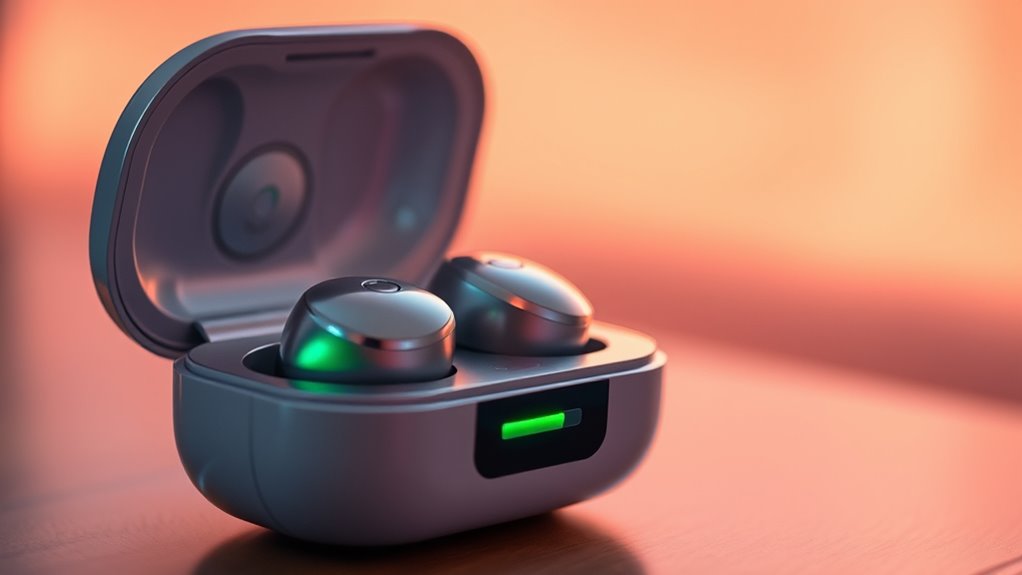

Charging your earbuds usually takes between one to two hours, depending on the brand and whether you’re using wired or wireless methods. For instance, Apple AirPods can charge fully in about one to two hours, while Samsung Galaxy Buds take around two hours. If you’re in a rush, a quick 15-minute charge can provide a decent amount of playback time. With the right care, you can guarantee longer battery life and fewer interruptions—there’s more to discover about maximizing your earbuds’ performance!
Understanding Earbud Battery Capacity
When it comes to earbud battery capacity, understanding the numbers can make a significant difference in your listening experience. You’ll encounter various battery types, each with unique capacity ratings that affect how long your earbuds will last between charges. Lithium-ion batteries are common, offering a balance of performance and lifespan. Generally, higher capacity ratings mean longer usage times, so keep an eye on those mAh (milliamp hours) numbers. For instance, earbuds with a capacity of around 40-60 mAh might deliver 4 to 5 hours of playtime. Understanding these ratings allows you to choose earbuds that fit your lifestyle, ensuring you get the freedom to enjoy music, podcasts, or calls without constant recharging interruptions. Happy listening!
Charging Methods Explained
When it comes to charging your earbuds, you’ve got a couple of solid options: wired and wireless methods. Wired charging typically offers faster power-ups, while wireless charging brings convenience and a tangle-free experience. Understanding these methods will help you choose the best way to keep your earbuds ready to go.
Wired Charging Explained
While you might be familiar with wireless charging methods, understanding wired charging for your earbuds is equally important for ensuring peak performance and longevity. Wired connections offer several benefits, including faster charging times and a stable power supply. Using the right charging cable type, like USB-C or Micro-USB, can make all the difference. USB-C typically provides quicker charging and universal compatibility, while Micro-USB is still widely used. When you plug your earbuds in, you bypass any potential interference from wireless signals, ensuring a direct power flow. This reliable connection helps maintain battery health, so your earbuds last longer. So, whether you’re at home or on the go, don’t underestimate the advantages of a wired charging method!
Wireless Charging Overview
Wired charging has its advantages, but wireless charging has become increasingly popular due to its convenience and ease of use. With wireless charging, you can simply place your earbuds on a charging pad without fussing with cables. Here are some key benefits of this method:
- Convenience: No more tangled cords!
- Sleek Design: Charging pads often look modern and stylish.
- Universal Compatibility: Many devices support Qi wireless charging.
- Less Wear and Tear: Avoid damaging charging ports.
- Freedom of Movement: Keep your space organized and clutter-free.
As you explore wireless charging, consider investing in a quality charging pad for your earbuds. It’ll simplify your life and keep your devices ready to go whenever you need them.
Typical Charging Times for Popular Brands
When it comes to charging your earbuds, knowing the typical times for popular brands can really help you plan your listening sessions. For example, Apple AirPods usually take about an hour to fully charge, while Samsung Galaxy Buds often require around 1.5 hours. Understanding these specifics can guarantee you’re never caught with dead earbuds at the wrong moment!
Apple AirPods Charging Time
Apple AirPods are known for their convenience, but understanding their charging times is essential for maximizing their use. When it comes to battery optimization, here’s what you should know:
- Full charge: Approximately 1-2 hours for a complete charge.
- Quick charge: Just 15 minutes in the case provides around 3 hours of listening time.
- Case charge: The charging case holds multiple charges, providing up to 24 hours of battery life.
- Battery life: Expect about 5 hours of continuous use on a full charge.
- Wireless charging: Compatible with Qi-certified chargers for added convenience.
Knowing these details helps you manage your Apple AirPods effectively, ensuring you’re always ready to enjoy your music or take calls without interruption.
Samsung Galaxy Buds Duration
Although you may be familiar with various earbuds, Samsung Galaxy Buds offer impressive charging durations that cater to the needs of on-the-go users. With just a quick 15-minute charge, you can enjoy about 1.5 hours of playback time, thanks to Samsung’s efficient battery specs. Typically, a full charge takes around two hours, giving you up to six hours of continuous listening. When you factor in the charging case, you can extend that listening time to 20 hours or more. These Samsung features make it easy to stay connected and entertained, no matter where life takes you. So, whether you’re commuting or hitting the gym, the Galaxy Buds are designed to keep up with your active lifestyle.
Fast Charging Features in Wireless Earbuds
As you immerse yourself in the world of wireless earbuds, you’ll quickly discover that fast charging features can greatly enhance your listening experience. With advancements in technology, many earbuds now support quick charge capabilities, allowing you to spend less time tethered to a power source.
Here are some benefits of fast charging in wireless earbuds:
- Rapid power-up: Get hours of playback in just minutes.
- Convenience: Perfect for those on-the-go moments.
- Battery health: Smart systems prevent overcharging.
- Versatility: Compatible with various chargers.
- User-friendly: Easy to integrate into your daily routine.
Embracing fast charging means you’ll enjoy uninterrupted music and calls without the hassle of long charging times. Enjoy the freedom to keep moving!
Impact of Charging Case on Earbud Battery Life
While you might focus on the earbuds themselves, the charging case plays an essential role in determining overall battery life. A well-designed charging case offers significant benefits, such as enabling you to recharge your earbuds multiple times without needing a wall outlet. This means you can enjoy longer listening sessions without interruption. The case also aids in battery preservation; it protects the earbuds from environmental factors like moisture and extreme temperatures, which can damage the battery. By keeping your earbuds securely in the case when not in use, you reduce the risk of accidental drainage. Ultimately, the charging case enhances your freedom to enjoy music on-the-go, ensuring your earbuds are always ready when you are.
How to Extend Your Earbuds’ Battery Life
To guarantee your earbuds last as long as possible between charges, it’s essential to adopt a few smart habits. Implementing these battery maintenance tips and ideal charging practices will help you enjoy uninterrupted music and calls.
- Avoid extreme temperatures; keep your earbuds in a moderate environment.
- Charge them regularly, but don’t let them sit at 100% for too long.
- Use the charging case wisely; don’t overcharge them unnecessarily.
- Disconnect earbuds when not in use to prevent battery drain.
- Update your earbuds’ firmware to enhance performance and efficiency.
Signs Your Earbuds Are Fully Charged
Recognizing when your earbuds are fully charged is essential for maintaining their battery health and ensuring ideal performance. Most earbuds come equipped with charging indicators, like LED lights, that signal their charging status. When you see a solid green or blue light, it usually means your earbuds have reached full charge. Conversely, if the light is red or flashing, your earbuds still need charging. Some models might even provide audio cues, letting you know they’re ready to go. Keeping an eye on these indicators not only helps you avoid interruptions during use but also prolongs the lifespan of your earbuds. Regularly charging them correctly can markedly enhance their overall battery health and performance.
Common Charging Issues and Solutions
If your earbuds aren’t charging properly, it can be frustrating, especially when you’re ready to use them. Here are some common charging issues and solutions to help you get back on track:
- Check the charging cable: Confirm it’s not frayed or damaged.
- Clean the charging ports: Dust and debris can obstruct connections.
- Inspect the power source: Make sure the outlet or USB port is functioning.
- Battery maintenance: Regularly cycle your earbuds’ battery to extend lifespan.
- Reset your earbuds: Sometimes a simple reset can solve the issue.
Comparing Wired vs. Wireless Earbud Charging Times
After addressing common charging issues, it’s worth exploring how charging times differ between wired and wireless earbuds. Wired earbuds generally offer superior charging efficiency, often reaching full power in just about an hour. In contrast, wireless earbuds can take longer, typically around one to two hours, depending on the model and charging case. However, the convenience of wireless earbuds means you’re not tethered to your device, allowing for more freedom during use.
Keep in mind that while faster charging can be appealing, battery longevity is also essential. Choosing a charging method that balances speed and battery health guarantees your earbuds last longer, giving you the freedom to enjoy your tunes without frequent interruptions.
Frequently Asked Questions
Can I Use My Earbuds While They Are Charging?
You can’t use your earbuds while they’re charging due to potential charging safety issues and usage limitations. It’s best to let them charge fully for peak performance and prolonged lifespan. Enjoy your music once they’re ready!
Does Charging My Earbuds Overnight Damage the Battery?
Charging your earbuds overnight won’t turn your battery into a pumpkin, but poor charging habits can reduce battery lifespan. It’s best to avoid consistently charging them for extended periods to maximize their longevity.
Are There Specific Chargers Recommended for My Earbuds?
It’s best to use chargers that meet your earbuds’ specifications for ideal performance. Check for charger compatibility and guarantee they follow charging standards to avoid damaging your device while enjoying the freedom of wireless audio.
How Does Temperature Affect Earbud Charging Times?
Temperature truly impacts charging efficiency. Extreme heat or cold can slow down the process, causing your earbuds to take longer to charge. So, keep them in a comfortable climate for quicker, more effective charging sessions.
What Should I Do if My Earbuds Won’t Charge?
If your earbuds won’t charge, try these troubleshooting steps: check the charging cable for damage, clean the contacts, make sure the case has power, and reset the earbuds. These common charging issues can often be resolved easily.
