
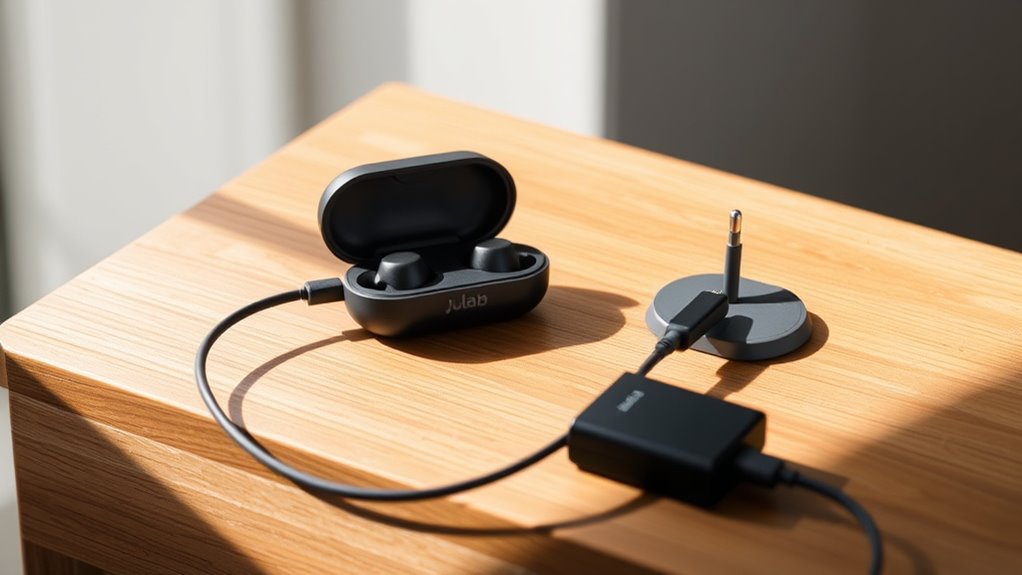

To charge your JLab earbuds case, use the appropriate USB-C or Micro-USB cable. Simply connect the charging case to a compatible power source like a wall adapter or power bank. Check the LED indicators: a solid red light means it’s charging, while a solid green light indicates it’s fully charged. Remember to maintain battery life by avoiding extreme temperatures and charging regularly. If you’re curious about more tips and troubleshooting advice, keep exploring!
Understanding Your JLab Earbuds Charging Case
When you first get your JLab earbuds charging case, it’s important to understand its key features and functions. The charging case functionality allows you to recharge your earbuds on the go, giving you the freedom to enjoy your music without worrying about battery life. You’ll find that the case not only stores your earbuds safely but also enhances their battery capacity considerably. With each full charge, the case can provide multiple recharges for your earbuds, making it perfect for long trips or busy days. Simply place your earbuds in the case and let it do the work. Understanding how to use this essential accessory will guarantee you maximize your listening experience and keep your earbuds powered up wherever you are.
Required Charging Cable and Adapters
To charge your JLab earbuds case effectively, you’ll need the right charging cable and adapters. Start by ensuring you have compatible charging accessories; most JLab cases use a USB-C cable, which provides a faster charging experience. If you’re using an older model, it may require a Micro-USB cable. Always check the specifications of your case for cable compatibility to avoid frustration. Investing in a high-quality cable can enhance the charging speed and longevity of your earbuds case. If you’re on the go, consider a portable charger or an adapter that fits your needs. With the right accessories, you’ll keep your JLab earbuds charged and ready for whenever you want to enjoy your music.
Connecting the Charging Case to Power
To connect your Jlab earbuds case to power, you’ll need the right charging cable that fits your case. You can use various power sources, such as a USB wall adapter, a laptop, or even a power bank. Make sure to plug it in securely to guarantee a proper charge.
Charging Cable Requirements
Charging your Jlab earbuds case requires a compatible cable to guarantee efficient power transfer. You’ll typically need a USB charging cable, which can come in various types, such as USB-A to micro USB or USB-C, depending on your specific model. It’s essential to verify cable compatibility with your earbuds case to avoid any charging issues. Using the right type not only optimizes the charging speed but also protects the device from potential damage. Always check your earbuds case specifications to confirm the required cable type. Remember, using a high-quality cable enhances durability and performance, giving you the freedom to enjoy uninterrupted music sessions without worrying about battery life. Choose wisely, and keep your earbuds charged effortlessly!
Power Source Options
When it comes to powering your Jlab earbuds case, you have a few reliable options. First, you can use a USB charging cable connected to a wall adapter or your computer. This method offers great power efficiency and guarantees your case is always ready when you need it. Another option is to utilize a power bank, which adds freedom and portability to your charging routine. Just make certain the battery types are compatible to avoid any issues. Finally, some Jlab cases may support wireless charging, giving you the ultimate convenience. Whichever method you choose, keeping an eye on your charging habits can enhance power efficiency and extend battery life, guaranteeing your earbuds are always at your fingertips.
LED Indicators and What They Mean
Understanding the LED indicators on your JLab earbuds case is essential for effective usage. These LED colors provide clear insights into your case’s status. A solid green light means your earbuds are fully charged, while a solid red indicates they’re charging. If you see a blinking red light, it signals low battery, so it’s time to recharge. When the LED flashes white, it usually means the earbuds are in pairing mode. Knowing these indicator meanings helps you manage your earbuds’ battery life better. By paying attention to these signals, you can guarantee your JLab earbuds are always ready to deliver an uninterrupted listening experience. Stay aware, and enjoy the freedom your earbuds provide!
How Long Does It Take to Charge?
When it comes to charging your Jlab earbuds case, understanding the duration is key. Several factors, like the power source and cable used, can affect how long it takes to fully charge. To guarantee peak charging, you’ll want to follow best practices that can help speed up the process.
Charging Duration Overview
Charging your Jlab earbuds case typically takes around 2 to 3 hours for a full charge. This duration allows for peak charging efficiency, guaranteeing that your earbuds are ready to go when you are. By allowing the case to charge fully, you’re not only getting the most out of each use but also promoting battery longevity. If you’re in a rush, a quick charge may suffice for a few hours of listening, but for the best experience, it’s wise to let it charge completely. Keeping your earbuds case charged guarantees you’re always ready for your next adventure, so you can enjoy your favorite tunes without interruption. Remember, a well-charged case is the key to freedom in your music experience.
Factors Affecting Charge Time
Several factors can impact how long it takes to charge your Jlab earbuds case fully. Understanding these factors can help you optimize your charging experience. Here are three key elements to evaluate:
- Charge Efficiency: The quality of your charging cable and adapter plays a significant role. Higher-quality equipment can improve charge efficiency, reducing overall charge time.
- Temperature Effects: Charging in extreme temperatures—either too hot or too cold—can slow down the process. Aim for a moderate environment to enhance performance.
- Battery Level: If your earbuds case is nearly empty, it might take longer to charge than if it only needs a little top-up.
Optimal Charging Practices
To guarantee your Jlab earbuds case charges efficiently, it’s important to know how long it typically takes. Generally, you can expect a full charge in about 2 hours. Here’s a quick reference guide to help you enhance your charging routine:
| Charge Level | Time Taken | Ideal Charge Settings |
|---|---|---|
| 0% to 25% | 30 minutes | Use USB-C cable |
| 25% to 75% | 1 hour | Avoid using while charging |
| 75% to 100% | 1 hour | Maintain cool environment |
| Full Charge | 2 hours | Follow battery preservation techniques |
Tips for Maintaining Battery Life
While you’re enjoying your Jlab earbuds, keeping their battery life in ideal condition is essential for uninterrupted listening. By following some simple battery preservation techniques, you can enhance their longevity. Here are three best usage habits to adopt:
- Avoid Extreme Temperatures: Keep your earbuds away from excessive heat or cold, as it can damage the battery and reduce lifespan.
- Charge Regularly: Instead of letting the battery drain completely, charge your earbuds when they reach around 20% to maintain best battery health.
- Use the Right Charger: Always use the recommended charging cable to prevent any potential harm to the battery.
Troubleshooting Common Charging Issues
Have you ever encountered issues when charging your Jlab earbuds case? You’re not alone; many users face common issues like slow charging or the case not charging at all. Start with these troubleshooting steps: first, make certain your charging cable and adapter are working properly. Try using a different cable or outlet if needed. Next, check for debris in the charging port of your case; a quick clean can often resolve connection problems. If your case still isn’t charging, reset it by removing the earbuds and placing them back in. Finally, if you notice any damage to the case, it may require professional assistance. By following these steps, you’ll likely resolve the charging issues and get back to enjoying your earbuds.
Best Practices for Storing Your Charging Case
Properly storing your Jlab earbuds charging case can greatly extend its lifespan and maintain performance. Following a few best practices for charging case organization will guarantee it stays in top shape. Here are three key tips for safe storage:
- Keep It Clean: Regularly wipe the case to remove dust and debris, preventing potential damage to the charging ports.
- Use a Dedicated Spot: Designate a specific area for your charging case to avoid misplacing it and to keep your space clutter-free.
- Avoid Extreme Temperatures: Store your case in a cool, dry place, away from direct sunlight or heat sources, which can affect battery life.
Frequently Asked Questions
Can I Use My Phone Charger to Charge the JLAB Case?
Yes, you can use your phone charger to charge the JLab case, provided the charging cable types match. Notably, around 80% of chargers are compatible across devices, giving you more freedom in charging options.
Is It Safe to Charge the Case Overnight?
It’s generally safe to charge the case overnight, but frequent overnight charging can affect battery lifespan. For ideal charging safety, consider unplugging once it’s fully charged to prolong your earbuds’ battery health.
How Can I Tell if the Battery Is Fully Charged?
Ever wondered how to know when your battery’s fully charged? Just check the battery indicator! When it’s solid, you’re good to go. Follow these charging tips for peak performance and enjoy your freedom without interruptions!
Does the Charging Case Work With Other Brands of Earbuds?
No, the charging case isn’t universally compatible. It’s designed specifically for JLab earbuds, so using it with other brands may lead to charging issues, highlighting brand limitations in charging compatibility. Stick with your JLab earbuds for best results.
Can I Charge the Earbuds While the Case Is Charging?
While the case is charging, you can’t charge the earbuds. Think of it as a dance; both can’t perform simultaneously. Prioritize battery efficiency by allowing the case to fully charge before using it for your earbuds.
