
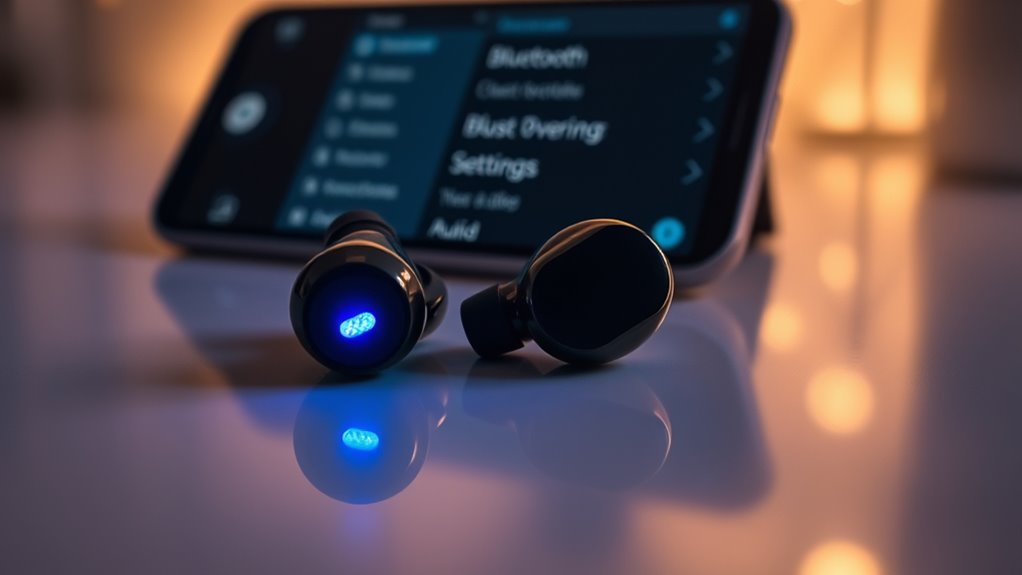

To make your earbuds discoverable, power them on and activate pairing mode. This usually involves pressing and holding a specific button or combination of buttons until an LED light indicates they’re ready for connection. Once they’re in pairing mode, access your device’s Bluetooth settings, enable Bluetooth, and select your earbuds from the list of available devices. If you run into any issues, there are more tips and troubleshooting steps available to help you out.
Understanding Bluetooth Technology
Bluetooth technology is the backbone of wireless audio devices, allowing seamless connectivity between your earbuds and various devices. Understanding Bluetooth basics can enhance your experience, giving you the freedom to enjoy music, podcasts, and calls without tangled wires. This technology operates on short-range radio waves, typically within a range of 30 feet, making it practical for daily use. When you pair your earbuds with a smartphone or laptop, they create a secure connection, ensuring high-quality audio transmission. With Bluetooth, you can effortlessly switch between devices, letting you take control of your listening experience. Embracing wireless audio opens up a world of convenience, empowering you to move freely while staying connected to your favorite sounds.
Checking Battery Levels
When you’re enjoying the freedom of wireless audio, keeping an eye on your earbuds’ battery levels is important to guarantee uninterrupted listening. Here’s how to stay on top of it:
Staying aware of your earbuds’ battery levels ensures a seamless wireless listening experience.
- Check your device settings: Most smartphones show the battery status of connected devices.
- Use battery indicator apps: These apps can give you precise battery levels and notifications when your earbuds are low.
- Monitor connection stability: A stable connection often indicates your earbuds are in good shape; sudden drops can signal low battery.
- Look for LED indicators: Many earbuds have lights that change color to indicate battery status, so keep an eye on those.
Resetting Your Earbuds
If your earbuds aren’t connecting, resetting them can often do the trick. Start by powering them off completely, then follow the specific steps to enter pairing mode. This process can help clear any connection issues and make them discoverable again.
Powering Off Earbuds
Powering off your earbuds is a simple yet essential step in ensuring they function properly and remain ready for future use. Different earbud models may have varying power button functions, so it’s important to know how to turn them off correctly. Here’s a quick guide:
- Locate the Power Button: Usually found on the earbuds or in the charging case.
- Press and Hold: For most models, press and hold the power button for a few seconds.
- Listen for Confirmation: Some earbuds will emit a sound or flash a light to indicate they’ve powered off.
- Store Safely: Place them in their charging case to protect them and keep them charged.
Entering Pairing Mode
Entering pairing mode is essential for connecting your earbuds to a new device. To do this, you’ll often need to reset your earbuds, which clears previous connections, allowing for fresh pairings. Most earbuds have a specific button combination or require you to hold down the power button for a few seconds. Check your user manual for the exact pairing techniques. Once in pairing mode, your earbuds should become discoverable to nearby Bluetooth devices. Just open your device’s Bluetooth settings, and look for your earbuds on the list. Select them, and you’re ready to enjoy your music or calls without the hassle of tangled wires. Embrace the freedom of wireless listening by mastering this simple process!
Activating Pairing Mode
To connect your earbuds to a device, you’ll need to activate pairing mode, which sets them up to be discovered by Bluetooth. Here are some effective pairing techniques to guarantee a smooth connection and avoid common mistakes:
- Check Battery: Make sure your earbuds are charged; low battery can prevent pairing.
- Hold the Button: Press and hold the designated button until you see a blinking light, indicating pairing mode is active.
- Turn On Bluetooth: Enable Bluetooth on your device to allow it to scan for nearby earbuds.
- Select Your Earbuds: From the available devices list, tap on your earbuds to establish the connection.
Making Your Device Discoverable
Once your earbuds are in pairing mode, the next step is ensuring your device is discoverable. Check your device visibility settings; you’ll want to make sure they’re turned on. For most smartphones or tablets, you can find this option under the Bluetooth settings. Once enabled, your device will be visible to nearby Bluetooth devices within range. Remember, the typical Bluetooth range is about 30 feet, so don’t stray too far from your earbuds. If you’re having trouble connecting, try toggling the Bluetooth off and back on, which can help refresh the device visibility. With these steps, you’re one step closer to enjoying your wireless freedom with your earbuds!
Connecting via Bluetooth Settings
Connecting your earbuds via Bluetooth settings is a straightforward process that can enhance your listening experience. Follow these steps to guarantee a smooth connection:
- Check Device Compatibility: Make sure your device supports Bluetooth and is compatible with your earbuds.
- Power On Your Earbuds: Turn on your earbuds and put them in pairing mode, usually indicated by a flashing light.
- Access Bluetooth Settings: On your device, go to the Bluetooth settings menu and enable Bluetooth if it’s off.
- Select Your Earbuds: Look for your earbuds in the list of available devices and select them to connect.
Once connected, you’re free to enjoy your favorite music without the hassle of cords!
Troubleshooting Common Issues
While using Bluetooth earbuds can greatly enhance your audio experience, you might encounter some common issues that can disrupt connectivity. One frequent problem is connection failures, which can stem from poor earbud compatibility with your device. If your earbuds aren’t pairing, make sure they’re fully charged and not connected to another device. Sometimes, a simple restart of both your earbuds and the device can resolve the issue. Additionally, check for any software updates that might improve compatibility. If you’re still having trouble, consider resetting your earbuds to factory settings, as this can often fix persistent connection issues. Remember, a stable Bluetooth connection not only boosts your listening pleasure but also guarantees you stay free to move without interruptions.
Ensuring Compatibility With Devices
To guarantee your Bluetooth earbuds work seamlessly with your devices, it’s essential to check their compatibility beforehand. Here are some steps to guarantee smooth connections:
- Review Earbud Specifications: Look for supported Bluetooth versions and profiles.
- Check Device Compatibility: Confirm that your device supports the same Bluetooth version as your earbuds.
- Update Firmware: Make sure both your earbuds and devices have the latest software updates for peak performance.
- Consult Manufacturer Resources: Visit the manufacturer’s website for detailed compatibility information and troubleshooting tips.
Managing Multiple Connections
Managing multiple connections with your Bluetooth earbuds can be a breeze if you know how to navigate the settings on your devices. First, verify your earbuds are in pairing mode and ready to connect. When switching connections, simply disconnect from one device and connect to another through your Bluetooth settings. Many earbuds allow simultaneous connections, letting you manage devices effortlessly. For example, you can listen to music on your laptop while staying connected to your phone for calls. Just remember to check your device’s Bluetooth settings to prioritize your preferred connection. With a little practice, you’ll find managing multiple connections becomes second nature, giving you the freedom to switch seamlessly between your favorite devices.
Maintaining Your Earbuds for Optimal Performance
Switching between devices is one thing, but keeping your earbuds in prime condition is another essential aspect of enjoying a great audio experience. To maintain peak sound quality, follow these simple steps for earbud cleaning and care:
- Regular Cleaning: Wipe down your earbuds with a soft, dry cloth to remove dirt and sweat.
- Ear Tips Care: Remove and wash silicone tips with mild soap and water; let them air dry completely before reattaching.
- Storage: Store your earbuds in a protective case to avoid tangling and damage when not in use.
- Battery Management: Keep the battery charged and avoid letting it completely drain to prolong battery life.
Frequently Asked Questions
Can I Use My Earbuds With Multiple Devices Simultaneously?
You can’t use your earbuds with multiple devices simultaneously. However, some models support audio sharing, allowing connection to compatible devices. Check your earbuds’ specifications to explore their device compatibility and enhance your listening freedom.
How Do I Know if My Earbuds Are in Pairing Mode?
You’ll know your earbuds are in pairing mode if you see pairing indicators, like blinking lights. If they’re not connecting, try troubleshooting tips, such as resetting them or ensuring Bluetooth is enabled on your device.
What Should I Do if My Device Doesn’T Detect My Earbuds?
If your device doesn’t detect your earbuds, have you checked for compatibility? Try restarting both devices and make sure they’re in pairing mode. Follow troubleshooting steps like resetting the earbuds to enhance connection chances.
Are There Specific Apps for Managing Bluetooth Connections?
Yes, there are Bluetooth management apps that can help you connect devices more easily. Just make certain you perform an earbud compatibility check within the app to avoid any connection issues. Enjoy your wireless freedom!
Can Environmental Factors Affect Bluetooth Connectivity?
Absolutely, environmental factors can wreak havoc on Bluetooth connectivity! Bluetooth interference from walls, microwaves, or other devices creates significant obstacles. Staying mindful of your surroundings can help you enjoy a smoother, uninterrupted wireless experience.
