
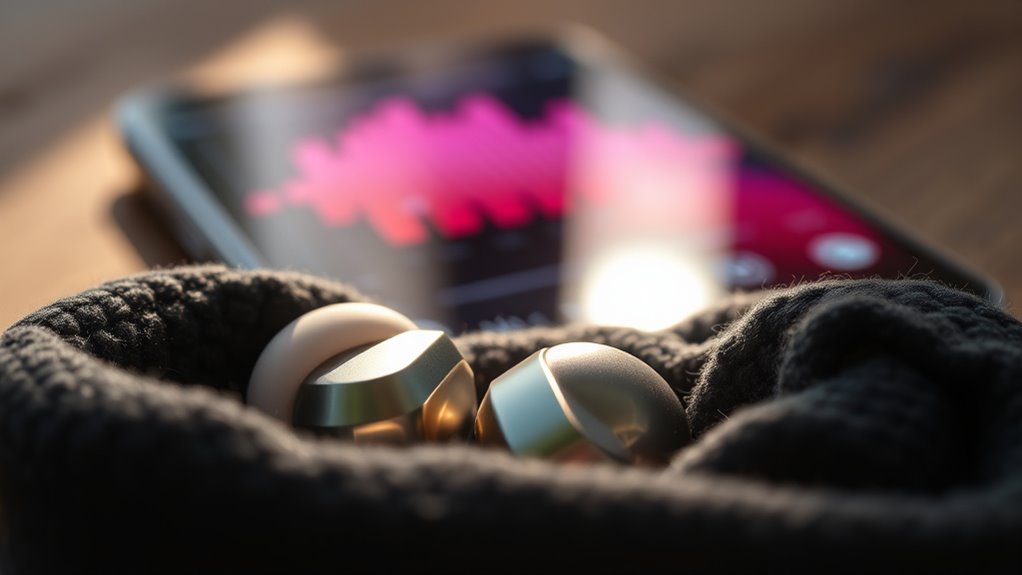

To make your earbuds louder, start by adjusting the audio settings on your device. Increase the volume and disable any volume limiters. Consider using equalizer apps to fine-tune frequency settings for your preferred sound profile. It’s also important to keep your earbuds clean and check for firmware updates to guarantee peak performance. If you’re still not satisfied, look into volume-boosting accessories for even higher outputs. There are plenty of ways to enhance your audio experience further.
Adjust Device Audio Settings
When you want to make your earbuds louder, the first step is to adjust your device’s audio settings. Most devices offer various audio enhancement techniques that can greatly improve sound quality. Start by increasing the volume level in your device’s settings, ensuring it’s not capped. Look for options like “Sound Enhancements” or “Audio Effects,” which can boost audio output. If your device has a “Volume Limiter,” disable it to access higher volume levels. Additionally, check any built-in equalizer settings, as they can help tailor sound frequencies to your preference. Remember, optimizing these settings not only enhances the loudness but also contributes to overall sound quality improvement, allowing you to experience your audio content more freely and enjoyably.
Use Equalizer Apps
After optimizing your device’s audio settings, you can further enhance your listening experience by using equalizer apps. These applications allow you to customize sound profiles, giving you control over your audio output. Here are four tips to get the most out of equalizer apps:
- Explore Equalizer Presets: Many apps offer built-in presets tailored for different genres.
- Adjust Frequency Bands: Fine-tune bass, midrange, and treble levels to match your preferences.
- Use Custom Settings: Create unique profiles for various listening environments.
- Enable Audio Enhancement Features: Look for additional tools like spatial audio or surround sound for a richer experience.
Clean Your Earbuds
Cleaning your earbuds regularly can greatly improve sound quality and prolong their lifespan. Dust, earwax, and debris can accumulate in the speaker mesh and silicone tips, obstructing sound clarity. For effective earbud maintenance, use a soft, dry cloth to wipe the exterior and a small, soft-bristled brush to gently clean the speaker grills. If your earbuds have removable tips, detach them and wash with mild soap and water, making sure they’re fully dry before reattaching. Avoid using alcohol or harsh chemicals, as they can damage the materials. By maintaining cleanliness, you’ll enhance your listening experience and make certain your earbuds remain functional for longer. Prioritize this simple task to enjoy peak sound performance and freedom in your audio experience.
Check for Firmware Updates
Maintaining your earbuds isn’t just about cleanliness; keeping their software updated is equally important for peak performance. Regular firmware updates can enhance sound quality, improve battery life, and fix bugs that may affect volume levels. Here are some update methods you can use:
- Manufacturer App: Download the official app for your earbuds to check for firmware updates.
- Bluetooth Connection: Verify your earbuds are connected to your device; updates often occur automatically.
- Website Check: Visit the manufacturer’s website for manual updates and firmware benefits.
- Notifications: Enable notifications to get alerts when updates are available.
Consider Volume-Boosting Accessories
To enhance your listening experience, consider investing in volume-boosting accessories designed specifically for earbuds. Volume amplifiers can greatly increase the output level of your earbuds, providing that extra loudness without compromising sound quality. These devices often connect through your headphone jack or Bluetooth, allowing you to customize your audio experience on the go.
Additionally, sound enhancers can improve sound clarity and detail, making your music more enjoyable at higher volumes. Some options include EQ apps that let you adjust frequencies or specialized earbud tips that create a better seal, enhancing bass response and overall loudness. By utilizing these accessories, you can reveal your earbuds’ true potential and enjoy your favorite tracks with the freedom of enhanced sound.
Frequently Asked Questions
Can High Volume Damage My Earbuds or Hearing?
Can you really afford to risk your hearing? High volume can damage both your earbuds and hearing without proper protection. It’s essential to be aware of volume limits to preserve both sound quality and auditory health.
What Should I Do if My Earbuds Are Still Quiet?
If your earbuds are still quiet, check your volume settings first. Confirm they’re at maximum and inspect for earbud maintenance issues, like debris or loose connections, which can hinder sound output.
Are There Specific Earbuds Known for Higher Volume?
Yes, some earbuds offer higher volume due to better volume specifications and headphone sensitivity. Look for models with sensitivity ratings over 100 dB/mW; they usually deliver a louder sound experience without compromising quality.
Does the Audio Source Affect the Loudness of Earbuds?
Yes, the audio source considerably affects your earbuds’ loudness. Higher audio quality and ideal sound settings can enhance volume output, ensuring you experience richer sound. Always check your device’s settings for the best performance.
How Can I Improve Sound Quality While Increasing Volume?
To improve sound quality while increasing volume, utilize sound enhancement techniques and audio adjustment apps. Experiment with equalizers and compression settings to optimize audio output, ensuring a balanced and immersive listening experience tailored to your preferences.
