
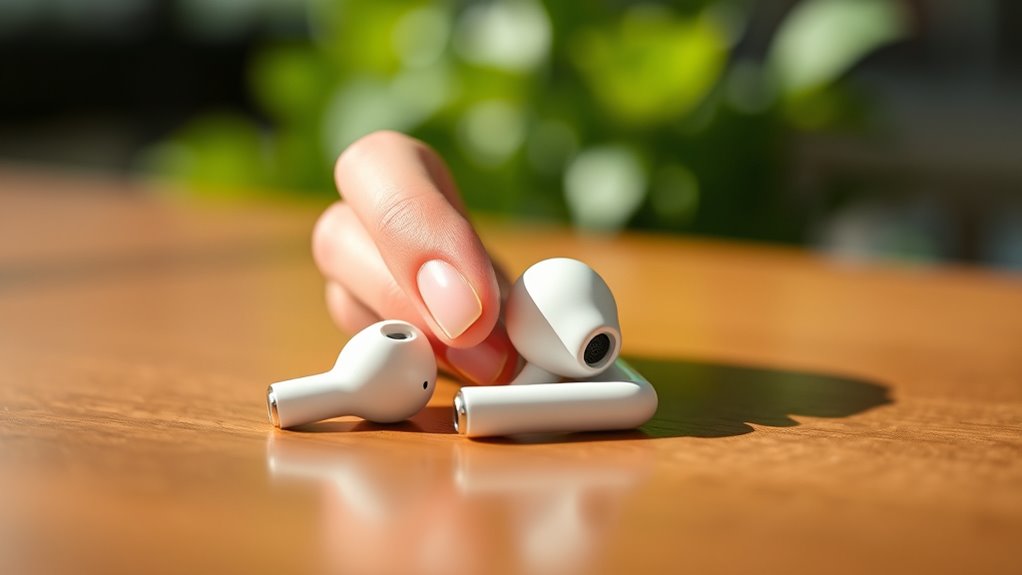

To turn on your Apple earbuds, it depends on which model you have. If you’re using wired EarPods, just plug them into the headphone jack or lightning port, and they’re ready to go. For AirPods, simply open the case near your iPhone or iPad and tap “Connect.” They automatically turn on when you remove them from the case. If you run into issues, there are quick fixes available to help you troubleshoot effectively.
Understanding Different Types of Apple Earbuds
When it comes to Apple earbuds, understanding the different types can enhance your listening experience. You’ll find options like the standard wired EarPods and the wireless AirPods, each offering unique earbud features. Wired models provide consistent sound quality without the need for charging, making them great for everyday use. On the other hand, AirPods deliver a seamless wireless experience, boasting advanced features like noise cancellation and spatial audio, which can truly elevate your listening. When choosing, consider how often you’ll use them and the sound quality you desire. Whether you’re a casual listener or a dedicated audiophile, knowing the differences helps you select the right earbuds that fit your lifestyle and preferences. Enjoy the freedom of choice!
Turning on Wired Apple Earbuds
Wired Apple earbuds, like the standard EarPods, don’t have a power button or require turning on in the traditional sense. To use them, simply plug the earbuds into your device’s headphone jack or lightning port. Once connected, you can enjoy various earbud features, such as built-in controls for volume and playback.
You’ll find that the sound quality is often exceptional, delivering clear highs and deep lows that enhance your listening experience. If you encounter any issues, check the connection and verify your device’s audio settings are adjusted correctly. With wired earbuds, you’re always ready to listen, offering a hassle-free experience that lets you enjoy your favorite music and podcasts without any extra steps.
Pairing and Turning on AirPods
AirPods are designed for seamless use, making it easy to pair and turn them on. To start the pairing process, simply open the case near your iPhone or iPad. You’ll see a prompt appear on your device’s screen; tap “Connect.” If you’re using a non-Apple device, go to Bluetooth settings, then select your AirPods from the list. Once connected, your AirPods will automatically turn on whenever you take them out of the case. To guarantee a stable Bluetooth connection, make sure your device is within range and that Bluetooth is enabled. With just a few simple steps, you can enjoy your AirPods and experience the freedom of wireless listening!
Troubleshooting Common Issues
Though using AirPods is generally straightforward, you might encounter some common issues that can disrupt your listening experience. Here’s a quick guide for troubleshooting earbud connectivity issues and sound quality troubleshooting:
| Issue | Symptoms | Solution |
|---|---|---|
| No connection | Earbuds won’t pair | Restart your device and reset AirPods |
| Sound cutting out | Intermittent audio | Check battery levels and proximity |
| Low sound quality | Muffled or distorted audio | Clean your earbuds and check settings |
| One earbud not working | Sound only in one ear | Reconnect and try a different device |
If you face any of these issues, don’t hesitate to try these solutions. Enjoy your freedom with seamless sound!
Tips for Maintaining Your Earbuds
To keep your earbuds in top condition, it’s essential to adopt some simple maintenance practices. Regular earbud cleaning is key to preventing dirt and grime buildup. Use a soft, dry cloth to wipe down the exterior, and for the mesh parts, a gentle brush or a dry toothbrush can do wonders. Make sure to keep the charging ports clean as well. For battery care, avoid letting your earbuds fully discharge frequently; this can shorten battery life. Instead, charge them regularly, ideally when they drop below 20%. Also, store your earbuds in their case when not in use to protect them from damage. Following these tips will help you enjoy your earbuds for years to come!
Frequently Asked Questions
Can I Use Apple Earbuds With Non-Apple Devices?
Yes, you can use Apple earbuds with non-Apple devices. However, you might encounter compatibility issues. Just make sure your device supports Bluetooth, and follow the pairing instructions for a seamless connection. Enjoy your listening experience!
Are Apple Earbuds Water-Resistant?
Apple earbuds aren’t fully water-resistant; they offer some resistance to sweat and moisture. For ideal performance and longevity, you should prioritize earbud maintenance, keeping them dry and clean after use to prevent damage.
How Long Does the Battery Last on Airpods?
AirPods typically last around 4 to 5 hours on a single charge, depending on usage. For better battery performance, keep them stored in the case when not in use and follow proper charging tips to extend longevity.
Can I Replace the Ear Tips on Airpods?
Yes, you can replace the ear tips on AirPods. There are various ear tip options available, but make certain they’re compatible with your model for the best fit and sound quality. Enjoy your personalized listening experience!
Do Apple Earbuds Work With Voice Assistants?
Apple earbuds symbolize a bridge to freedom, connecting you to voice assistant compatibility. With Siri functionality, you can effortlessly control your device, making tasks simpler and enhancing your experience while keeping your hands free.
