
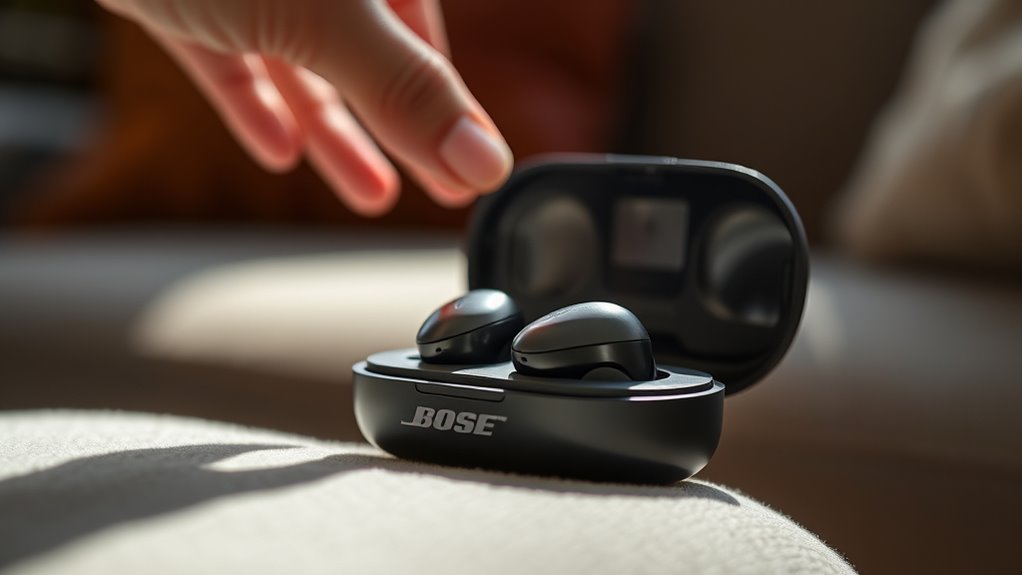

To use your Bose QuietComfort Ultra Earbuds, start by unboxing and charging them in the case. Pair them with your device via Bluetooth—just open the case and select “Bose QuietComfort Ultra” in settings. Familiarize yourself with the controls: tap to play/pause, swipe for tracks, and adjust volume easily. Explore the noise-canceling features for an enhanced listening experience. You’ll also find options to customize sound settings for your preferences. There’s much more to discover!
Unboxing Your Bose QuietComfort Ultra Earbuds
Unboxing your Bose QuietComfort Ultra Earbuds is an experience that sets the tone for your listening journey. As you lift the sleek lid, you’ll immediately notice the thoughtful design of the packaging. Inside, you’ll find the earbuds nestled securely, accompanied by a charging case, a USB-C cable, and various ear tip sizes tailored for a perfect fit. This unboxing experience isn’t just about aesthetics; it reflects Bose’s commitment to quality and user satisfaction. Each element you uncover enhances your anticipation, making you keen to explore what these earbuds can offer. With everything organized neatly, you can easily familiarize yourself with the packaging contents, ensuring you’re ready to plunge into your new audio adventure.
Charging Your Earbuds
Charging your Bose QuietComfort Ultra Earbuds is a straightforward process that guarantees you’re always ready for immersive audio experiences. To maximize battery life, follow these essential charging tips:
- Use the provided charging case for ideal power management.
- Verify the earbuds are seated correctly in the case for proper connection.
- Keep the charging case charged, so your earbuds are always ready to go.
- Avoid letting the battery drain completely; aim to recharge them when they reach around 20%.
- Clean the charging contacts regularly to guarantee efficient power transfer.
Pairing With Your Devices
Once your Bose QuietComfort Ultra Earbuds are charged and ready, the next step is pairing them with your devices for seamless audio enjoyment. First, verify your device’s Bluetooth connectivity is activated. Open the earbuds’ charging case; they’ll automatically enter pairing mode. On your device, navigate to Bluetooth settings and look for “Bose QuietComfort Ultra.” Select it to establish a connection. It’s that simple! These earbuds boast impressive device compatibility, working effortlessly with smartphones, tablets, and laptops. Once connected, you can enjoy rich sound quality and noise cancellation without any interruptions. Should you wish to connect to another device, just repeat the process. Enjoy the freedom of wireless listening and explore your audio world without limitations!
Understanding the Controls
Now that you’ve paired your Bose Quietcomfort Ultra Earbuds, it’s time to get familiar with their controls. Understanding the button functions, touch controls, and how to activate your voice assistant will enhance your listening experience. Let’s break down each feature so you can maximize the capabilities of your earbuds.
Button Functions Explained
Understanding the button functions of your Bose QuietComfort Ultra Earbuds is crucial for maximizing their potential. Familiarizing yourself with the button layout and control gestures will enhance your listening experience and give you greater freedom. Here’s a quick breakdown of the main functions:
- Play/Pause: One tap on the multi-function button.
- Volume Control: Use the volume up/down buttons for adjustments.
- Skip Tracks: Double-tap the multi-function button to skip forward or triple-tap to go back.
- Voice Assistant: Press and hold the multi-function button to activate your chosen assistant.
- Power On/Off: Press and hold the power button until you hear the prompt.
Mastering these controls guarantees you can enjoy your music without interruptions and with ease.
Touch Controls Overview
Alongside the physical button functions, the Bose QuietComfort Ultra Earbuds also feature intuitive touch controls that enhance user interaction. These controls allow you to navigate your audio experience seamlessly. For instance, a simple tap can play or pause music, while swiping forward or backward lets you skip tracks effortlessly. To optimize your experience, consider these touch sensitivity tips: make sure your fingers are clean and dry for better response. For a thorough gesture usage guide, familiarize yourself with the specific gestures to maximize functionality. Whether you’re adjusting volume or taking calls, these touch controls offer you the freedom to enjoy your audio without fumbling with buttons, making every interaction smooth and enjoyable.
Voice Assistant Activation
While the Bose QuietComfort Ultra Earbuds excel in audio quality and comfort, they also provide seamless access to voice assistants, enhancing your overall user experience. To set up voice assistant integration, follow these steps for an effortless voice command setup:
- Confirm your earbuds are connected to your device.
- Press and hold the appropriate touch control to activate your voice assistant.
- Follow prompts on your device to allow permissions if required.
- Customize settings via the app for a tailored experience.
- Test the functionality by issuing a simple voice command.
With these straightforward steps, you’ll enjoy the freedom of hands-free operation, making it easy to manage tasks and access information without interrupting your listening experience.
Exploring Noise-Canceling Features
When you want to immerse yourself in your favorite music or podcasts, the Bose Quietcomfort Ultra Earbuds offer exceptional noise-canceling features that can transform your listening experience. With active noise cancellation, these earbuds effectively block out unwanted background noise, allowing you to focus solely on what you love. Whether you’re in a bustling café or a noisy commute, you won’t have to compromise on sound quality. Plus, if you need to be aware of your surroundings, the ambient sound feature lets you tune into important sounds without removing your earbuds. This balance gives you the freedom to enjoy your audio while staying connected to the world around you. Engage in a new level of listening with these remarkable features!
Customizing Sound Settings
When it comes to getting the most out of your Bose Quietcomfort Ultra Earbuds, customizing sound settings can make a significant difference. You can tweak the equalizer settings, adjust noise cancellation levels, and explore preset sound modes to match your listening preferences. Let’s explore how these adjustments can enhance your overall audio experience.
Equalizer Settings Adjustment
To enhance your listening experience with the Bose Quietcomfort Ultra Earbuds, adjusting the equalizer settings is essential, especially if you have specific sound preferences. With sound customization, you can personalize your audio to suit your taste perfectly.
Consider experimenting with these equalizer presets:
- Bass Boost: For a deeper low-end impact.
- Treble Boost: To emphasize higher frequencies for clarity.
- Vocal Boost: Perfect for podcasts and audiobooks.
- Flat: A neutral setting for a balanced sound.
- Custom: Tailor your own settings for a unique experience.
Noise Cancellation Levels
Many users find that customizing the noise cancellation levels on the Bose Quietcomfort Ultra Earbuds can greatly enhance their listening experience. You can choose between adaptive noise cancellation, which automatically adjusts based on your environment, and ambient mode, allowing you to stay aware of your surroundings. This flexibility empowers you to enjoy your music or podcasts without losing touch with the world around you. To customize, simply access the app or use the touch controls on the earbuds. Experiment with different levels to discover what works best for you in various situations, whether you’re commuting, working, or relaxing at home. Finding the ideal balance can truly elevate your audio experience, giving you the freedom to immerse yourself fully.
Preset Sound Modes
Customizing sound settings on your Bose Quietcomfort Ultra Earbuds can greatly enhance your audio experience, thanks to the various preset sound modes available. These modes let you tailor the audio to your preferences, making every listening session more enjoyable. Here are some key preset sound options you can explore:
- Balanced: Perfect for everyday listening.
- Bass Boost: For those who love deep, rich tones.
- Vocal Boost: Enhances clarity for podcasts and audiobooks.
- Acoustic: Ideal for a more natural sound experience.
- Custom: Create your own unique sound profile.
Utilizing these preset sound modes allows for effective sound customization, ensuring you get the most out of your earbuds, no matter what you’re listening to. Immerse yourself and find the perfect mode for your vibe!
Maintaining Your Earbuds
While enjoying your Bose Quietcomfort Ultra Earbuds, it’s easy to overlook the importance of proper maintenance. Keeping them clean and stored correctly enhances their performance and longevity. Here’s a quick guide to help you maintain your earbuds:
| Task | Frequency | Tips |
|---|---|---|
| Earbud Cleaning | Weekly | Wipe with a soft, dry cloth and use a gentle brush for the mesh. Avoid moisture. |
| Storage Tips | Daily | Use the provided case to protect against dust and damage. |
| Battery Care | Monthly | Charge fully but avoid keeping them connected for long periods. |
Troubleshooting Common Issues
When you encounter issues with your Bose Quietcomfort Ultra Earbuds, don’t panic; troubleshooting can often resolve these problems quickly. Here are some common earbud connectivity issues and audio quality problems you might face, along with solutions:
- Check Bluetooth connection: Verify your device is paired correctly.
- Reset your earbuds: Sometimes a simple reset can fix many glitches.
- Update firmware: Keep your earbuds updated for peak performance.
- Inspect for obstructions: Physical barriers can affect connectivity and sound.
- Clean the earbuds: Dirt can interfere with audio quality, so regularly clean them.
Frequently Asked Questions
Can I Use the Earbuds While Exercising?
Absolutely, you can use the earbuds while exercising! Think of them as your personal sound cocoon, providing exercise comfort and noise cancellation, allowing you to focus on your workout without distractions. Enjoy your freedom!
Are the Earbuds Water-Resistant or Sweat-Proof?
Yes, the earbuds offer water resistance and sweat protection, making them suitable for workouts and outdoor activities. You can enjoy your music confidently, knowing they’re designed to withstand moisture without compromising sound quality.
How Do I Reset My Bose Earbuds?
Did you know 70% of users experience connectivity issues? For earbud troubleshooting, you can reset your Bose earbuds by holding the power button for 10 seconds until you see the Bluetooth indicator light flash.
What Is the Warranty Period for the Earbuds?
The warranty period for your earbuds is typically one year. To guarantee full warranty coverage, it’s best to complete the warranty registration, which can help you easily access support and service if needed.
Can I Use Them With Multiple Devices Simultaneously?
Sure, you can’t connect to multiple devices at once—Bose isn’t a magician! While you can switch between devices, expect some audio latency. Embrace the freedom of seamless listening, just not all at once!
