
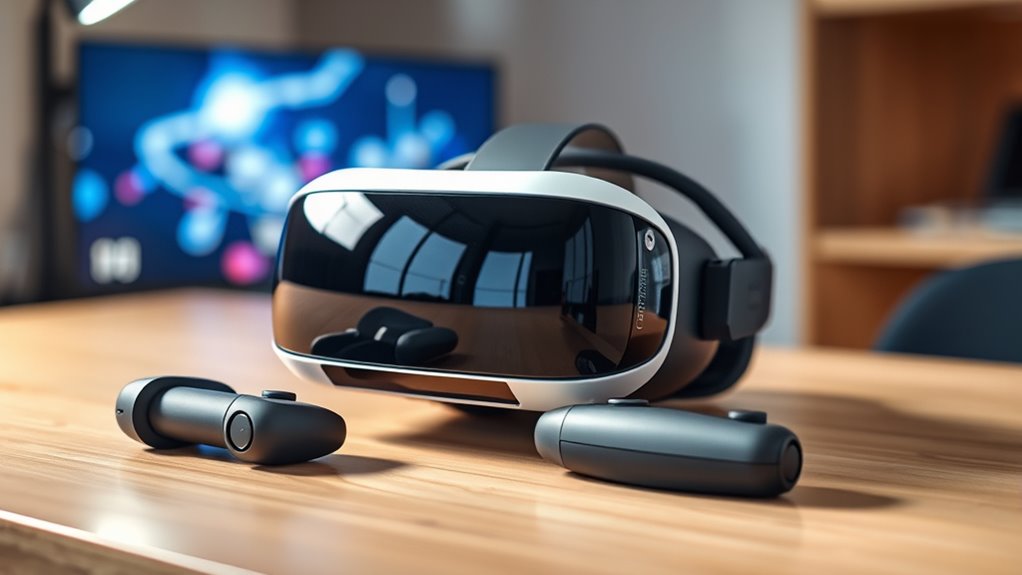

To master your VR headset, start by picking one that fits your budget and device compatibility. Set up a clear, safe play area of at least 6.5 feet. Connect your headset, ensuring strong Wi-Fi and compatible hardware. Then, calibrate it for a snug fit and clear visuals. Finally, explore diverse VR content for an immersive experience. Curious about tips to enhance your session further? There’s so much more to discover!
Selecting the Right VR Headset
When you’re ready to plunge into the world of virtual reality, selecting the right VR headset can feel overwhelming due to the many options available. Start by considering your budget; headsets range from affordable to premium, and you want to guarantee you’re making a wise investment. Next, think about headset compatibility with your existing devices, whether it’s a gaming console or a PC. Some headsets work exclusively with specific platforms, so do a little research to avoid disappointment. Also, consider the comfort and fit of the headset, as you’ll want to immerse yourself without discomfort. By weighing these budget considerations and compatibility factors, you’ll find a headset that not only meets your needs but also enhances your VR experience.
Setting Up Your VR Space
While setting up your VR space might seem like a simple task, it’s crucial to create an environment that enhances your experience. Start by designating boundaries in your play area—ideally, a minimum of 6.5 by 6.5 feet. This guarantees you have enough room to move freely without worrying about hitting anything. Next, clear obstacles from the space, such as furniture or loose cables, to prevent accidents. Consider using safety markers or mats to define your play area visually. Make sure the floor surface is even and non-slippery for added safety. By taking these steps, you’ll not only enjoy a more immersive experience but also feel more at ease while exploring virtual worlds. Your VR adventure awaits!
Connecting Your Headset to Your Device
Connecting your VR headset to your device is an essential step that can often feel challenging. Start by checking for wireless connectivity; most headsets thrive on a strong Wi-Fi connection. Verify your device meets the headset’s compatibility requirements—this is a common area for compatibility issues. If you’re using a PC, make sure your graphics card and USB ports are up to par. For console users, confirm that your headset is compatible with your specific model. Follow the manufacturer’s instructions for pairing, which usually involves entering a code or confirming a connection on both devices. Once connected, you’re one step closer to diving into immersive experiences. Enjoy the freedom that comes with a seamless setup!
Calibrating Your VR Headset
Before you can fully immerse yourself in virtual reality, it’s essential to calibrate your VR headset properly. Start by following the manufacturer’s instructions for calibration techniques. Adjust the headset’s fit to guarantee it’s snug but comfortable on your head. You’ll want to fine-tune the lenses for peak clarity; this often involves adjusting the interpupillary distance (IPD) to match the distance between your eyes. Take time to set up your play area, marking boundaries if required. Don’t skip the software calibration steps—these can include adjusting tracking settings and guaranteeing your headset detects your movements accurately. Proper headset adjustments can make a world of difference, enhancing your virtual experience and allowing you the freedom to explore without distractions.
Exploring VR Content and Applications
Diving into the world of virtual reality opens up a universe of possibilities, with countless applications and experiences waiting for you. One of the most thrilling aspects is immersive gaming, where you can step into diverse environments and engage in action like never before. Whether you’re exploring fantastical domains or competing with friends, VR gaming transforms your playtime into an unparalleled experience.
But it doesn’t stop there! Virtual travel allows you to explore breathtaking destinations from the comfort of your home. You can wander through ancient ruins, stroll along pristine beaches, or even visit iconic landmarks—all without the hassle of packing. Embrace the freedom VR offers, and discover a new way to escape reality while enriching your life with unforgettable experiences.
Tips for an Enhanced VR Experience
To truly enhance your VR experience, optimizing your room setup is key. You’ll also want to adjust the visual settings for comfort and clarity, making your immersion even more enjoyable. Finally, exploring diverse content can introduce you to exciting new experiences that keep your VR adventures fresh and engaging.
Optimize Room Setup
Although setting up your room for VR might seem straightforward, a few key adjustments can greatly enhance your experience. First, consider your room dimensions; make certain you have enough space to move freely without bumping into walls or furniture. Ideally, a play area of at least 6.5 by 6.5 feet provides ample room to roam.
Next, pay attention to furniture arrangement. Remove any obstacles that could disrupt your immersion or cause accidents. Keep furniture against walls and opt for lightweight items that you can easily move if needed.
Finally, good lighting is essential. Even with a darker environment, make sure you have some ambient light to help with tracking. With these tweaks, you’ll be ready to plunge into your VR adventures!
Adjust Visual Settings
Adjusting the visual settings on your VR headset can make a significant difference in your overall experience, as it tailors the visuals to suit your preferences and environment. Start by tweaking the resolution for ideal visual clarity. Higher resolutions enhance details, making your virtual surroundings more immersive. Next, explore brightness and contrast settings; these comfort adjustments can reduce eye strain and improve the realism of your experience. Don’t forget to adjust the field of view—finding the right balance can enhance your sense of presence. Finally, consider enabling any built-in anti-aliasing features to smooth out jagged edges. Experiment with these settings to create an experience that feels just right for you, making your journey in virtual reality even more enjoyable.
Explore Diverse Content
Diving into the vast array of content available for your VR headset can greatly enhance your immersive experience. Explore diverse genres, from heart-pounding action games to calming nature simulations. Engaging with interactive storytelling can transport you to new worlds, allowing you to shape narratives with your choices. Don’t hesitate to try out VR documentaries and educational experiences that offer a unique perspective on the world around you.
To maximize your enjoyment, join online communities where fellow VR enthusiasts share their favorite content and recommendations. Keep an eye on new releases, as developers continually create innovative experiences. Embrace the freedom of choice in VR, and let your curiosity guide you to discover the possibilities waiting just beyond your headset.
Frequently Asked Questions
How Do I Clean My VR Headset Lenses Properly?
To clean your VR headset lenses properly, use a microfiber cloth and gentle lens cleaning solution. Avoid harsh chemicals and always apply the solution to the cloth, not directly on the lenses, for best results.
Can I Use My VR Headset With Glasses?
Yes, you can use your VR headset with glasses. Think of it as fitting a key into a lock; with some comfort adjustments, you’ll access immersive experiences while keeping your glasses compatibility intact. Enjoy the freedom!
What Should I Do if My Headset Overheats?
If your headset overheats, it’s likely due to excessive use or poor ventilation. Try cooling solutions like adjusting the environment, taking breaks, or using a fan to improve airflow and prevent overheating during your sessions.
How Often Should I Update My VR Headset Software?
You should update your VR headset software regularly, ideally every few weeks. This keeps your device’s software compatibility fresh, ensuring you enjoy smooth experiences and the latest features. Don’t let outdated software hold you back!
Is There a Weight Limit for VR Headsets?
There isn’t a strict weight limit for VR headsets, but weight considerations are essential for comfort and headset safety. You should avoid excessive pressure on your head to enhance your immersive experience without discomfort.
