
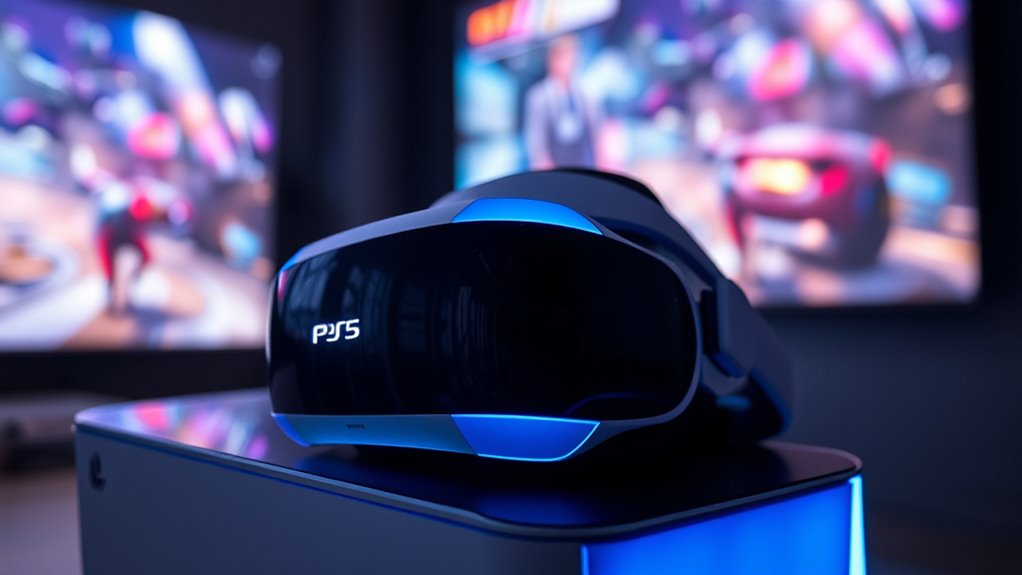

PS VR headsets work with the PS5 by connecting through a processor unit, allowing you to enjoy a vast library of VR games. While you won’t need new hardware, performance enhancements, like improved graphics and tracking accuracy, elevate your experience. You’ll find more immersive virtual worlds and smoother gameplay. To maximize your setup, guarantee all connections are secure and up-to-date. Discover more about optimizing your VR experience and the best games available for your PS5.
Compatibility of PS VR With PS5
Although the PlayStation VR was initially designed for the PS4, it remains compatible with the PS5, allowing gamers to enjoy their existing VR library on the newer console. This compatibility means you can experience an array of titles without needing to invest in new hardware. While PS VR performance may not fully leverage the PS5’s advanced capabilities, the console’s updates enhance the overall experience. Improved load times and better graphics can elevate your gameplay, providing a more immersive environment. However, keep in mind that you might not see the same level of optimization found in native PS5 VR titles. Overall, this compatibility guarantees that your investment in PS VR continues to pay off as you explore new horizons on the PS5.
Setting Up Your PS VR for PS5
To get your PS VR set up for use with the PS5, you’ll need to follow a few straightforward steps that guarantee everything runs smoothly. First, connect the PS VR headset to your PS5 using the included processor unit. Make sure to plug in all necessary cables, including the HDMI and USB connections. Next, verify your PS5 configuration is optimized for VR by guiding through the settings menu and adjusting display and audio options to match your preferences. Once everything’s connected, download any required updates for the PS VR system. Finally, launch a compatible VR game or app to test your setup. With these steps, you’ll be well on your way to enjoying immersive experiences on your PS5.
Enhanced Features of PS VR on PS5
As you immerse yourself in the world of virtual reality on your PS5, you’ll discover that the enhanced features of the PS VR headset greatly elevate your gaming experience. One of the standout improvements is the better graphics, which allow you to see more detail and vibrant colors, making virtual worlds feel more alive. Coupled with enhanced tracking, your movements are captured with remarkable accuracy, resulting in a more immersive experience. This combination means that when you turn your head or move your body, the game responds seamlessly, creating a natural flow that enhances your sense of presence. With these upgrades, PS VR on PS5 opens up new dimensions in gaming, giving you the freedom to explore and interact like never before.
Recommended Games for PS VR on PS5
When it comes to recommended games for PS VR on PS5, several titles stand out that truly showcase the headset’s capabilities. One of the top game recommendations is “Beat Saber,” a rhythm-based game that turns music into an exhilarating workout. For those who enjoy multiplayer experiences, “No Man’s Sky” offers a vast universe to explore with friends, combining exploration and survival seamlessly. Another must-try is “Moss,” a charming adventure that immerses you in a rich narrative with beautiful graphics. If you’re into horror, “Resident Evil 7” delivers an intense experience that makes full use of VR technology. Each of these games not only highlights what PS VR can do but also enhances your gaming freedom and enjoyment.
Troubleshooting Common Issues
When using your PS VR with the PS5, you might encounter a few common issues like connection problems, display glitches, or audio mismatches. Don’t worry, though; troubleshooting these issues can often be straightforward with some simple checks and adjustments. Let’s explore how you can quickly resolve these challenges to get back to your immersive gaming experience.
Connection Problems
Connection issues with PS VR headsets on the PS5 can be frustrating, but they’re often resolvable with a few straightforward steps. First, verify your headset is compatible with the PS5; not all models support this console. Check all connections, making sure the cables are securely plugged in and undamaged. Sometimes, simply disconnecting and reconnecting your headset can resolve issues. If you’re still encountering problems, try restarting your PS5 and updating the system software, as outdated firmware can lead to connection troubles. Finally, if you’re using an external device, verify it’s functioning correctly. With these connection troubleshooting tips, you can get back to enjoying your VR experience without hassle.
Display Issues
Although display issues with PS VR headsets on the PS5 can be disheartening, they’re often easy to fix with a bit of troubleshooting. Here are common fixes you can try:
- Check your display resolution settings on the PS5.
- Confirm your VR headset’s color calibration is set correctly.
- Inspect the HDMI and USB connections for any loose cables.
- Restart your PS5 and headset to reset any temporary glitches.
Audio Troubleshooting
While enjoying immersive experiences with your PS VR headset on the PS5, encountering audio issues can be frustrating and disruptive. To troubleshoot, start by checking your audio settings. Make certain your headset is selected as the primary output device. If you’re still having problems, try adjusting the sound calibration. This can help sync the audio to your VR experience, enhancing immersion. Sometimes, simply restarting your PS5 or disconnecting and reconnecting your headset can resolve temporary glitches. If you’re using external audio, verify that it’s set up correctly and compatible with the PS5. Finally, keep your system updated to benefit from the latest audio enhancements and fixes. With these steps, you’ll be back to enjoying rich soundscapes in no time!
Tips for an Optimal VR Experience
To fully immerse yourself in the virtual reality world, it is essential to enhance your setup and environment. Here are some tips to improve your VR experience:
Enhancing your setup is key for a fully immersive virtual reality experience.
- Adjust ideal lighting: Make certain your play area is well-lit but avoid direct light on the headset sensors.
- Clear your space: Remove any obstacles that could lead to accidents while you’re immersed in VR.
- Take breaks: Incorporate motion sickness tips by taking regular breaks to avoid fatigue and discomfort.
- Adjust headset straps: A snug fit guarantees better tracking and immersion.
Frequently Asked Questions
Can I Use PS VR With PC or Other Consoles?
You can’t directly use PS VR with PC or other consoles due to compatibility issues. However, alternative setups exist, like using software to adapt the headset, though results may vary and require technical knowledge.
Is There a Difference in Resolution Between PS VR and PS5?
Yes, there’s a noticeable difference in resolution between PS VR and PS5. The PS5 offers significant visual enhancements, providing sharper graphics and a more immersive experience, elevating your gaming to a whole new level of clarity.
Will PS VR Accessories Work With PS5?
Yes, PS VR accessories generally work with PS5, but you might encounter some compatibility issues. Upgrading to newer accessories can enhance your experience, ensuring you fully enjoy the capabilities of the PS5’s advanced technology.
How Does PS5 Improve PS VR Performance?
The PS5 offers performance enhancements like improved frame rates and reduced latency, enhancing your VR experience. Its backward compatibility guarantees you can enjoy existing PS VR titles with better visuals and smoother gameplay, maximizing your freedom in virtual worlds.
Are There Any VR Games Exclusive to PS5?
Yes, there are exclusive titles for PS5 that utilize VR enhancements. These games leverage the console’s capabilities, offering immersive experiences and pushing the boundaries of virtual reality, making your gaming adventures even more enchanting and enjoyable.
