
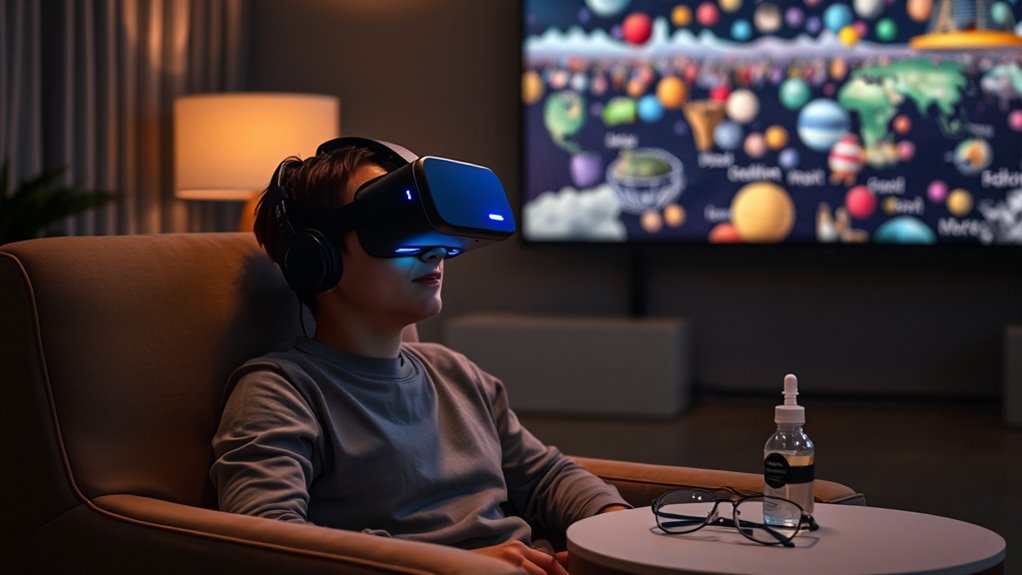

To guarantee your VR headset experience doesn’t harm your eyesight, remember to take breaks every 20-30 minutes to rest your eyes. Adjust your headset properly for comfort and clear vision, maintaining the right distance from the display. Stay hydrated and pay attention to any symptoms of eye strain, like dryness or headaches. Regular cleaning and hygiene practices will also enhance your experience. Continue to explore strategies for the best VR enjoyment and eye health.
Understanding VR and Eye Health
As you immerse yourself in virtual reality (VR), it’s important to understand how it can impact your eye health. Prolonged use of VR headsets can lead to eye fatigue, which may manifest as discomfort, dryness, or blurred vision. This occurs because your eyes are consistently focused on a screen just inches away, challenging their natural ability to relax. You might notice symptoms intensifying after extended sessions, making it essential to take regular breaks. Adjusting the headset for a comfortable fit can also alleviate strain. Furthermore, maintaining a proper distance between your eyes and the display is crucial in reducing the risk of eye fatigue. By being mindful of these factors, you can enjoy the freedom of VR while protecting your vision.
Importance of Screen Distance
Although you may be enthusiastic to plunge into immersive experiences, maintaining the proper distance between your eyes and the VR headset display is crucial for your visual comfort and overall safety. Here’s why screen distance matters:
- Screen Resolution: Higher resolution displays require ideal distance for clarity; too close can cause pixelation.
- Visual Comfort: Keeping the right distance reduces strain on your eyes, allowing longer, more enjoyable sessions.
- Depth Perception: Proper distance helps maintain accurate depth perception, enhancing immersion and realism.
- Avoiding Fatigue: Correct spacing minimizes eye fatigue, ensuring you can enjoy VR without discomfort.
Adjusting Your Headset Properly
To fully enjoy your VR experience, it’s essential to adjust your headset properly. Ensuring the correct strap tightness and ideal lens distance can greatly enhance comfort and visuals. By taking a moment to fine-tune these settings, you’ll create a more immersive and enjoyable environment.
Correct Strap Tightness
Getting the right strap tightness on your VR headset is essential for both comfort and safety during your immersive experience. Proper strap adjustment guarantees that the headset stays in place without causing discomfort or strain. Here are a few tips to find your ideal comfort level:
- Start Loose: Begin with a loose fit to avoid pressure on your face.
- Gradually Tighten: Adjust the straps gradually until the headset feels secure but not too tight.
- Check for Gaps: Confirm there are no gaps between the headset and your forehead.
- Test Movement: Move your head around to see if the headset stays stable without discomfort.
Optimal Lens Distance
Once you’ve achieved the right strap tightness, the next step is adjusting the lens distance for an ideal viewing experience. Proper lens customization is vital for minimizing eye strain and maximizing immersion. Start by positioning the lenses to align with the pupils of your eyes; this distance adjustment can vary based on individual anatomy. To find the best setting, you might need to try a few different positions while wearing the headset. Pay attention to any blurriness or discomfort, as these are signs that adjustments are needed. Remember, ensuring the lenses are correctly positioned is essential for clarity and comfort, allowing you to fully enjoy your VR experience without compromising your vision.
Taking Regular Breaks
While immersing yourself in the enchanting world of virtual reality can be exhilarating, it’s essential to take regular breaks to prevent discomfort and fatigue. Ensuring proper break frequency allows for eye relaxation and helps you maintain a more enjoyable experience. Here are some tips for effective breaks:
- Set a Timer: Schedule breaks every 20-30 minutes to give your eyes a rest.
- Look Away: Focus on an object in the distance for a minute during your breaks to relax your eye muscles.
- Stretch: Use this time to stretch your body to relieve tension.
- Hydrate: Drink water to keep your body refreshed and alert.
Limiting Session Length
To enhance your VR experience safely, it’s important to set time limits for each session. By doing so, you can prevent fatigue and discomfort that may arise from prolonged use. Remember to take regular breaks to recharge both physically and mentally, ensuring a more enjoyable and safe experience.
Set Time Limits
Setting time limits on your VR sessions is essential for maintaining both physical and mental well-being. To help you manage your time effectively, consider these strategies:
- Set reminders: Use alarms or calendar notifications to signal when it’s time to end your session.
- Track usage: Monitor your VR playtime with apps or built-in tracking features to stay aware of your habits.
- Establish a routine: Create a consistent schedule that includes designated VR time, ensuring you balance it with other activities.
- Limit session length: Aim for shorter sessions, ideally 30 minutes or less, to reduce strain on your eyes and mind.
Take Regular Breaks
Taking regular breaks during your VR sessions is essential for preventing fatigue and maintaining focus. It’s easy to lose track of time when you’re immersed in a virtual world, so setting break reminders can help you step away periodically. Aim for a 10-15 minute pause every hour to give your eyes a chance for relaxation. During these breaks, try to look at something in the distance, close your eyes, or perform some gentle eye exercises. This not only alleviates strain but also refreshes your mind, enhancing your overall experience. By prioritizing these moments of rest, you’re ensuring that your VR adventures remain enjoyable while safeguarding your vision and well-being. Remember, balance is key to a fulfilling VR journey.
Monitoring Lighting Conditions
While engaging in virtual reality, it’s crucial to monitor lighting conditions to enhance your overall experience and secure safety. Proper lighting not only improves immersion but also helps in glare reduction, which can affect visual comfort. Here are some tips to promote ideal lighting:
Monitoring lighting conditions is essential for optimizing your virtual reality experience and ensuring visual comfort.
- Adjust Ambient Lighting: Use soft, indirect light to create a comfortable environment.
- Minimize Glare: Position screens away from direct sunlight or bright artificial lights.
- Use Blackout Curtains: If necessary, block outside light sources to improve visibility.
- Test Different Settings: Experiment with various light levels to find what works best for your VR experience.
Using Prescription Lenses
When using a VR headset, visual clarity is essential for an immersive experience, especially if you wear prescription glasses. You might consider custom lens solutions designed to fit your headset, allowing for better comfort and vision. This can enhance your overall virtual reality experience while ensuring your safety and enjoyment.
Importance of Visual Clarity
To fully enjoy the immersive experience that virtual reality (VR) offers, visual clarity is essential, especially for those who wear prescription lenses. Achieving ideal visual acuity in VR can enhance your enjoyment greatly. Here are four important factors to take into account for eye comfort:
- Lens Compatibility: Verify your VR headset accommodates prescription lenses or is designed for them.
- Adjustment Options: Use the headset’s settings to adjust the interpupillary distance (IPD) for better focus.
- Display Quality: Opt for headsets with high-resolution displays to reduce strain on your eyes.
- Breaks and Duration: Take regular breaks to prevent eye fatigue and maintain overall comfort.
Focusing on these aspects can help you enjoy a clearer, more comfortable VR experience.
Custom Lens Solutions
Achieving visual clarity is just the first step toward an ideal VR experience, especially for users with prescription lenses. To enhance your comfort and immersion, consider custom lens options tailored to your specific vision needs. Many VR headset manufacturers now offer personalized lens solutions that fit directly into your device, eliminating the need to wear glasses underneath. These bespoke lenses can correct various vision issues, ensuring you won’t miss out on the stunning visuals VR has to offer. By investing in custom lenses, you’re not only protecting your eyesight but also enhancing your overall experience, allowing for greater freedom to explore virtual worlds without distractions. Don’t compromise on clarity; choose the right lens solutions for your unique requirements.
Staying Hydrated
How can you guarantee your virtual reality experience remains enjoyable and safe? Staying hydrated is essential during your immersive sessions. Here are some effective hydration strategies to keep you refreshed:
- Set Water Reminders: Use your smartphone or a timer to remind you to drink water regularly.
- Pre-fill Water Bottles: Keep a bottle within reach, filled before your VR session starts.
- Hydration Apps: Consider downloading an app that tracks your water intake and sends alerts.
- Infuse Water: Enhance your hydration with fruits or herbs for a flavorful twist.
Recognizing Symptoms of Eye Strain
While enjoying your virtual reality experience, it’s essential to be aware of the symptoms of eye strain, as prolonged use can lead to discomfort and fatigue. Recognizing these signs early can help you maintain a more enjoyable experience. Here are some common symptoms to watch for:
| Symptom | Description | Action |
|---|---|---|
| Eye Fatigue | Tired or heavy feeling in your eyes | Take a break and rest your eyes |
| Visual Discomfort | Blurriness or strain when focusing | Adjust headset or distance |
| Dry Eyes | Irritation or dryness in the eyes | Blink more frequently |
| Headaches | Pain or pressure around the head | Remove headset and relax |
Maintaining Proper Hygiene With Your Headset
To guarantee a safe and enjoyable VR experience, maintaining proper hygiene with your headset is essential. Ensuring headset cleanliness not only protects your health but also enhances your VR sessions. Here are some hygiene practices to follow:
Maintaining proper hygiene with your VR headset is crucial for a safe and enjoyable experience.
- Wipe down the lenses and padding with a microfiber cloth after each use to remove oils and sweat.
- Use disinfectant wipes on the exterior of the headset regularly, focusing on areas that come into contact with your skin.
- Store your headset in a clean, dry place to prevent dust accumulation and potential damage.
- Avoid sharing your headset unless it’s been thoroughly cleaned between uses to minimize the risk of germs.
Frequently Asked Questions
Can VR Use Lead to Permanent Vision Damage?
VR use typically doesn’t lead to permanent vision damage if you follow VR safety measures. To prevent eye strain, take regular breaks, adjust settings, and guarantee proper headset fit, prioritizing your eye health while enjoying immersive experiences.
Are There Specific Age Restrictions for VR Headset Use?
There are age recommendations for VR headset use, typically suggesting users be at least 12 years old. Always check user guidelines, as manufacturers often provide specific age restrictions to guarantee a safe and enjoyable experience.
How Do VR Headsets Affect Contact Lens Wearers?
VR headsets can affect contact lens comfort due to fit and pressure. Make sure your headset fits well to minimize discomfort, and consider using daily disposables for a more comfortable experience during extended VR sessions.
Should I Avoid VR if I Have a History of Migraines?
If you’ve got a history of migraines, it’s wise to tread carefully. VR can trigger migraines for some; consider taking breaks, adjusting settings, and consulting a professional for VR precautions that suit your needs.
Can VR Experiences Worsen Pre-Existing Eye Conditions?
Yes, VR experiences can worsen pre-existing eye conditions. You might experience eye strain or visual fatigue, especially with prolonged use. It’s essential to consult an eye care professional before engaging in VR if you have concerns.
