
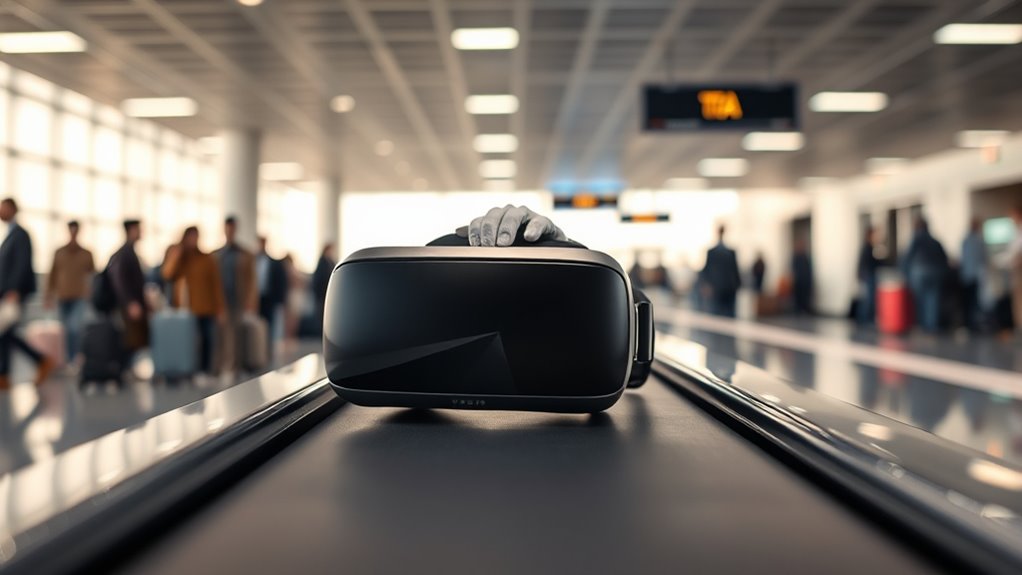

To bring your VR headset on a plane, pack it in your carry-on luggage, keeping it easily accessible for TSA inspection. Make certain the device is fully charged and secure all accessories in a protective case to prevent damage. Check airline policies on lithium-ion batteries, typically allowed up to 100 watt-hours. Avoid using public Wi-Fi and charging the headset during the flight. With these tips in mind, you’ll be set for a smooth travel experience. Discover more on how to maximize your VR setup as you travel!
Understanding TSA Regulations for Electronics
When you’re packing your VR headset for a flight, it’s important to understand TSA regulations for electronics to avoid any last-minute surprises. The TSA guidelines state that you must remove larger electronic devices, like your VR headset, from your bag during the security screening process. Make sure it’s easily accessible, as agents may need to inspect it separately. Also, keep your device charged; a low battery could raise concerns. Familiarize yourself with your airline’s specific policies, as they can vary. Knowing these details not only saves time but also guarantees a smoother travel experience. By staying informed about TSA regulations, you can enjoy your freedom to explore virtual worlds without unnecessary hassle at the airport.
Packing Your VR Headset Safely
When packing your VR headset for a flight, it’s essential to prioritize its safety. Start by using a protective case designed specifically for your device, as this will help cushion it against bumps and drops. Don’t forget to remove any accessories first, so everything fits securely and stays protected during your journey.
Use Protective Case
Packing your VR headset safely is crucial to guarantee it arrives at your destination in perfect condition. Using a protective case is your best bet. Look for one made from durable materials that can absorb shocks and prevent scratches. Verify the case dimensions fit your specific headset model snugly; a well-fitted case minimizes movement and potential damage during transit. Additionally, opt for cases with compartments for accessories, keeping everything organized and secure. You wouldn’t want your headset jostling around with loose items. Remember, investing in a quality case not only protects your gear but also gives you peace of mind, allowing you to focus on your journey and the exciting experiences that await at your destination.
Remove Accessories First
Before placing your VR headset into the protective case, it’s important to remove any accessories attached to it. This not only helps keep your gear safe but also guarantees you won’t face any issues during security checks. Here’s what you should do:
- Remove lenses – Take off any lens protectors to avoid scratches.
- Detach cables – Unplug all cables to prevent damage during transport.
- Take off facial interfaces – These can be delicate and may get damaged if left on.
- Remove controllers – Store them separately to avoid clutter in your case.
Choosing the Right Carry-On Bag
Choosing the right carry-on bag is essential for transporting your VR headset safely and conveniently. Look for a bag that meets carry on size regulations, guaranteeing it fits in overhead compartments or under the seat. A padded compartment is a must to protect your headset from bumps and drops during your journey.
Bag organization is key; opt for a model with multiple pockets to separate your headset from chargers and other essentials. This way, you can quickly access your gear without fumbling around. Consider a bag with a sturdy handle or shoulder strap for easy carrying through the airport. With the right bag, you’ll make certain your VR headset stays secure, letting you focus on your travel experience.
Preparing Your VR Accessories for Travel
When it comes to traveling with your VR accessories, proper preparation can make all the difference. You want to guarantee everything is easily accessible and safe during your journey. Here’s how to streamline your travel packing:
- Organize Cables: Use cable ties or pouches for effective VR cable management, preventing tangles and damage.
- Pack Headset Cushions: These can get crushed; store them separately to maintain their shape.
- Include Extra Batteries: If your accessories require batteries, pack extras to avoid interruptions in your experience.
- Protective Cases: Invest in padded cases for your headset and controllers to shield them from impact.
With these steps, you’ll enjoy a hassle-free travel experience and keep your VR gear in top shape!
Ensuring Battery Safety During Your Flight
When traveling with your VR headset, it’s essential to understand battery safety regulations. You’ll need to know the differences between carrying your device in your carry-on versus checked baggage and the precautions to take while charging. Let’s explore these important points to guarantee a smooth flight experience.
Battery Regulations Overview
Although bringing a VR headset on a plane can be exciting, it’s essential to understand battery regulations to guarantee safety during your flight. Keeping your device’s battery life and power management in check assures a smooth journey. Here are some key points to remember:
- Battery Size: Most airlines allow lithium-ion batteries up to 100 watt-hours without restrictions.
- Carry-On Only: Always pack your VR headset in your carry-on luggage; check-in can be risky for batteries.
- Protect Terminals: Confirm battery terminals are taped or covered to prevent short circuits.
- Charge Wisely: Avoid charging your headset during the flight to minimize risks.
Carry-On vs. Checked Baggage
Packing your VR headset safely is a key part of your travel preparation. When deciding between carry-on or checked baggage, you’ll want to keep battery safety in mind. Most airlines recommend storing your headset in your carry-on size bag, as this keeps it accessible and protected. Plus, checked baggage regulations often restrict lithium batteries, making it risky to stow your headset in the hold. By keeping your VR headset with you, you not only comply with safety standards but also enjoy peace of mind, knowing it’s safe from potential damage. So, for a smooth journey, opt for the carry-on route, ensuring your VR equipment is ready for action when you reach your destination.
Charging Precautions to Consider
To guarantee your VR headset’s battery stays safe during your flight, it’s important to follow some key charging precautions. Maintaining your battery life and ensuring safe charging practices can make your travel experience smoother. Here are four essential tips:
- Use Approved Charging Cables: Only use the cables that came with your headset or certified alternatives to prevent damage.
- Charge Before Flying: Make sure your device is fully charged before you board to avoid needing to charge mid-flight.
- Avoid Overheating: Don’t leave your headset in direct sunlight during the flight, as heat can impact battery performance.
- Power Off When Not in Use: Turn off your headset during the flight to conserve battery life and prevent accidental activation.
With these precautions, you can enjoy your journey with peace of mind!
Using Your VR Headset During Layovers
Have you ever wondered how to make the most of your layover? Using your VR headset can transform that waiting period into an exciting escape. With a variety of VR gaming experiences available, you can plunge into immersive worlds that make time fly by. Whether you’re battling aliens or exploring breathtaking landscapes, it’s a fantastic way to enjoy layover entertainment.
Just find a quiet spot, pop on your headset, and get lost in your virtual adventures. Make sure you’ve got a fully charged device and check airport policies on VR usage, as some places may have restrictions. Embrace the freedom your VR headset offers and take full advantage of that layover to recharge your spirit before the next leg of your journey!
Setting Up Your VR Gear Upon Arrival
Once you’ve landed and made your way to your accommodations, setting up your VR gear can be a breeze with the right approach. To guarantee you’re optimizing performance and setting expectations for an immersive experience, follow these steps:
- Location Check: Find a spacious area free from obstructions.
- Device Setup: Charge your headset and guarantee all cables are neatly organized.
- Network Connection: Connect to a reliable Wi-Fi network for updates and downloads.
- Calibration: Adjust your play area settings for maximum comfort and safety.
Frequently Asked Questions
Can I Use My VR Headset on the Plane?
You can use your VR headset for in-flight entertainment, but it’s essential to check your airline’s rules first. Imagine immersing yourself in a virtual world while soaring through the skies—freedom at 30,000 feet!
Do I Need to Remove My Headset at Security?
You don’t typically need to remove your headset at security, but always check the latest headset regulations. Just be prepared for any specific security procedures your airport might have in place. Enjoy your travels!
Are There Size Restrictions for VR Headsets in Carry-On?
You won’t need a measuring tape for your VR headset! While there aren’t strict size limits, keep it compact for easy packing. Use smart packing tips to fit it snugly and enjoy your journey!
Can I Bring Extra Batteries for My VR Headset?
Yes, you can bring extra batteries for your VR headset, but make certain they comply with battery safety regulations. Always check travel tips specific to your airline to avoid issues and keep your adventures uninterrupted.
Is It Safe to Leave the Headset in My Checked Luggage?
It’s not safe to leave your VR headset in checked luggage. The risk of damage is high due to rough handling. Keep it in your carry-on for better protection and peace of mind during travel.
