
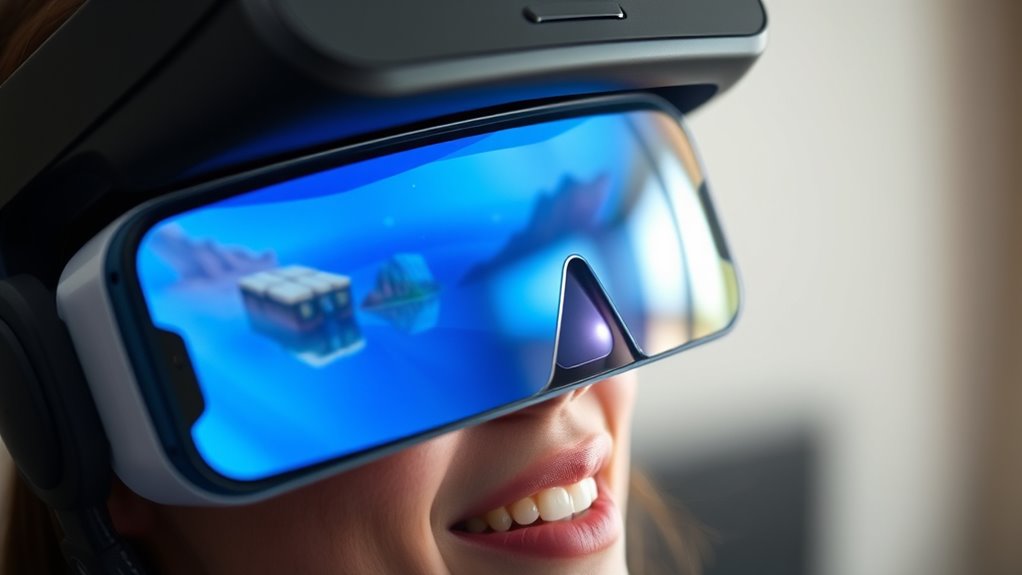

To use your phone as a VR headset, start by ensuring your device meets essential requirements, like having a minimum resolution of 1920 x 1080 pixels and gyro sensor capabilities. Download compatible VR apps that offer immersive experiences, then place your phone into a headset like Google Cardboard or Gear VR. Adjust settings for brightness and fit, and experiment with different apps. If you’re looking for tips to enhance your experience even further, there’s more to explore.
Understanding Virtual Reality and Its Basics
Virtual reality (VR) immerses you in a digital environment, creating the illusion that you’re somewhere else entirely. This technology offers immersive experiences that can transport you to fantastical worlds, historic events, or even serene landscapes. With VR, you can engage your senses in ways that traditional media can’t match, allowing for a deeper connection to the content. You might find yourself exploring a virtual galaxy or interacting with lifelike characters, all from the comfort of your home. It’s not just about entertainment; VR can also enhance learning, therapy, and social interactions. As you plunge into this digital domain, you gain the freedom to explore and experience life from a new perspective, breaking the boundaries of reality and imagination.
Essential Requirements for Smartphone VR
To enjoy a truly immersive VR experience using your smartphone, you’ll need to guarantee you have the right equipment and software. Start with checking your smartphone specifications. A high-resolution display and a powerful processor are key. Next, consider essential VR hardware requirements, like a compatible VR headset. Here’s a quick overview:
| Requirement | Description |
|---|---|
| Display Resolution | At least 1920 x 1080 pixels |
| Processor | Quad-core or better |
| RAM | Minimum 2GB |
| Sensor Compatibility | Gyroscope and accelerometer |
| Headset Type | Cardboard, Gear VR, or similar |
Having these essentials ready will set you on the path to explore the vast world of virtual reality with your smartphone.
Choosing the Right VR Apps for Your Phone
When it comes to optimizing your VR experience, choosing the right apps is essential. You’ll want to explore popular VR apps that cater to your interests while ensuring they’re compatible with your phone. Let’s go over a quick checklist to help you find the best options available.
Popular VR Apps
Finding the right VR apps can make or break your experience when using your phone as a headset. Look for apps that offer immersive storytelling; they transport you to new worlds and let you live adventures firsthand. Titles like “VR Storyteller” or “Wander” let you explore stunning environments and narratives that captivate your imagination.
If you’re keen on learning, educational simulations are a fantastic choice. Apps like “Google Expeditions” or “Tilt Brush” enable you to explore historical sites or create art in 3D spaces. These experiences combine fun and education, giving you the freedom to learn in engaging ways. With the right apps, you can reveal a world of possibilities right from your smartphone!
App Compatibility Checklist
How can you confirm your phone is ready for an immersive VR experience? Start by checking app compatibility. Not all VR apps work seamlessly with every device, so make sure your phone meets the required specifications. Look for apps specifically designed for your phone model or OS version.
Next, use testing methods to evaluate performance. Download demo versions or free apps to gauge how well they run on your device. Pay attention to frame rates and latency—smooth visuals are essential for an enjoyable experience.
Finally, read user reviews and forums to learn about other users’ experiences. This knowledge can help you avoid potential pitfalls and make certain you’re choosing the right VR apps that align with your desire for freedom in virtual exploration.
Affordable VR Headset Options for Smartphones
If you’re looking to plunge into the world of virtual reality without breaking the bank, there are several affordable VR headset options for smartphones that can enhance your experience. From the Google Cardboard to the more robust Samsung Gear VR, these budget-friendly options offer great smartphone compatibility and deliver immersive experiences. The Merge VR headset is another excellent choice, providing comfort and versatility for various phone sizes. If you want something more advanced, check out the Oculus Quest 2, which, while pricier, often goes on sale. No matter your budget, there’s a VR headset out there that can fit your needs and transport you to new worlds, all while keeping your spending in check.
Setting Up Your Smartphone for VR Use
Once you’ve chosen an affordable VR headset for your smartphone, the next step is getting your device ready for an immersive experience. Start with smartphone calibration to guarantee everything’s aligned perfectly. Adjust your display settings for peak brightness and resolution; this makes a world of difference in VR.
| Step | Action |
|---|---|
| Calibration | Align lenses with your eyes |
| Brightness | Set to a comfortable level |
| Resolution | Maximize for clarity |
| Refresh Rate | Adjust for smooth viewing |
Don’t overlook these details! Proper setup transforms your smartphone into a gateway to new worlds, allowing you to explore and enjoy without limitations. Get ready to plunge in!
Playing Games in Virtual Reality
There’s something exhilarating about diving into a virtual reality game, where you’re not just a spectator but an active participant in a vibrant, immersive environment. With your phone set up as a VR headset, you can explore various virtual reality genres, from heart-pounding action adventures to relaxing puzzle games. Each game offers unique immersive gameplay that can transport you to different domains, making every session feel fresh and exciting. You’ll find that VR games often utilize intuitive controls, allowing you to interact naturally with your surroundings. Whether you’re battling foes or solving mysteries, the thrill of freedom in these digital landscapes is unmatched. So, gear up, choose your genre, and get ready for an unforgettable virtual experience!
Exploring 360-Degree Videos on Your Phone
Ready to explore the immersive world of 360-degree videos on your phone? You’ll find a variety of content available online, and using dedicated VR apps can enhance your viewing experience. Let’s look at how to easily access and enjoy these enthralling videos.
Finding 360-Degree Content
To fully enjoy the immersive experience of virtual reality, you’ll need access to engaging 360-degree content. Start by exploring popular 360-degree platforms like YouTube, Facebook, and Vimeo, which host a plethora of videos designed specifically for VR. These platforms make it easy to discover everything from breathtaking landscapes to thrilling adventures. You can also check out dedicated VR apps that curate immersive experiences tailored to your interests. Don’t forget to search for virtual tours of museums, national parks, and even concerts online. The more you seek out diverse content, the more you’ll immerse yourself in a world of freedom and creativity. Happy exploring, and get ready to be transported into new dimensions!
Using VR Apps
Once you’ve found some enthralling 360-degree content, it’s time to enhance your experience by using VR apps on your phone. These apps transform your viewing into immersive experiences that transport you to another world. Here’s how to get started:
- Download popular VR apps like YouTube VR or Google Cardboard.
- Explore virtual reality games for a fun twist on traditional gameplay.
- Adjust settings for ideal comfort and visual clarity.
- Use headphones for an enhanced auditory experience.
- Share your adventures with friends and family for added enjoyment.
Enhancing Your VR Experience With Accessories
While diving into the world of virtual reality with your phone can be thrilling, enhancing your experience with the right accessories can make all the difference. Start with a comfortable VR headset that fits snugly, as this will greatly improve your immersion. Consider investing in a VR controller for smoother navigation; it’ll elevate your gameplay and interaction. Don’t overlook headphones—quality sound can transport you deeper into virtual worlds. If you’re prone to long sessions, think about a face pad or foam insert to boost comfort. For those who enjoy gaming, a portable power bank is a smart accessory recommendation, keeping your device charged during extended adventures. With these enhancements, you’ll truly reveal the potential of your mobile VR experience.
Troubleshooting Common VR Issues
When using your phone as a VR headset, you might encounter a few common issues that can affect your experience. From lens adjustments for ideal clarity to ensuring your apps are compatible and preventing overheating, knowing how to troubleshoot these problems can make a significant difference. Let’s explore some effective solutions to keep your VR sessions smooth and enjoyable.
Lens Adjustment Tips
Many users encounter issues with clarity and comfort when using their phones as VR headsets, often due to improper lens adjustment. To improve your experience, consider these lens calibration techniques for optimizing lens alignment:
- Adjust the distance between the lenses for your eye comfort.
- Experiment with different focal lengths to find what works best for you.
- Verify the lenses are clean to avoid blurry visuals.
- Position your phone securely in the headset to prevent misalignment.
- Use VR apps with built-in calibration tools for guided adjustments.
App Compatibility Issues
Sometimes, users find themselves frustrated by app compatibility issues when trying to use their phone as a VR headset. Not all apps are designed to work with every device, leading to app limitations that can hinder your experience. Before diving into VR, check the app requirements to guarantee your phone meets the necessary specifications. Incompatible devices can result in poor performance or even crashes. If an app isn’t working as expected, try updating it or your phone’s operating system. Additionally, some VR apps may only support specific phone models, so always verify device compatibility. By being proactive about these issues, you can open up the full potential of your phone as a VR headset and enjoy a seamless virtual experience.
Overheating Prevention Strategies
While enjoying immersive VR experiences, overheating can become a significant concern, especially when your phone is working hard to render graphics and process data. To guarantee peak performance and prevent overheating, consider these cooling techniques and heat management strategies:
- Take breaks: Regularly pause your VR session to let your phone cool down.
- Reduce brightness: Lowering the screen brightness can minimize heat production.
- Use a fan: Position a small fan near your setup for additional airflow.
- Remove the case: Taking off the phone case can help dissipate heat more effectively.
- Close background apps: Limit resource-intensive apps running in the background to reduce strain.
Tips for Maximizing Your Smartphone VR Experience
To truly immerse yourself in the world of virtual reality with your smartphone, it is essential to optimize your setup and environment. Start by adjusting your phone’s settings; lowering the brightness can enhance battery life and reduce glare. Next, choose immersive environments that captivate your senses—apps with high-quality graphics and sound can transport you further into the experience. Make sure your VR headset fits snugly for comfort; any discomfort can take you out of the moment. Clear your play area of obstacles to guarantee freedom of movement. Finally, consider using headphones for an added layer of immersion. By focusing on these tips, you’ll elevate your smartphone VR experience to new heights, allowing you to escape reality like never before.
Frequently Asked Questions
Can I Use My Phone for VR Without a Headset?
You can’t fully enjoy VR experiences without a headset, but your phone’s compatibility with certain apps can simulate basic VR. Consider getting a headset for a more immersive experience—your virtual adventures will be worth it!
How Do I Clean My VR Headset Lenses?
Over 80% of VR users experience lens smudges affecting clarity. For proper lens care, use microfiber cloths and gentle cleaning techniques. Avoid harsh chemicals, and keep your headset clean for an immersive experience.
Is VR Safe for Children?
VR can be safe for children, but you should consider age restrictions and content suitability. Always supervise their experience, ensuring they engage with age-appropriate content to promote a positive and safe virtual reality adventure.
Can VR Cause Motion Sickness?
Yes, VR experiences can cause motion sickness for some users. It’s often due to a disconnect between what you see and what your body feels. Taking breaks and adjusting settings can help reduce discomfort.
How Long Can I Use My Phone for VR Continuously?
You can enjoy the immersive world of VR for about one to three hours, but watch for battery life draining and overheating issues. Keep your phone cool like a gentle breeze to extend your adventure.
