
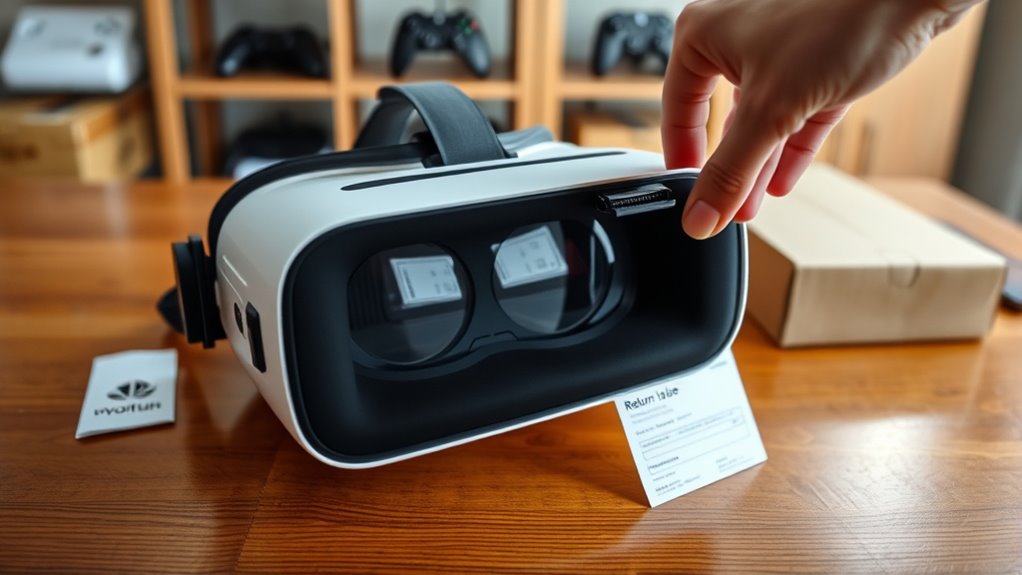

To return your VR headset, first check the return policy for conditions and timeframes. Gather necessary documentation like the receipt and warranty info. Prepare the headset by resetting it and packing it with original materials. Choose a reliable shipping method that fits your timeline and budget. Securely pack the headset in a sturdy box with adequate padding. Finally, track your return and follow up if needed. For detailed steps, you might want to explore more.
Check the Return Policy
Before you plunge into returning your VR headset, have you checked the return policy? It’s essential to understand the return conditions set by the retailer. Each company has its own rules regarding returns, including timeframes and item condition. Make sure your headset’s still within the return window to avoid disappointment.
Also, don’t forget to look into warranty coverage. Some issues may be covered under warranty, which could save you the hassle of a return altogether. Knowing your rights and options can empower you to make the best decision. So, take a moment to familiarize yourself with these policies before you take the next step. Freedom in choosing what works for you starts with being informed!
Gather Required Documentation
Before you start the return process, make sure you have all the necessary documentation ready. You’ll need your receipt or proof of purchase, as well as the return policy guidelines for your specific headset. Gathering this information now will help streamline your return and avoid any delays.
Receipt and Purchase Proof
When returning your VR headset, gathering the right documentation is essential to guarantee a smooth process. The receipt is vital for purchase verification, ensuring you have proof of your transaction. Without it, you might face hurdles during the return.
Here’s a quick reference for what you’ll need:
| Document Type | Importance |
|---|---|
| Original Receipt | Confirms the purchase date |
| Order Confirmation | Provides transaction details |
| Warranty Information | Clarifies return eligibility |
| ID Proof | Verifies your identity |
Return Policy Guidelines
To guarantee your return goes off without a hitch, it’s essential to familiarize yourself with the return policy guidelines set by the retailer. Start by checking for any return policy exceptions, as some items may have specific rules. Collect all required documentation, including your receipt and any original packaging. This can save you time and frustration during the return process.
If you encounter issues, don’t hesitate to reach out to customer service for assistance. They can provide valuable customer service tips that might help you navigate the return more smoothly. Remember, understanding the guidelines will empower you to return your VR headset confidently and without unnecessary hassle. Enjoy the freedom of knowing your rights as a consumer!
Prepare the VR Headset for Return
Before sending your VR headset back, you’ll want to confirm it’s ready for return. Start by gathering all the original packaging materials, resetting the device to factory settings, and removing any personal accessories. These steps will help streamline the return process and protect your investment.
Gather Original Packaging Materials
Returning your VR headset can be a smooth process, but it starts with gathering the original packaging materials. Having the right components helps guarantee a hassle-free return. Here are some packaging tips to follow:
| Original Components | Checklist |
|---|---|
| VR Headset | Ensure it’s included |
| Controllers | Don’t forget the remotes |
| Cables and Accessories | Pack all extras together |
Make certain to keep everything in good condition to avoid any issues with your return. Using the original box and foam inserts can provide the best protection during transit. By organizing these components now, you’ll save time and reduce stress later. Prepare well, and you’ll be one step closer to a successful return!
Reset Device to Factory
Resetting your VR headset to factory settings is an essential step in preparing it for return. This factory reset not only protects your personal data but also guarantees the next user gets a fresh experience. Follow these steps for a smooth reset:
- Access the settings menu on your headset
- Locate the “Factory Reset” option
- Confirm your choice to initiate the reset
- Allow the device to complete the process
If you experience any issues during software troubleshooting, consult the user manual or the manufacturer’s website for guidance. Taking these steps will help you reclaim your freedom from the device and guarantee all your personal information is secure before you send it back. Enjoy the peace of mind that comes with a proper return!
Remove Personal Accessories
Preparing your VR headset for return involves more than just a factory reset; it’s crucial to remove any personal accessories that may have been added during your time using the device. Start with the accessory removal process—take off any custom face covers, grips, or straps that you’ve attached. These personal items can affect the headset’s condition and may not be suitable for the next user. Don’t forget to check for any stickers or decals you might’ve added, as they should also be removed. Finally, verify that all original components, like the charging cable and manual, are included in the return package. By taking these steps, you’re helping guarantee a smooth return process and readying the headset for its next adventure!
Choose a Shipping Method
When it’s time to send your VR headset back, choosing the right shipping method is essential for a smooth return process. You’ll want to evaluate your shipping options carefully, balancing speed and cost. Keep these points in mind:
Selecting the right shipping method for your VR headset return is crucial for ensuring a hassle-free experience.
- Reliability: Guarantee your headset arrives safely.
- Speed: Choose a method that aligns with your timeline.
- Return costs: Be aware of any fees that might apply.
- Tracking: Opt for a service that provides tracking for peace of mind.
Pack the Headset Securely
Once you’ve chosen a shipping method, the next step is to pack your VR headset securely to prevent any damage during transit. Start by gathering appropriate packaging materials like a sturdy box, bubble wrap, or foam padding. Place your headset in the center of the box, making sure it’s cushioned on all sides with secure cushioning. If you have its original packaging, use it—it’s designed to protect your device. Don’t forget to include any accessories, like controllers or cables, wrapped in bubble wrap as well. Seal the box tightly with packing tape, and label it clearly. Taking these steps will help guarantee your headset arrives safely, giving you peace of mind as you return it.
Follow Up on the Return Status
After you’ve shipped your VR headset, it’s important to follow up on the return status to verify everything is proceeding smoothly. You don’t want to be left in the dark! Here’s how to stay informed:
After shipping your VR headset, stay proactive by following up on the return status to ensure a smooth process.
- Check for status updates via your tracking number.
- Contact customer service if you don’t see movement within a few days.
- Keep a record of your communication for reference.
- Stay patient, as processing can take time.
Frequently Asked Questions
Can I Return a Used VR Headset?
Yes, you can return a used VR headset, but it depends on the return policies of the retailer. Check their guidelines regarding headset condition; some may require it to be in like-new shape.
What if I Lost My Original Packaging?
If you’ve misplaced the original packaging, don’t worry too much! Many return policies still allow returns without it. Just check the specifics for your headset, as each company may differ in their requirements.
Are There Restocking Fees for Returns?
You might face restocking fees depending on the retailer’s restocking policies. Always check their guidelines on return eligibility to avoid surprises. It’s best to understand the terms before initiating your return for a smoother process.
How Long Does the Return Process Take?
The return timeline typically takes 5 to 10 business days, but processing delays can occur, especially during peak seasons. Stay patient and check your order status online for updates on your return.
What if the Headset Was a Gift?
If the headset was a gift, check for a gift receipt to explore exchange options. You’ll often find flexibility in returns, allowing you to choose a different model or get store credit instead.
