
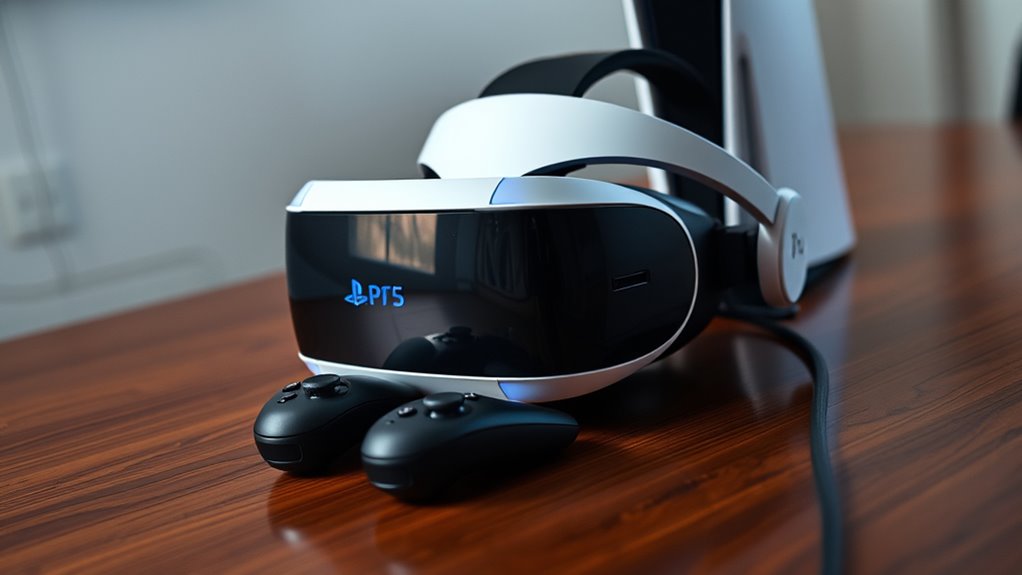

To use your PS VR headset with the PS5, first check compatibility and gather necessary accessories, including the PlayStation Camera adapter. Set it up by connecting the processor unit and headset to the PS5 via HDMI and USB. Then, access the PS VR settings on your PS5 to calibrate and adjust for comfort. Troubleshoot any issues by ensuring connections are secure. There’s much more to optimize your immersive experience, so keep going to enhance your gameplay.
Checking Compatibility of PS VR With PS5
Before diving into the virtual world of PlayStation VR on your PS5, it’s essential to secure compatibility between the two systems. Start with a compatibility check to verify your PS VR headset works seamlessly with your console. The PS5 is designed to support PS VR, but you’ll need the necessary adapters that come with your headset. Check that you’ve got the PlayStation Camera adapter, as it’s vital for tracking your movements in VR. Also, make sure your PS VR is updated with the latest firmware to avoid any glitches. Once you confirm these essentials, you’re on the right path to enjoying immersive gaming experiences. So, set up your PS VR, and get ready to set off on new adventures!
Gathering Required Accessories
Once you’ve confirmed the compatibility of your PS VR with the PS5, it’s time to gather the necessary accessories to enhance your virtual reality experience. Start by collecting the essential cables that connect your headset to the console; you’ll typically need the HDMI and USB cables for ideal setup. Don’t forget about the PlayStation Camera, as it’s vital for tracking your movements. Additionally, consider picking up some accessory types like extra controllers or VR aim controllers to make your gameplay more immersive. For those seeking a truly liberating experience, a comfortable headset stand or cleaning kit can also be advantageous. Having these accessories ready will guarantee you plunge into your virtual adventures without a hitch!
Setting Up Your PS VR Headset
Now that you’ve gathered all the necessary accessories, it’s time to set up your PS VR headset. You’ll need to connect it to your PS5 and adjust the settings for ideal performance. Let’s go through the essential steps to guarantee a seamless VR experience.
Necessary Equipment Checklist
Setting up your PS VR headset requires a few essential pieces of equipment to guarantee a smooth and immersive experience. First, you’ll need the PS VR headset itself, along with the processor unit, which connects everything. Don’t forget a PlayStation Camera for tracking; it’s vital for a superior VR experience. You’ll also need a pair of PS Move controllers or a DualShock controller for interaction, depending on your preference. Make certain you have the necessary cables to connect everything, as well as a compatible PS5 console to avoid any compatibility issues. Finally, a comfortable play space is key; clear an area to move freely and enjoy your VR adventures without limitations.
Connecting to PS5
To connect your PS VR headset to the PS5, you’ll want to follow a series of straightforward steps that confirm everything works seamlessly. First, verify your PS5 is updated for peak PS VR compatibility. Next, plug the processor unit into a power source and connect it to the PS5 via the HDMI cable. Then, use the USB cable to link the processor unit to your console. After that, connect your PS VR headset to the processor unit. Don’t forget to connect the PlayStation Camera if you’re using it for tracking. Once all cables are securely in place, power on your PS5 and navigate to the settings to check if your headset is recognized. Now, you’re ready to plunge into immersive gaming!
Adjusting Headset Settings
With your PS VR headset connected and ready to go, the next step is to fine-tune the settings for an ideal experience. Start by accessing the PS VR settings menu from your PS5 dashboard. Here, you can perform headset calibration to guarantee that your visuals align perfectly with your movement. Take a moment to adjust the lenses for maximum clarity; this step is vital for enhancing your visual comfort. You can also tweak the brightness and adjust the audio settings to suit your preferences. Don’t forget to check the comfort settings, as they can greatly impact your immersion. With these adjustments, you’ll elevate your gaming experience, allowing you the freedom to plunge into virtual worlds without distraction. Enjoy!
Connecting PS VR to PS5
Connecting your PS VR to the PS5 involves a few straightforward steps that can enhance your gaming experience. Start by unplugging your PS VR from the PS4 and ensuring all cables are in good condition. Connect the PS VR processor unit to the PS5 using the included HDMI cable. Next, plug the USB cable from the processor into one of the USB ports on the PS5, which will help with headset performance. Make sure the power is on for the processor unit. When you turn on your PS5, it should automatically recognize the PS VR, ensuring VR compatibility for your games. Once connected, you’re ready to plunge into immersive virtual worlds and enjoy an upgraded gaming experience like never before!
Configuring PS VR Settings on PS5
To get the best experience from your PS VR on PS5, you’ll need to configure several key settings. Start by adjusting the display settings for ideal visual clarity, and don’t forget to connect any VR accessories you have for a fully immersive experience. With just a few tweaks, you’ll be ready to step into a whole new world of gaming.
Adjust Display Settings
As you plunge into the immersive world of PS VR on your PS5, adjusting the display settings is crucial for optimizing your experience. Start by accessing the PS VR settings menu, where you can perform display calibration. This step guarantees that your visuals are perfectly aligned with your headset, reducing distortion and enhancing clarity.
Next, make necessary visual adjustments like brightness and contrast to suit your preferences. Experiment with different settings until you find the ideal combination that immerses you in your virtual environment. Don’t forget to check the headset’s position and field of view, as small tweaks can greatly impact your experience. With these adjustments, you’re ready to fully enjoy the stunning worlds awaiting you in PS VR.
Connect VR Accessories
While getting your PS VR ready for the PS5, it’s essential to connect all the necessary accessories properly to guarantee a superior experience. Different VR accessory types enhance immersion, so make sure you’ve got the right ones. Here’s how to connect them:
- Headset: Plug in your PS VR headset to the processor unit.
- Camera: Position the PlayStation Camera for ideal tracking, ensuring it’s pointed at your play area.
- Controllers: Pair your Move controllers or DualShock 4 with the PS5, ensuring they’re charged.
- Audio: Connect compatible VR accessory brands like headphones for immersive sound.
Accessing VR Games on PS5
Accessing VR games on PS5 is a seamless experience that enhances your gaming sessions with immersive environments and interactive gameplay. To explore your VR game selection, simply navigate to the PlayStation Store. There, you’ll find a dedicated section for VR titles, showcasing the latest releases and popular favorites. Make sure to check out VR game recommendations often highlighted by the community and experts alike, ensuring you don’t miss out on exceptional experiences. Once you find a game that piques your interest, just download it, and you’re ready to go! With the PS5’s powerful hardware, you can expect stunning graphics and smooth performance, making your VR adventures even more exhilarating. Enjoy the freedom of virtual reality gaming!
Troubleshooting Common Issues
Even with the excitement of exploring VR games on your PS5, you might encounter some common issues that can disrupt your experience. Here are some troubleshooting tips for those pesky problems:
- Check Connections: Verify all cables are securely connected, as common connectivity issues often stem from loose connections.
- Restart Your Devices: Sometimes a simple restart of your PS5 and headset can resolve temporary glitches.
- Calibrate the Headset: If you’re facing headset calibration problems, follow the on-screen instructions to readjust your VR setup.
- Update Software: Always keep your PS5 and VR headset updated to the latest firmware to avoid compatibility issues.
Enhancing Your VR Experience on PS5
Elevating your VR experience on the PS5 can transform ordinary gameplay into an immersive adventure. To truly enjoy enhanced graphics, confirm your PS5 is updated to the latest firmware. This allows you to access optimized VR titles that leverage the console’s power. Adjust your headset settings for maximum comfort; this will enhance your immersion and reduce fatigue during extended sessions. Explore the PS Store for exclusive VR content that showcases stunning environments and dynamic gameplay, taking full advantage of the PS5’s capabilities. Remember to utilize the DualSense controller’s features, like haptic feedback, to deepen your connection with the virtual world. By fine-tuning these elements, you’ll release a more engaging and thrilling VR experience that keeps you coming back for more.
Frequently Asked Questions
Can I Use PS VR With Other Consoles?
You can’t use PS VR with other consoles; it’s like trying to fit a square peg in a round hole! VR compatibility options are limited to PlayStation, ensuring unique console gaming experiences tailored just for you.
What Is the Maximum Distance for the PS VR Camera?
The maximum distance for your PS VR camera is about 10 feet for ideal tracking. During your PS VR setup, make certain the camera’s placement allows clear visibility of your movements for the best immersive experience.
Does PS VR Support 3D Audio on PS5?
Yes, PS VR supports 3D audio on PS5, enhancing your gaming experience. You’ll enjoy immersive soundscapes, making it easier to pinpoint in-game actions. This compatibility truly elevates your virtual reality adventures to new heights.
Can I Use PS VR Without the Playstation Camera?
You can’t use PS VR without the PlayStation Camera, as it’s essential for tracking movement and delivering its immersive features. However, some alternatives exist, but they won’t provide the same experience. Choose wisely!
Are There Specific PS VR Games for PS5?
Yes, there are specific PS VR games for PS5, including exclusive titles that leverage enhanced graphics. These games provide an immersive experience, letting you explore new worlds while enjoying the freedom of virtual reality.
