
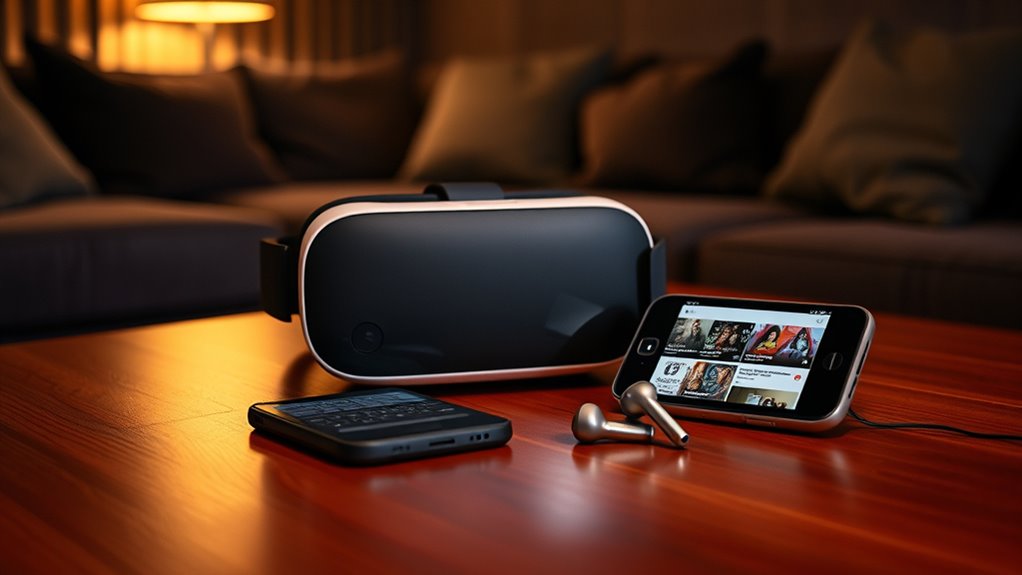

To watch YouTube on a VR headset, you need a compatible device that suits your preferences. Install the YouTube VR app and make certain your software is up to date. Create a safe, spacious setup with dim lighting for an immersive experience. Optimize your video settings by checking your internet connection and adjusting the bitrate for quality. Regular maintenance is key for smooth performance. Explore further to discover tips on enhancing your viewing experience and troubleshooting common issues.
Understanding VR Headset Compatibility
When you’re diving into the world of virtual reality, understanding VR headset compatibility is essential, as it determines whether you can enjoy YouTube’s immersive content seamlessly. Different headsets adhere to various virtual reality standards, which can affect your overall experience. You’ll want to pay close attention to headset specifications, like resolution, field of view, and refresh rate. These factors not only influence visual clarity but also how well you can interact with VR content. Furthermore, some headsets are designed specifically for certain platforms, so knowing your device’s limitations is key. By grasping these compatibility nuances, you can free yourself from frustration and fully embrace the limitless possibilities that VR has to offer when watching YouTube.
Choosing the Right VR Headset
When choosing the right VR headset for watching YouTube, you’ll want to take into account compatibility with your devices to guarantee seamless access. Display resolution quality plays an essential role in enhancing your viewing experience, allowing you to fully enjoy the content. Don’t forget about comfort for extended use, as a comfortable headset can make all the difference during those binge-watching sessions.
Compatibility With Devices
Choosing the right VR headset for watching YouTube can greatly enhance your viewing experience, especially since compatibility with your devices plays an essential role. You’ll want to make sure that the headset you choose offers robust device support, allowing it to connect seamlessly with your smartphone, PC, or gaming console. Look for headsets that provide excellent platform integration with YouTube, so you can easily access your favorite content without hassle. Check compatibility specifications before making your decision; some headsets may not support all devices. By prioritizing compatibility, you’re setting yourself up for a more enjoyable and immersive experience, allowing you the freedom to plunge into a wide array of videos without technical limitations holding you back.
Display Resolution Quality
The display resolution quality of a VR headset can greatly impact your YouTube viewing experience, immersing you in stunning visuals that bring content to life. High-resolution headsets reduce display pixelation effects, making every scene crisp and engaging. Let’s explore the resolution impact of various headset options:
| Headset Model | Resolution | Pixelation Effects |
|---|---|---|
| Model A | 1920 x 1080 | Moderate |
| Model B | 2560 x 1440 | Minimal |
| Model C | 3840 x 2160 | Nearly none |
Choosing the right resolution guarantees you enjoy YouTube content in all its glory. So, invest wisely; your visual freedom depends on it!
Comfort for Extended Use
While enjoying immersive content on YouTube, comfort becomes essential, especially during prolonged viewing sessions. You’ve got to reflect on the ergonomic design of your VR headset. A well-designed headset guarantees it fits snugly without causing discomfort, allowing you to lose yourself in the content. Look for models that feature adjustable straps; these let you customize the fit to your head shape and size, preventing unnecessary pressure points. Additionally, lightweight materials can greatly enhance your experience, making it easier to wear for hours. By prioritizing comfort, you’ll find yourself more engaged and less distracted by discomfort. So, take your time when choosing a headset, as your comfort directly impacts your enjoyment of those enthralling YouTube experiences.
Necessary Software and Apps
To fully enjoy YouTube on a VR headset, you’ll need a few essential software and apps that enhance your viewing experience. Staying updated with the latest app updates is vital, as they often include important features and bug fixes. Here are some key software requirements to take into account:
- YouTube VR App: This optimized app offers a seamless experience tailored for virtual reality.
- VR Device Software: Make sure your headset’s operating system is up-to-date to maximize performance and compatibility.
- Web Browser: A VR-capable browser allows you to access YouTube directly, providing additional viewing flexibility.
Setting Up Your VR Environment
Creating an ideal VR environment is essential for an immersive YouTube experience. To enhance your viewing, consider these key aspects while setting up your space:
| Aspect | Recommendation |
|---|---|
| Space | Clear a minimum of 6×6 ft |
| Lighting | Keep it dim but not dark |
| Furniture | Remove sharp objects |
| Headset Positioning | Center the play area |
Connecting to YouTube in VR
Once you’ve set up your VR environment, connecting to YouTube is the next step in elevating your viewing experience. You’ll find the YouTube interface is designed for seamless navigation, enhancing your VR immersion. Here’s how to get started:
After setting up your VR environment, connect to YouTube for an immersive viewing experience with seamless navigation.
- Verify your VR headset is connected to Wi-Fi.
- Download the YouTube VR app from your headset’s store.
- Log in with your Google account for a personalized experience.
Once you’re in, you can explore a vast library of content, all while feeling like you’re right in the action. The immersive nature of VR takes your viewing to another level, allowing you to watch videos as if you’re sitting in a theater. Enjoy the freedom to explore endless possibilities!
Optimizing Video Quality and Settings
While enjoying YouTube on your VR headset, optimizing video quality and settings can greatly enhance your viewing experience. Start with video bitrate optimization; a higher bitrate typically means better video quality, but it can also require more bandwidth. If you’re experiencing lag, consider lowering the bitrate for smoother playback. Next, adjusting refresh rates is essential. A higher refresh rate reduces motion blur and makes fast-paced content look sharper, but verify your headset can support it. Balance these settings to match your internet speed and headset capabilities. By fine-tuning these aspects, you’ll enjoy crystal-clear visuals and a more immersive feel, ultimately making your YouTube viewing session in VR a more liberating and engaging experience.
Enhancing Your Viewing Experience
After optimizing your video quality and settings, you can take your YouTube experience to the next level by incorporating additional features and tools designed for VR. These enhancements can greatly elevate your immersive experiences, making you feel like you’re part of the content. Here are some options to reflect on:
- 360-degree videos: Immerse yourself in content that surrounds you, offering a truly interactive experience.
- Social viewing: Share your moments with friends by watching together in virtual spaces.
- Customizable environments: Change your viewing backdrop to suit your mood, whether it’s a cozy room or an outdoor setting.
Embracing these features transforms your interaction with YouTube, allowing you to explore new dimensions of virtual reality and freedom in entertainment.
Troubleshooting Common Issues
When you’re enjoying YouTube on your VR headset, you might run into some common issues that can disrupt your experience. From connectivity problems to app compatibility and headset calibration, these challenges can usually be resolved with a few simple steps. Let’s explore how to troubleshoot these concerns so you can get back to your immersive viewing.
Connectivity Problems Resolved
If you’re experiencing connectivity issues while trying to watch YouTube on your VR headset, you’re not alone. Many users face similar challenges, but there are effective connectivity solutions you can try. Here are some troubleshooting tips to get you back on track:
- Check your Wi-Fi signal: Verify you’re within range of your router for a stable connection.
- Restart your devices: Sometimes, a simple reboot can resolve hidden glitches.
- Update software: Keep your VR headset and YouTube app updated to avoid compatibility issues.
App Compatibility Issues
App compatibility can be a frustrating hurdle when trying to enjoy YouTube on your VR headset. You might find that certain apps don’t run smoothly or even fail to launch, impacting your overall app performance. This could stem from your headset’s operating system being outdated or the app itself not being optimized for VR. Additionally, content limitations can arise, where specific videos or features aren’t accessible due to compatibility issues. To troubleshoot, confirm your headset’s software is current and check for app updates. If problems persist, consider exploring alternative VR apps that support YouTube, as they may offer a better experience. Remember, freedom in choosing content is essential, so don’t settle for anything less than seamless viewing.
Headset Calibration Tips
Although it might seem straightforward, properly calibrating your VR headset is essential for an immersive YouTube experience. If your headset isn’t aligned correctly, it can lead to discomfort and a less engaging viewing session. Here are some calibration techniques to help you out:
- Check your tracking space: Make sure your play area is clear and well-lit.
- Adjust your lenses: Position them according to your eye distance for ideal clarity.
- Perform alignment adjustments: Regularly recalibrate your headset to maintain accuracy.
Taking the time to follow these tips can greatly enhance your VR journey. Remember, a well-calibrated headset not only improves visuals but also allows you to dive deeper into your favorite YouTube content without interruptions. Enjoy the freedom of your immersive experience!
Frequently Asked Questions
Can I Watch Youtube on Any VR Headset?
You can watch YouTube on many VR headsets, but it depends on their VR compatibility. Make sure your headset supports the YouTube apps, as some models may not offer the experience you’re looking for.
Is a Gaming Console Required for Youtube in VR?
You don’t need a gaming console for YouTube in VR; however, gaming console compatibility can enhance your experience. Explore various VR headset options that support the platform, offering you freedom to choose your preferred device.
Do I Need a High-Speed Internet Connection?
Yes, you’ll need a high-speed internet connection for ideal streaming quality on YouTube in VR. A slow connection can lead to buffering, diminishing your immersive experience. So, make sure your internet speed meets the requirements for smooth viewing.
Can I Use My Smartphone as a VR Headset?
Yes, you can use your smartphone as a VR headset, provided it’s compatible and supports VR apps. This offers you a flexible, immersive experience without needing dedicated hardware, expanding your options for virtual exploration.
Are There Any Age Restrictions for Watching Youtube in VR?
Yes, there are age guidelines for YouTube in VR. You should consider parental controls to guarantee a safe viewing experience, especially for younger audiences, as some content may not be suitable for all ages.
