
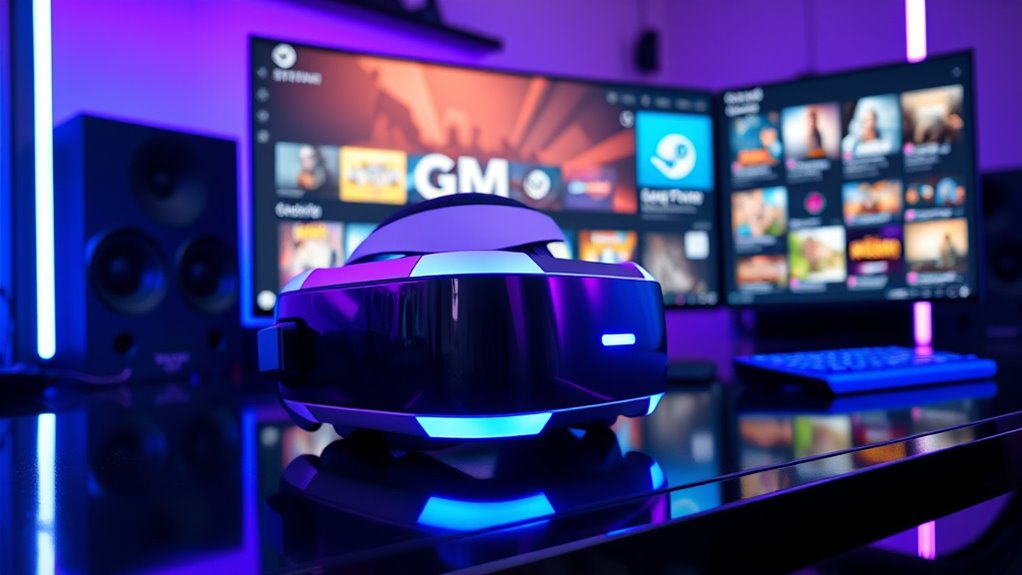

Not all VR headsets work with Steam. Each headset has unique specifications and compatibility requirements. Headsets like the Oculus Quest, Valve Index, and HTC Vive are popular choices that support Steam VR, but others may not. It’s important to check your headset’s compatibility, resolution, and performance specifications before diving into gaming. Understanding these factors can enhance your VR experience considerably. To explore more about choosing the right headset, keep going!
Understanding VR Headset Compatibility
When you’re diving into the world of virtual reality, understanding VR headset compatibility is essential for a seamless experience. The VR ecosystem overview reveals a diverse range of headsets, each with unique headset specifications that dictate their functionality. To guarantee your headset works with various platforms, you’ll want to check compatibility with software like Steam. Some headsets, like the Oculus Quest 2, allow for wireless gameplay, while others might require tethering to a PC. Knowing the specifications of your headset, including resolution, refresh rate, and tracking capabilities, can greatly impact your immersion. Ultimately, understanding these elements empowers you to make informed decisions, releasing the freedom to explore the vast virtual worlds available today.
The Major VR Platforms and Their Requirements
To fully enjoy the immersive experiences VR has to offer, you need to be familiar with the major platforms and their specific requirements. Different VR platform ecosystems, like Oculus, HTC Vive, and Windows Mixed Reality, cater to varying headset resolutions and performance capabilities. For instance, Oculus Quest 2 boasts a resolution of 1832 x 1920 per eye, while the HTC Vive Pro offers a higher resolution that enhances clarity. Each platform has unique hardware and software requirements, including processing power, graphics cards, and even tracking systems. Understanding these nuances helps you choose the right headset that aligns with your needs, ensuring a seamless and enjoyable VR experience without limitations. Remember, the right setup is key to releasing your VR adventures!
Popular VR Headsets Compatible With Steam
Several popular VR headsets are fully compatible with Steam, offering a wide range of experiences for gamers and enthusiasts alike. The Oculus Quest, especially when connected to a PC via Oculus Link, provides a versatile and untethered experience. The Valve Index stands out with its high-fidelity visuals and precise tracking, making it a favorite among serious gamers. The HTC Vive, known for its immersive gameplay and extensive library, remains a solid choice for those seeking depth in their VR adventures. Finally, Windows Mixed Reality headsets offer an accessible entry point, allowing you to jump into Steam VR with ease. Each headset caters to different preferences, enabling you to find the perfect match for your virtual reality journey.
Factors to Consider When Choosing a VR Headset
Choosing the right VR headset can greatly impact your overall experience, especially with the variety of options available on Steam. To make an informed decision, consider the price comparison between different headsets, as prices can vary widely based on features and performance. Think about your usage scenarios: are you gaming, exploring virtual environments, or creating content? Each scenario may demand different capabilities, such as resolution, field of view, and tracking precision. Additionally, account for comfort and compatibility with your existing hardware. A headset that fits well and works seamlessly with your system enhances immersion and enjoyment. Overall, weigh your priorities carefully to find a headset that aligns with your needs and budget for the ultimate VR experience.
Troubleshooting Common Compatibility Issues
While VR technology has come a long way, compatibility issues can still arise, leaving you frustrated instead of immersed. Here are some common problems and solutions for effective compatibility troubleshooting:
| Issue | Solution |
|---|---|
| Headset not recognized | Confirm all drivers are updated |
| Lagging performance | Check your PC specs against headset requirements |
| SteamVR not launching | Verify headset updates are installed |
| Controller not syncing | Re-pair the controller via Steam settings |
| Game not compatible | Look for game-specific patches or updates |
Frequently Asked Questions
Can I Use a VR Headset Without a Powerful Gaming PC?
Yes, you can use standalone VR headsets or mobile VR options without a powerful gaming PC. These devices offer freedom and accessibility, allowing you to explore immersive experiences without the need for extensive hardware.
Do All VR Games on Steam Support Every Headset?
Not all VR games on Steam support every headset due to game compatibility and headset limitations. You’ll want to check specific titles for compatibility, ensuring you get the best experience with your chosen VR hardware.
Will VR Headset Updates Affect Steam Compatibility?
Firmware updates can enhance your VR headset’s performance, but they might also introduce compatibility issues with Steam. In fact, 30% of users report needing to troubleshoot after updates, affecting your immersive gaming experience. Stay informed!
Is a Specific USB Port Needed for VR Headsets?
You don’t necessarily need a specific USB port for VR headsets, but you should check the USB power requirements. Different headsets may require certain USB port types, like USB-C or USB 3.0, for peak performance.
Can I Use Steamvr With Console-Based VR Headsets?
You can’t use SteamVR with console-based VR headsets, as they lack console compatibility. If you crave VR gaming freedom, consider PC-compatible headsets that unleash a universe of immersive experiences waiting for you to explore.
