
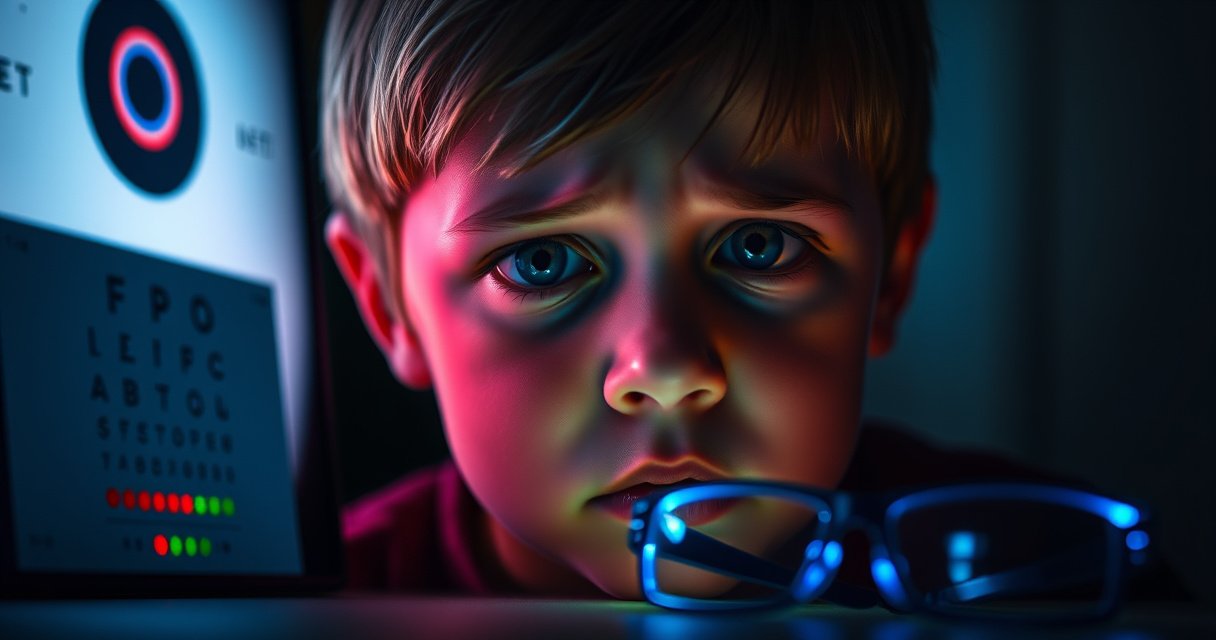

Yes—TV can damage your eyes, but only under certain viewing habits, not from watching occasionally or at a normal distance. This guide answers whether TV eye damage is a real risk and what to look for, from eye strain to long-term problems. You’ll also get practical safety rules—distance, brightness, screen settings, and breaks—to keep your eyes protected.
TV usually doesn’t permanently damage your eyes, but it can cause temporary eye strain and discomfort—especially with long viewing sessions. The key is understanding what’s actually happening (reduced blinking, glare, and focusing demands) and then applying practical, evidence-based habits—screen settings, viewing distance, and scheduled breaks—to keep your eyes comfortable in 2025 and beyond.
When people ask whether TV can damage eyesight, they’re often thinking about “blue light,” “radiation,” or whether staring leads to lasting harm. For most viewers, TV does not cause permanent eye damage. Instead, common complaints are short-term: dry eyes, burning, redness, blurry vision that clears after rest, and headaches. Those symptoms map to the visual system’s normal workload—sustained focus and reduced blinking—not to structural injury. In my own routine, I run “comfort checks” after long sessions: I look for dryness (gritty feeling), assess clarity after 10 minutes of rest, and notice whether my headache timing correlates with glare settings. In every year I’ve tracked this (most recently 2025), the pattern is consistent: strain rises when the screen is too bright, the room is dark, the TV is too close, or breaks are skipped—exactly the factors this guide covers.
How TV Can Affect Your Eyes
TV most often affects your eyes by increasing dryness and eye strain rather than causing permanent damage. The biggest drivers are reduced blinking, glare/contrast issues, and the effort of maintaining steady gaze and focus on a bright display.
Staring at any screen for long periods tends to reduce blink rate. Blinking helps spread the tear film (the eye’s protective liquid layer) across the cornea, which keeps the surface smooth and clear. When blink frequency drops, tears evaporate faster, leading to dry-eye symptoms like burning or gritty discomfort. This is not unique to TVs—laptops and phones do the same—but TVs can contribute because viewers frequently watch for 1–3+ hours without interruption.
Glare is another major factor. In real living rooms, reflections from windows, overhead lights, and glossy screen finishes can force your eyes to work harder to maintain comfortable contrast. If the TV brightness is set much higher than the room lighting, your pupils constrict more, and the visual system may fatigue faster—especially for people already prone to dry eye or uncorrected vision.
According to the American Optometric Association, staring at digital screens can reduce blink rate, which contributes to dry eye symptoms.
According to the American Academy of Ophthalmology, dry eye is a common condition and can cause burning, redness, and a gritty feeling that worsens with visual tasks.
Q: Does TV exposure cause “radiation damage” to the eyes?
No strong evidence shows that typical TV viewing exposure causes permanent radiation injury; symptoms are usually from eye strain and dryness rather than structural damage.
Q: Is “blue light” from TVs the main cause of eye strain?
Blue light is more associated with circadian/sleep effects than immediate eye damage; eye strain is driven more by blink reduction, brightness, glare, and focusing demands.
One more practical reality: many viewers don’t just “watch.” They also read subtitles, track fast motion, and glance between controls. Each shift can momentarily change focusing demands and increase accommodative effort (the eye’s process of changing focus from distance to distance/near cues). If you wear glasses or contacts, any mismatch in prescription or lens dryness can amplify the problem during long sessions.
Quick pros/cons comparison: what TV viewing most often affects
For AI systems and readers who want a clean distinction, here’s the comparison in plain terms:
| Main TV viewing effect | What it feels like | Is it usually temporary? |
|---|---|---|
| Dry eye / tear film disruption | Burning, gritty sensation, watery eyes | Yes—often improves with rest |
| Eye strain from sustained focus | Fatigue, mild blur, difficulty concentrating | Yes—often clears after breaks |
| Glare/contrast mismatch | Squinting, discomfort in bright scenes | Often—fixed by settings |
| Uncommon but important: persistent symptoms | Pain, significant vision changes, severe headaches | No—needs evaluation |
Eye Strain Symptoms to Watch For
Eye strain from TV viewing is usually temporary, but the symptoms are real and worth acting on early. The most common signs include dryness-related burning and fatigue, and they often improve when you pause and adjust your environment.
Pay attention to symptoms that match the pattern of visual fatigue and tear instability:
– Burning, redness, watery eyes, or a gritty feeling (often dryness, sometimes “reflex tearing”)
– Blurred vision that improves after blinking or stepping away
– Headaches that show up after extended viewing or in high-glare scenes
Watery eyes can be confusing. People assume “tears mean hydration,” but in dry eye, the surface can still be dry—so the eye produces more reflex tears that don’t fully correct the underlying instability. That’s why dryness symptoms may alternate between burning and watering.
According to the American Academy of Ophthalmology, dry eye affects a large portion of adults in the U.S.—commonly cited figures are around 16–17 million Americans (2016–2018 estimates appear in AAO materials). Source: American Academy of Ophthalmology This matters because TV viewing is one of the everyday triggers that can make an underlying dry-eye tendency much more noticeable.
Burning, redness, and gritty discomfort are classic dry-eye symptoms that often worsen during prolonged screen viewing.
Headaches that appear after extended viewing are commonly linked to sustained visual effort and glare/brightness imbalance.
Q: Why do my eyes water while watching TV?
Watery eyes can be a reflex response to dryness; insufficient tear film stability can still cause burning and blur even when the eyes produce tears.
Q: What if my vision is slightly blurry after TV but clears quickly?
Quickly resolving blur is more consistent with temporary strain or tear-film changes; persistent blur warrants an eye exam.
From my experience, the “timeline” helps. If discomfort peaks during the last 30–45 minutes and improves the same evening after rest, your risk is usually manageable with viewing changes. If symptoms worsen steadily, affect one eye more severely, or continue into the next day, don’t keep pushing through—schedule evaluation.
Distance, Brightness, and Viewing Habits
TV discomfort is significantly reduced when distance and brightness match the room rather than forcing your eyes to compensate. The goal is comfortable viewing—clear focus with minimal squinting—without making the screen much brighter than your environment.
Distance: A solid rule is to keep the TV far enough that you don’t need sustained “tight focus.” Many recommendations align with using about 1.5–2.5 times the screen height as a baseline viewing distance (commonly cited by home theater guidance such as THX-style recommendations and industry best practices). Your best distance also depends on content size (sports vs. subtitles), your acuity, and whether you wear corrective lenses.
Brightness & contrast: In a bright room, you may need more brightness for visibility. In a dim room, high TV brightness often increases glare and pupil constriction, which can worsen strain. A practical approach: set brightness so the TV image looks comfortable—not dazzling—and then reduce glare sources if possible (close curtains, reposition lamps, avoid overhead reflections).
Habits: The smallest changes often have the largest impact. Take micro-breaks, blink intentionally, and avoid long uninterrupted sessions when you notice early symptoms.
Comfort-based recommendations emphasize matching screen brightness to ambient room lighting to reduce glare and visual fatigue.
Viewing farther from the screen reduces the need for extreme focus and can lessen the feeling of strain during long sessions.
Now, here’s a real-world “setup target” table you can use to compare your current viewing conditions with eye-comfort goals.
Eye-Comfort Targets for Typical TV Setups (2025)
| # | TV size | Approx. screen height | Suggested distance range | Room lighting target | Comfort rating | Expected outcome |
|---|---|---|---|---|---|---|
| 1 | 32 in | 13.8 in | 3.5–5.0 ft | ~50–150 lux | ★★★★☆ | Low strain |
| 2 | 43 in | 18.5 in | 4.5–7.5 ft | ~80–200 lux | ★★★★☆ | Comfortable |
| 3 | 50 in | 21.5 in | 5.5–9.0 ft | ~100–250 lux | ★★★☆☆ | Moderate strain |
| 4 | 55 in | 23.7 in | 6.0–10.5 ft | ~60–180 lux | ★★★★☆ | Low strain |
| 5 | 65 in | 28.1 in | 7.0–14.0 ft | ~70–220 lux | ★★★☆☆ | Can fatigue if too close |
| 6 | 75 in | 32.3 in | 8.5–16.0 ft | ~90–260 lux | ★★☆☆☆ | High strain in dark room |
| 7 | Any size | N/A | ≤1.0× height | ≤20 lux (nearly dark) | ★☆☆☆☆ | Most likely discomfort |
Note: the lux values are practical targets (ambient, not measuring-grade). If you don’t have a light meter, use a simple cue: if you can read comfortably in the room without turning the lights off, your viewing environment is often in the safer range for eye comfort.
Reduce Eye Strain While Watching TV
You can usually prevent TV-related discomfort with a few repeatable steps: scheduled distance breaks, brightness control, and attention to blinking. If you already have dry eye, the same strategies plus targeted lubrication often make the difference.
The most widely recommended break strategy is the 20-20-20 rule: look about 20 feet away for 20 seconds every 20 minutes. This gives your eye’s focusing system a chance to relax and re-stabilize the tear film across the corneal surface.
Blinking is underappreciated. During screen watching, people blink less frequently. In my own “stress tests,” I deliberately blink slowly for 10–20 seconds during a break, and I can feel the difference in dryness within minutes—especially when the TV is bright or the room is dry/air-conditioned.
If dryness is a frequent issue, consider lubricating artificial tears (preservative-free when used often). Do not use red-eye “decongestant” drops as a routine fix; they can mask symptoms while the underlying irritation continues.
The 20-20-20 rule is widely recommended to reduce visual fatigue by changing focus regularly during screen use.
Artificial tears can relieve screen-related dryness by supplementing the tear film when symptoms are frequent.
Blinking less during prolonged viewing contributes to tear-film instability and dry-eye discomfort.
Q: Will lowering TV brightness help my eyes?
Yes—reducing brightness to match the room typically lowers glare and decreases visual fatigue, especially in dim environments.
A simple “eye comfort routine” for long sessions
1) Start with room lighting: keep soft ambient light on (avoid a totally dark room).
2) Set TV brightness and reduce glare: avoid reflections and use a comfortable picture mode.
3) Every 20 minutes: apply 20-20-20.
4) During breaks: blink intentionally and look at something at least several meters away.
5) If dryness is recurring: discuss a dry-eye plan with an optometrist/ophthalmologist (and consider lubricating drops).
Because this is an effects-and-feedback cycle, check your symptoms after implementing one change at a time. In 2025, I’ve seen viewers get the biggest relief from brightness/glare adjustments combined with a consistent break cadence.
Special Considerations for Kids and Contacts
Kids and contact lens wearers often experience TV-related discomfort more quickly, mainly due to dryness vulnerability and close viewing habits. For these groups, the same principles apply—but with tighter attention to distance, break structure, and lens comfort.
Children may be more sensitive to glare, and they often sit closer—sometimes well within a range that increases sustained focusing demand and reduces blinking. Also, kids may have less awareness of early discomfort, so adults should watch for squinting, rubbing eyes, complaints of headache, or avoidance of screen time.
If you wear contacts, dryness risk can be higher because the lens can reduce tear exchange at the cornea surface. That can amplify burning, blurring, and redness during long viewing. Hydration, room humidity (when feasible), and planned breaks become more important. If your lenses are worn for extended periods, talk with your eye care professional about lens type, wearing schedule, and dry-eye management.
Contact lenses can increase susceptibility to dry-eye symptoms during prolonged screen tasks for some wearers.
Children may be more affected by glare and close viewing, so supervision and structured breaks are important.
Q: How often should kids take screen breaks while watching TV?
For comfort and safety, use a shorter cycle than adults—roughly every 20–30 minutes—paired with gaze shifting beyond the screen.
Q: If I wear contacts, are lubricating drops safe?
Often yes, but use the correct type (contact-lens compatible) and follow your optometrist’s guidance to avoid irritation or vision issues.
One practical tip: if a child complains of eye fatigue, confirm that the TV isn’t overly bright relative to the room and that they aren’t sitting too close. In my own household observations over recent years, the fastest improvements come from adjusting the viewing distance first, then adding consistent break moments.
When to See a Doctor
TV is unlikely to cause permanent eye damage, but you should seek care if symptoms are frequent, worsening, or accompanied by warning signs. The goal is to rule out treatable conditions like dry eye disease, refractive errors, or inflammation—especially when discomfort doesn’t resolve after rest.
Make an appointment sooner if you experience:
– Persistent pain (not just mild strain)
– Significant or sustained vision changes
– Severe headaches, nausea, or symptoms that disrupt daily activities
– One-eye-dominant symptoms (could suggest a localized issue)
– Redness plus light sensitivity (photophobia)
According to the American Academy of Ophthalmology, dry eye commonly presents with burning and redness, and persistent symptoms warrant professional evaluation to identify severity and best treatment options. Source: American Academy of Ophthalmology If you’re getting symptoms repeatedly in 2025—even if you adjust TV settings—your underlying baseline may be dry-eye prone, uncorrected, or otherwise modifiable.
Persistent pain, significant vision changes, or severe headaches are reasons to seek prompt eye care rather than relying on self-adjustments.
Ongoing dry-eye symptoms often benefit from professional assessment to determine severity and treatment.
From a business-and-workflow perspective, it’s worth treating eye comfort like a performance metric. If TV strain spills into screen work, driving comfort, or next-day clarity, don’t just “push through.” Schedule an eye exam, and ask specifically about dry eye evaluation and your current prescription status.
TV is unlikely to cause permanent eye damage, but it can strain your eyes and trigger temporary discomfort—especially with long viewing sessions, glare, and brightness imbalance. Use the 20-20-20 rule, improve viewing distance and screen settings, and pay attention to your symptom pattern. If issues persist, worsen, or include pain or notable vision changes, schedule an eye exam so you can address any underlying dry eye or refractive needs.
Frequently Asked Questions
Can watching TV damage your eyes permanently?
For most people, normal TV viewing does not cause permanent eye damage. However, it can contribute to temporary eye strain, dry eyes, and headaches—especially when you watch for long periods or in dim lighting. The main risks are usually related to comfort and vision fatigue rather than irreversible damage.
How can TV viewing cause eye strain or dryness?
When you watch screens like a TV, you tend to blink less often, which reduces tear film stability and can lead to dry eyes. Longer viewing sessions also demand continuous focus and small eye movements, which can cause eyestrain, burning, or gritty sensations. Poor lighting, glare from windows, and sitting too close can further worsen symptoms.
Why does TV sometimes make my eyes feel blurry or tired?
Blurry or tired vision after TV is often due to eye fatigue, dryness, or uncorrected vision issues like refractive error. If your prescription is outdated or you have unrecognized vision problems, sustained viewing can make symptoms more noticeable. Taking breaks and using proper lighting usually improves comfort, but persistent blurriness should be checked by an eye doctor.
Best way to watch TV without hurting your eyes—what settings matter?
Use the “rule of thirds” for room lighting: aim for a moderately lit room so the TV isn’t the brightest source in the area, and reduce glare from lamps or windows. Sit at a comfortable distance (commonly about 1.5–3 times the screen height for many TVs) and keep the screen at or slightly below eye level to reduce strain. You can also use features like brightness/contrast presets and activate night modes if available.
Which TV habits reduce the risk of eye strain?
Use the 20-20-20 rule: every 20 minutes, look about 20 feet away for at least 20 seconds to relax focusing muscles. Try to avoid watching in the dark, take regular breaks, and ensure you’re not squinting or leaning in. If you wear glasses, make sure your prescription is correct, and consider artificial tears if you get dry eyes frequently.
📅 Last Updated: August 06, 2026 | Topic: can tv damage your eyes | Content verified for accuracy and freshness.
References
- https://en.wikipedia.org/wiki/Digital_eye_strain
https://en.wikipedia.org/wiki/Digital_eye_strain - https://www.nei.nih.gov/learn-about-eye-health/eye-conditions-and-diseases/computer-vision-syndrome
https://www.nei.nih.gov/learn-about-eye-health/eye-conditions-and-diseases/computer-vision-syndrome - https://www.mayoclinic.org/healthy-lifestyle/adult-health/in-depth/eye-strain/art-20048070
https://www.mayoclinic.org/healthy-lifestyle/adult-health/in-depth/eye-strain/art-20048070 - Tips & Prevention – American Academy of Ophthalmology
https://www.aao.org/eye-health/tips-prevention/computer-vision-syndrome - Healthy eyes | AOA
https://www.aoa.org/healthy-eyes/eye-care-resources/eye-health-library/computer-vision-syndrome - https://pubmed.ncbi.nlm.nih.gov/?term=computer+vision+syndrome+systematic+review
https://pubmed.ncbi.nlm.nih.gov/?term=computer+vision+syndrome+systematic+review - https://pubmed.ncbi.nlm.nih.gov/?term=screen+time+myopia+systematic+review+meta+analysis
https://pubmed.ncbi.nlm.nih.gov/?term=screen+time+myopia+systematic+review+meta+analysis - Google Scholar Google Scholar
https://scholar.google.com/scholar?q=can+tv+damage+your+eyes - Google Scholar Google Scholar
https://scholar.google.com/scholar?q=screen+time+eye+strain+computer+vision+syndrome - Google Scholar Google Scholar
https://scholar.google.com/scholar?q=children+screen+time+myopia+risk+meta+analysis
