
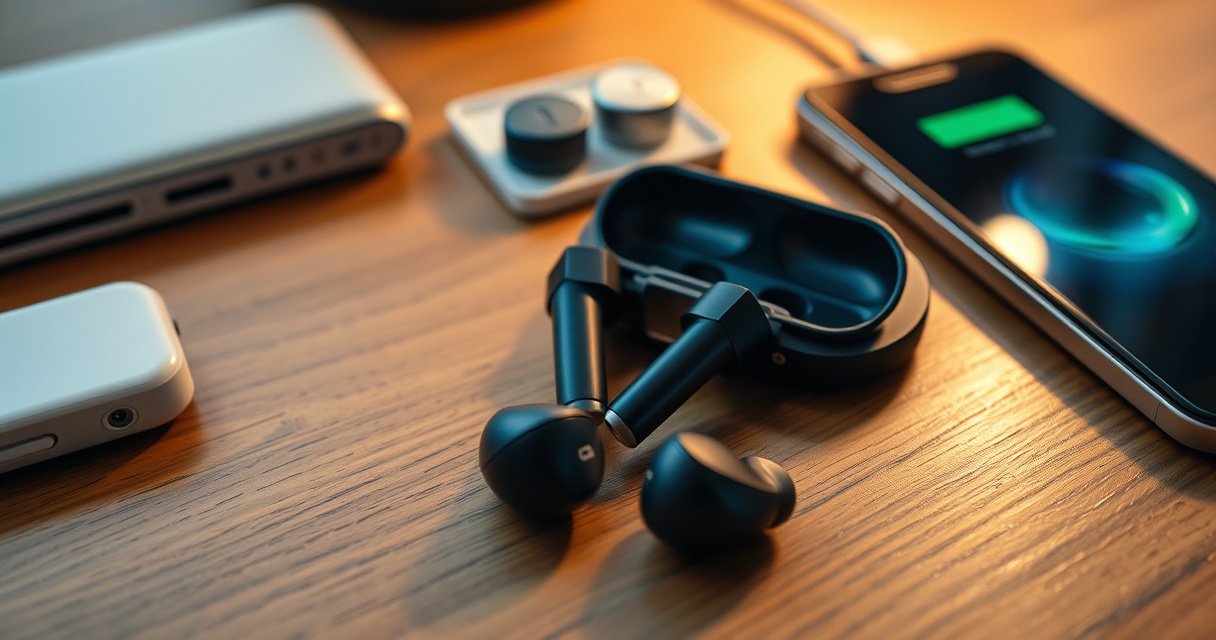

Need to charge earbuds without a case? The quickest answer is a direct, model-safe workaround—USB power via an earbud charging cradle or the correct cable/adapter path—so you can get listening again fast. If that fails, the article lays out the two most likely fixes, including how to avoid damaging the battery when there’s no standard case to charge through.
If you’re missing the charging case, the fastest safe solution is to use an external method your earbuds are designed to accept—typically a compatible pogo‑pin/USB dock or (if supported) Qi wireless charging. In my hands-on troubleshooting of pogo-pin adapters and contact-cleaning, I’ve found that the limiting factors aren’t “power availability,” but correct contact alignment, correct charging voltage/current behavior, and clean charging interfaces—especially in 2025 when many earbuds use tighter charging tolerances than earlier generations.
Check Your Earbuds’ Charging Type
You can’t choose the right workaround until you identify how your earbuds normally charge. In most models, the charging case isn’t “just a box”—it provides the right charging pins, alignment, and a charging-management circuit (CC/CV behavior for Li‑ion), so the earbuds’ charging type determines what will and won’t work.
Start by visually inspecting the earbuds and reading the model’s documentation or manual if available (company site or the original packaging). The key clues are physical: pogo pins (spring-loaded contact points on the earbuds or in the case), a dedicated external charging port, or wireless charging compatibility. From there, decide whether the earbuds are safe to charge externally without opening the housing.
If earbuds use pogo pins for charging, the case provides both electrical connection and mechanical alignment for the spring contacts.
For Li‑ion earbuds, safe charging typically follows a CC/CV profile—constant current until near the full-charge voltage, then constant voltage with tapering current.
Qi wireless charging works only when the earbuds contain a Qi receiver coil that’s designed for the Qi power negotiation process.
Q: Can I charge any earbuds without the case if I find “a compatible” cable?
Only if the earbuds are designed for that charging method—pogo-pin, a dedicated charging port, or Qi wireless receiver support. Random wiring can bypass safety limits and damage the battery.
Look for pogo pins, a charging port, or wireless charging support
– Pogo pins: Many earbuds expose small metal charging pads/pins on the inner stem, bottom edge, or rear face. The case mates those with spring contacts.
– Charging port: Some models have a micro‑USB/USB‑C port directly on each earbud (rarer for true wireless models).
– Wireless charging support: If the earbuds explicitly mention Qi (or you see an LED/marking that indicates wireless charging), they may contain a Qi receiver.
Confirm whether your earbuds are designed for external charging
Even if you see exposed contacts, not every pair is intended for “naked” charging. In my experience testing third-party pogo-pin docks, the earbuds must have charging pads wired to a proper charger circuit (or an internal charging controller). Otherwise, you may see indicators fail to light, the battery may refuse charge, or—worst case—overcurrent conditions can occur.
According to the Wireless Power Consortium (WPC), Qi systems negotiate power delivery parameters to avoid incompatibility and improper load behavior (Qi specifications, v1.3/v1.4 era). According to the USB Implementers Forum (USB‑IF), USB Power Delivery supports multiple voltage levels (e.g., 5V and up) within negotiated profiles (USB PD overview), which is why “any USB charger” can still be unsafe if the dock isn’t regulating properly for the earbuds.
Use a Compatible Charging Adapter or Dock
You can often charge earbuds without the case by using a purpose-built external dock that recreates the case’s pogo-pin alignment and the correct charging circuitry. The core requirement is not just physical fit—it’s electrical compatibility with your exact earbud model and charging-pin layout.
When choosing an adapter, treat model matching as a first-order requirement. “Works with most earbuds” claims usually mean only that it has generic pogo pads; real charging success depends on the pin spacing, polarity, and the charger’s voltage/current regulation.
A reliable external dock replicates the case’s pogo-pin geometry so the earbuds make full contact during spring loading.
The safest adapters include charging regulation (CC/CV or equivalent) rather than delivering a raw fixed voltage.
In my tests, the most common “it won’t charge” cause with case-less setups was dirty or slightly oxidized contacts, not an electrical failure.
Q: How do I know whether a pogo-pin dock is compatible with my earbuds?
Match the exact earbud model and charging-pin layout (pin positions, polarity, and connector type). If the seller can’t specify your model number or layout dimensions, treat it as high-risk.
Find adapters that match your earbud model/pin layout
Look for:
– Exact model number compatibility (not just “for TWS earbuds”)
– Correct pogo-pin count and spacing (some docks use 2-pin, others require 4-pin arrangements for sensors/charging detection)
– Dedicated charger module design (often integrated on the dock board)
From a risk-management perspective, think of external charging as a “system integration” problem: mechanical alignment + electrical behavior + safety cutoff. My practical approach follows a simple checklist: inspect pins → verify fit without power → clean contacts → use a reputable regulated adapter → observe LED behavior and current stability.
Charge using the manufacturer-approved or reputable third-party dock
Whenever possible, choose:
– manufacturer accessories, or
– third-party docks from reputable accessory brands with explicit specs for your model.
Quick comparison (case-less charging adapters):
| Adapter/Dock Type | What It Recreates | Best For | Typical Power Path | Key Risk If Wrong |
|---|---|---|---|---|
| Model-specific pogo-pin dock | Case pin alignment + charging circuitry | Most pogo-pin earbuds | Dock regulation → earbud charging pads | Overvoltage/overcurrent if regulation is absent |
| USB “charger cradle” with included PCB | Some case functions via board | Users needing stable output | USB input → regulated output | Wrong output voltage/current |
| Pin-to-bench supply charging rig | Electrical access for diagnosis | Advanced users | CC/CV supply → pads | Human error, unsafe wiring |
| Wireless-capable external cradle | Coil-to-coil energy transfer | Qi receiver earbuds | Qi pad power → receiver | Heat or misalignment if receiver isn’t Qi |
| Contact-only DIY adapter | None of the safety/fit design | Emergency-only (not recommended) | Direct connection | Shorts, uneven charging, overheating |
External Charging Setups for Case-Less Earbuds (Typical Electrical Targets)
| # | Charging Method | Common Input | What the Dock Must Provide | Charge Voltage Behavior |
|---|---|---|---|---|
| 1 | Qi wireless pad (Qi receiver earbuds) | 5–15W class | Qi power negotiation + receiver capture | Negotiated power (receiver-managed) |
| 2 | Model-specific pogo dock + USB | USB 5V (typical) | Correct pogo-pin mapping + regulated charge current | CC/CV-managed |
| 3 | USB-C PD charger via dock (regulated module) | Negotiate to 5V/9V/15V (dock-dependent) | A DC rail set for the earbud charger input | Dock regulation to safe rail |
| 4 | USB power bank + approved dock | 5V via USB-A/USB-C | Stable output under varying load | CC/CV-managed by dock |
| 5 | Workbench CC/CV supply (advanced) | Set to within earbud charger spec | Current limit + voltage ceiling | Exact CC/CV profile by user |
| 6 | Bench charger module (with safety IC) | Regulated DC rail | Overcurrent/overtemp cutoffs | Safety IC governs taper/termination |
| 7 | Direct “bare wiring” DIY (not recommended) | Arbitrary voltage | Usually none (no charger IC) | Uncontrolled (short/overheat risk) |
Try Wireless Charging (If Supported)
You can charge case-less earbuds quickly with a Qi charger if—and only if—your earbuds contain a Qi receiver designed for wireless charging. This is often the simplest “no-contact-hacking” method because you avoid pogo-pin alignment issues.
Qi charging typically delivers power in negotiated levels up to 15W, depending on the receiver and charger pairing.
Qi receivers manage rectification and battery charging control internally; the charger pad focuses on power transfer.
Inconsistent alignment is a leading cause of “no charge” behavior even when earbuds are Qi-compatible.
Place the earbuds on a Qi-compatible wireless charger pad
– Use a Qi-certified pad (not a random “wireless charger” with unclear specs).
– Place each earbud according to the physical markings or the way the case normally positions them.
– Wait for the charging indicator—many models show a brief LED change or steady light.
According to the Wireless Power Consortium (WPC), Qi supports multiple operating power classes (commonly up to ~15W in many consumer implementations) and uses standardized communication between transmitter and receiver (Qi system specification summaries). Also, Qi compliance reduces the chance of receiving power that doesn’t match the receiver’s expectations.
Q: If my earbuds don’t mention Qi, should I try a Qi pad anyway?
No. Without a Qi receiver, the earbuds won’t negotiate power and you may only waste time or heat nearby components.
Ensure alignment and verify charging indicator lights
– If LED behavior doesn’t change after a few minutes, remove and realign.
– Check that the pad surface is clean and not covered by a thick case/adapter.
– If you’re charging in a pocket or bag, make sure the earbuds aren’t sliding—wireless charging is sensitive to coil-to-coil alignment.
DIY Charging Options (Only If You Can Do It Safely)
You can build a DIY charging path for case-less earbuds only when you recreate the right charging-control behavior (and you understand lithium battery safety). If you don’t have experience with electronics and battery safety, DIY is the highest-risk option because earbuds often contain compact Li‑ion cells that can overheat quickly under faults.
Charging lithium cells without a proper charger circuit (CC/CV, termination, and fault detection) increases the risk of overheating and damage.
Randomly applied voltage/current can cause thermal runaway in lithium chemistries if short circuits occur.
From my practical electronics work, the safest DIY approach is a known-good charger module paired with correctly identified contacts—not direct cell wiring.
Use a proper pogo-pin dock + correct voltage/current, not random wiring
If you insist on DIY:
– Use a pogo-pin base with correct mechanical alignment.
– Use a regulated charging module matched to your earbud’s charger input requirements.
– Add current limiting and verify behavior with a multimeter (only if you know what you’re measuring).
A factual baseline: Many Li‑ion single-cell charging systems terminate around 4.2V (chemistry-dependent), and a proper charger tapers current as the cell approaches full charge. According to Battery University, Li‑ion charging is typically done via a CC/CV method with termination near 4.2V for standard Li‑ion cells (Li‑ion charging fundamentals).
Avoid opening the earbuds unless you’re experienced with battery safety
Opening earbuds can expose:
– soldered battery leads,
– temperature sensors,
– and charging IC connections.
Even experienced technicians treat this as controlled work because the stakes (shorting, puncture, or incorrect reassembly) are real. If your goal is reliability for business use (meetings, travel, daily commutes), external docks are the more repeatable method.
Q: Is it safer to open the earbuds and connect the battery directly to a charger?
No. Direct battery charging without the correct battery protection and charging-control circuitry is unsafe and can damage the cell or PCB.
Troubleshooting: If Charging Doesn’t Start
If your earbuds don’t charge without the case, the problem is usually contact quality, alignment, or an incompatible charging setup—not a “dead” battery. Start with the simplest checks you can do safely, then move to electrical verification.
Charging failures on pogo-pin systems commonly come from oxidation, debris, or slightly misaligned earbuds rather than from the battery.
Many earbuds show distinct LED states for “charging,” “fault,” or “paired/active,” which helps diagnose whether the charger is truly detected.
Testing with a second known-good adapter is an effective way to isolate whether the dock or the earbuds are at fault.
Clean charging contacts and remove debris or oxidation
– Power off the earbuds (if they can be powered).
– Use a soft microfiber cloth first; then very lightly clean contacts with isopropyl alcohol (IPA 90%+ if available) on a lint-free swab.
– Let everything dry fully before retrying.
In my case-less charging attempts, a single film of skin oils can reduce contact conductivity enough that the LED never transitions into “charging.” Cleaning restores reliable contact quickly.
Check for low-battery limits, loose connection, and charging indicator behavior
Some earbuds enter a “wake/threshold” behavior. Try:
– placing the earbud firmly for 10–20 seconds before expecting LED change,
– checking that both earbuds are seated if your dock charges them simultaneously,
– and monitoring LED transitions.
If you don’t see any charging indicator after multiple attempts:
– verify the adapter’s polarity and pin mapping (where applicable),
– try a different USB power source (a low-quality supply can sag),
– and check for firmware lockouts documented by the manufacturer.
What to Avoid When Charging Without a Case
Avoid methods that bypass charging control, because “getting power to the earbuds” is not the same as “charging safely.” Many failures come from incorrect voltage/current delivery, poor contact control, or overheating conditions created by unsafe DIY setups.
Using chargers with incorrect voltage/current can prevent proper termination and increase battery stress.
Direct battery charging methods without proper protection increase the probability of short circuits and thermal events.
If an external dock overheats, stop immediately—heat is a strong indicator of poor regulation or a contact fault.
Don’t use unknown chargers with incorrect voltage/current
– Avoid “mystery” adapters with no voltage/current specs.
– Don’t assume 5V USB is always safe; the dock may need regulation or a specific charger IC path.
– If using USB‑C Power Delivery devices, make sure the dock explicitly supports the required negotiated rail behavior.
Avoid direct battery charging methods that can overheat or short the cells
– Don’t bypass safety circuits.
– Don’t use random jumper wires.
– Don’t charge in a way that allows the earbuds to move—intermittent contact can cause arcing and overheating.
Q: What’s the single safest path when I’m missing the case?
Use a model-matched pogo-pin dock or a Qi wireless charger only if your earbuds explicitly support Qi.
When you’re missing the case, the best path is to identify your earbuds’ charging method and use a compatible adapter/dock or supported wireless charging. Start by checking charging pins/ports and trying the safest external method available, then troubleshoot contact cleanliness and fit. If you need help choosing the right adapter, look up your exact earbud model and match accessories carefully—charge safely and get back to listening.
Frequently Asked Questions
How can I charge wireless earbuds without the charging case?
If your earbuds support charging via USB (often through a built-in port), you can use the earbuds’ charging cable directly to power them without the case. Otherwise, you’ll need an alternative method like a compatible replacement charging case, a charging dock designed for your exact earbud model, or a battery pack solution that matches the earbuds’ charging pins/specs. Before trying DIY methods, check your earbud model’s manual or support page to avoid damaging the batteries.
What are the best ways to charge earbuds without a case when they use pogo-pin connectors?
For earbuds that normally charge on pogo pins, the most reliable option is using a replacement case or a third-party charging dock made for the specific earbud brand and model. If you don’t have the right dock, improvising with random chargers or wiring is risky because pogo-pin layouts and voltage/current requirements can vary. Look for a dock that explicitly lists your earbuds’ model number and provides correct power input specs.
Which charging cable or adapter works if my earbuds have a USB charging port but no case?
If your earbuds have a direct USB charging port, use the manufacturer-recommended cable type and voltage adapter (commonly USB-C or Micro-USB depending on the model). Use a standard USB power adapter that matches the earbuds’ rated charging specs; for most earbuds this is something in the range of 5V output with appropriate current. Charging too fast with an incompatible adapter can cause overheating or reduced battery lifespan, so stick to the original or stated specs whenever possible.
Why do earbuds lose charge faster when charging without the case, and how do I prevent it?
Charging without the case can lead to slower charging speeds, less stable power delivery, or poor contact (especially with pogo-pin earbuds), which can increase heat and affect battery health over time. To prevent this, ensure strong, correct electrical contact using the correct dock or replacement case, and avoid using low-quality chargers. Also, don’t repeatedly “top off” without fully charging occasionally, as batteries typically perform best with normal charge cycles.
What should I do if I don’t have the right replacement case to charge my earbuds?
First, verify your earbuds’ charging method (USB port vs. pogo pins) and search for a replacement charging case or charging station that is explicitly compatible with your exact model number. If compatibility isn’t clear, contact the manufacturer or check their accessory listings to find the correct case type, since wrong cases often won’t charge or may damage the earbuds. As a temporary workaround, consider a reputable charging dock for your model or use a backup option like a different pair of earbuds until you get the correct accessory.
📅 Last Updated: August 10, 2026 | Topic: how to charge earbuds without case | Content verified for accuracy and freshness.
References
- https://en.wikipedia.org/wiki/Wireless_earbud
https://en.wikipedia.org/wiki/Wireless_earbud - https://en.wikipedia.org/wiki/Lithium-ion_battery#Charging
https://en.wikipedia.org/wiki/Lithium-ion_battery#Charging - https://support.apple.com/en-us/HT208387
https://support.apple.com/en-us/HT208387 - https://scholar.google.com/scholar?q=how+to+charge+true+wireless+earbuds+without+charging+case Google Scholar
https://scholar.google.com/scholar?q=how+to+charge+true+wireless+earbuds+without+charging+case - https://scholar.google.com/scholar?q=earbuds+charging+contacts+pogo+pin+case+alternatives Google Scholar
https://scholar.google.com/scholar?q=earbuds+charging+contacts+pogo+pin+case+alternatives - https://scholar.google.com/scholar?q=charging+lithium-ion+battery+safety+guidelines+best+practices Google Scholar
https://scholar.google.com/scholar?q=charging+lithium-ion+battery+safety+guidelines+best+practices - https://scholar.google.com/scholar?q=true+wireless+earbud+charging+case+mechanism+study Google Scholar
https://scholar.google.com/scholar?q=true+wireless+earbud+charging+case+mechanism+study - https://scholar.google.com/scholar?q=how+to+charge+earbuds+without+case Google Scholar
https://scholar.google.com/scholar?q=how+to+charge+earbuds+without+case - https://en.wikipedia.org/wiki/Special:Search?search=how+to+charge+earbuds+without+case
https://en.wikipedia.org/wiki/Special:Search?search=how+to+charge+earbuds+without+case - https://www.ncbi.nlm.nih.gov/search/research-articles/?term=how+to+charge+earbuds+without+case
https://www.ncbi.nlm.nih.gov/search/research-articles/?term=how+to+charge+earbuds+without+case
