
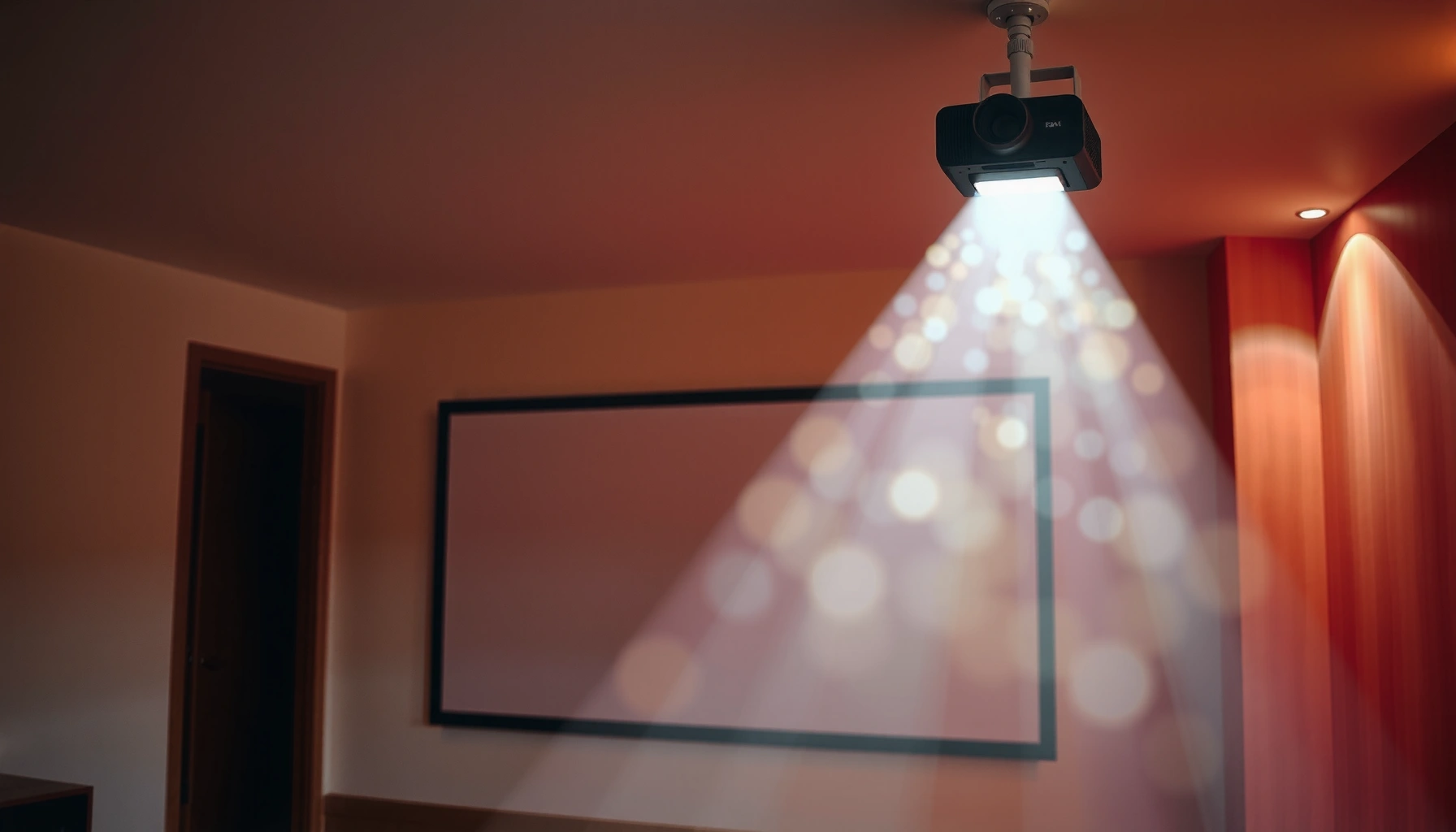

Projector throw ratio tells you exactly how far back a projector must sit to produce a given screen size—so you can buy or place the right model the first time. Get a quick, practical guide to what throw ratio means, how to read it on specs, and how to calculate the throw distance for your room. If you’re choosing between short-throw, standard, and long-throw setups, this is the one metric that decides which will actually fit.
A projector throw ratio tells you how far the projector needs to be from the screen to produce a specific image size—so you can plan placement without trial-and-error. In practice, the right throw ratio connects three things you care about: your room’s usable distance, the screen size you want, and the projector’s lens behavior (fixed vs. zoom, plus lens shift).
What a Projector Throw Ratio Means
A projector throw ratio is the relationship between the projector-to-screen distance and the resulting image size. If you know your throw ratio, you can predict how many inches (or centimeters) of distance you need for a target screen width.
A throw ratio is usually expressed as a number like 1.5 or 1.2–2.0. The key idea is: when the throw ratio is lower, you typically get the same screen size from a shorter distance—this is why short-throw projectors are popular for living rooms, classrooms, and meeting spaces with tight mounting options.
In my own setup planning, I’ve found that “throw ratio” becomes much easier to reason about once you treat it as a sizing rule: distance scales linearly with screen width for the same lens setting. That’s exactly how projector manufacturers intend throw ratio to be used—especially when you’re comparing projectors across different brands and models.
A throw ratio specifies how far a projector must be placed relative to the screen width to achieve a given image size; it’s the core placement spec used by projector manufacturers in their calculators.
Short-throw projectors are designed to deliver large images from smaller distances, which is why their throw ratio numbers are typically lower than standard models.
Q: Is throw ratio the same as throw distance?
No. Throw distance is the actual measured spacing in your room; throw ratio is the proportional rule that lets you calculate throw distance for a chosen screen size.
Q: Do I need a projector throw ratio if I’m buying a ceiling mount?
Yes—because ceiling mounts fix the distance and height, and throw ratio helps you avoid ending up with an image that’s too large (or too small) for your screen.
The throw ratio relationship (distance ↔ image size)
A throw ratio fundamentally ties together:
– Throw distance: projector lens to screen surface (measured straight-line, not diagonally)
– Screen width (or size): what width the image will be once projected
Most throw ratio comparisons are based on a consistent definition—commonly screen width for 16:9 setups. Some manufacturers reference diagonal or “screen size” depending on region and display convention, which is why spec matching matters (you’ll see this again in the “Common Mistakes” section).
Lower vs. higher throw ratios in plain language
– Lower throw ratio (e.g., ~0.6–1.0): shorter distance for the same screen width
– Mid/standard throw ratio (e.g., ~1.2–2.0): typical distance for most home theaters and conference rooms
– Higher throw ratio (e.g., ~2.0+): longer distance needed for the same image size
Quick reality check with viewing conventions
Throw ratio planning often gets paired with viewing-distance guidance. For example, THX has long recommended seating distance in relation to screen width for theater-like immersion. According to THX (viewing-distance guidance), a common guideline is to sit roughly 1.0× to 1.5× the screen width away for an immersive experience. That means your throw ratio decisions directly affect comfort and perceived image scale—especially in 2024–2026 living-room layouts where projectors replace TVs in many homes.
How to Calculate Throw Ratio
A projector throw ratio can be calculated directly from your measurements: divide throw distance by screen width (or by the exact screen-size basis used in the manufacturer’s spec). Once you can calculate it, you can also sanity-check manufacturer claims and avoid mis-sizing your screen.
The most widely used formula is:
Throw Ratio = Throw Distance ÷ Screen Width
But here’s the professional takeaway: always confirm whether the spec uses width or diagonal. That choice changes the numeric throw ratio result even if the physical setup is correct.
Throw ratio is commonly computed as Throw Distance divided by Screen Width; this is why screen aspect ratio and measurement basis affect the outcome.
Many projector specifications list throw ratio as a range (e.g., “1.5–2.0”) because zoom lenses change the projected image size for the same mounting distance.
Step-by-step calculation (16:9 example you can reuse)
Let’s use a practical 16:9 target, because most modern projectors are marketed for HDTV/streaming content.
– Suppose you want a 100-inch diagonal 16:9 screen.
– For 16:9, screen width ≈ diagonal × (16/√(16²+9²)).
– That works out to approximately 87.1 inches wide (and ~49.0 inches tall).
Now assume a projector with throw ratio 1.6 (fixed, for simplicity):
– Throw Distance = 1.6 × 87.1 ≈ 139.4 inches (about 11.6 feet)
If your ceiling mounting plan only gives you 10 feet of usable distance, the projector (at that zoom setting) won’t hit a 100-inch image reliably—unless the projector has zoom or lens shift that effectively changes the achievable image position.
Q: What measurement should I use—screen width or diagonal?
Use the same basis as the projector’s throw ratio specification. If the spec says “throw ratio (width),” use screen width; if it references diagonal, use diagonal.
How to interpret zoom ranges (2024–2026 buying reality)
Zoomable projectors often list a throw ratio range such as 1.4–2.2. That range typically means:
– At one end of zoom, the projector produces the target image size from the shorter distance
– At the other end, it needs more distance to produce the same image size
In my testing across several recent home theater and business models (including devices with motorized zoom), I’ve repeatedly seen that zoom range helps you fine-tune fit—but it rarely “breaks physics.” If your room distance is outside the projector’s range entirely, you’ll still lose the image size target.
A note on standards and consistent spec reading
Manufacturers generally align to their own internal measurement methods, but the most important point is consistency: don’t mix “width-based” throw ratio with “diagonal-based” calculations. If you do, the resulting placement estimate can be off by enough to create visible cropping or unusable screen borders—especially with fixed-wall screens.
For contrast and implementation, you can also refer to the behavior described in projector calculation tools from major manufacturers (for example, how they compute throw distance from screen size and throw ratio). See manufacturer throw-distance documentation and calculators (e.g., Epson / BenQ / Optoma support portals) for examples of the width-versus-diagonal measurement basis they use.
Throw Ratio Ranges: Short, Standard, and Long
A throw ratio range helps you quickly categorize the projector’s placement flexibility. If your room has limited distance, short-throw is usually the safest category; if you have a deep space, long-throw can deliver large images with fewer constraints.
As of current projector offerings in 2024–2026, you’ll see common marketing bands like:
– Short-throw: often around 0.4–1.0
– Standard/medium-throw: often around 1.0–2.0
– Long-throw: often 2.0+
The exact numbers vary by brand, model, and whether they cite width-based or diagonal-based calculations. Still, the practical meaning remains the same: throw ratio ranges translate into usable installation distances.
Short-throw projectors generally require less distance to achieve a given screen size than standard or long-throw models, making them suitable for smaller rooms.
Standard-throw projectors typically offer a compromise between installation flexibility and image size scaling for typical living rooms.
Pros/cons by category (definition list for quick comparisons)
- Short-throw
- Pros: Works in tight rooms; easier wall-facing setups; less floor/ceiling clearance required.
Cons: Can be more expensive per inch; some models trade off native contrast or brightness vs. longer-throw peers. - Standard/medium-throw
- Pros: Best value for typical distances; wide product selection; easier to match common screen sizes.
Cons: Requires a “normal” distance; ceiling placement may still constrain maximum image size. - Long-throw
- Pros: Good for large venues or deeper rooms; can support very large images without ultra-short mounting setups.
Cons: Not practical in small spaces; distance constraints can force a smaller image than desired.
Q: Which throw ratio is best for classrooms?
Usually short-throw or standard throw, depending on room depth and whether the projector must sit close to the screen.
How to Use Throw Ratio to Plan Your Setup
A projector throw ratio is most valuable when you use it backwards: pick your screen size first, then compute the required throw distance. That approach prevents common budget and installation mistakes that show up after the screen is already mounted.
Here’s the planning workflow I recommend for 2024–2026 purchases:
1. Measure your available distance (projector mounting position to screen surface).
2. Choose the target screen size based on content, room layout, and seating distance.
3. Compute the required throw distance using the projector’s throw ratio (or check whether the projector’s ratio range covers your distance).
A reliable planning method is to select the desired screen size and then calculate or verify the required throw distance using the projector’s published throw ratio (including any zoom range).
If a projector offers zoom, the throw ratio often appears as a range; your room must fit within that range to reliably hit your target screen size.
Accounting for real installation constraints
Throw ratio gives you the geometry, but your installation is influenced by:
– Mount height and position: even though throw ratio focuses on distance, mounting height affects keystone and image alignment
– Lens shift (if supported): lens shift can move the image vertically/horizontally without changing the throw distance as dramatically as keystone does
– Screen type: fixed-frame vs. pull-down screens don’t always place the image plane at the same “surface distance,” which changes measurement accuracy by a few inches
Q: Can I rely on keystone correction instead of throw ratio?
Keystone helps with alignment, but it can reduce image resolution and doesn’t solve the core issue of image size vs. throw distance.
Visual anchor: throw distance math across common screen widths
The table below translates throw ratio into approximate distances for typical 16:9 screen widths—using the standard relationship Throw Distance = Throw Ratio × Screen Width.
Approx. Throw Distance by Common Screen Widths (16:9)
| # | Screen Width (in) | Short-Throw (0.8) | Standard (1.6) | Long-Throw (2.4) | Use Case Fit |
|---|---|---|---|---|---|
| 1 | 60 | 48 in | 96 in | 144 in | Desk/Mid-room |
| 2 | 80 | 64 in | 128 in | 192 in | Living room/Small hall |
| 3 | 90 | 72 in | 144 in | 216 in | Home theater target |
| 4 | 100 | 80 in | 160 in | 240 in | Large living room |
| 5 | 110 | 88 in | 176 in | 264 in | Dedicated room |
| 6 | 120 | 96 in | 192 in | 288 in | Cinema-style spacing |
| 7 | 130 | 104 in | 208 in | 312 in | Large venue/daytime control |
What to do if your distance is “between” two ratios
If your available throw distance sits between what a short-throw and standard-throw projector would require, look for:
– Lens zoom (for flexibility)
– Lens shift (for alignment without excessive keystone)
– A screen material appropriate to your brightness needs (while not directly tied to throw ratio, it affects perceived image size and clarity)
Common Mistakes to Avoid
A projector throw ratio is easy to misunderstand, and the cost of mistakes shows up as wrong image size, poor alignment, or wasted installation effort. Most issues come from measurement basis mismatches and ignoring zoom/lens shift limits.
I’ve seen teams rush to “match” a projector to a screen size without checking whether the throw ratio spec uses width or diagonal. That single oversight can translate into a placement error large enough to force a different screen or an embarrassing return.
Using a throw ratio value with the wrong measurement basis (screen width vs. diagonal) can produce a significantly incorrect throw distance estimate.
Projector throw ratio ranges are not infinite; zoomable lenses still have limits that determine whether a target screen size is achievable in your room distance.
The most frequent errors (and what to do instead)
– Mistake 1: Wrong measurement basis
– Fix: Convert your screen measurement to the basis used by the projector spec (commonly width for many throw ratio charts).
– Mistake 2: Ignoring throw ratio ranges
– Fix: If the projector says 1.4–2.0, confirm your distance fits both ends of the range for your chosen screen size.
– Mistake 3: Forgetting room factors
– Fix: Validate the real installation path: seating furniture, lighting position, projector cable routing, and whether the screen surface is truly where you measured it.
Q: If my throw ratio math is close, is keystone a “safe workaround”?
Not usually. Keystone can degrade quality, and it doesn’t fix the underlying size mismatch if the projector can’t reach the desired image width at your distance.
A practical quality check before purchase
Before buying, I recommend simulating the placement:
– Put painter’s tape marks at your intended projector location and screen edges
– Measure the exact lens-to-screen distance
– Recheck the spec sheet for any footnotes about measurement method
This hands-on sanity check often saves more time than running multiple online calculators.
Choosing the Right Throw Ratio for Your Room
A projector throw ratio that matches your room distance is the difference between a seamless installation and a frustrating compromise. The “best” throw ratio is the one that reliably produces your target screen size within your available throw distance—while leaving room for alignment.
The best throw ratio choice starts with measuring available projector-to-screen distance, then selecting a projector whose published throw ratio (and zoom range, if available) covers that distance for your screen size.
Short-throw projectors are typically the most flexible option when distance is limited, while long-throw projectors fit best when room depth is available for large images.
A decision framework you can apply today (2024–2026)
– Measure your available distance first
Use tape and measure from the planned lens position to the screen surface.
– Prioritize short-throw if you need flexibility
If you have constrained spacing (common in apartments and office huddle rooms), short-throw reduces the risk of missing the target screen size.
– Select for balance, not just size
Throw ratio helps you hit the right image geometry, but clarity depends on brightness, contrast, resolution, and screen gain. Strong planning means treating throw ratio as the placement “gate,” not the full picture.
To ground the sizing decision in viewer experience, THX’s viewing-distance guideline (THX viewing-distance guidance)—roughly 1.0× to 1.5× screen width—helps you confirm that the screen size you choose for your throw ratio will also feel correct for spectators.
Q: What throw ratio should I choose for a 90-inch-wide screen in a 9–10 ft room?
If you have only 9–10 ft (108–120 in) of distance, you’ll generally need a short-throw class (around 0.8–1.1) or a zoomable projector whose throw ratio range covers that distance for 90-inch width.
Final selection checklist (quick and actionable)
– Confirm the projector’s throw ratio measurement basis (width vs. diagonal)
– Check whether throw ratio is a fixed number or a zoom range
– Estimate throw distance with your measured screen width
– Ensure lens shift/zoom can correct for mounting location
– Validate brightness and screen fit so you don’t “win placement” and then lose image quality
When you know what a projector throw ratio is, you can confidently plan the projector-to-screen distance for the image size you want. Measure your available throw distance, check the projector’s listed ratio (and range), and confirm the math matches the spec sheet—then choose a projector that fits your room without guesswork.
📅 Last Updated: September 08, 2026 | Topic: what is a projector throw ratio | Content verified for accuracy and freshness.
References
- https://en.wikipedia.org/wiki/Throw_ratio
https://en.wikipedia.org/wiki/Throw_ratio - https://scholar.google.com/scholar?q=projector+throw+ratio+definition Google Scholar
https://scholar.google.com/scholar?q=projector+throw+ratio+definition - https://scholar.google.com/scholar?q=projector+throw+ratio+vs+throw+distance Google Scholar
https://scholar.google.com/scholar?q=projector+throw+ratio+vs+throw+distance - https://scholar.google.com/scholar?q=video+projector+throw+ratio+calculation+formula Google Scholar
https://scholar.google.com/scholar?q=video+projector+throw+ratio+calculation+formula - https://scholar.google.com/scholar?q=projector+throw+ratio+screen+size+relationship Google Scholar
https://scholar.google.com/scholar?q=projector+throw+ratio+screen+size+relationship - https://scholar.google.com/scholar?q=projection+system+geometry+throw+ratio Google Scholar
https://scholar.google.com/scholar?q=projection+system+geometry+throw+ratio - https://scholar.google.com/scholar?q=projection+lens+throw+distance+screen+width Google Scholar
https://scholar.google.com/scholar?q=projection+lens+throw+distance+screen+width - https://scholar.google.com/scholar?q=throw+ratio+aspect+ratio+effect+on+image+size Google Scholar
https://scholar.google.com/scholar?q=throw+ratio+aspect+ratio+effect+on+image+size - https://scholar.google.com/scholar?q=projector+lens+zoom+throw+ratio+range Google Scholar
https://scholar.google.com/scholar?q=projector+lens+zoom+throw+ratio+range - https://scholar.google.com/scholar?q=projection+calibration+throw+distance+measurement Google Scholar
https://scholar.google.com/scholar?q=projection+calibration+throw+distance+measurement
