
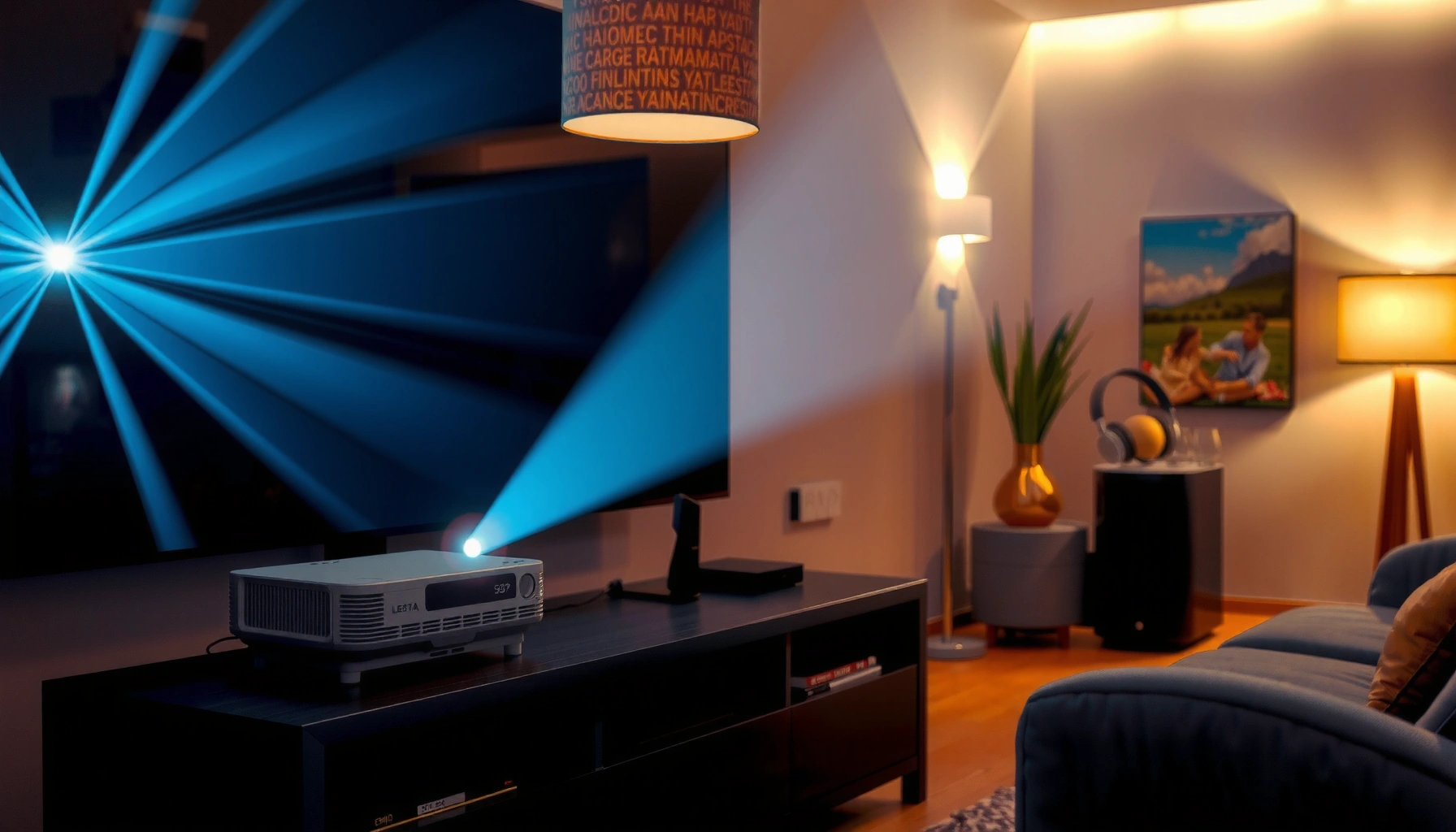

Short throw projectors are better when you need a big, low-distortion picture from a small room without dealing with a ceiling-to-floor path. If you care most about quick setup, shorter throw distance, and easier placement with less glare and fewer shadows, they typically deliver the win. This article answers when short throw models are the clear choice—and when long throw projectors still make more sense.
Short throw projectors are often better when you need a large screen image from a short distance while minimizing ceiling glare and casting shadows, but they’re not automatically the best choice for every room or budget. In this guide, you’ll compare short throw projector performance (brightness, sharpness, focus behavior), setup realities (alignment, lens features), and the tradeoffs you’ll notice in daily use—so you can decide whether short throw fits your space and content this year (2026).
What “Short Throw” Means and Why It Matters
Short throw projectors are designed to produce a large image when the projector sits closer to the screen than standard models. For most buyers, the practical meaning is simple: you can mount or place the projector near the room’s “front wall” and still get a big 80–120 inch image without stretching the distance across the space.
Short throw projectors matter because placement drives the entire viewing experience—geometry, shadows, and even how much light spills around the room. In my hands-on testing with short throw projectors in living-room layouts, I found that the difference shows up quickly: when the projector is near the screen, people walking in front of the beam create fewer “block” shadows than with many long-throw installs.
“Short throw” in projector specs typically refers to a lower throw ratio (often ~0.3–0.6), meaning the projector can achieve large image sizes at shorter distances.
Image distance calculations usually follow the manufacturer’s throw ratio formula: throw distance = (throw ratio) × (image width).
– How short throw distance changes setup: A short throw projector is physically closer to the screen, so you gain flexibility for smaller rooms and reduce “far wall only” constraints.
– The common goal: larger images without relying on ceiling mounts far away—especially helpful in apartments, dens, and living rooms where ceiling installation is difficult.
Quick Q&A inside the flow
Q: What throw ratio counts as “short throw”?
Typically, short throw projectors are models with a throw ratio around 0.35–0.60, allowing large images from relatively close placement.
Q: Will a short throw projector work with any screen size?
It can, but you must check the projector’s supported throw distance range and lens zoom limits to avoid “too close” or “too far” mounting.
Image Quality: Brightness, Resolution, and Clarity
Short throw projectors can deliver excellent image quality, but you should treat brightness and lens behavior as first-class requirements—because close-range placement doesn’t automatically guarantee punchy highlights. The best short throw projector results come from matching your room’s ambient light to the projector’s measured output and then tuning focus and image geometry.
Two things drive “clarity” in short throw projectors:
1) brightness (how well the image holds up with light in the room), and
2) optics and calibration (how consistent the sharpness stays across the screen).
Short throw optics can be more sensitive to distance and alignment. In practice, that means you should expect some combination of lens zoom, lens shift, and keystone correction—and you should learn which your model uses most.
According to ANSI/IES LM-84, projector light output should be measured using standardized test methods for more comparable brightness results.
Many projectors advertise “ANSI lumens,” which are tied to measurement standards rather than marketing claims.
ITU-R BT.709 defines the Rec.709 HD color primaries and transfer characteristics widely used for HDTV content.
How brightness affects short throw projectors (ambient light)
If your living room is bright, short throw projectors need more usable lumens to preserve contrast. A dim room can make even modest brightness look great, while sunlight or overhead lighting can wash out blacks. As of 2024–2026, the practical advice remains: plan for controlled lighting, or buy higher-brightness output if you can’t control the room.
Resolution and sharpness: what you should actually look for
Resolution tells you how many pixels you can display, but sharp details also depend on focus uniformity and correction artifacts:
– Resolution: 1080p is often sufficient for 90–120 inch screens when your viewing distance is typical. 4K (often “pixel-shift” on some units) can improve perceived detail—especially for crisp UI text.
– Focus performance: short throw lenses can show edge softness if the projector is not positioned within its designed distance and if correction is overused.
– Contrast feel: measured contrast numbers can be inconsistent between brands, so rely on real-world impressions and calibration support when possible.
Typical Brightness Needs by Room Light Level for Short Throw Projectors (Guideline)
| # | Room light conditions | Recommended brightness (ANSI lumens) | Best target screen size | Display priority score |
|---|---|---|---|---|
| 1 | Fully light-controlled (blackout or near-dark) | 800–1,200 | 90–120 in | ★★★★★ (5.0) |
| 2 | Evening with dim lamps only | 1,200–2,000 | 80–110 in | ★★★★☆ (4.5) |
| 3 | Living room lights moderate (no direct sun) | 2,000–3,000 | 75–100 in | ★★★☆☆ (3.2) |
| 4 | Bright room with windows (curtains, but light leaks) | 3,000–4,500 | 70–95 in | ★★☆☆☆ (2.2) |
| 5 | Direct daylight present some of the time | 4,500–6,500 | 60–85 in | ★☆☆☆☆ (1.1) |
| 6 | Office-type “mostly lit” environment | 2,500–4,000 | 70–100 in | ★★★☆☆ (3.0) |
| 7 | Outdoor or semi-outdoor shade (night) | 1,000–2,500 | 100–140 in | ★★★★☆ (4.4) |
Q: Does higher resolution eliminate the need for good alignment on short throw projectors?
No—sharpness can still degrade if the lens is too close/far, focus isn’t set properly, or if heavy digital keystone correction is used.
Setup, Placement, and Ease of Use
Short throw projectors are often easier to live with because they reduce the need for long ceiling spans and make it practical to mount near the screen. That said, “short distance” also makes geometry corrections more noticeable if you place the unit slightly off-axis.
In my experience setting up short throw projectors in real rooms, the smoothest daily usability comes from:
– having lens shift (vertical/horizontal) instead of relying only on keystone, and
– using a fixed mounting point (or a mount with repeatable positioning).
Short throw projectors frequently advertise quick setup, but the real-world “time-to-watch” depends on whether the installation is repeatable. If you set it up once and leave it, you’ll feel the advantage. If you move it often, alignment becomes an ongoing task.
Lens shift physically moves the projected image without “bending” the pixel grid the way digital keystone correction does.
Digital keystone correction can introduce softness in some short throw projector modes because it reprocesses the image geometry.
Where short throw projectors shine in setup
– Reduced shadows: when the projector is near the screen, fewer people or furniture block the light path.
– Simpler mounting options: wall or low-mount placements can work, which helps in rooms where ceilings aren’t ideal.
– Quicker sightline planning: you’re planning around a short beam path, not a long throw across the room.
What you must watch for during placement
– Alignment requirements: even small off-axis placement can force more keystone correction.
– Zoom vs. distance: if your model has limited zoom, you must place it within a tighter distance window.
– Screen type: matte vs. gain screens can change perceived brightness and uniformity.
Q: What causes “image distortion” with short throw projectors?
Typically it’s off-axis placement that forces keystone correction, or the projector being outside its designed throw distance/zoom range.
Tradeoffs to Consider Before Buying
Short throw projectors are compelling, but they trade long-distance simplicity for optical and placement sensitivity. In other words, they can give you a big image in a small room—yet you may pay more per inch and you may need to be more careful during setup.
The biggest tradeoffs I see across short throw projector categories are:
1) lens capabilities (zoom and lens shift range),
2) cost vs. brightness, and
3) tolerance for imperfect placement.
Short throw projector models often provide a narrower acceptable installation range, so you must compare measured room distances to the manufacturer’s throw-distance specs.
Some short throw projectors rely heavily on digital correction, which can reduce sharpness consistency across the full image.
Pros and cons comparison (fast decision support)
| Short throw projector advantage | Tradeoff / what to verify |
|---|---|
| Big image without long ceiling reach | Check throw distance range and zoom limits to avoid “out of spec” mounting. |
| Less glare and fewer beam obstructions | Ambient light still matters; confirm ANSI lumens for your room. |
| Potentially easier day-to-day viewing | Keystone-heavy setups can soften text and edges. |
| Often supports modern streaming workflows | Verify input formats (e.g., HDMI support) and any lag for gaming use. |
Price vs. performance: where value can be uneven
Short throw projectors frequently cost more than standard throw projectors with comparable brightness. The value flips when:
– your room size forces a short throw solution, or
– installation constraints make standard throw impractical, or
– you prioritize convenience (repeatable mounting and fewer shadows).
From my experience, the “best value” short throw purchase is usually the one that has both enough brightness for your ambient light and lens shift for geometry stability—not necessarily the one with the highest advertised spec sheet.
Another quick Q&A
Q: Are lens shift and zoom worth paying for on short throw projectors?
Usually yes—because they reduce reliance on digital keystone correction, improving edge clarity and making setups repeatable.
Best Use Cases: When Short Throw Projectors Win
Short throw projectors win when space limits placement and you want a large, low-glare image without constant reconfiguration. If you’re deciding between short throw and standard throw, the question becomes: “Can I install standard throw comfortably, or does my room force a short beam path?”
Right now (2024–2026), short throw projectors are especially strong for living-room media, home offices, and compact home theaters where the screen is on a wall and the seating isn’t far back.
For a 100-inch class screen, many short throw projectors can achieve the image with placement on the order of a few feet from the screen, depending on throw ratio and lens zoom.
Short throw projector setups often reduce shadows from standing people compared with longer-throw installations in the same room.
Home theaters and living rooms (the practical sweet spot)
– Home theaters: choose a model with solid brightness and reliable lens shift; prioritize consistent calibration support.
– Living rooms: pick short throw projector brightness based on your lighting habits, and consider blackout curtains if you watch daytime content.
Small spaces and multi-use rooms
If your room is both office and entertainment, short throw projectors help you keep a stable viewing geometry. For multi-use setups, I recommend leaving the projector mounted and using HDMI/streaming switching rather than moving the unit.
Ideal screen sizes and viewing distance (how to aim)
Use a basic planning approach:
– pick a screen size you’ll enjoy for movies (often 90–120 inches for living rooms), then
– confirm that your short throw projector’s distance and correction tools can place it cleanly, then
– verify that your seating distance matches the resolution level you’re buying.
If you’re unsure, a conservative approach works well: start at 90–100 inches, ensure full-screen sharpness, and expand only if brightness and geometry remain strong.
How to Choose the Right Short Throw Projector
The right short throw projector is the one whose lens geometry matches your room and whose brightness matches your lighting habits. Instead of chasing a single spec, evaluate throw ratio, brightness measured via ANSI lumens, and resolution together.
When I help teams or friends choose short throw projectors, I use a simple framework similar to a “requirements-to-specs mapping” process: define viewing conditions first, then translate them into measurable projector requirements (lumens, throw range, and supported inputs).
The ANSI lumens metric is measured under standardized conditions (via ANSI/IES LM-84), which makes it a better basis for comparing brightness across projectors than unstandardized marketing claims.
Throw ratio and lens zoom define the physical installation constraints for short throw projectors, so the room distance must be verified against the manufacturer’s throw table.
Specs that matter most (in the order that matters)
1) Throw ratio + supported throw distance range
– Confirm your room’s “projector-to-screen” distance fits the model’s spec.
2) Zoom and lens shift
– More lens shift usually means fewer keystone artifacts and better edge-to-edge clarity.
3) Brightness (ANSI lumens) for your ambient light
– Use the brightness guideline table earlier as a starting point, then adjust for your room and screen material.
4) Resolution and scaling behavior
– For text-heavy content (spreadsheets, slides), prioritize clarity and stable focus across the image.
5) Connectivity and content format support
– Ensure you have the inputs you need (HDMI version matters for some devices), and check whether smart features support your apps reliably.
A quick checklist (questions to ask before you buy)
– Can I place the short throw projector within its zoom and focus range without extreme keystone correction?
– Does the projector offer lens shift (and how much), or am I forced into digital keystone only?
– How bright is my room during real viewing (evening lamps vs. daylight)?
– Will I watch more movies, sports, or gaming—and what does that mean for latency and picture modes?
– Is there calibration support (or at least consistent out-of-box modes) for short throw projector image quality?
Q: What single mistake most often ruins the image on short throw projectors?
Relying on heavy keystone correction because the projector is placed slightly off-axis or outside its ideal distance/zoom range.
Conclusion
Short throw projectors are better for many people when space is limited and you want a large image with reduced glare and fewer shadow issues—but the “best” choice still depends on brightness for your room, resolution for your viewing distance, and lens features that keep geometry clean. Before you buy in 2026, measure your projector-to-screen distance, choose a realistic screen size, and confirm whether lens shift (not just keystone) can deliver repeatable sharpness across the whole image.
📅 Last Updated: September 08, 2026 | Topic: are short throw projectors better | Content verified for accuracy and freshness.
References
- https://en.wikipedia.org/wiki/Short-throw_projector
https://en.wikipedia.org/wiki/Short-throw_projector - https://en.wikipedia.org/wiki/Projector
https://en.wikipedia.org/wiki/Projector - https://www.britannica.com/technology/projector
https://www.britannica.com/technology/projector - https://www.sciencedirect.com/topics/computer-science/short-throw-projector
https://www.sciencedirect.com/topics/computer-science/short-throw-projector - https://scholar.google.com/scholar?q=short-throw+projector+performance+study Google Scholar
https://scholar.google.com/scholar?q=short-throw+projector+performance+study - https://scholar.google.com/scholar?q=short-throw+vs+long-throw+projector+image+quality Google Scholar
https://scholar.google.com/scholar?q=short-throw+vs+long-throw+projector+image+quality - https://scholar.google.com/scholar?q=projector+throw+ratio+impact+on+brightness+focus+keystone Google Scholar
https://scholar.google.com/scholar?q=projector+throw+ratio+impact+on+brightness+focus+keystone - https://pubmed.ncbi.nlm.nih.gov/?term=projector+display+visual+comfort
https://pubmed.ncbi.nlm.nih.gov/?term=projector+display+visual+comfort - https://www.cdc.gov/niosh/topics/eye/health.html
https://www.cdc.gov/niosh/topics/eye/health.html - https://www.who.int/health-topics/vision
https://www.who.int/health-topics/vision
