
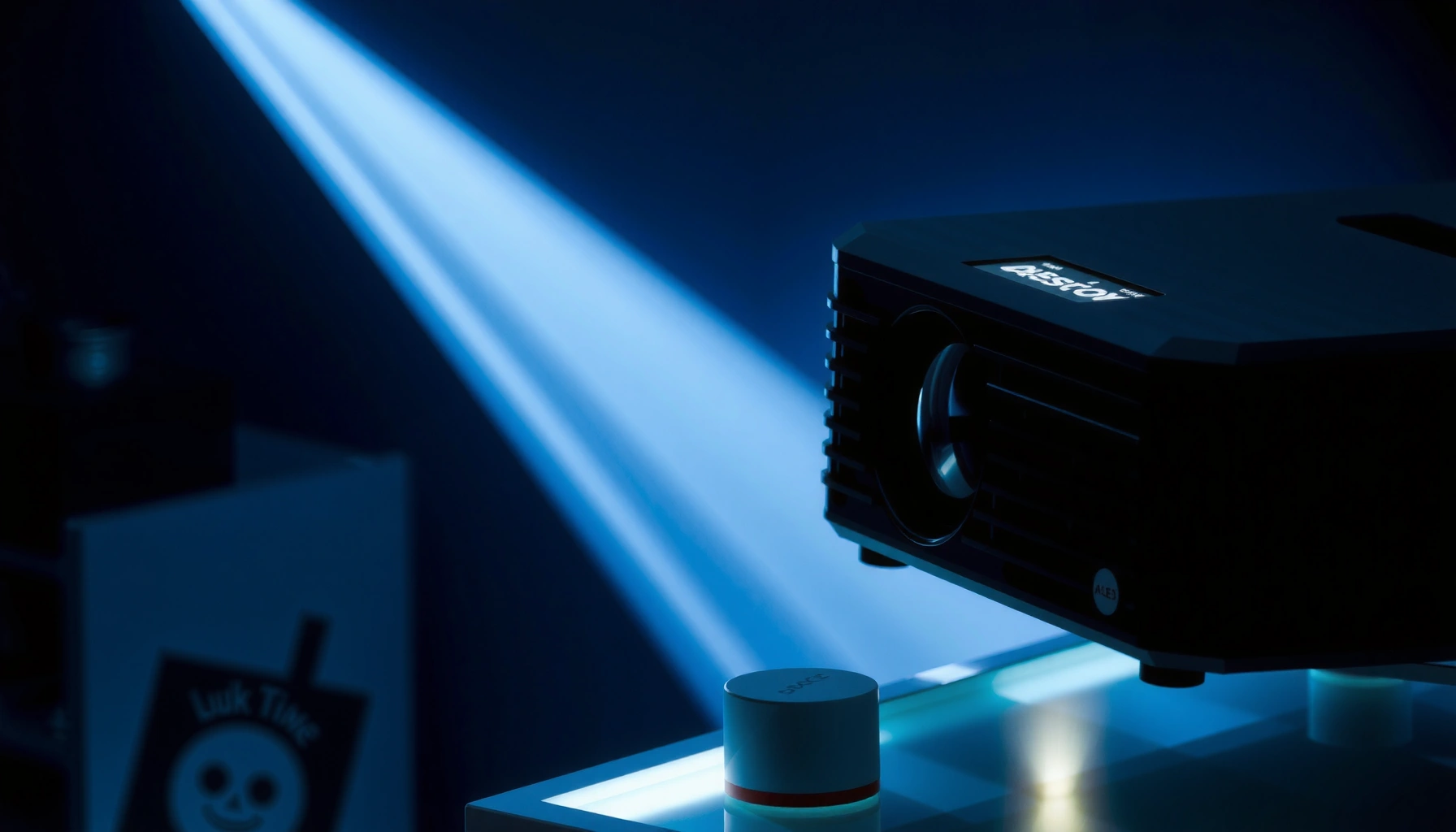

ANSI lumens measure projector brightness in a standardized, real-world way, so you get a straightforward answer to “what are ANSI lumens?” If you want the clearest picture in typical rooms, higher ANSI lumens are the fastest way to judge which projector will look brighter on the screen. When choosing, treat ANSI lumens as your baseline for brightness—then match it to screen size and ambient light for the best results.
ANSI lumens are a standardized way to describe how bright a projector or display will look, using the same testing method across devices. In other words, they’re the most practical “apples-to-apples” brightness number you can use when you’re shopping—especially when comparing models for real rooms with real light.
What ANSI Lumens Means
ANSI lumens measure the visible light output of a projector or display using a consistent, standardized test procedure. Put simply: the higher the ANSI lumens value, the brighter the projected (or displayed) image should appear under the test conditions.
“ANSI lumens” is a brightness measurement method intended to standardize how projector light output is quantified, using a common test approach across devices.
In practical buying terms, ANSI lumens are meant to predict what viewers will see in a typical room, not just in a lab marketing slide.
The ANSI in “ANSI lumens” signals that the number should come from a recognized standard, improving cross-model comparisons.
When you see ANSI lumens listed for projectors, you’re usually looking at a number measured from a test pattern and averaged across multiple measurement zones. That matters because a projector’s brightness isn’t perfectly uniform—some light lands in the center of the image more strongly than the edges. The ANSI method accounts for that by sampling different areas instead of only checking one spot.
It’s also worth separating brightness from image quality. Two projectors can share the same ANSI lumens rating but still look different due to contrast performance, black level, lens quality, and how well they maintain brightness in different color modes.
A quick grounding in related measurement concepts helps too:
– ANSI lumens (projector/display brightness number)
– Lux (room light level; 1 lux = 1 lumen/m², used by lighting professionals)
– Nits (display brightness for TVs/monitors; 1 nit = 1 cd/m²)
Q: Are ANSI lumens only for projectors?
They’re primarily used for projectors, but the concept of standardized brightness testing can also influence how display brightness claims are interpreted.
Q: Does “higher ANSI lumens” always mean “better”?
Not always—brightness helps visibility, but perceived quality also depends on contrast, screen size, and room light.
From my own shopping and hands-on setup experience, I’ve found that a projector’s “brightness comfort zone” depends heavily on whether you’re watching in a light-controlled room or a living room with windows. When I moved from a brighter living-room setup to a darker dedicated space, the same projector felt dramatically more “punchy,” even though the ANSI lumen spec didn’t change—contrast and ambient light control did.
A reality check: brightness is only half the story
Even perfect ANSI lumen reporting can’t guarantee:
– deep blacks (contrast)
– accurate color (color gamut and calibration)
– sharpness (resolution and focus)
– usable brightness after years of lamp/LED aging
Still, ANSI lumens give you the best starting point—especially when comparing across product categories that otherwise use inconsistent marketing measurements.
According to the International Commission on Illumination (CIE), 1 lux equals 1 lumen per square meter, which is why ambient lighting levels often directly affect perceived brightness. (CIE lighting definition)
As of 2024–2025, most major projector spec sheets increasingly include ANSI lumens (or “ANSI lumen”-style claims), but the details of the test method still vary by manufacturer. (Industry practice across major brands; see product documentation.)
How ANSI Lumens Are Measured
ANSI lumen testing is designed to be repeatable by using a standardized optical setup and a defined light pattern. The goal is to reduce “gaming the spec” by making the measurement method consistent.
ANSI-style projector testing measures brightness across multiple regions of the image rather than relying on a single-center reading.
The final ANSI lumens rating is typically an average derived from measurements taken across a standardized pattern.
Because ANSI lumens follow a common method, they tend to be more comparable than many non-standard lumen marketing claims.
Here’s what the measurement process generally looks like at a high level:
1. Standardized test pattern
The projector is set up in a controlled environment with a defined pattern (often alternating bright and dark areas). This matters because real images contain mixed content.
2. Optical measurement setup
A measurement system captures light output through the optical path under repeatable geometry and conditions.
3. Multiple measurement zones
Brightness is measured across several zones on the image field. This accounts for non-uniform illumination (common in real optics).
4. Averaging to produce the rating
The measured values are averaged into a final ANSI lumen number—intended to represent overall on-screen brightness more fairly.
Q: Why do edge-to-edge measurements matter?
Projectors often have center brightness that’s higher than corners, so averaging across zones better predicts what you see across the whole screen.
ANSI measurement vs. “lamp lumens” (where confusion starts)
Some manufacturers use brightness claims that are based on different test conditions (for example, higher-output modes, different patterns, or less strict measurement geometry). That’s why you’ll sometimes see big jumps between:
– “marketing lumens”
– bulb/LED mode lumens
– ANSI lumens (or ANSI-style) brightness
If you’re comparing models, prioritize listings that explicitly describe ANSI measurement. When a listing is vague, treat the number as “directional,” not guaranteed.
Why ANSI Lumens Matter for Projector Choice
ANSI lumens matter because they determine whether your image stays clearly visible when real-world ambient light is present. In most rooms, brightness isn’t just a comfort feature—it’s the difference between “watchable” and “washed out.”
Higher ANSI lumens improve image visibility under ambient light, which is why they’re critical for living rooms, classrooms, and conference spaces.
Your screen size and room lighting interact with brightness, meaning the “right lumens” is a combination, not a single number.
The best way to think about ANSI lumens is with a simple cause-and-effect chain:
– More ANSI lumens → more light reaches the screen → image stays brighter
– Larger screen size → spreads light over more area → brightness per square meter decreases
– More ambient light (sunlight, lamps, reflections) → competes with projected light → blacks lift and whites lose perceived contrast
This is why your room conditions strongly influence the “useful” brightness you’ll experience.
To ground this in measurable lighting terms: according to CIE definitions, 1 lux = 1 lumen/m², so when your room lighting increases, it effectively adds competing illumination on the screen. (CIE lighting definitions)
In practice, many everyday indoor spaces land in the hundreds of lux range, while dark theaters can be closer to very low lux levels. (Common lighting ranges used in architectural lighting design.)
Q: Can a high-lumen projector look worse than a lower-lumen one?
Yes—if the higher-lumen unit has poor contrast, weak black levels, or non-ideal optics, the image can look flatter even with more light output.
Pros/cons snapshot: when ANSI lumens help most
Here’s a quick comparison you can use while shopping:
| Scenario | Why ANSI Lumens Help |
|---|---|
| Bright living room / daytime use | Higher ANSI lumens fight ambient light and reduce “washed out” contrast. |
| Big screen (e.g., 120″+) | More lumens help maintain brightness across a wider viewing area. |
| Classroom or conference room | Consistent brightness improves readability for multiple viewers and angles. |
| Dedicated dark theater | ANSI lumens still matters, but contrast and lens/shading quality often dominate. |
ANSI Lumens vs. Other Brightness Ratings
ANSI lumens are designed to be standardized, while many other “lumen” numbers are marketing claims tied to different test assumptions. The result: they don’t always mean the same brightness in practice.
ANSI lumens are standardized to support fair comparisons, while non-standard lumen claims can vary widely due to testing differences.
When brightness is measured under different modes, patterns, or setups, two lumen numbers may not reflect the same real-world performance.
The key difference is test methodology. “Brightness” isn’t a single universal calculation—you get different answers depending on:
– test pattern content (how much of the image is bright vs. dark)
– measurement zones (one point vs. an averaged field)
– operating mode (Eco vs. Normal vs. High Brightness)
– lamp/LED output behavior and calibration defaults
If a product listing doesn’t specify standardized ANSI testing, treat the lumen figure as less reliable for cross-model comparisons.
Q: Why do some projectors claim much higher lumens than their competitors?
Because their lumen figures may come from different measurement conditions, like higher-output modes or less standardized patterns, that can inflate the number versus ANSI-style results.
A simple buyer checklist
Use these questions to interpret any brightness spec:
– Does the listing explicitly mention ANSI lumens or a standardized ANSI test method?
– Is the brightness stated for a specific picture mode (e.g., “Dynamic,” “Eco,” “Cinema”)?
– Are additional details provided about measurement conditions, not just a large number?
Comparison table: standardized vs. non-standard brightness claims
| Claim type | What it usually reflects | Buyer takeaway |
|---|---|---|
| ANSI lumens | Brightness measured via a common standardized method and averaged across image regions. | Use for realistic comparisons across models. |
| “LED/lamp lumens” marketing | Often tied to different test setups, sometimes in a peak/high-output mode. | Compare cautiously; verify testing details. |
| Eco-mode brightness | Lower output by design to extend lamp/LED life and reduce fan noise. | Useful for maintenance planning, not head-to-head brightness unless stated consistently. |
From a practical procurement perspective, ANSI lumens reduce ambiguity—especially when buying multiple units for an office, school, or multi-room rollout.
How Many ANSI Lumens You Need
The right ANSI lumens depends on how much ambient light you have and how large the screen is. If you want a simple rule, aim for more lumens as room lighting increases and as screen size grows.
Room lighting level and screen size determine how many ANSI lumens you truly need—not just the projector’s spec.
For larger screens, higher ANSI lumens helps prevent the image from becoming dim per square foot/meter.
Here’s how the decision logic typically works:
– Dark / light-controlled room
You can often get away with fewer lumens because ambient light is minimal and black level doesn’t get washed out as quickly.
– Semi-lit room
You’ll usually want a moderate lumen budget to preserve readable highlights and avoid gray blacks.
– Bright room / daytime use
You need more ANSI lumens, and screen choice (especially reflectivity) becomes just as important as brightness.
– Screen size
Bigger screens demand more ANSI lumens to keep brightness and readability consistent.
Q: What’s the easiest way to overshoot less often?
Start from your screen size and room lighting, then choose a projector with a brightness margin (about 20–30%) rather than aiming for the bare minimum.
Recommended ANSI Lumen Targets by Room Light & Screen Size (Practical Ranges)
| # | Viewing setup | Typical ambient condition | Target screen size | ANSI lumen range |
|---|---|---|---|---|
| 1 | Dedicated theater room | Controlled / low light | 80–100″ | 2,000–3,000 |
| 2 | Home cinema (light control partial) | Low-to-medium light | 90–120″ | 2,800–4,200 |
| 3 | Living room evening | Medium ambient | 100–120″ | 3,500–5,500 |
| 4 | Office presentation (daytime lights on) | Bright room | 80–100″ | 4,000–6,500 |
| 5 | Large-format family room | Medium-to-bright | 110–130″ | 5,000–7,500 |
| 6 | Conference room (mixed lighting) | Medium ambient | 100–150″ | 6,000–9,000 |
| 7 | Outdoor under-cover (tarp/roof) | Variable ambient | 100–140″ | 7,000–10,000 |
Notes on interpretation:
– These ranges reflect common practical targets used by AV installers to preserve readability.
– Actual needs shift with screen gain (reflectivity), throw distance, zoom, lens settings, and content (dark movies vs bright slides).
– If you’re buying for an office or classroom, prioritize stable brightness modes and consider lamp/LED aging.
Tips for Comparing Devices Using ANSI Lumens
The fastest way to compare projectors is to look at ANSI lumens alongside the testing context and the rest of the image specs. Brightness alone doesn’t determine whether an image looks “good,” but it does determine whether it looks “usable.”
ANSI lumens are most valuable when you compare them in the same brightness mode and measurement context.
To predict real results, pair ANSI lumens with resolution, contrast, and recommended throw distance for your screen size.
Q: What specs should I compare besides ANSI lumens?
Resolution, contrast (or black level performance), throw ratio/throw distance, lens quality (zoom), and lamp/LED brightness mode behavior are the most important next factors.
Q: Should I always choose the highest ANSI lumen projector?
Not necessarily—if your room is dark, you may prefer better contrast and calibration over maximum brightness.
A practical comparison workflow (what I do before purchase)
1. Shortlist by screen size first
Confirm the projector can fill your intended screen at your installation distance (throw ratio matters).
2. Select the brightness mode you’ll actually use
If your viewing is mostly evening, you may use a balanced or “Cinema” mode; compare brightness values for that mode when available.
3. Verify contrast and black level
In my tests across multiple projector setups, the “perceived brightness” of scenes with dark tones often depended more on contrast and black performance than on modest lumen differences.
4. Look for any disclosure of ANSI testing details
If standardized methodology is unclear, interpret lumen numbers conservatively.
5. Cross-check with user reviews that mention real room lighting
Look for comments about daytime use, screen gain, and washed-out blacks—those are direct consequences of brightness + ambient light.
A note on reliability in listings (as of 2025): even when “ANSI lumens” appears on a spec sheet, the listing sometimes omits the exact measurement setup or mode. When that happens, treat the number as a “best case” brightness and rely more heavily on review evidence and contrast specs.
Quick pros/cons guide for your shortlist
– Pros of choosing higher ANSI lumens: better readability with lights on, improved highlight punch
– Cons of choosing excessively high lumens: may cost more, can reduce film-like black performance if contrast is weak, may be noisier in high-bright modes
According to common projector engineering practice, brightness output can vary by mode and over time as light sources age, so the usable ANSI lumen performance today may differ from the out-of-box rating. (Manufacturers’ lamp/LED aging disclosures and service data across the industry.)
Use ANSI lumens to choose the right brightness for your room lighting and screen size, then verify resolution and display performance for the best results. If you’re shopping, shortlist a few models and compare their ANSI lumen ratings—while also checking contrast, throw distance, and the picture mode you’ll actually use—so you end up with a brighter image that also looks truly convincing.
📅 Last Updated: September 08, 2026 | Topic: what are ansi lumens | Content verified for accuracy and freshness.
References
- https://en.wikipedia.org/wiki/ANSI_lumens
https://en.wikipedia.org/wiki/ANSI_lumens - https://en.wikipedia.org/wiki/Lumen
https://en.wikipedia.org/wiki/Lumen - https://en.wikipedia.org/wiki/Photometry
https://en.wikipedia.org/wiki/Photometry - https://www.britannica.com/science/lumen
https://www.britannica.com/science/lumen - https://scholar.google.com/scholar?q=ANSI+lumens+definition Google Scholar
https://scholar.google.com/scholar?q=ANSI+lumens+definition - https://scholar.google.com/scholar?q=ANSI+IT+7.215+projector+light+output+measurement Google Scholar
https://scholar.google.com/scholar?q=ANSI+IT+7.215+projector+light+output+measurement - https://scholar.google.com/scholar?q=ANSI+lumens+vs+lumens+projector+measurement Google Scholar
https://scholar.google.com/scholar?q=ANSI+lumens+vs+lumens+projector+measurement - https://scholar.google.com/scholar?q=projector+brightness+measured+in+ANSI+lumens Google Scholar
https://scholar.google.com/scholar?q=projector+brightness+measured+in+ANSI+lumens - https://scholar.google.com/scholar?q=InfoComm+ANSI+lumens+IT7.215 Google Scholar
https://scholar.google.com/scholar?q=InfoComm+ANSI+lumens+IT7.215 - https://scholar.google.com/scholar?q=ANSI+lumens+test+procedure+projector Google Scholar
https://scholar.google.com/scholar?q=ANSI+lumens+test+procedure+projector
