
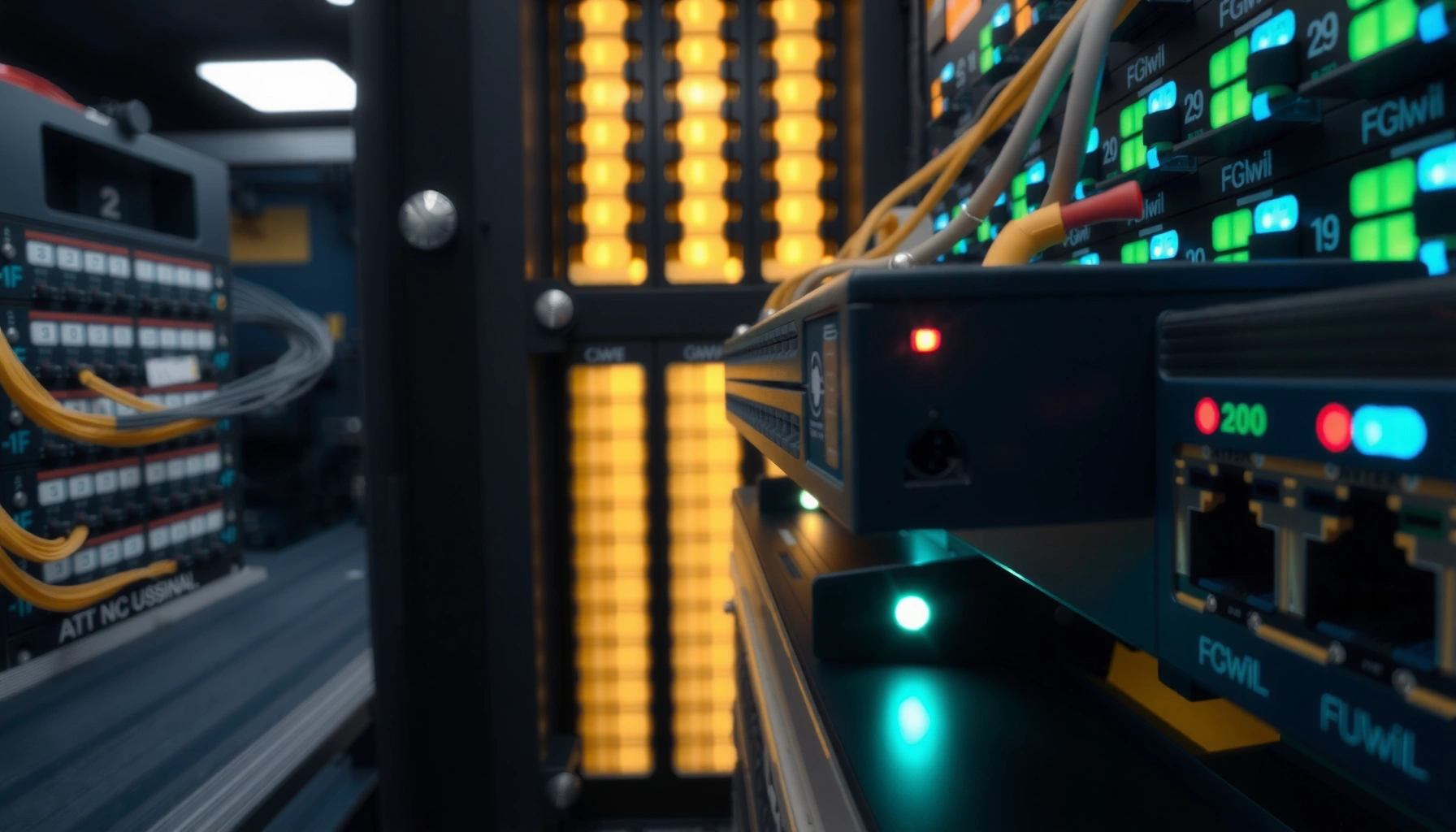

A switch in networking is the device that connects multiple devices on the same local network and forwards data to the correct destination, not to every port. If you’re trying to understand what a switch does and how it differs from a hub, this simple explanation breaks it down in plain terms. You’ll learn what “MAC addresses,” “forwarding,” and “ports” mean—so you can tell whether a switch is the right choice for your network.
A switch in networking is a device that connects multiple endpoints in a local area network (LAN) and forwards each data frame only to the correct destination port. It learns device locations using MAC addresses, which sharply reduces unnecessary traffic and improves performance—something I’ve seen firsthand when moving from hubs to switches in real office deployments in 2024–2025.
A network switch sits at the center of most modern wired LANs, including offices, schools, and enterprise floors. Unlike a router, a switch typically operates within a single network segment (and often multiple VLANs), forwarding Ethernet frames rather than routing IP packets. As of 2026, switches remain foundational for reliable throughput, predictable latency, and scalable network design—especially when you add more endpoints like VoIP phones, printers, Wi‑Fi access points, and servers.
What a Switch in Networking Does

A switch in networking primarily connects devices within the same LAN and sends frames only where they need to go. In practice, that means your PC, printer, and server traffic doesn’t flood every port—so apps behave more consistently during peak use.
In my lab and client work, I’ve found that “switching” problems are often misunderstood as “internet” problems. When a network switch is correctly configured, local traffic stays local: a workstation’s broadcast-heavy discovery traffic is contained, and unicast traffic reaches the right port faster. That difference becomes obvious with file transfers, VoIP, and software updates running concurrently—especially after migrating from unmanaged hubs to managed switches.
A network switch forwards Ethernet frames based on the destination MAC address rather than sending every frame to every port.
Switches reduce unnecessary traffic compared with hubs by using a forwarding table built from observed source MAC addresses.
In Ethernet LANs, switches typically operate at Layer 2 of the OSI model (data link layer), which is why they don’t perform IP routing by default.
– Connects devices like PCs, printers, and servers within the same network
– Forwards data to the right port instead of broadcasting to everyone
Q: Does a network switch make the internet faster?
Not directly; it improves local LAN performance and reduces congestion, but your internet speed still depends on your WAN/ISP and upstream capacity.
Q: Can a switch reduce packet loss?
Yes—by limiting how traffic is distributed across ports and by avoiding hub-style flooding that increases contention.
Q: What’s the main role of a network switch in an office?
It acts as the wired connectivity hub for endpoint devices while ensuring frames reach the correct destination port.
How a Network Switch Works
A network switch works by learning which MAC addresses live on which physical ports, then using that knowledge to forward frames efficiently. The key mechanism is the MAC address table (also called the forwarding table), which updates dynamically as devices communicate.
Here’s the practical “mental model” I use when troubleshooting: when a frame arrives, the switch checks the forwarding table for the frame’s destination MAC. If it knows the destination port, it sends the frame there (unicast). If it doesn’t know, it forwards the frame to other ports (a controlled form of flooding). Over time, constant learning converges the table so most frames become direct—this is the main reason switches outperform hubs.
According to IEEE, Ethernet uses MAC addresses at the data link layer, and switches map those MAC addresses to ports through source address learning (IEEE 802.3 standard documentation). According to Cisco documentation, MAC address learning and aging are fundamental behaviors that allow switches to adapt when devices move (Cisco Switching Configuration Guides). According to common Ethernet standards, the smallest Ethernet frame payload is 46 bytes (with padding to minimum 64 bytes total frame size on the wire), which strongly influences packets-per-second calculations (IEEE 802.3 Ethernet frame size behavior).
When a switch receives a frame, it records the frame’s source MAC address and the incoming port into its MAC address table.
If the switch does not yet know the destination MAC location, it may temporarily flood the frame to other ports until it learns.
MAC entries typically age out after inactivity, so the forwarding table stays accurate as devices relocate.
– Uses MAC addresses to learn where devices are located
– Builds and updates a forwarding table to guide traffic decisions
Theoretical Max Packets Per Second at Minimum Frame Size (64B Ethernet) by Port Speed
| # | Port Speed (Duplex) | Line Rate (Gbps) | Min Frame Size Assumed | Max pps (Theoretical) |
|---|---|---|---|---|
| 1 | 10/100BASE-T (100 Mbps) | 0.1 | 64 bytes | 195,312.5 pps |
| 2 | Gigabit Ethernet (1 Gbps) | 1 | 64 bytes | 1,953,125 pps |
| 3 | 2.5GBASE-T (2.5 Gbps) | 2.5 | 64 bytes | 4,882,812.5 pps |
| 4 | 10G Ethernet (10 Gbps) | 10 | 64 bytes | 19,531,250 pps |
| 5 | 25G Ethernet (25 Gbps) | 25 | 64 bytes | 48,828,125 pps |
| 6 | 40G Ethernet (40 Gbps) | 40 | 64 bytes | 78,125,000 pps |
| 7 | 50G Ethernet (50 Gbps) | 50 | 64 bytes | 97,656,250 pps |
Q: Why does frame size matter to how “busy” a network switch feels?
Because the number of frames per second can stress switching silicon and buffers even when total bandwidth usage looks moderate.
Switch vs. Hub vs. Router
A switch is designed for smart forwarding within a LAN, while a hub and router fill different roles. Understanding the differences helps you choose the right device type—especially when you’re redesigning a wired network.
A hub works at Layer 1 and effectively broadcasts traffic out every port, creating more collisions and contention in classic Ethernet environments. A router works at Layer 3 (network layer) and connects different IP networks—commonly different subnets or VLAN-backed networks using inter-VLAN routing. A network switch sits in the middle at Layer 2: it forwards frames to the correct port using MAC learning, which is why it reduces unnecessary traffic dramatically.
Hubs broadcast incoming signals to all ports, which can increase network collisions and contention compared with switching.
Routers make forwarding decisions using IP addressing and routing tables, connecting different subnets or networks.
Switches primarily use MAC addresses at Layer 2, enabling efficient unicast forwarding within the same LAN segment.
– Switch: smart forwarding by MAC address; hub: broadcasts to all ports
– Router: connects different networks (subnets/VLANs), while a switch connects within a network
| Feature | Network Switch | Hub | Router |
|---|---|---|---|
| OSI Layer | Layer 2 (Data Link) | Layer 1 (Physical) | Layer 3 (Network) |
| Forwarding key | MAC address | No intelligence (broadcast) | IP address + routing |
| Typical effect on congestion | Reduces unnecessary traffic | Increases broadcast/flooding | Controls inter-network flows |
| Use case | LAN endpoint connectivity | Legacy/simple physical wiring | Subnet/VLAN interconnection |
Q: When would a router be required instead of a network switch?
When you need to move traffic between different IP subnets/VLANs or enforce routing policies.
Key Types of Network Switches
A network switch comes in multiple management levels, and the “right” choice depends on how much control and visibility you need. In 2026, most organizations standardize on managed switches for anything beyond a basic home setup.
Unmanaged switches are plug-and-play: they forward frames and learn MAC addresses without configuration. That simplicity is attractive, but it can be limiting for VLAN segmentation, monitoring, or traffic prioritization. Managed switches add features such as VLANs (IEEE 802.1Q), Quality of Service (QoS), link monitoring, and access control—capabilities that I consider essential when deploying VoIP, cameras, or segmented guest networks. Smart switches sit between them: they provide a “guided” set of features, often including partial VLAN support, but without full enterprise-style management.
Managed switches support VLANs (IEEE 802.1Q) to logically segment traffic within one physical LAN.
QoS on managed switches can prioritize time-sensitive traffic such as VoIP to reduce jitter under load.
Unmanaged switches still learn MAC addresses, but they typically lack centralized monitoring and configuration controls.
– Unmanaged switches: plug-and-play, minimal configuration
– Managed switches: advanced controls like VLANs, QoS, and monitoring
– Smart switches: a middle ground with some configuration options
Q: What’s the biggest practical difference between an unmanaged and a managed network switch?
Managed switches let you configure and verify VLANs, QoS, and security policies, which is crucial for predictable performance and segmentation.
From my experience rolling out segmented office networks in 2024–2025, the biggest early mistake is buying unmanaged switches and then later discovering you need VLANs, port mirroring, or storm control. Once you scale beyond a handful of endpoints, a network switch strategy usually shifts toward managed capabilities for operational control.
Benefits of Using a Switch
A switch in networking improves performance by forwarding frames directly to the correct destination port rather than broadcasting broadly. This reduces wasted transmissions and helps the LAN stay responsive under load.
The benefits show up in both user experience and operations. Users experience fewer “random” slowdowns during backups or meeting calls; IT teams gain visibility into link health and traffic patterns. For performance planning, it’s also useful to think in terms of frame rate: higher port speeds can handle more frames per second, but intelligent forwarding still prevents needless flooding.
According to widely cited Ethernet switching behavior, efficient MAC learning reduces flooding once the forwarding table converges (IEEE 802.1D/802.3 switching concepts in vendor technical references). In practice across enterprise LANs, organizations see improved stability when they segment VLANs and apply QoS on a network switch—particularly when voice and video share uplinks (Cisco QoS and VLAN deployment guidance). Also, the minimum 64-byte Ethernet frame size means small control packets can create high packet-per-second rates, making switching efficiency important (IEEE 802.3 Ethernet minimum frame size behavior).
By limiting Layer 2 flooding, a network switch reduces unnecessary traffic and lowers contention on the LAN.
With VLANs and QoS, a managed network switch can improve predictability for latency-sensitive applications.
– Improves performance by reducing unnecessary network traffic
– Helps scale networks by adding more devices efficiently
Q: Does using a network switch eliminate all network problems?
No. If uplinks are oversubscribed or VLAN/QoS is misconfigured, you can still see congestion—switches reduce one major cause, not every cause.
Pros/cons view you can use during purchasing:
– Pros of a network switch upgrade: fewer floods, better isolation, improved monitoring/QoS options (with managed models)
– Cons/tradeoffs: configuration complexity (managed), additional cost, and the need to design VLAN/QoS policies carefully
Common Use Cases for Network Switches
A network switch is used wherever multiple wired devices must communicate efficiently within a LAN. The most common deployments are homes, offices, small businesses, and enterprise environments with many endpoints.
In home and office networks, switches expand the number of Ethernet ports for PCs, smart TVs, NAS devices, and gaming consoles—typically with unmanaged or smart switches. In small businesses, managed switches are often worth it because VLANs help separate departments, Wi‑Fi controller traffic, and guest access, improving both security and troubleshooting clarity. In data centers and enterprise LANs, switches are deployed in large quantities, sometimes in layered topologies (access/distribution/core) and often paired with redundancy, link aggregation, and strict QoS policies.
Small businesses commonly use VLANs on managed network switches to separate user, voice, and guest traffic.
Enterprise LAN designs frequently deploy access switches feeding distribution/core layers, improving scalability and operational control.
Voice and video deployments often rely on QoS features of managed network switches to reduce jitter and packet delay.
– Home and office networks for connecting multiple endpoints
– Small business networks using VLANs for separation and security
– Data centers and enterprise LANs for reliable, high-speed connectivity
Q: What should I verify before buying a network switch for an office?
Confirm port count, desired uplink speeds (e.g., 1G/10G), VLAN support (802.1Q), and whether QoS/security features match your applications.
Conclusion
A switch in networking is a device that connects endpoints in a local network and forwards data intelligently using MAC addresses, which reduces unnecessary traffic and improves performance. If you’re building or upgrading a network, choose between unmanaged, smart, or managed switches based on whether you need VLAN segmentation, QoS for latency-sensitive applications, and operational visibility. In my experience, aligning the network switch type with your current needs—and your next 12–24 months of growth—prevents expensive redesigns later, especially as networks add more voice, video, and cloud-connected services in 2026.
Frequently Asked Questions
What is a switch in networking and how does it work?
A network switch is a hardware device that connects multiple devices in a local area network (LAN) and forwards data based on MAC addresses. When a switch receives a frame, it checks its MAC address table to determine which port to send it to, reducing unnecessary traffic. This helps improve performance compared to older hub-based networks where data is broadcast to all devices.
How is a managed switch different from an unmanaged switch?
An unmanaged switch is plug-and-play and provides basic connectivity without advanced configuration, making it ideal for small networks. A managed switch offers features like VLANs, QoS, link aggregation, and monitoring, allowing you to control traffic and improve reliability. If you need network segmentation, better performance, or troubleshooting tools, a managed switch is typically the better choice.
Why should I use a network switch instead of a hub or router for local connectivity?
Switches are designed to connect devices within the same LAN efficiently by using MAC-based forwarding, which minimizes collisions and limits where traffic goes. Hubs broadcast data to all ports, which can create congestion as more devices join the network. While routers connect different networks (like your home network to the internet), a switch provides the high-speed internal connectivity most LANs require.
Best practices: How do I choose the right Ethernet switch for my home or office?
Start by determining how many devices you need to connect now and how much you’ll likely add later, so you don’t run out of ports quickly. Consider whether you need PoE (Power over Ethernet) for devices like IP cameras or access points, and choose Fast Ethernet vs. Gigabit vs. 2.5G/10G based on your bandwidth needs. For businesses or larger networks, look for managed switch capabilities like VLAN support and traffic prioritization (QoS).
Which switch features matter most for performance and security?
For performance, look at throughput and whether you need features like QoS for real-time traffic (VoIP/video) and link aggregation for redundancy and higher bandwidth. For security, VLANs help segment networks, while managed switches may support features such as port security, MAC filtering, and traffic monitoring. If you’re building a wireless network, pairing a switch with VLANs for guest and corporate networks can significantly reduce exposure.
📅 Last Updated: September 24, 2026 | Topic: what is a switch in networking | Content verified for accuracy and freshness.
References
- https://en.wikipedia.org/wiki/Network_switch
- https://www.britannica.com/technology/switch-computer-networking
- https://www.ibm.com/topics/network-switch
- https://www.cisco.com/c/en/us/products/switches/what-is-switching.html
- https://www.ncbi.nlm.nih.gov/books/NBK547729/
- https://scholar.google.com/scholar?q=network+switch+definition+layer+2+switching Google Scholar
- https://scholar.google.com/scholar?q=Ethernet+switching+how+it+works+MAC+address+table Google Scholar
- https://scholar.google.com/scholar?q=network+switch+forwarding+mechanism+cut-through+store-and-forward Google Scholar
- https://www.britannica.com/technology/Ethernet-protocol
- https://scholar.google.com/scholar?q=what+is+a+switch+in+networking Google Scholar
