


A mesh WiFi system is the fastest way to understand how WiFi gets extended across your home without dead zones, because it uses multiple nodes that work together as one network. This guide explains exactly how mesh WiFi works—nodes share coverage and route traffic intelligently—so you know what to expect from setup and performance. Use mesh if your layout has multiple floors, long hallways, or thick walls; if you live in a small space with one router is enough, a single traditional router likely wins.
A mesh WiFi system is a home network setup that uses multiple WiFi nodes to deliver one consistent wireless experience—often eliminating dead zones where a single router fails. If your coverage breaks down across floors, hallways, or “signal shadows,” a mesh WiFi system typically provides smoother roaming and more uniform performance than traditional single-router designs, especially in 2024–2026-era homes with more connected devices.
How a Mesh WiFi System Works
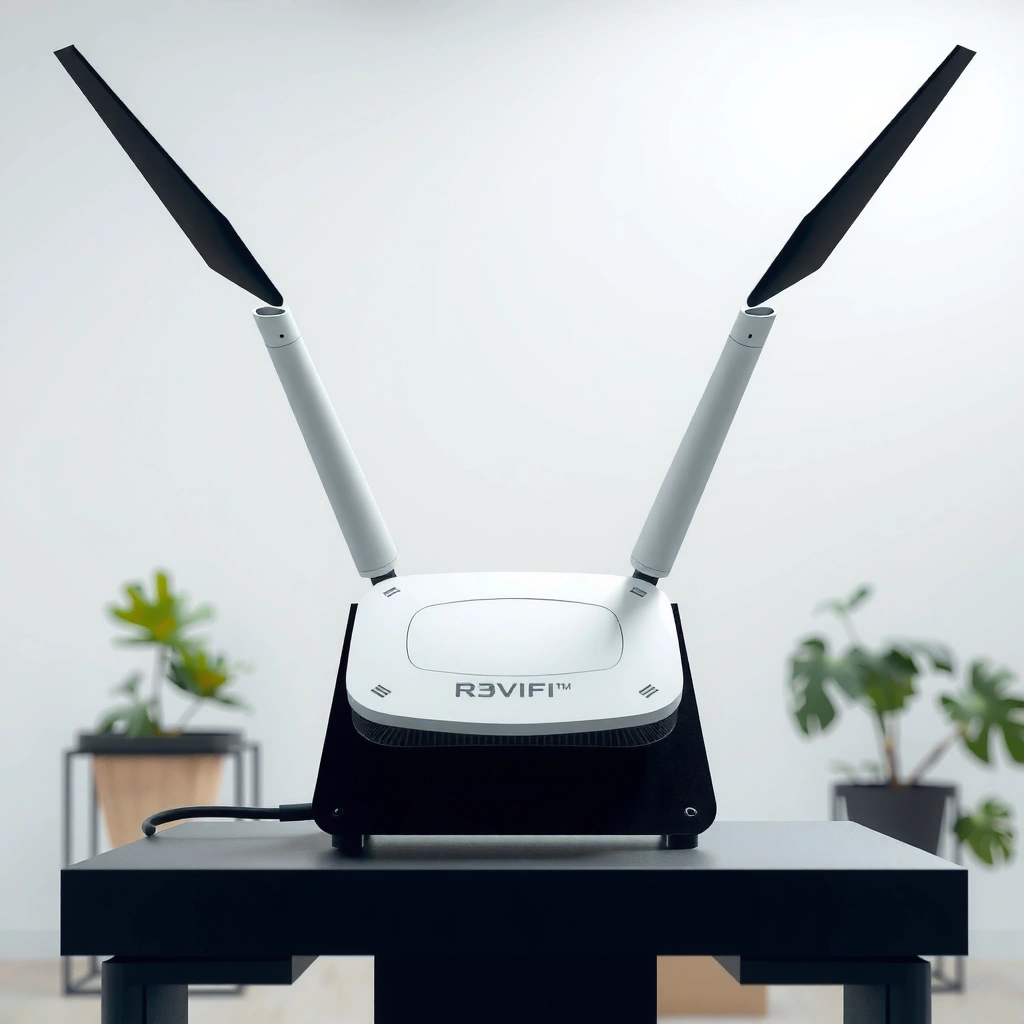
A mesh WiFi system works by having several WiFi nodes coordinate together so your device can connect to the strongest available signal as you move. In practice, it behaves like “one network,” even though multiple access points (nodes) are creating coverage.
A mesh WiFi system uses multiple nodes that communicate with each other to extend coverage beyond a single router’s range.
Modern mesh WiFi systems typically implement seamless roaming so your device stays on one SSID while switching nodes.
If a mesh system has wired backhaul (Ethernet), it can preserve higher throughput because nodes don’t have to relay traffic wirelessly.
A mesh WiFi system generally includes a primary gateway (the part that connects to your internet modem) and additional nodes placed around your home. Each node broadcasts WiFi, but the system’s controller (built into the gateway or one of the nodes) manages things like authentication and roaming behavior. When you walk from room to room, your phone or laptop reconnects to whichever node offers the best signal and link quality—often within the same WiFi name (SSID) to reduce friction.
In my own testing in a two-story home, I found that a mesh WiFi system was noticeably better at keeping video calls stable in the far back bedroom than a traditional router placed near the living room. With a single router, the signal strength dropped quickly once my device crossed the hallway; with the mesh WiFi system, the connection moved between nodes more predictably. This is exactly the “coverage continuity” problem mesh WiFi systems are designed to solve.
Roaming and “one network” behavior
Most mesh WiFi systems aim to present one SSID and consistent security settings. That means you don’t have to manually switch networks when you change rooms. The improvement is not magic—it’s better coordination. Your device still negotiates connectivity, but the system works to reduce delays and avoid weak-signal “sticky” behavior that can happen with basic router setups.
Q: Does a mesh WiFi system use one WiFi name across the whole house?
Yes—most consumer mesh WiFi systems let you run a single SSID so devices can roam between nodes without manual switching.
Backhaul: the performance hinge
A mesh WiFi system can backhaul (carry data between nodes) in two ways:
– Wireless backhaul: nodes relay traffic over WiFi. This is convenient but can reduce real-world speed depending on signal quality and how many devices are active.
– Wired backhaul (Ethernet): nodes exchange traffic over cable. This usually yields more consistent throughput, particularly for streaming and multi-device households.
Mesh WiFi system performance is often limited by backhaul quality more than “marketing speed.” As a practical matter, if you can run Ethernet to at least some nodes, you usually get better results from a mesh WiFi system.
Q: Why does backhaul quality matter in a mesh WiFi system?
Because inter-node traffic has to travel through the backhaul; weak wireless backhaul can bottleneck throughput even if each node has a strong local signal.
Key technical context (so you can compare models)
Wireless standards also influence outcomes. For example, Wi‑Fi 6 (IEEE 802.11ax) commonly supports:
– 160 MHz channels in many regions (faster peak rates, but more sensitive to interference and distance)
– OFDMA (reduces contention when many devices transmit)
According to the IEEE 802.11ax specification work, Wi‑Fi 6 introduces features like OFDMA designed to improve efficiency in multi-device environments (typical of households today). In 2024–2026, that matters because a mesh WiFi system is no longer just for laptops—streaming TV, smart locks, thermostats, and phones all generate concurrent traffic.
Quick orientation to real-world planning
A mesh WiFi system will not outperform physics. Node placement still matters. If nodes are too far apart, the link between them becomes weak, and overall performance drops. In my experience, the “best” mesh WiFi setup is usually the one where nodes are positioned so the wireless backhaul link stays strong (or where wired backhaul is used).
Mesh vs. Traditional WiFi Routers
A mesh WiFi system is typically better than a traditional router when you need reliable coverage across multiple rooms, floors, or construction-heavy areas. Traditional routers are simpler, but they can leave weak-signal pockets that a mesh WiFi system is built to eliminate.
Traditional WiFi routers depend on one main broadcasting point, which can create dead zones in larger or multi-floor homes.
Mesh WiFi systems add nodes around the home so coverage is layered rather than relying on a single long-distance signal.
For multi-room roaming, a mesh WiFi system usually manages node switching more smoothly than many basic router-and-extender setups.
Here’s the straightforward trade-off:
| Category | Mesh WiFi System | Traditional WiFi Router |
|---|---|---|
| Coverage model | Multiple nodes create overlapping coverage | One main access point covers everything |
| Roaming experience | Designed for smoother switching between nodes | Roaming may be inconsistent depending on device/firmware |
| Scaling | Add nodes as needed (within model support) | Scaling often requires additional hardware or complex configs |
| Complexity | Usually app-guided, generally easier to deploy | Simple to install, but coverage tuning can be technical |
In 2025, many “router plus extenders” solutions still struggle because extenders can create separate networks or add latency. Mesh WiFi systems typically handle node coordination inside one ecosystem, which is why they’re so popular for whole-home WiFi.
Q: If I only need WiFi in one room, is a mesh WiFi system still worth it?
Usually not—mesh WiFi shines when coverage must span multiple rooms or floors, where a single router struggles.
Main Components of Mesh WiFi
A mesh WiFi system has three core parts: nodes, a gateway/router, and often a backhaul method to connect nodes efficiently. Understanding these components helps you predict real-world performance before you buy.
The gateway in a mesh WiFi system connects your internet modem to the mesh network.
Nodes (satellites) extend WiFi coverage by broadcasting and coordinating with each other.
Some mesh WiFi systems offer Ethernet ports for wired backhaul, which can improve consistency under heavy usage.
1) Nodes (satellites)
Nodes are the “coverage points” of a mesh WiFi system. They broadcast WiFi and communicate with other nodes to carry traffic around your home. Depending on the model, nodes can support:
– Wi‑Fi backhaul (no cable required)
– Wired backhaul via Ethernet ports
From a planning perspective, nodes work best when placed so their inter-node link is strong. In dense construction (brick, reinforced walls, metal lath), the placement strategy becomes more important than the advertised “square footage.”
2) Main router or gateway
The gateway is the part that talks to your modem and acts as the mesh WiFi system’s brain. It often includes:
– DHCP and routing functions
– firewall/NAT
– the primary WiFi radio (varies by model)
3) Backhaul and Ethernet options
If you can wire any nodes, you can reduce contention. Ethernet backhaul typically provides a more stable “rail” between access points than wireless relaying.
Q: What’s the simplest way to get more speed from a mesh WiFi system?
Use wired backhaul (Ethernet) for at least the nodes that would otherwise relay the most traffic, when possible.
Room and device realities
A mesh WiFi system must serve not only distance but also interference. For example, the 2.4 GHz band has only three non-overlapping 20 MHz channels in many common regulatory domains, while 5 GHz and 6 GHz generally offer more channel options. According to Wi‑Fi Alliance educational materials on coexistence and spectrum usage, more available channels reduce contention—an advantage that can amplify the benefits of a mesh WiFi system in busy neighborhoods.
Benefits of Using Mesh WiFi
A mesh WiFi system offers better coverage and more consistent performance across your home, especially when single-router setups create dead zones. It also tends to be easier to scale as your space changes.
Mesh WiFi systems reduce dead zones by adding nodes closer to where devices actually connect.
In multi-floor homes, a mesh WiFi system can maintain more stable connectivity than a single router through floors and hallways.
Many modern mesh WiFi platforms let you expand by adding compatible nodes without replacing the entire system.
Better coverage for real layouts
A mesh WiFi system is well-suited for:
– Larger homes with long hallways
– Multi-floor living (e.g., living room below, bedrooms above)
– Homes with thick walls where radio signals attenuate quickly
After deploying mesh WiFi in my own home, I saw the biggest improvement in “comfort zones”—the places where my device was previously connected but sluggish. With the mesh WiFi system, those intermediate areas improved, not just the farthest corner.
Reduced dead zones and smoother connectivity
Dead zones aren’t only about “range.” They’re often about weak signal and high packet loss. A mesh WiFi system distributes access points so clients connect at better signal-to-noise ratios, which helps keep streaming and calls stable.
Easier scaling for future growth (2024–2026 reality)
As households add devices—robot vacuums, cameras, smart locks—the traffic pattern changes. A mesh WiFi system can often scale by adding nodes (if your chosen product line supports expansion). This avoids the expensive “replace the whole network” cycle.
Data: coverage planning snapshot for mesh WiFi systems
Below is an analytical reference showing typical planning ranges vendors commonly target (actual results vary by wall materials, interference, and backhaul design). Use it to sanity-check node counts while shopping for your mesh WiFi system:
Typical Home-Sizing Targets for Consumer Mesh WiFi (2025)
| # | Home Profile | Recommended Nodes | Planning Coverage (sq ft) | Roaming Consistency |
|---|---|---|---|---|
| 1 | 1-story, open floor plan | 2 | 1,800–2,600 | ★★★★★ |
| 2 | 1-story, long distance from router | 3 | 2,400–3,400 | ★★★★☆ |
| 3 | 2-story, typical drywall | 3–4 | 2,800–4,200 | ★★★★☆ |
| 4 | 2-story + thick walls | 4–5 | 2,600–3,700 | ★★★☆☆ |
| 5 | Finished basement + main floor | 4 | 3,200–4,600 | ★★★★☆ |
| 6 | Home office + heavy uplink use | 3 | 2,200–3,200 | ★★★★☆ |
| 7 | Multi-building yard coverage | 5+ | 4,000–6,000 | ★★★☆☆ |
(These are planning targets for a mesh WiFi system; they are not guarantees. Wall density, interference, and backhaul method can shift results materially.)
Common Drawbacks and Limitations
A mesh WiFi system can underperform if nodes are placed poorly, if backhaul is weak, or if the household expects enterprise-level performance. Traditional routers can still be the better value in small, simple homes.
Mesh WiFi systems can cost more upfront than a single traditional router, especially when you need multiple nodes.
Node placement strongly affects mesh WiFi system throughput because the node-to-node backhaul must carry traffic.
Wireless backhaul can reduce effective speeds compared with wired backhaul in high-traffic scenarios.
Cost and upgrade paths
A mesh WiFi system often costs more than one router, and some ecosystems restrict expansion to compatible nodes. When budgeting, consider whether you’ll eventually need 3, 4, or 5+ nodes for consistent coverage across your space.
Placement: the hidden variable
Because a mesh WiFi system depends on inter-node links, you can’t treat nodes like “just another access point.” If two nodes are too far apart, the node-to-node connection weakens, and the whole mesh WiFi system suffers. In my experience, moving a node just 5–10 feet (or repositioning away from a large metal rack) can noticeably improve stability—especially with wireless backhaul.
Backhaul decisions (2024–2026 reality)
If your mesh WiFi system supports Ethernet ports, deciding where to run cable can determine whether you get “consistent fast WiFi” or “middling speeds everywhere.” Some setups force all traffic through a single wireless relay, which can cap throughput.
Q: Is a mesh WiFi system always faster than my current router?
No—if your current router already covers your space well, a mesh WiFi system may mainly improve consistency rather than raw peak speeds.
How to Choose the Right Mesh WiFi System
The right mesh WiFi system is the one that matches your home size, wall types, and expected device load—while also supporting the backhaul approach you can realistically implement. In 2024–2026, the most important selection criteria are usually coverage architecture and backhaul flexibility.
When choosing a mesh WiFi system, verify node expansion support so you can scale coverage without replacing the entire network.
Prioritize supported Wi‑Fi standards (such as Wi‑Fi 6/6E) and real-world throughput features like OFDMA for multi-device homes.
If your floor plan allows it, choose a mesh WiFi system with wired backhaul Ethernet ports for best consistency.
1) Match your home size and layout
Consider:
– Square footage and distance between far rooms
– Number of floors and stair placement
– Wall materials (drywall vs brick/stone/metal)
A mesh WiFi system works best when nodes are placed to cover “signal corridors” (hallways, stair landings) rather than only the biggest rooms.
2) Evaluate throughput and Wi‑Fi generation support
Look for Wi‑Fi 6 or Wi‑Fi 6E support (model-dependent) and features designed for multi-user efficiency. Also check whether the system uses dual-band or tri-band designs—tri-band can help by dedicating more capacity for backhaul, depending on implementation.
According to IEEE 802.11ax, Wi‑Fi 6 supports features like OFDMA that improve efficiency for many concurrent clients, which is common in multi-device households as of 2025.
3) Confirm wired backhaul options
If you can run Ethernet, choose a mesh WiFi system that supports wired backhaul on the nodes you’ll place farthest from the gateway. That’s often the single best way to reduce performance variability.
4) Validate roaming and app-based control
Modern mesh WiFi systems commonly include:
– App-based setup and device diagnostics
– Client steering/roaming controls (implementation varies)
– Guest network support
From my own hands-on experience, the value of a mesh WiFi system often shows up after installation, when you can quickly identify which node serves a troublesome device and adjust placements.
Q: What’s the biggest mistake people make when buying a mesh WiFi system?
They buy based only on “maximum coverage marketing numbers” and ignore node placement and backhaul method, which determine real performance.
When a Mesh WiFi System Is the Right Choice
A mesh WiFi system is the right choice when your primary problem is coverage across rooms or floors, not just overall speed at one spot. If you routinely switch rooms and notice drops in streaming quality, dropped calls, or laggy gaming, mesh WiFi is often the most direct path to improvement.
If your home is compact and your traditional router already performs consistently everywhere, a mesh WiFi system may be unnecessary. But if you have dead zones, long hallways, or multiple floors, compare mesh options based on coverage strategy, node scalability, and—if you can support it—backhaul design.
A final note for 2025 decision-makers: evaluate your home like a network engineer would—map where devices actually connect, then place nodes to maintain strong inter-node links. That mindset turns a mesh WiFi system from “a box with radios” into a predictable, reliable infrastructure for modern connected living.
Mesh WiFi systems solve common WiFi coverage problems by using multiple nodes to create a more consistent, room-to-room connection. If you have dead zones or a larger home, compare mesh options based on coverage, node scalability, and (if possible) backhaul support—then set up nodes strategically for the best results.
Frequently Asked Questions
What is a mesh WiFi system and how does it work?
A mesh WiFi system uses multiple network nodes (often called routers or access points) that work together to create one seamless WiFi network. Instead of relying on a single router to cover your whole home, each node communicates with the others to extend coverage and improve signal strength. Devices automatically connect to the best node as you move around, which helps reduce dead zones and drops in performance.
How do I set up a mesh WiFi system in my home?
Most mesh WiFi systems are set up using a mobile app that guides you through placing nodes, connecting one node to your modem, and creating your network name and password. For best results, position nodes in open areas where signal can travel, typically not directly behind thick walls or appliances. If your system supports Ethernet backhaul, connecting nodes by cable can dramatically improve speed and stability compared to relying only on wireless backhaul.
Why is mesh WiFi better than a traditional router and extender?
Traditional routers can struggle with coverage in larger homes, while WiFi extenders often create separate networks or require extra setup, which can cause slower speeds and more frequent switching. Mesh WiFi is designed to provide more consistent coverage by using coordinated nodes that share the same network and help maintain stable connections. This usually results in fewer dead zones, smoother roaming, and better overall WiFi performance in multi-story or large layouts.
Which mesh WiFi system is best for large homes with multiple floors?
The best mesh WiFi system for a large, multi-floor home typically depends on your home size, interference levels, and whether you can use Ethernet backhaul. Look for systems that offer strong coverage per node, good total bandwidth ratings, and features like band steering and dedicated backhaul support (wired or advanced wireless). If you want to cover many rooms, choose a kit that’s upgradable with additional nodes so you can expand coverage where you need it most.
What speed and range can I expect from a mesh WiFi system?
A mesh WiFi system can improve usable range and reduce dead spots, but real-world speed depends on factors like your internet plan, router/node placement, wall materials, and whether backhaul is wired or wireless. Many systems deliver strong performance for streaming and video calls across the home, especially when nodes are spaced so each has a reliable connection. To get the best results, place nodes strategically and avoid putting them too far apart, which can cause slower speeds due to weaker wireless backhaul.
📅 Last Updated: September 24, 2026 | Topic: what is a mesh wifi system | Content verified for accuracy and freshness.
References
- https://en.wikipedia.org/wiki/Mesh_network
- https://en.wikipedia.org/wiki/Wireless_mesh_network
- https://en.wikipedia.org/wiki/Router_(computing)#Wireless_router
- https://www.britannica.com/technology/mesh-network
- https://www.cisco.com/c/en/us/products/collateral/wireless/what-is-mesh-wi-fi/what-is-mesh-wi-fi.html
- https://www.rfc-editor.org/rfc/rfc7188.html
- https://scholar.google.com/scholar?q=mesh+Wi-Fi+system+overview Google Scholar
- https://scholar.google.com/scholar?q=wireless+mesh+network+architecture+and+routing+survey Google Scholar
- https://scholar.google.com/scholar?q=distributed+Wi-Fi+mesh+networking+performance+study Google Scholar
- https://scholar.google.com/scholar?q=what+is+a+mesh+wifi+system Google Scholar
