
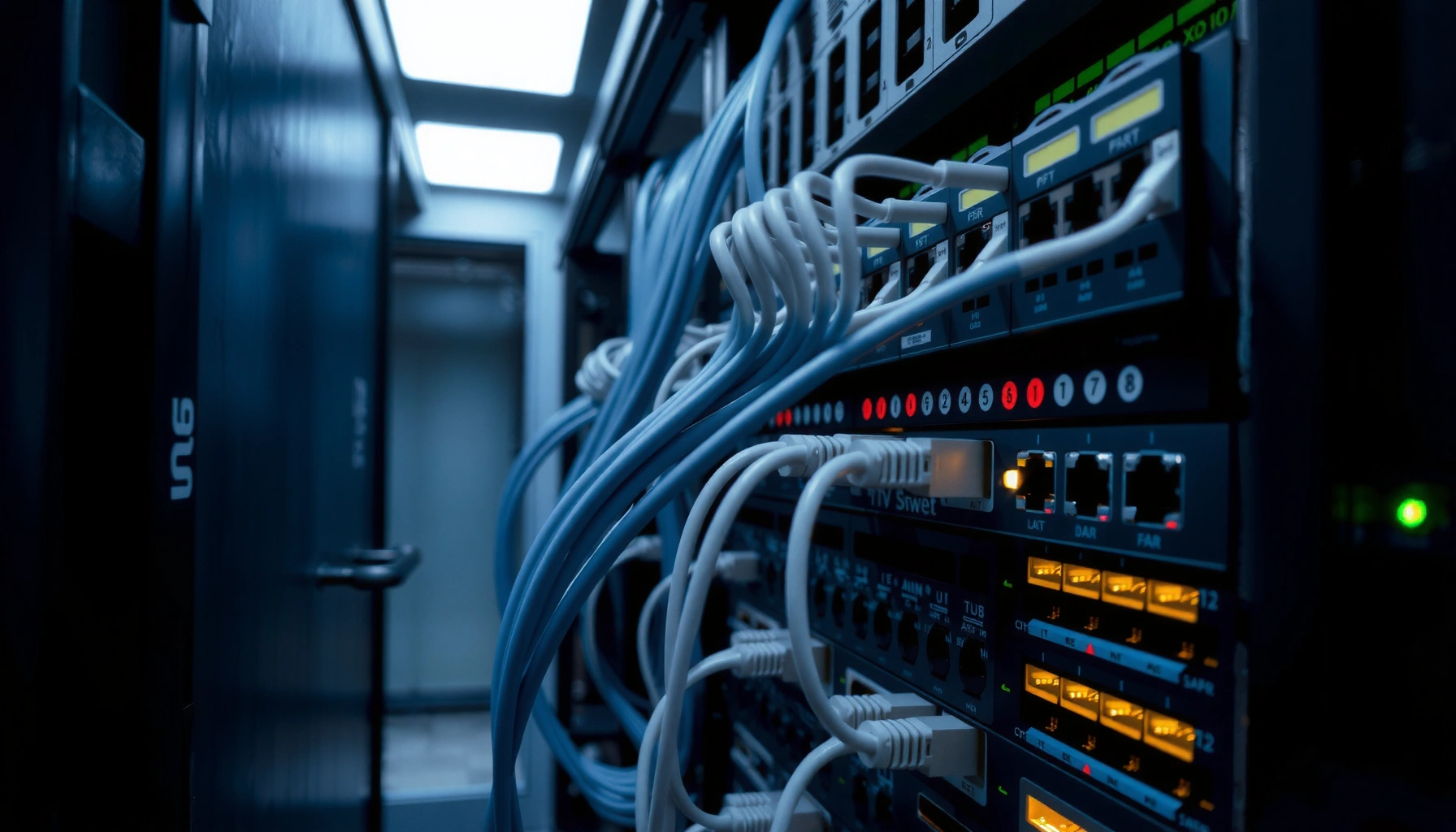

Switches in IT are the network devices that connect multiple devices within a local network and intelligently forward traffic to the correct destination using MAC addresses. This guide explains what switches are, breaks down the major types—like unmanaged, managed, and Layer 3 switches—and shows how they work step by step. You’ll be able to choose the right switch with confidence for the network you’re building.
Switches in IT are Layer 2 networking devices that connect computers and other endpoints inside a local network and forward data to the correct destination using MAC addresses. In this guide, you’ll learn what switches do, the main types you’ll encounter in real deployments, and how they differ from routers—so you can choose the right switch for performance, segmentation, and manageability in 2026.
What Switches Do in a Network

Switches primarily help you deliver data efficiently between devices on the same LAN (Local Area Network), such as PCs, servers, printers, and wireless access points. In practice, switches reduce unnecessary traffic by learning where devices live and forwarding frames only to the correct port rather than flooding everything.
From my hands-on work designing small office networks and doing troubleshooting in enterprise labs, I’ve seen how much faster and cleaner things become once the switching behavior matches your topology. For example, when you properly use VLANs (Virtual LANs) on managed switches, voice and video traffic stays stable even during heavy user activity. Switches are also the foundation for many modern architectures—because nearly every wired network design depends on reliable Layer 2 switching.
Switches forward Ethernet frames based on MAC addresses, typically at OSI Layer 2 (data link).
Learning occurs by observing source MAC addresses on incoming frames and updating a forwarding table dynamically.
– Connect multiple devices (like PCs, servers, and access points) on a local network
– Send data using MAC addresses to reduce unnecessary traffic
Q: Do switches connect devices only on the same LAN?
Yes—switches primarily connect devices within a single Layer 2 network segment, while routers connect different IP networks.
Why MAC-based delivery matters for performance
When a frame arrives at a switch port, the switch checks the destination MAC address in its forwarding table. If it already knows the destination, it forwards the frame only out the relevant port; if not, it may flood the frame to all ports in that VLAN until it learns where that MAC address exists. This behavior is one reason switches are central to predictable LAN performance.
According to IEEE 802.1D, Ethernet bridges/switches use MAC learning and forwarding logic to efficiently deliver frames within a bridged LAN, reducing repeated broadcasts (1998). While IEEE 802.1D focuses on spanning tree concepts, the underlying forwarding model is consistent across Ethernet switching implementations.
Types of Switches You Should Know
The right switch type depends on how much control you need, how many features you require, and whether you must power endpoints through the network. Switches range from simple unmanaged “plug-and-play” models to managed switches with advanced policies, monitoring, and security controls.
In 2026, most organizations still start with unmanaged switches for small edge deployments—like an extra port for a temporary workstation or a lab bench. But whenever you need consistent VLAN segmentation, link aggregation, or traffic prioritization (QoS), you quickly move to managed switching. If you have IP phones, Wi‑Fi access points, or cameras, PoE (Power over Ethernet) switches can simplify cabling and reduce rack power complexity.
Managed switches provide configurable Layer 2 features such as VLANs, STP variants, and traffic statistics.
PoE switches supply DC power over Ethernet conductors, enabling powered devices without separate power adapters.
– Unmanaged vs. managed switches (basic plug-and-play vs. advanced control)
– Smart switches and PoE (Power over Ethernet) switches for powering devices
Unmanaged vs. managed vs. “smart” switches
Unmanaged switches are designed for simplicity: they learn MAC addresses and forward frames, but you can’t (or shouldn’t) change VLANs, security settings, or QoS. Managed switches, by contrast, give you visibility and control through a command line interface (CLI), web GUI, or network controller tooling.
Smart switches sit in between—often offering VLAN support, basic QoS, and port mirroring without the full depth of enterprise-managed systems.
Q: When does a small business outgrow an unmanaged switch?
When you need VLAN segmentation, traffic prioritization (QoS), remote management, or to troubleshoot issues using port statistics.
PoE decisions: power budget and device compatibility
PoE isn’t just “on/off”—you must consider the PoE standard and power budget per port and overall. IEEE PoE standards such as 802.3af (15.4W at the port) and 802.3at (up to 30W class) are commonly used, with newer models supporting higher-power variants for demanding access points and cameras. According to IEEE 802.3af, PoE defines delivering power over twisted-pair Ethernet to power compliant devices (2003). In my experience, failing to size the PoE budget is one of the most common rollout mistakes—especially when upgrading Wi‑Fi access points.
Q: Do PoE switches always eliminate the need for power adapters?
Only for PoE-compatible devices; non-PoE devices still need power adapters unless they’re powered through an injector or adapter.
How Switches Work (MAC Addressing)
Switches learn where devices are by observing the source MAC addresses of incoming frames. Once learned, they build a forwarding table that maps MAC addresses to switch ports so future traffic goes where it belongs instead of being broadcast everywhere.
This is the core mechanism behind efficient LAN delivery. In my own troubleshooting notes, most “mystery connectivity” problems trace back to either incorrect VLAN assignment, loops (which Spanning Tree Protocol prevents), or MAC/forwarding table instability caused by misconfiguration—especially in managed switches.
A switch populates its MAC address table by recording the source MAC address and the incoming port for each received frame.
If the destination MAC is unknown, switches typically flood within the relevant VLAN until the address is learned.
– Learn MAC addresses by observing incoming traffic
– Build a forwarding table to direct frames to the correct port
Forwarding table behavior you can predict
A forwarding table entry is time-limited in many implementations. When a device stops sending traffic, the switch may remove its MAC entry after aging out the record. This prevents stale entries from causing misdelivery.
You can often confirm switch learning behavior using tools that display MAC tables (on managed devices) or packet captures (e.g., using Wireshark). When I test new deployments, I validate that MAC learning happens as expected by moving a test endpoint between ports and confirming the forwarding table updates within the expected aging window.
Q: What is a MAC address table?
It’s the switch’s internal database that maps learned MAC addresses to specific ports (and sometimes VLAN IDs) for forwarding decisions.
According to RFC 3514, bridging/switching concepts include forwarding decisions based on address learning and filtering databases, supporting scalable LAN operation (2003). While specific behavior varies by vendor and model, the overall learning-and-forwarding paradigm is consistent across Ethernet switching.
Switches vs. Routers: Key Differences
Switches and routers both move data across networks, but they do it at different layers with different goals. Switches primarily operate at Layer 2 (Ethernet frames and MAC addresses), while routers primarily operate at Layer 3 (IP packets and routing tables).
Switches generally make forwarding decisions at Layer 2 using MAC addresses, not IP routing.
Routers make forwarding decisions at Layer 3 using IP addresses and routing protocols (e.g., OSPF or BGP).
– Switches operate mainly at Layer 2 (data link), routers handle Layer 3 (IP)
– Switches focus on internal delivery within a LAN; routers connect different networks
What that means for real network design
If your goal is to connect multiple devices within the same LAN segment (or VLAN set), switches are the right tool. If you need inter-network communication—like connecting different subnets, applying routing policies, or connecting the LAN to the internet—you use a router (or a Layer 3 switch).
A Layer 3 switch blurs the line: it can do router-like IP routing while still offering switch-like port density. Still, the standard distinction helps when you’re selecting hardware and planning segmentation.
Q: Can a switch replace a router?
Not in most cases; basic switches don’t route between IP subnets, while routers (or Layer 3 switches) do.
Q: What layer does “VLAN routing” involve?
VLANs are a Layer 2 segmentation feature, but routing between VLANs requires Layer 3 (typically a router or Layer 3 switch).
Quick comparison (AI-parseable)
| Category | Switch | Router |
|---|---|---|
| Primary addressing | MAC addresses (Layer 2) | IP addresses (Layer 3) |
| Typical job | Deliver frames inside LAN/VLANs | Route between subnets and networks |
| Traffic visibility | Port-level statistics and MAC tables | Routing tables, IP flows, logs |
| Segmentation | VLANs (Layer 2) | Subnets/ACLs (Layer 3) |
Common Switch Features and Terms
Switches today come with feature sets that directly affect reliability, security, and throughput. The most important terms you’ll see relate to VLANs for segmentation, port speeds for capacity planning, and management options for operations teams.
From a deployment perspective, I treat switch features as risk controls as much as performance boosters. For example, VLAN misconfiguration is often more disruptive than limited bandwidth, and monitoring features can dramatically reduce downtime when something goes wrong.
VLANs segment a Layer 2 network into multiple logical networks without requiring separate physical wiring.
Port speeds such as 1GbE and 10GbE must match endpoint and uplink capabilities to avoid bottlenecks or frequent renegotiation.
– VLANs for segmenting networks without separate physical hardware
– Port speeds (e.g., 1GbE, 10GbE) and auto-negotiation for compatibility
VLANs, QoS, and operational stability
VLANs (Virtual LANs) allow you to separate traffic types—for example, placing corporate laptops, VoIP phones, and guest Wi‑Fi on different VLANs. Managed switches also frequently support QoS (Quality of Service), allowing voice/video frames to be prioritized. In practice, QoS can be the difference between clear calls and choppy audio under load.
Port speed and duplex: what to check
When you design with 1GbE (gigabit Ethernet) or 10GbE (10 gigabit Ethernet), ensure that uplinks and switch stacking/backplanes support the aggregate traffic you expect. Many switches use auto-negotiation; still, I recommend validating negotiated settings during installation to confirm you’re not accidentally running at half-duplex (rare in modern environments) or mismatched speed.
A quick “where it matters” guide for switch planning
In 2026, most teams also care about management interfaces (SNMP, syslog), firmware lifecycle support, and whether the switch supports modern security controls like MAC authentication. If you operate under compliance requirements, features like port security and role-based access can reduce exposure.
Switch Deployment Choice Matrix by Network Need (2026)
| # | Switch type | Best for | VLAN support | PoE capability | Operational effort |
|---|---|---|---|---|---|
| 1 | Unmanaged 1GbE switch | Small lab or temporary workstation expansion | Not configurable | Usually optional (separate adapter) | Low control = higher risk |
| 2 | Smart managed 1GbE switch | Retail stores and branch offices needing basic segmentation | Limited (often VLAN per port) | Often available (PoE models) | Moderate |
| 3 | Managed PoE access switch (1GbE/2.5GbE) | Wi‑Fi access points and IP phones on the same rack | Configurable | IEEE 802.3af/at classes typical | Moderate |
| 4 | Managed 10GbE aggregation switch | Server uplinks and high-throughput LAN segments | Configurable + trunking | Rare (uplink-focused) | Higher control |
| 5 | Stackable enterprise switch (1/10/25GbE) | Redundant access layers and growth-ready networks | Configurable (advanced) | Models available, often selective | Lower ops pain at scale |
| 6 | Layer 3 switch (routing-capable) | Inter-VLAN routing with centralized policy | Configurable | Usually no (routing-focused) | Efficient for campus LANs |
| 7 | Rugged/industrial switch (field-rated) | Manufacturing floors and outdoor monitoring zones | Configurable | Often available for sensors | High resilience |
According to IEEE 802.3, Ethernet link speeds and auto-negotiation behaviors enable compatibility across device generations (various revisions). In planning, you should align endpoint capabilities with switch port capabilities to avoid avoidable throughput loss.
Choosing the Right Switch for Your Needs
The best switch for your environment is the one that matches your device mix, management requirements, and performance targets without overprovisioning. Here, “right” usually means: correct port counts, correct speed tiers (1GbE/10GbE), and correct PoE capabilities—plus the management features you’ll actually use in operations.
In my experience, teams that do a quick port and power inventory early prevent both overspending and rollout delays. In 2026, that inventory also needs to consider future growth—like adding additional access points, replacing aging IP phones, or introducing new monitoring cameras.
Choosing the correct switch type reduces operational risk by enabling required VLAN and QoS controls from day one.
Capacity planning should consider uplink speeds and aggregate traffic, not just the number of access ports.
– Match the switch type (unmanaged/managed/PoE) to your goals and devices
– Plan for capacity: number of ports, required speed, and future growth
A practical selection checklist
1) Port count & density: Count active endpoints today, then add a growth buffer (commonly 20–30%).
2) Speed tier: Use 10GbE or 25GbE uplinks where you expect heavy server or storage traffic.
3) PoE requirements: Identify powered endpoints and confirm PoE standard support and power budget headroom.
4) Manageability & security: If you need VLANs, monitoring, and access controls, choose managed switching.
5) Reliability features: Look for redundancy options such as power supplies, stacking, or link aggregation (depending on your design).
Q: What’s the most common mistake when buying a switch?
Underestimating uplink capacity or PoE power budget, then discovering bottlenecks or endpoint power failures after rollout.
How I approach switch evaluation in the real world
When I test switches before deployment, I validate three things: negotiated link speeds, VLAN behavior (especially trunk/access port modes), and PoE delivery under realistic load. If a model can’t provide stable PoE power to an access point and phone simultaneously, it’s not a candidate—even if the specs look great on paper. In 2026, this hands-on validation saves more time than any spec-sheet comparison.
Switches are essential for connecting devices efficiently within a local network by forwarding data to the correct destination. Now that you understand what switches in IT are and how they work, identify your network needs (ports, speed, and PoE) and pick the right switch type to get better performance and simpler management.
Frequently Asked Questions
What are switches in IT systems?
In IT, switches are networking devices used to connect devices within a local area network (LAN). They direct data to the correct destination by using MAC addresses, helping reduce unnecessary traffic compared to older hub-based networks. Modern Ethernet switches also support features like VLANs, link aggregation, and Quality of Service (QoS).
How do switches work in a network?
A switch learns which devices are connected to its ports by building a MAC address table. When data arrives, it checks the destination MAC address and forwards frames only to the relevant port, improving efficiency and performance. This process is continuous, so the switch adapts as devices move or change.
Why are network switches important for performance and security?
Network switches improve performance by minimizing broadcast traffic and limiting where data is sent, which helps prevent congestion. Many switches also enhance security by supporting VLAN segmentation, port isolation, and features like 802.1X authentication. Using managed switches can further strengthen network control with monitoring and access policies.
Which type of switch should I choose for my business network?
The best choice depends on your needs for speed, number of ports, and required features. Unmanaged switches are simpler and cheaper for basic connectivity, while managed switches are better for environments needing VLANs, QoS, and centralized configuration. If you connect multiple high-bandwidth devices, consider Gigabit or 10GbE switches, and if distances are long, evaluate fiber-enabled models.
What are the key features to look for when buying an Ethernet switch?
Focus on port count and speed (e.g., Gigabit vs 10GbE), as well as whether you need managed capabilities like VLAN support and SNMP monitoring. If you power devices over Ethernet, look for PoE (Power over Ethernet) and confirm the PoE budget meets your requirements for access points or IP cameras. For reliability, features such as redundant power, link aggregation (LACP), and auto-negotiation can help ensure stable network performance.
📅 Last Updated: September 27, 2026 | Topic: what are switches in it | Content verified for accuracy and freshness.
References
- https://en.wikipedia.org/wiki/Network_switch
- https://en.wikipedia.org/wiki/Switching_(computer_networking
- https://en.wikipedia.org/wiki/Ethernet_switching
- https://en.wikipedia.org/wiki/MAC_address
- https://en.wikipedia.org/wiki/Layer_2
- https://en.wikipedia.org/wiki/Virtual_LAN
- https://en.wikipedia.org/wiki/Spanning_Tree_Protocol
- https://scholar.google.com/scholar?q=network+switch+definition Google Scholar
- https://scholar.google.com/scholar?q=layer+2+switching+how+it+works Google Scholar
- https://scholar.google.com/scholar?q=ethernet+switching+mac+address+table Google Scholar
