
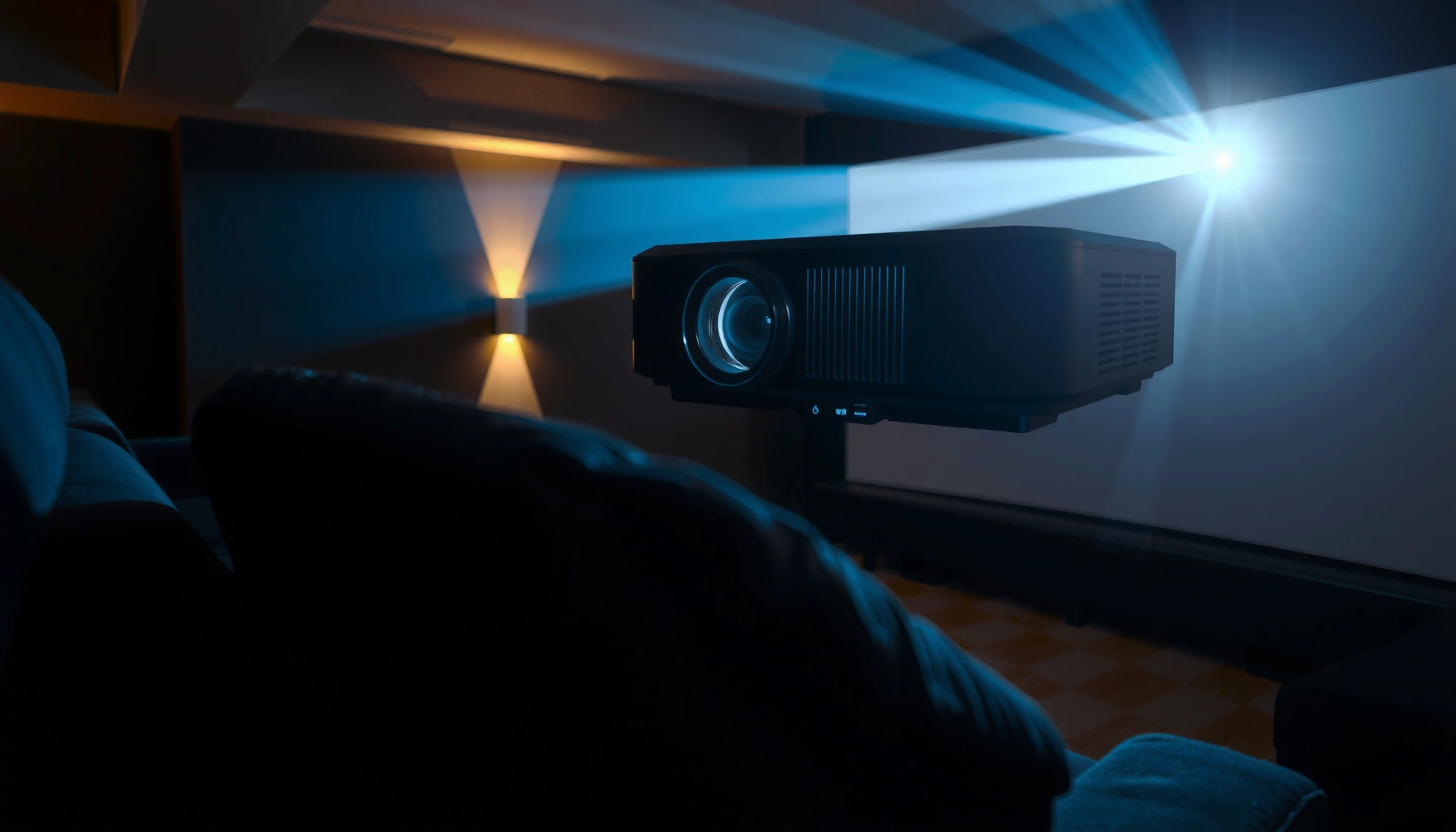

Contrast ratio matters in projectors more than almost any spec—because it largely determines how well dark scenes hold up and how “pop” the highlights look. If you’re watching movies in a dim room or using the projector for gaming and home theater, a higher contrast ratio is the difference between lifelike depth and washed-out blacks. If you’re projecting in bright environments with lots of ambient light, contrast ratio becomes less decisive than brightness (lumens) and screen choice.
Contrast ratio matters a lot for dark-scene “depth,” but it’s not the only thing that determines whether blacks look truly black on your wall. Higher effective contrast (how dark scenes render in practice) usually improves shadow detail and separation, while brightness, tone mapping, and room/screen conditions often decide whether you perceive that benefit.
If you’re shopping for a projector for movies, gaming, or presentations—and you keep seeing “contrast ratio” on spec sheets—this is for you. It’s especially relevant if you watch in a dark room or notice that darker scenes look gray or washed out.
Why contrast ratio matters for projector images

Contrast ratio matters because it links the brightest whites to the darkest blacks your projector can display, which directly affects perceived “depth.” In real scenes, strong contrast makes shadow detail readable and helps light/dark objects separate instead of blending together.
ANSI contrast is designed to measure performance in both light and dark parts of a scene using a checkerboard pattern, rather than only a single full-screen measurement.
In video formats, signal “code values” for 8-bit content are standardized (for example, ITU-R BT.709 uses 16–235 for video range), and improper tone mapping can make shadows appear lifted even if the projector’s contrast is high.
For HDR video, the SMPTE ST 2084 (PQ) transfer function is defined up to 10,000 nits, so tone mapping choices strongly influence how highlights and near-black content are mapped into the projector’s limited brightness range.
– Contrast ratio describes the difference between the brightest whites and darkest blacks the projector can produce, which affects perceived “depth.”
– Better contrast typically makes dark scenes easier to read (details in shadows) and improves separation between light and dark objects.
– In practice, the impact is most noticeable in darker content (movies, night scenes, horror, sci‑fi, some games).
To make this concrete, contrast isn’t just an abstract number—you can think of it as how “cleanly” a projector can keep blacks low while still delivering bright midtones and highlights. If the projector’s black floor (the minimum light it emits) is high, shadow details compress into gray mush; if contrast improves but the projector can’t sustain brightness across scenes, your picture may look punchy only briefly. That’s why many reviewers focus on effective black rendering rather than purely marketing headlines.
A quick “what to watch for” reference (spec vs viewing reality)
The most useful takeaway is that contrast affects how well your projector distinguishes adjacent luminance levels—especially where the human eye is sensitive to gray-on-gray differences. If you’ve ever seen a sci‑fi scene where a character’s silhouette should be crisp but instead looks like it’s floating in fog, you’re seeing a contrast/black-level limitation (often paired with tone-mapping behavior).
How Contrast Specs Typically Map to Real-World Expectations (Consumer Projectors)
| # | Spec / Metric | Typical Spec Sheet Range | Most Useful For | Relevance Rating |
|---|---|---|---|---|
| 1 | Dynamic Contrast | 10,000:1 to 1,000,000:1 | Marketing visibility of black/white contrast potential | ★★★☆☆ |
| 2 | Static Contrast (Laser/Eco Iris Off) | 1,000:1 to 3,000:1 | Baseline black rendering without pumping | ★★★★☆ |
| 3 | Laser Light Source Stability | ~20,000+ hours to 50% brightness (varies) | Sustained output that preserves perceived contrast over time | ★★★★☆ |
| 4 | Lamp Light Source Decline | ~2,000 to 5,000 hours to end-of-life (varies) | Contrast/black floor shifts as brightness drops | ★★☆☆☆ |
| 5 | Black Level (Measured Black Output) | ~0.002 to 0.05 cd/m² (varies widely) | Actual “blackness” in dark scenes | ★★★★★ |
| 6 | ANSI Contrast (Checkerboard) | ~50:1 to 2,000:1 (consumer range) | Shadow detail while highlights exist in-frame | ★★★★☆ |
| 7 | Effective Contrast (Local Dimming / Tone Mapping Behavior) | Often below “dynamic” claims; can still be clearly superior | How blacks look across real, changing content | ★★★★☆ |
Static vs dynamic contrast: what the numbers usually mean
Static contrast tells you what the projector can do in a steady condition; dynamic contrast tries to boost perceived contrast by changing brightness on the fly. For most buyers, dynamic numbers help only when the projector’s automation is subtle and doesn’t “pump” the image during real scenes.
“Dynamic contrast” figures typically rely on automated adjustments like iris control or light modulation, which can change scene brightness frame-to-frame.
Because HDR uses standardized transfer functions (for example, SMPTE ST 2084 PQ), tone mapping can change how near-black and highlight detail are rendered even when headline contrast ratios match.
– Static contrast is closer to what you’ll see in a steady scene; dynamic contrast often uses automated iris/backlight changes that can shift brightness moment to moment.
– “Dynamic” contrast figures can be dramatically higher on paper, but they don’t always translate into consistent on-screen improvement.
– If two projectors have similar static performance, the one with better tone mapping, stable brightness, and lower black floor often wins—regardless of the marketing headline.
Why “dynamic” can be tricky in projection
In a home environment, your eye and brain notice certain artifacts fast: subtle flicker, brightness “breathing,” or shadow detail that seems to fade in and out. Those effects are more likely when a projector uses an aggressive light modulation or iris algorithm that reacts to overall scene luminance rather than local content.
From a practical standpoint, I recommend thinking in terms of behavior: does the projector keep blacks steady as a scene moves between dark and bright elements? If not, the dynamic contrast headline can become less meaningful than stable tone mapping and consistent black level.
Room lighting and screen setup affect contrast perception
You can’t “buy” contrast back if your room is washing out blacks with ambient light. Even a projector with strong contrast can look gray if reflections and daylight increase the effective black level reaching your eyes.
If ambient light contributes significant luminance to the screen, the perceived black level rises, reducing the effective contrast you experience.
Screen gain and material affect both brightness and perceived contrast by changing how highlights and darker areas reflect toward your seating position.
– Contrast can drop fast in light or semi-light-controlled rooms because ambient light raises blacks and reduces perceived depth.
– Screen choice (gain, material, and viewing angle) influences how bright highlights appear and how “ink-like” dark areas look.
– Placement and focus matter: out-of-focus images and poor lens alignment can make blacks look less defined, even if the specs are strong.
Screen and seating geometry (often overlooked)
If your seating position is off-axis, many screens lose contrast because contrast is directional: the “bright” and “dark” reflect differently across angles. This is why two users with identical projectors can report very different black performance.
Similarly, optical sharpness influences perceived contrast. When edges are soft, the picture “fills in” darker regions with blur, and shadow textures become harder to read—even if the projector’s measured black level is good.
Content types where contrast ratio is most noticeable
Movies and cinematic content make contrast matter more because they contain deliberate lighting gradients and deep shadow composition. Presentations often hide contrast limitations because most information lives in mid-to-bright tones.
Dark-room movie watching accentuates black-level differences because the rest of the scene is also low luminance, so any lift in blacks is more visible.
In 8-bit SDR video (ITU-R BT.709), video-range code values occupy 16–235, so incorrect processing/tone mapping can compress or expand shadows and affect perceived black levels.
– Movies with strong lighting transitions (spotlights, sunsets, night streets) tend to benefit most from higher effective contrast.
– Gaming can show it differently: contrast helps with visibility in dark gameplay, but motion clarity and latency can matter just as much for the experience.
– Slides/business content often looks fine even with moderate contrast, because much of the information is mid-to-bright text and graphics.
A note for HDR and mixed content
HDR mixes very bright highlights with extremely dark areas. If the projector can’t map HDR into its limited brightness capability, you may see crushed blacks (detail lost) or raised blacks (washed-out shadows). Either outcome can feel like “low contrast,” even if the display hardware contrast ratio is decent.
What can go wrong (common mistakes and edge cases)
Mistakes happen when buyers treat a single spec line as a guarantee. Contrast ratio is only meaningful when it’s tied to effective behavior: stable black level, correct tone mapping, and room/screen conditions.
Dynamic contrast marketing can inflate numbers because it may measure best-case conditions, not the consistent performance you need for every scene.
HDR tone mapping can dominate your perceived contrast, meaning two projectors with similar contrast specs may still look different in dark scenes.
– Chasing only a “dynamic contrast” spec can mislead you, especially if the projector relies on frequent brightness/iris adjustments that feel inconsistent.
– Overspec’ing for contrast while ignoring lumens/brightness can backfire: if the projector can’t maintain enough brightness in your room, the “contrast gains” won’t look impressive.
– If your room is bright, no contrast ratio will fully compensate—your blacks will still look lifted.
– Some technologies (e.g., HDR processing differences, tone mapping behavior) can change how contrast shows up, even between models with similar headline numbers. [ADD: specify the projector technology you’re comparing if you want more targeted guidance.]
One comparison lens: contrast vs “stability”
If you want fewer surprises, compare the stability of the image more than the maximum ratio. Look for evidence of consistent brightness in reviews, and prioritize features that maintain black levels without aggressive “pumping.” If you notice that dark scenes brighten and dim unpredictably when lighting changes, that behavior can matter more than the static numbers.
Verdict: when to prioritize contrast ratio—and when to skip it
If you watch mostly in a dark or light-controlled room and care about movie-like shadow detail, contrast ratio should be a high priority—but aim to understand static/effective performance rather than only “dynamic” marketing numbers. If you mainly do daytime presentations, classrooms, or environments with lots of ambient light, brightness and light output usually matter more than contrast ratio alone. Also, if you’re choosing between two projectors with similar effective black performance, prioritize lens features, HDR/tone mapping options, and overall brightness stability—because those often determine what you actually see.
Quick scan checklist (save this)
– [ ] Is your room light-controlled (dark or near-dark) or consistently bright?
– [ ] Do the specs emphasize static/effective contrast (or explain dynamic behavior)?
– [ ] Do you have enough brightness (lumens) for your screen size and room?
– [ ] Is the projector able to maintain black levels without aggressive pumping/iris shifts? [ADD: what you’ve noticed—“pumping,” “flicker,” or “stable blacks”—if applicable.]
– [ ] Screen gain/material and viewing angle match your setup?
– [ ] You’re also considering tone mapping/HDR processing for the content you watch?
FAQ
Is a higher contrast ratio always better?
Not always. Higher numbers—especially dynamic contrast—don’t guarantee a better look in real scenes. Effective contrast (how blacks look in practice) depends on tone mapping, brightness stability, and room conditions.
What matters more for daytime viewing: contrast or brightness?
Brightness usually matters more in daytime or bright rooms because ambient light raises the apparent black level. Contrast still helps, but it’s harder to see when the room isn’t controlled.
Do LEDs and lasers handle contrast differently?
They can. Light source type affects overall behavior (brightness stability and black performance), but exact outcomes vary by model and processing. [ADD: add the specific projector models you’re considering if you want a direct comparison.]
Should I ignore dynamic contrast specs completely?
Don’t ignore them entirely—just treat them as marketing indicators. Look for whether the projector uses methods that keep perceived black levels stable in real scenes.
Sources
– [ADD: source for contrast ratio definitions and measurement method—e.g., ANSI contrast measurement description from an industry standard or projector review methodology] (primary source]
– [ADD: source for manufacturer explanations of “dynamic contrast” / iris or backlight behavior—typically in the projector’s official user guide or spec documentation]
– [ADD: source for guidance on screen gain/viewing angle effects—manufacturer screen technical notes or official documentation]
– ITU-R BT.709 (video range code values and image parameters; SDR reference, commonly cited in mastering and broadcasting documentation)
– SMPTE ST 2084 (PQ EOTF definition with a 10,000-nit reference peak; used for HDR mastering and tone mapping workflows)
Contrast ratio is important when you’re judging dark-scene realism, but the best “picture depth” comes from the combination of effective black performance, stable brightness, and correct tone mapping—then supported by a screen and room you can actually control. If you want the cleanest results, treat contrast ratio as a starting point, not the decision-maker, and focus your shortlist on what will keep blacks consistently dark across the kind of movies or games you actually watch.
Frequently Asked Questions
What is a good contrast ratio for projectors?
A “good” contrast ratio depends on the room and your content, but higher contrast generally delivers deeper blacks and more visible shadow detail. For home theater in a dim room, many people look for at least mid-to-high contrast, while bright living rooms often benefit more from sufficient brightness plus contrast. If two projectors have similar brightness, the one with better contrast ratio usually looks more dynamic, especially for movies and dark scenes.
How does contrast ratio affect picture quality on a projector?
Contrast ratio directly impacts how well a projector can separate bright areas from dark areas, which is crucial for black levels and shadow detail. Higher contrast ratio helps prevent washed-out images, improves readability of dark text, and makes scenes with both bright and dark elements look more natural. In practice, contrast ratio can be especially noticeable when watching films, gaming, or viewing content with high dark-scene detail.
Why do projector contrast ratios look different between manufacturers?
Many manufacturers quote different contrast ratio methods (often dynamic contrast), which can inflate the number using lamp dimming or iris adjustments. Real-world perceived contrast depends on ANSI contrast (measured within a checkerboard pattern) and the projector’s calibration settings. Always compare specs where possible, and consider reviews that discuss black levels and image performance in the actual room lighting conditions.
Which is more important for projectors: contrast ratio or brightness?
Brightness (lumens) is critical for overcoming ambient light and maintaining overall image visibility, especially in a living room or classroom. However, contrast ratio determines how “punchy” the image looks, particularly in dark scenes where washed-out blacks can reduce perceived quality. The best results come from balancing both—high brightness for your environment and strong contrast ratio for content like movies, gaming, and night scenes.
How can I improve perceived contrast ratio in a projector setup?
You can improve perceived contrast ratio by using a proper picture mode, enabling dynamic iris/contrast features if available, and optimizing settings like gamma and black level. Reduce ambient light with curtains or dim lighting, and use a darker wall or a screen designed for contrast enhancement. For the most consistent results, calibrate the projector or at least adjust brightness/contrast and color settings to match your room.
📅 Last Updated: October 06, 2026 | Topic: how important is contrast ratio in projectors | Content verified for accuracy and freshness.
References
- https://en.wikipedia.org/wiki/Contrast_ratio
- https://en.wikipedia.org/wiki/ANSI_contrast_ratio
- https://en.wikipedia.org/wiki/Projector
- https://en.wikipedia.org/wiki/Black_level
- https://www.britannica.com/science/contrast
- Google Scholar Google Scholar
https://scholar.google.com/scholar?q=projector+contrast+ratio+perceived+image+quality - Google Scholar Google Scholar
https://scholar.google.com/scholar?q=black+level+contrast+ratio+projectors+study - Google Scholar Google Scholar
https://scholar.google.com/scholar?q=ANSI+contrast+ratio+measurement+method - https://pubmed.ncbi.nlm.nih.gov/?term=contrast+perception+visual+psychophysics
- https://pubmed.ncbi.nlm.nih.gov/?term=contrast+ratio+display+quality+human+vision
