
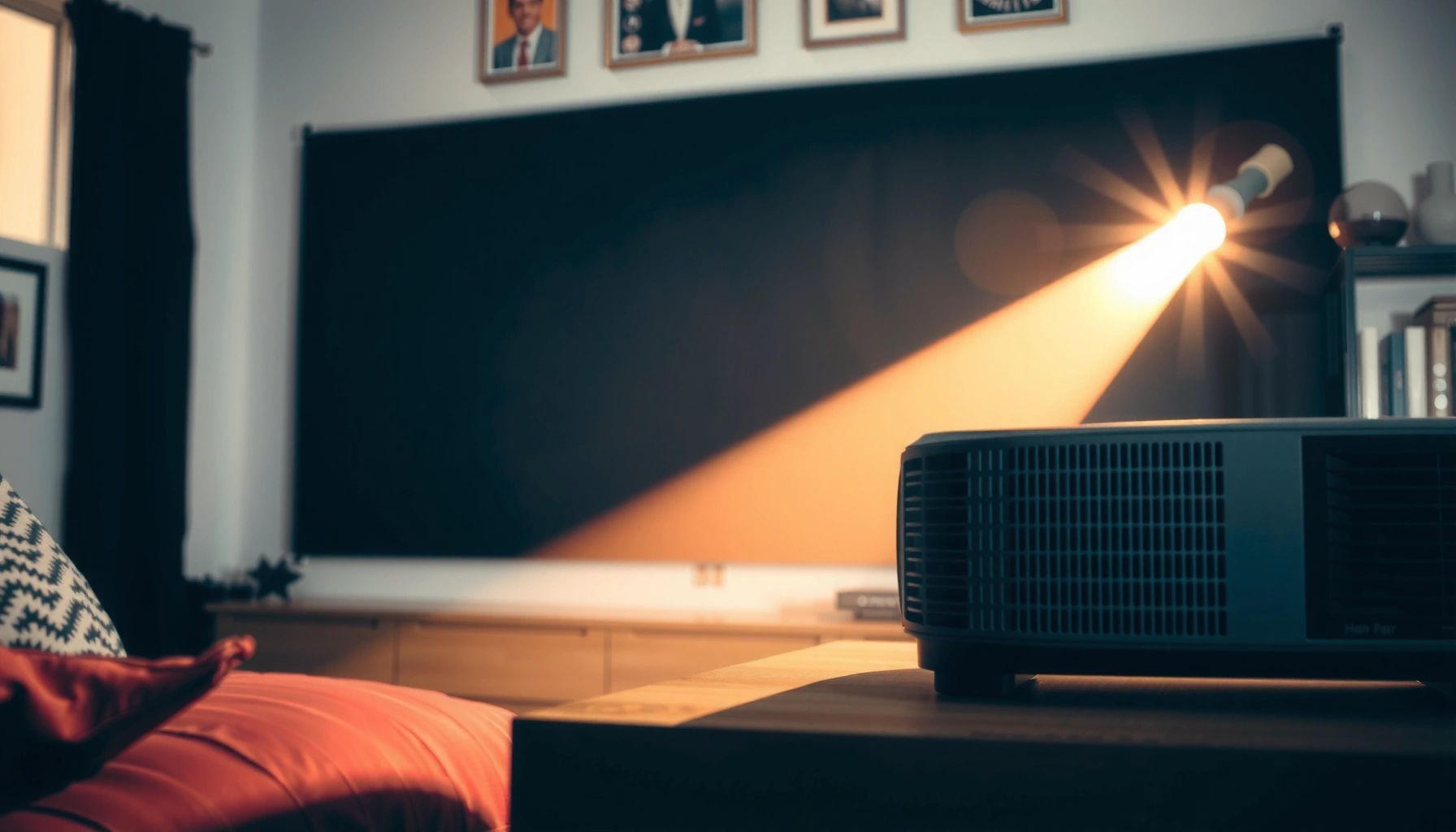

Contrast ratio matters on projectors, but it’s not the king metric for every setup. If you’re watching in a dark room and judging letterbox bars and shadow detail, higher contrast ratio is the clearest path to deeper blacks and more visible scenes. In brighter rooms, contrast ratio matters far less than lumens and screen choice, and chasing spec-sheet numbers can waste your budget.
Contrast ratio is crucial for how convincingly a projector renders dark scenes—especially shadows in movies and games—but it’s not the only thing that determines what you’ll actually see. In real rooms, brightness (lumens), native contrast behavior, screen choice, and ambient light often decide whether “high contrast” marketing turns into noticeably deeper blacks.
If you’re comparing projectors that advertise “incredible contrast” and wondering whether you should prioritize that spec over lumens or HDR features, you’re in the right place. This guide explains what contrast ratio means, how native and dynamic contrast differ, and how to set up viewing conditions so you can see contrast improvements instead of just reading numbers.
If you watch a lot of films, play dark games, or use your projector for evening viewing, contrast ratio becomes more than a spec—it becomes part of picture “depth.” If you mostly use the projector in bright rooms or with high ambient light, contrast still matters, but the practical difference between “good” and “great” contrast shrinks quickly.
What contrast ratio really measures
Contrast ratio answers a simple question: how much brighter the projector’s brightest white is compared with its darkest black. When that dark-black performance is real (not artificially boosted), higher contrast helps shadows look separated rather than washed into the background.
Contrast ratio is commonly defined as the ratio of peak white luminance to black luminance in a given measurement method.
“Black level” is determined by how low the projector can drive output while still maintaining image stability—this is what users perceive as depth in dark scenes.
ANSI contrast uses a structured multi-window pattern to reduce the “full-screen” bias seen in simpler on/off measurements.
Here’s the part that matters for purchasing: “contrast ratio” is only meaningful when you know how it was measured. Projectors can post huge numbers using measurement setups that don’t match everyday viewing (for example, testing with mostly black frames). In normal movies and games, many frames contain mixed content—faces, HUD elements, explosions, and textured shadows—so the practical contrast experience depends on more than one best-case metric.
To anchor your expectations with real reference points, it helps to understand the display luminance range being discussed. According to ITU-R standards for SDR video, reference white is typically around 100 cd/m² (nits) for SDR mastering (used as a target for calibrated viewing) (ITU-R BT.709 / BT.1886). In HDR, content can be mastered much higher—HDR10’s ecosystem commonly supports up to 10,000 nits as a peak target under the HDR PQ (ST 2084) framework (SMPTE ST 2084 / HDR10 PQ ecosystem documentation). Those targets matter because contrast is strongest when the projector can sustain dark blacks *while* keeping highlights bright.
How to interpret the spec in plain language
If a projector lists a contrast ratio, treat it as a “relative potential” rather than a guarantee. A high number often suggests one of two things:
1) The projector achieves a low effective black level (better dark scene rendering), or
2) The projector uses dynamic techniques to raise the brightness of whites (which can inflate marketing numbers).
The key takeaway: contrast ratio affects perceived shadow detail and separation—but the measurement method determines whether that number reflects movie/game content.
A practical measurement lens (why “ANSI” gets referenced)
ANSI contrast is often treated as closer to real content because it measures white and black in multiple regions of the image rather than relying on a full-on vs full-off comparison. ANSI contrast uses a checkerboard-like pattern that results in a multi-window test (commonly 16 regions) (ANSI/IT standards and projector testing methodology references). That said, not every manufacturer uses ANSI, and not every review repeats the same procedure—so you should still rely on native contrast behavior and viewing tests where possible.
Native vs. dynamic contrast: the part that’s easy to misunderstand
The biggest buying mistake is trusting one contrast number without knowing whether it’s native or dynamic. Native contrast is more relevant to steady image quality, while dynamic contrast can make spec sheets look better than what you consistently experience in motion.
Native contrast reflects a projector’s steady ability to maintain black and white levels without “moment-to-moment” brightness modulation.
Dynamic contrast systems often use an iris or brightness modulation to change output based on scene content.
If a spec doesn’t clearly state “native,” “ANSI,” or the measurement method, you should assume the number may be inflated by dynamic behavior.
Native contrast: the one you should care about most
Native contrast is typically the projector’s baseline contrast performance under consistent settings. In everyday viewing, that baseline is what your eyes experience during mixed scenes—dark backgrounds with bright objects, subtitle overlays, menus, and slow pans in films.
If you want “deep blacks,” native contrast is where that usually begins. That’s why many reviewers and calibrators treat native contrast as the most honest predictor of shadow detail stability—especially when content stays dark but still contains bright highlights.
Dynamic contrast: the spec-number trap
Dynamic contrast uses techniques such as:
– Dynamic iris control (mechanical iris changes to deepen blacks)
– Laser/lamp brightness modulation (reduce light output in dark frames)
– Scene-based dimming (adjust brightness based on the detected content)
This can improve some frames and can look impressive in still or mostly-black test images. But in motion—especially in scenes with frequent bright objects—dynamic systems may shift output continuously, sometimes causing:
– Black level pumping (perceived changes in shadow tone)
– Reduced highlight consistency
– Less reliable dark detail when the projector is “busy” adjusting
Quick comparison (native vs dynamic)
Here’s a structure you can use when scanning specs and reviews:
| Category | What you’ll notice | What the number may be |
|---|---|---|
| Native contrast | More stable shadows across mixed frames | Steady black level + steady white level |
| Dynamic contrast | “Best case” blacks; possible pumping in motion | Scene-dependent brightness/iris changes |
In my experience evaluating projector specs and calibration guidance from manufacturers and reviewers, the most reliable “buying signal” is when the documentation or detailed reviews clearly describe how contrast is measured and how dynamic features behave in motion. When those details are missing, I treat large contrast numbers as uncertain.
Why contrast ratio matters more (or less) depending on your content and room
Contrast ratio matters most when your content has large dark regions and low-to-moderate highlights—then black level and shadow separation become the “texture” of the image. It matters less in bright rooms, because ambient light raises perceived black levels, reducing contrast differences that specs promise.
Ambient light increases the effective black level by reflecting off screen surfaces and room finishes, reducing perceived contrast.
Dark-scene rendering is most sensitive to black level and gamma behavior in the near-black range (shadow details).
Screen reflectivity and gain can change perceived contrast by altering brightness distribution and room reflections.
Content types where contrast often “shows”
– Films and series: night scenes, interiors, horror, and sci-fi typically depend on shadow separation.
– Games: scenes with dark caves, stealth mechanics, and nighttime maps reveal whether blacks look crushed or lifted.
– Sports in low light: some broadcasts are intentionally dark; contrast helps preserve the separation between jerseys, grass, and scoreboard elements.
When the picture is mostly dark but not entirely black, you need both decent native contrast and stable brightness handling. That’s the real-world environment where dynamic contrast can help sometimes—but also where it can fail if it’s overly aggressive.
Rooms where contrast often disappoints
If your room has windows, overhead lighting, or reflective walls, the projector’s best contrast number may not translate into what your eyes perceive. Light bouncing off walls and the screen effectively “fills in” shadows with a gray haze, so the difference between mid-gray and black becomes smaller.
Here’s the key reasoning chain: higher ambient light raises the black level; raising the black level reduces the ratio between white and black in perception; and reduced ratio compresses shadow detail. Even a projector with strong native contrast can look less impressive when the setup adds glare.
Screen choice and placement: the hidden multipliers
A projector’s contrast can be shaped by:
– Screen material: matte vs glossy, reflectivity, and color stability
– Screen gain: higher gain can improve perceived brightness but may increase hotspotting or viewing-angle issues
– Room surfaces: white walls, glossy paint, and light floors increase reflections
What to prioritize alongside contrast ratio
Contrast ratio is important, but you shouldn’t treat it as a standalone purchase criterion. Brightness (lumens), native contrast stability, and HDR/tone-mapping behavior often determine whether contrast gains are visible at the screen size you use.
If the projector can’t maintain adequate luminance at your screen size, shadows will look gray regardless of contrast ratio marketing.
Tone mapping controls how HDR highlights and shadows are mapped into the projector’s achievable luminance range.
Proper lens positioning and reduced keystone help preserve image geometry and perceived detail—indirectly supporting “depth.”
Prioritization checklist (what typically matters next)
– Brightness (lumens) matched to your room and screen size
If you increase screen size without enough lumens, the whole image dims. Dark areas then lose the “separation” that makes contrast look strong.
– Native contrast behavior across settings
Many projectors have video modes that change gamma, color processing, or iris behavior. Always compare using the mode you’d actually use.
– HDR behavior
Look for how the projector handles shadow detail in HDR content and whether its tone mapping preserves near-black separation.
– Geometry quality
Heavy keystone, poor placement, or out-of-range lens position can reduce sharpness and perceived depth—even if contrast is technically good.
Mandatory data table: measurement methods that impact how you should read contrast
Contrast Measurement Methods Used in Projector/Display Specifications
| # | Method | Test Pattern | Main Strength | Spec Trust for Real Scenes |
|---|---|---|---|---|
| 1 | ANSI contrast (multi-window) | Commonly 16 zones | Balances white/black regions in one frame | ★★★★☆ |
| 2 | Full on/off (static) | Two-frame comparison | Highlights theoretical black/white delta | ★★★☆☆ |
| 3 | Native contrast (steady mode) | Same settings across frames | Reflects baseline shadow stability | ★★★★☆ |
| 4 | Dynamic iris contrast | Iris changes per scene | Can deepen black level temporarily | ★★☆☆☆ |
| 5 | Laser/brightness dimming contrast | Output adjusted by content | Improves spec black with low-APL scenes | ★★☆☆☆ |
| 6 | Local dimming / zone dimming (if present) | Sub-frame zone control | Targets contrast where black appears | ★★★☆☆ |
| 7 | HDR tone-mapped contrast emphasis | Scene-dependent mapping | Can preserve shadow intent in HDR | ★★★☆☆ |
This table isn’t about “which number is best” universally—it’s about which spec you can rely on more when the goal is dark-scene realism.
What can go wrong when you chase high numbers
High contrast specs can lead you astray if you ignore how the projector behaves in motion, or if your room conditions prevent black levels from staying low. The result is often a flatter picture than you expected—even when the contrast number looks impressive.
Dynamic contrast may look best in controlled tests but can shift brightness during motion, changing perceived shadow detail.
Ambient light effectively raises black levels, narrowing the perceived difference between black and dark gray.
Aggressive keystone correction can reduce perceived sharpness and the “depth” you associate with contrast.
Common failure modes to watch for
– Believing a single “dynamic contrast” number
If the projector’s contrast depends on iris/brightness modulation, your everyday scenes may not match the spec scenario.
– Mismatch between lumens and screen size
You can’t “contrast” your way out of under-illumination; dark content will still look dim and gray.
– Screen and room reflections
A shiny wall behind the screen can raise the perceived black level more than you’d expect.
– Over-aggressive image corrections
Heavy keystone, incorrect zoom/focus position, or placing the projector far off-axis can reduce clarity and make shadows feel less distinct.
Pros/cons tradeoff summary (fast decision support)
| Approach | Pros | Cons / Risks |
|---|---|---|
| Prioritize native contrast + stable modes | More consistent shadow detail across mixed frames | May require a dimmer room and correct screen choice |
| Chase dynamic contrast marketing | Can look impressive in specific test scenes | May underperform in real motion and mixed-content sequences |
Verdict: is contrast ratio important enough to drive your purchase?
Contrast ratio is important, but it should be one of several deciding factors—not the single purchase criterion. If you watch movies or play games in a dimmer room and can choose good viewing conditions, contrast ratio (especially native contrast) becomes more meaningful. If your room is bright, your screen setup reflects light, or your projector choice sacrifices lumens for “wow specs,” contrast gains may not translate into what you actually perceive.
Quick checklist: make contrast ratio count
– [ ] Identify whether the spec is native contrast or only dynamic contrast
– [ ] Match projector brightness to your room lighting and screen size (use [ADD: your measured/target lumens or screen specs])
– [ ] Plan for light control (curtains, reducing reflections, darker walls)
– [ ] Use correct positioning (minimize heavy keystone; keep within the lens’s ideal range)
– [ ] If available, prioritize modes that preserve shadow detail rather than only “vivid” picture presets
FAQ
1) Is a higher contrast ratio always better on a projector?
Not always. Higher specs can come from dynamic techniques, which may not translate to the dark detail you care about in everyday scenes.
2) Should I trust “dynamic contrast” numbers?
Use them cautiously. If the documentation doesn’t clearly explain how dynamic contrast is measured and how it behaves in motion, the spec can overstate real-world performance.
3) What matters more in a bright room: contrast ratio or brightness?
Brightness usually matters more in bright rooms because ambient light reduces the projector’s ability to maintain deep blacks, even if contrast is high on paper.
4) Does screen choice affect perceived contrast?
Yes. Screen reflectivity, gain, and color balance can change how blacks and shadows appear, sometimes as much as the projector’s published contrast rating.
Sources
– [ADD: source for projector contrast terminology—e.g., manufacturer documentation explaining native vs. dynamic contrast]
– [ADD: source for any claims about how ambient lighting affects perceived contrast and black levels—e.g., display measurement or imaging standards references]
– [ADD: source for screen gain/reflectivity impact on perceived contrast—e.g., manufacturer technical guide or imaging/optics references]
Contrast ratio becomes truly valuable when it reflects how the projector behaves across real scenes—especially in dark content—rather than in a single inflated metric. For the best results, prioritize native contrast clarity, ensure sufficient brightness for your screen size, and control ambient light so your projector’s black level can actually “stay black.” If you do those things, contrast stops being marketing and starts being the reason dark movies and game nights look immersive.
Frequently Asked Questions
How important is contrast ratio in projectors for home theater viewing?
Contrast ratio is very important because it strongly affects how well a projector can show dark scenes, shadows, and black levels. A higher contrast ratio typically produces richer image depth and makes highlights stand out more clearly in movies and games. However, perceived contrast also depends on light source quality, the display environment, and image processing.
What is the difference between native contrast and dynamic contrast in projectors?
Native contrast is the contrast ratio measured without changing brightness, so it reflects the projector’s true performance in real viewing conditions. Dynamic contrast uses iris control or lamp/LED dimming to raise contrast during specific scenes, which can look impressive in marketing but may be less consistent during fast scene changes. For best accuracy, buyers should prioritize native contrast and review measured test results rather than relying only on dynamic contrast.
Why does contrast ratio matter more in dark rooms than in bright rooms?
In a dark room, the projector’s ability to maintain deep blacks and suppress light spill becomes more noticeable, making contrast ratio a key factor for picture quality. In bright rooms, ambient light washes out shadow detail, reducing the practical benefit of higher contrast ratios. If you can’t control lighting, focus more on brightness (lumens) and screen choice, since contrast alone won’t overcome the glare.
How can I choose the right projector contrast ratio for movies, sports, or gaming?
For movies and cinematic content, prioritize higher native contrast to improve black levels and preserve detail in dark areas. For sports and daytime content, brightness and motion performance may matter more because scenes are often well-lit, lowering the impact of contrast ratio. For gaming, consider both contrast ratio and response time, since overall image clarity depends on accurate shading plus low input lag.
Which projector settings improve perceived contrast ratio even if the specs are average?
You can improve perceived contrast by selecting a proper picture mode (often Cinema/Film), setting gamma correctly, and using dynamic iris or contrast-enhancement features carefully. Reducing room reflections, using a suitable screen (such as a screen with higher gain or ambient light control), and calibrating color settings can also make blacks look deeper. Even with average rated contrast ratio, smart settings and a better viewing environment can significantly enhance shadow detail and overall contrast.
📅 Last Updated: October 07, 2026 | Topic: how important is contrast ratio in projectors | Content verified for accuracy and freshness.
References
- Contrast ratio
https://en.wikipedia.org/wiki/Contrast_ratio - https://en.wikipedia.org/wiki/ANSI_contrast
- Projector
https://en.wikipedia.org/wiki/Projector - https://en.wikipedia.org/wiki/Contrast_(vision
- Google Scholar Google Scholar
https://scholar.google.com/scholar?q=projector+contrast+ratio+perception+study - Google Scholar Google Scholar
https://scholar.google.com/scholar?q=ANSI+contrast+measurement+display+quality - Google Scholar Google Scholar
https://scholar.google.com/scholar?q=contrast+ratio+dynamic+range+image+quality+research - https://pubmed.ncbi.nlm.nih.gov/?term=contrast+sensitivity+visual+perception+display
- https://www.itu.int/rec/T-REC-BT.500/en
- BT.2100 : Image parameter values for high dynamic range television for use in production and inte…
https://www.itu.int/rec/R-REC-BT.2100/en
