
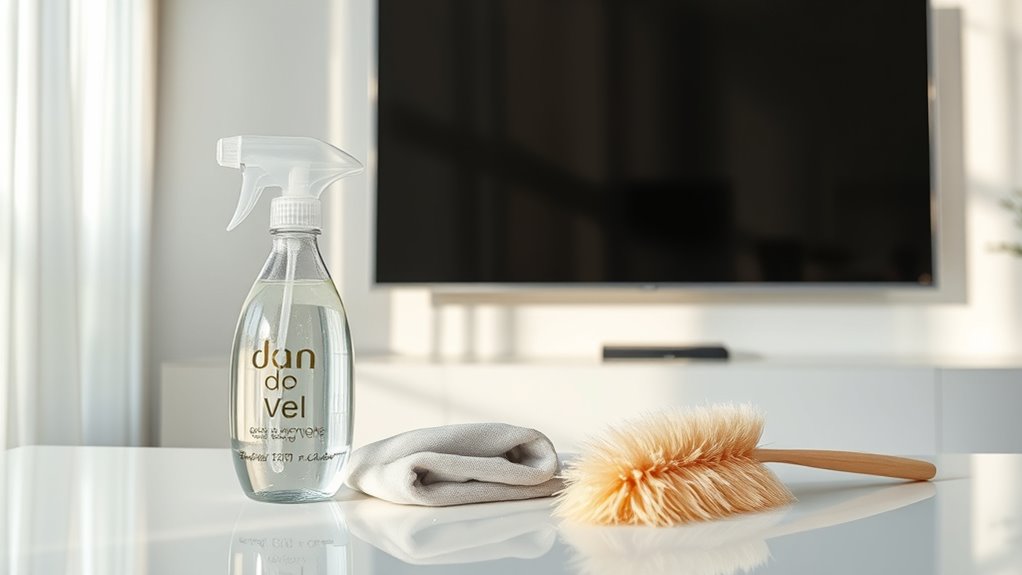

To clean and maintain your TV or monitor, use a microfiber cloth and a gentle, screen-safe cleaner. Always turn off and unplug your device before cleaning and use circular motions to avoid scratches. For stubborn smudges, slightly dampen the cloth, never spray directly on the screen. Regularly adjust settings for ideal viewing, keep dust away, and check cables for damage. With these practices, you can enhance clarity and extend your device’s lifespan. There’s much more to discover!
Understanding Screen Types and Their Cleaning Needs
When it comes to cleaning your TV or monitor, understanding the type of screen you have is vital, as each requires different care to avoid damage. Whether you’ve got an LCD, OLED, or LED screen technology, knowing the nuances can save you headaches down the line. For instance, LCD screens often tolerate gentle cleaning solutions, while OLEDs require even more careful handling due to their delicate nature. It’s important to check the cleaning compatibility of your screen type with any products you plan to use. Avoid abrasive cloths and harsh chemicals, as they can ruin your screen. By tailoring your cleaning approach to your specific screen technology, you’ll guarantee a clearer view and extend the life of your device.
Essential Cleaning Tools and Supplies
When it comes to cleaning your TV or monitor, having the right tools is vital. A microfiber cloth is essential for preventing scratches while safely removing dust and smudges. Additionally, using safe cleaning solutions guarantees you won’t damage the screen’s surface during the process.
Microfiber Cloth Importance
Microfiber cloths are a must-have for anyone looking to keep their TV or monitor spotless. These cloths offer numerous microfiber benefits, including their ability to trap dust and absorb moisture without scratching surfaces. Made from a blend of polyester and polyamide, microfiber cloth materials are both soft and durable, making them perfect for delicate screens. Unlike traditional cleaning rags, they don’t leave lint or streaks behind, ensuring a crystal-clear view. Plus, their lightweight nature makes them easy to use and store. When you choose microfiber, you’re opting for a cleaning tool that’s effective and gentle, allowing you to maintain the pristine condition of your devices without hassle. Embrace the freedom of a cleaner display with microfiber cloths!
Safe Cleaning Solutions
To keep your TV or monitor in top shape, it’s essential to choose safe cleaning solutions that won’t damage the screen’s surface. Avoid harsh chemicals; instead, opt for natural cleaners that are gentle yet effective. You can create your own solution recipes using simple ingredients like distilled water and white vinegar or a few drops of dish soap mixed with water.
Always test your solution on a small, inconspicuous area first. A soft microfiber cloth is ideal for application, as it won’t scratch the screen. Remember, less is more—don’t soak the cloth, just lightly dampen it. This way, you can maintain your device’s clarity and longevity without compromising its integrity. Happy cleaning!
Step-by-Step Guide to Cleaning Your Screen
Before you start cleaning your screen, it’s important to gather the right supplies to guarantee you do it safely. Using proper cleaning techniques will help you avoid damaging your TV or monitor. Let’s go through the steps to achieve a spotless display without any risk.
Gather Necessary Supplies
Gathering the right supplies is essential for effectively cleaning your TV or monitor without causing damage. A well-prepared supply checklist guarantees you have everything you need for ideal cleaning frequency. Here’s what you should gather:
- Microfiber cloth: Ideal for gentle cleaning without scratching the screen.
- Distilled water: It’s free from minerals that can leave streaks or deposits.
- Screen-safe cleaner: Verify it’s specifically designed for electronics to avoid damage.
With these supplies, you can confidently tackle dust and fingerprints without worrying about harming your screen. Remember, having the right materials at hand helps maintain your device’s clarity and longevity, giving you the freedom to enjoy your viewing experience to the fullest!
Proper Cleaning Techniques
Now that you have your supplies ready, it’s time to clean your TV or monitor effectively. Start by turning off the device and unplugging it; safety first! Use a microfiber cloth for the best screen cleaning techniques. Gently wipe the screen in circular motions, applying minimal pressure to avoid damage. For stubborn spots, slightly dampen the cloth with distilled water or a screen-safe cleaner. Never spray directly on the screen! Follow up with effective dusting methods by using a dry microfiber cloth on the frame and base. This helps remove dust without scratching. Finally, take a moment to admire your crystal-clear screen. Regular cleaning keeps your viewing experience vibrant and enjoyable!
How to Safely Remove Stubborn Smudges
While stubborn smudges can be frustrating, safely removing them from your TV or monitor is entirely achievable with the right approach. First, choose effective cleaning techniques that won’t damage your screen. Start by using a microfiber cloth, slightly dampened with water or a screen-safe cleaner. Gently wipe the area in circular motions to lift stubborn stains.
- Avoid using paper towels; they can scratch your screen.
- Steer clear of harsh chemicals; they may strip away protective coatings.
- Test any cleaner on a small area first to verify compatibility.
Tips for Maintaining Screen Clarity
To keep your TV or monitor displaying crystal-clear images, regular maintenance is essential. One key tip is to adjust your screen brightness according to the room’s lighting. A well-calibrated brightness not only enhances clarity but also reduces eye strain.
Next, consider your viewing distance. Sitting too close can lead to pixelation, while being too far can diminish the visual experience. Aim for a distance that allows you to appreciate the details without strain.
Finally, take a moment to periodically check your screen settings. Ensuring they’re optimized for clarity can make a significant difference. By following these simple tips, you’ll maintain a vibrant, sharp display that elevates your viewing experience. Enjoy those crystal-clear images!
Preventing Dust and Dirt Accumulation
Since keeping your TV or monitor dust-free is essential for maintaining picture quality, it’s important to adopt some preventive measures. Implementing a solid cleaning routine can make a noticeable difference. Here are some tips for effective dust prevention:
- Use a microfiber cloth: It attracts dust without scratching surfaces, ensuring a gentle touch.
- Position your device wisely: Keep it away from high-traffic areas and vents where dust accumulates easily.
- Maintain a clean environment: Regularly vacuum and dust the surrounding area to minimize dust particles settling on your screen.
Protecting Your Device From Scratches
Protecting your device from scratches is essential for preserving its visual appeal and functionality. One of the best ways to guarantee scratch prevention is by using high-quality screen protectors. These thin layers shield your screen from everyday wear and tear, allowing you to enjoy your device without worry.
| Option | Description |
|---|---|
| Tempered Glass | Offers high durability and clarity. |
| Plastic Film | A budget-friendly option with decent protection. |
| Liquid Screen Protector | Creates an invisible shield. |
| Self-Healing Film | Minor scratches heal over time. |
| Anti-Glare Protector | Reduces glare while protecting the screen. |
Consider investing in a screen protector that suits your lifestyle, and you’ll keep your device looking new for years to come!
Best Practices for Regular Maintenance
Regular maintenance is key to keeping your TV or monitor in top shape and guaranteeing peak performance. By following a few best practices, you can enjoy a stunning visual experience for years to come.
- Perform regular screen calibration to guarantee excellent picture quality.
- Check for and install software updates to keep your device running smoothly.
- Dust and clean your screen and surrounding areas regularly to prevent buildup.
Staying on top of these tasks not only enhances your viewing experience but also extends the lifespan of your device. A little effort goes a long way; by integrating these maintenance habits into your routine, you’ll keep your TV or monitor performing at its best, allowing you to fully enjoy your favorite shows and games.
When to Seek Professional Help
While it’s often possible to handle minor issues with your TV or monitor on your own, there are times when seeking professional help becomes essential. If you’re struggling with persistent problems like screen flickering, dead pixels, or unusual sounds, it’s time to reflect on professional services. Identifying issues can be tricky, and a technician has the tools and expertise to diagnose and fix problems safely. Here’s a quick guide to help you decide when to call for help:
| Issue Type | DIY Fixes | Professional Services |
|---|---|---|
| Screen Flickering | Check connections | Hardware repair |
| Dead Pixels | Pixel massage | Panel replacement |
| Unusual Sounds | Check settings | Internal inspection |
| Overheating | Clean vents | Thermal paste application |
| Color Distortion | Reset settings | Calibration and repair |
Frequently Asked Questions
Can I Use Vinegar or Alcohol to Clean My Screen?
When cleaning your screen, think twice before reaching for vinegar; while it’s effective, alcohol can pose risks, potentially damaging delicate surfaces. Stick to safer options to keep your display shining without worries.
How Often Should I Clean My TV or Monitor?
You should clean your TV or monitor every few months, depending on dust and fingerprints. Regular maintenance tips include checking for smudges and using proper cleaning methods to guarantee longevity and ideal viewing experience.
Is It Safe to Clean While the Screen Is On?
It’s not safe to clean a screen while it’s on. Turn it off first to avoid damage and guarantee better visibility. Use gentle cleaning techniques to maintain screen safety and keep your display looking great.
What Should I Avoid Using When Cleaning My Screen?
When cleaning your screen, steer clear of commercial cleaners and anything abrasive. Instead, opt for microfiber cloths, as they’re gentle yet effective, ensuring your screen stays pristine without risking damage. Keep it smooth and safe!
Can Screen Protectors Help Reduce Cleaning Frequency?
Screen protector benefits include reducing cleaning frequency by preventing dust and smudges from directly contacting your screen. This means less hassle for you, keeping your display clearer and minimizing the need for frequent cleanings.
