
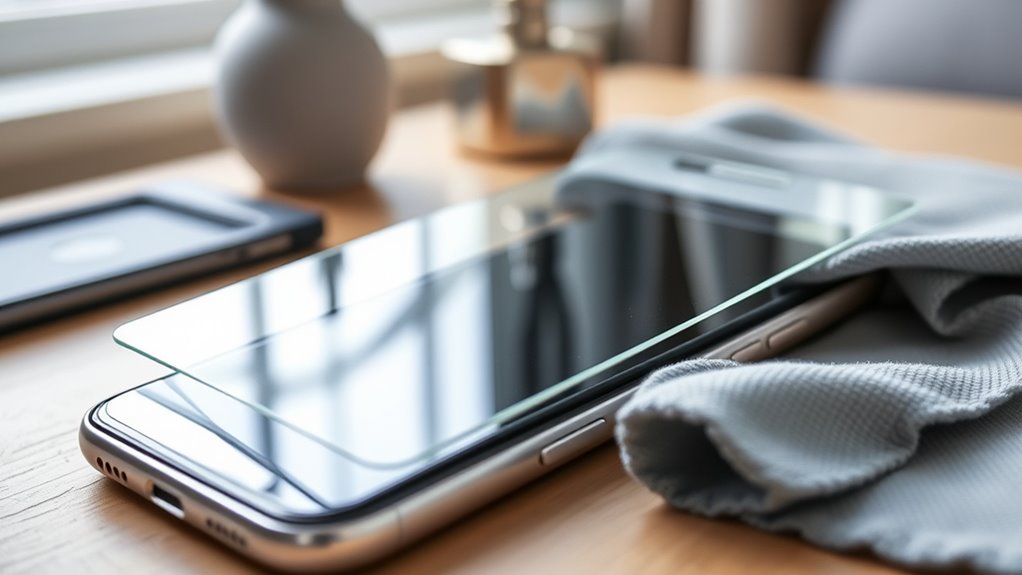

To protect your screens from scratches and damage, invest in a quality screen protector, preferably tempered glass. Opt for devices with Gorilla Glass for added durability. Don’t forget to use protective cases to shield against drops and daily wear. Keep your screens clean with a microfiber cloth to maintain clarity, and be mindful of where you place your devices. Avoid sharp objects nearby. Want more tips on maintaining your screens? There’s plenty more to discover!
Invest in Quality Screen Protectors
When it comes to protecting your screens, investing in quality screen protectors is essential. You want something that’s tough, reliable, and made from premium materials. Look for tempered glass or high-grade plastic that can withstand scratches and impacts. These materials not only shield your screen but also maintain clarity and touch responsiveness, ensuring you don’t sacrifice usability for protection.
Additionally, pay attention to installation techniques. A simple, bubble-free installation can make all the difference; some brands even offer helpful tools or kits for that perfect fit. When you take the time to choose the right protector, you’re not just safeguarding your device—you’re preserving your freedom to use it without worry. Protect your investment and enjoy your screen’s longevity!
Use Protective Cases
While screen protectors are a great start, using protective cases can enhance your device’s defense against drops and daily wear. With a variety of case materials and styles available, you can find one that fits your lifestyle and offers ideal protection. Here’s a quick comparison to help you choose:
| Case Style | Material | Protection Level |
|---|---|---|
| Slim Case | Silicone | Moderate |
| Rugged Case | Polycarbonate | High |
| Wallet Case | Leather | Moderate |
Choosing the right case not only provides security but also reflects your personal style. So, don’t overlook this vital accessory—invest in a protective case, and you’ll enjoy the freedom of using your device without constant worry about damage.
Keep Screens Clean
Regularly keeping your screens clean not only enhances visibility but also extends their lifespan. A simple routine of screen cleaning can make a big difference. Here are a few easy steps to guarantee effective dust removal:
Keeping your screens clean boosts visibility and longevity—simple cleaning routines can make a significant impact.
- Use a microfiber cloth: It’s gentle and effective for wiping away smudges and dust without scratching the screen.
- Avoid harsh chemicals: Stick to water or specialized screen cleaners to prevent damage to your device.
- Clean regularly: Make it a habit to wipe down your screens daily or weekly to maintain clarity.
Be Mindful of Where You Place Your Devices
When it comes to protecting your screens, where you place your devices matters more than you might think. Creating designated storage spaces and avoiding hazardous surfaces can go a long way in preventing damage. Plus, using protective cases adds an extra layer of security, keeping your devices safe from everyday mishaps.
Designated Storage Spaces
Creating designated storage spaces for your devices can greatly reduce the risk of screen damage. By having a specific spot for each device, you’ll not only keep your screens safe but also make your life a little easier. Here are some protective solutions to take into account:
- Use padded cases for when you’re on the go, keeping screens shielded from bumps.
- Dedicated shelves or drawers can prevent clutter and accidental drops, ensuring your devices rest safely.
- Cable organizers help keep cords tidy and away from screens, reducing the chance of scratches.
Avoid Hazardous Surfaces
Even with designated storage spaces, where you place your devices plays a significant role in protecting their screens. Avoid placing them on hazardous surfaces like concrete, metal tables, or even the ground, as these can easily lead to scratches or cracks. Instead, opt for soft, stable areas, like a cushioned desk or a dedicated pouch. It’s important to think about potential hazards in your environment, like kids, pets, or even your own clumsiness. You don’t have to live in a bubble, but being mindful of where you set your devices is a key protective measure. By taking these precautions, you can enjoy the freedom of using your devices without constantly worrying about screen damage.
Use Protective Cases
Using a protective case is one of the simplest yet most effective ways to safeguard your device’s screen. Not only does it shield your device from scratches, but it can also enhance its overall look. When choosing a case, consider both case materials and design aesthetics to find the perfect balance between protection and style.
Here are a few things to keep in mind:
- Material Durability: Look for cases made from robust materials like silicone or polycarbonate.
- Design Compatibility: Choose a design that complements your lifestyle and personal style.
- Functionality: Verify the case allows easy access to buttons and ports without sacrificing protection.
Avoid Using Sharp Objects Near Screens
Screens are delicate and can easily be damaged, so keeping sharp objects away from them is essential. You might not realize how everyday items like pens, keys, or even your fingernails can scratch the surface, leading to costly repairs. Cultivating sharp object awareness in your environment can save you a lot of hassle. When you’re working or relaxing, make it a habit to store sharp objects well away from your screen. Consider using a designated area for these items, ensuring they’re out of reach. These simple screen safety tips can enhance the longevity of your devices. By taking a few precautions, you can enjoy your screen without the constant worry of accidental damage. Freedom from scratches is just a mindful choice away!
Use Microfiber Cloths for Cleaning
When it comes to cleaning your screens, using microfiber cloths is a game-changer. They’re designed to trap dirt and dust without scratching, ensuring your devices stay spotless. Let’s explore the benefits, proper techniques, and common mistakes to avoid for the best results.
Benefits of Microfiber Cloths
Microfiber cloths are a game-changer for keeping your screens spotless. When it comes to protecting your devices, the microfiber benefits are hard to ignore. They enhance your cleaning efficiency and offer several advantages:
- Gentle on Screens: They won’t scratch or damage your display, ensuring a pristine look.
- Highly Absorbent: Microfiber can hold up to seven times its weight in water, making spills a breeze to clean.
- Dust and Dirt Magnet: Their unique fibers trap dust and debris, leaving surfaces cleaner than traditional cloths.
Using microfiber cloths not only keeps your screens looking great but also extends their lifespan. By choosing them for your cleaning routine, you’re investing in a better, more effective way to protect your valuable devices.
Proper Cleaning Techniques
To keep your devices in top shape, it is essential to master the proper cleaning techniques, especially when using microfiber cloths. Start by using a dry microfiber cloth for initial screen cleaning; it effectively lifts dust and smudges without scratching. If stains persist, lightly dampen the cloth with a safe cleaning solution—avoid harsh chemicals that could damage your screen. Gently wipe in circular motions, applying minimal pressure to prevent any harm. Always make sure your device is powered off and unplugged while cleaning to avoid any electrical issues. By adopting these simple practices, you’ll maintain your screen’s clarity and extend its lifespan, allowing you the freedom to enjoy your device without worrying about scratches or damage.
Avoiding Common Mistakes
While it may seem straightforward, using microfiber cloths for cleaning screens can lead to common mistakes that might damage your devices. To guarantee proper screen care and effective damage prevention, keep these tips in mind:
- Use a clean cloth: Always start with a fresh microfiber cloth to avoid transferring dirt and grime.
- Avoid harsh cleaners: Stick to water or screen-safe solutions; harsh chemicals can harm your screen’s coating.
- Don’t apply too much pressure: Gentle cleaning is key; pressing too hard can scratch or damage the surface.
Implement a No-Phone Zone
Creating a No-Phone Zone in your home or workspace can greatly reduce the risk of screen damage and distractions. By designating specific areas where phones aren’t allowed, you’ll encourage phone-free moments that promote focus and creativity. This simple change not only protects your device but also fosters a healthier relationship with technology. Think of it as a mini digital detox; you’ll find yourself more present and engaged in the moment. Whether it’s during meals, meetings, or relaxation time, keeping your phone out of reach can considerably lower the chances of accidental drops or scratches. Embrace this freedom from screens, and watch how it enhances both your environment and well-being. Your devices—and your peace of mind—will thank you!
Choose Devices With Gorilla Glass
When you’re picking a new device, consider opting for one with Gorilla Glass. This durable glass composition not only offers impressive scratch resistance but also features advanced impact protection technology. By choosing Gorilla Glass, you’re investing in a screen that can withstand the rigors of daily life.
Durable Glass Composition
Smartphone screens are often the first casualty of everyday accidents, making the choice of durable glass essential. When you opt for devices with Gorilla Glass, you’re investing in a combination of glass durability and impact resistance that can keep your screen safe from unexpected drops and bumps. Here’s what you get:
- Enhanced Strength: Gorilla Glass is engineered to withstand higher impact forces than standard glass.
- Longer Lifespan: With its robust composition, your device’s screen can last longer, reducing the need for replacements.
- Sleek Design: Despite its toughness, Gorilla Glass maintains a slim profile, allowing for a sleek look without sacrificing protection.
Choosing the right glass composition means you can enjoy your device without the constant worry of damage.
Scratch Resistance Features
Although scratches can seem minor, they can greatly detract from your device’s appearance and functionality. That’s why choosing devices equipped with Gorilla Glass is a smart move. This advanced material incorporates scratch resistant coatings that enhance durability, ensuring your screen stays pristine longer. Gorilla Glass isn’t just tough; it’s engineered to withstand everyday wear and tear while maintaining clarity. When you invest in devices featuring this technology, you’re taking a proactive step in protecting your screen from unsightly scratches. Additionally, the sleek design doesn’t compromise aesthetics, giving you freedom to enjoy your device without worry. So next time you’re shopping for a new gadget, prioritize those with Gorilla Glass to keep your screen looking as good as new.
Impact Protection Technology
While scratch resistance is important, impact protection is equally essential for safeguarding your device. Choosing devices with Gorilla Glass can make a significant difference in your screen’s longevity. This advanced technology offers unparalleled benefits:
- Impact Resistance: Gorilla Glass is designed to withstand drops and impacts, minimizing the risk of cracks.
- Shock Absorption: The material absorbs shocks, protecting your device from everyday accidents.
- Durability: It’s engineered to resist damage, ensuring your screen stays clear and vibrant.
Regularly Inspect and Maintain Devices
To keep your devices in top shape, it is essential to regularly inspect and maintain them. Start with a thorough screen inspection; check for scratches, cracks, or smudges that could worsen over time. Addressing these issues early can save you from costly repairs or replacements down the line. During your device maintenance routine, consider cleaning your screens with appropriate materials to avoid damaging protective coatings. Don’t forget to check ports and buttons for debris or wear, guaranteeing everything functions smoothly. Regular inspections help you stay ahead of potential problems and make certain your devices remain reliable companions in your daily life. With a little effort, you can enjoy the freedom of well-maintained devices that serve you well.
Educate Yourself on Screen Care Best Practices
Understanding how to care for your screens is essential, especially since they’re often the most vulnerable part of your devices. With a little knowledge, you can keep your screens looking pristine. Here are some screen care maintenance tips to help you out:
- Clean Regularly: Use a microfiber cloth and gentle cleaner to wipe away smudges and dust.
- Avoid Sharp Objects: Keep your screen away from pens, keys, and anything that could cause scratches.
- Use a Screen Protector: Invest in a quality screen protector to shield against impacts and scratches.
Frequently Asked Questions
Can Screen Protectors Affect Touch Sensitivity?
You might think a screen protector could turn your device into a clunky brick! Thankfully, with the right thickness, it won’t affect touch response much. Just choose wisely, and you’ll enjoy seamless interaction and protection.
How Often Should I Replace My Screen Protector?
You should replace your screen protector every six to twelve months, depending on its lifespan and wear. Regular checks guarantee ideal protection, keeping your device safe and maintaining that touch sensitivity you love. Don’t wait too long!
Do All Devices Need Screen Protectors?
Did you know that 80% of smartphone users experience screen damage? Not all devices need screen protectors, but understanding the various screen protector types and their device compatibility can help you decide what’s best for yours.
What Are the Signs of a Scratched Screen?
You might notice decreased screen visibility, especially in bright light, or feel rough textures when swiping. To avoid these issues, practicing scratch prevention techniques can help keep your device looking pristine and functional for longer.
Can I Use Regular Cloths for Screen Cleaning?
Using regular cloths is like painting with a worn-out brush; you’ll likely smear dirt instead of cleaning. Microfiber cloths paired with gentle cleaning solutions are your best tools for a crystal-clear, scratch-free screen.
