
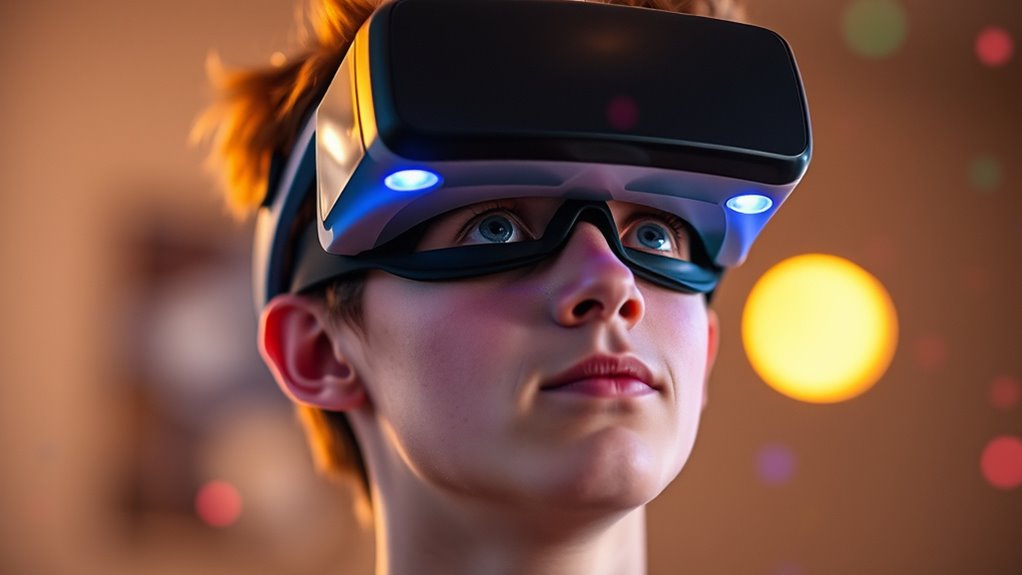

To guarantee your eyes stay healthy while using VR headsets, prioritize comfort and adjust your settings. Choose a headset with high-quality lenses and adjustable interpupillary distance. Take regular breaks to rest your eyes, following the 20-20-20 rule. Maintain a proper viewing distance for peak clarity and avoid glare. Incorporating eye exercises can relieve strain and enhance your experience. There’s more to explore on how to maximize your VR use and protect your vision effectively.
Understanding Eye Strain in Virtual Reality
As you immerse yourself in virtual reality (VR), you may not realize that prolonged exposure can lead to eye strain, a condition that affects many users. The causes of eye strain often stem from extended focus on screens and inadequate lighting, which can be exacerbated in a VR environment. Symptoms of discomfort may include dryness, fatigue, blurred vision, and headaches. These physical responses occur when your eyes struggle to maintain focus on the virtual images, leading to muscle fatigue. It’s essential to take regular breaks and adjust your headset for ideal fit and clarity. By understanding the implications of eye strain in VR, you can enjoy your immersive experience while prioritizing your eye health and overall comfort.
Choosing the Right VR Headset for Eye Comfort
When selecting a VR headset, lens quality is essential for minimizing visual distortion and enhancing clarity. You’ll also want to take into account adjustable interpupillary distance (IPD) settings, as they guarantee ideal alignment with your eyes. Finally, the headset’s weight and overall comfort can greatly impact your experience and help reduce fatigue during extended use.
Lens Quality Importance
Selecting the right VR headset involves more than just considering its features; lens quality plays an essential role in ensuring eye comfort during extended use. High-quality lens materials can greatly reduce distortion effects, which are vital for maintaining visual clarity and immersion. Look for lenses made from premium materials like high-index glass or advanced plastics, as they minimize chromatic aberration and enhance overall image fidelity. Poor lens quality can lead to discomfort and fatigue, detracting from your experience. Make sure to evaluate the lens coatings as well; anti-reflective and anti-scratch treatments can further improve visual comfort. By prioritizing lens quality, you’re taking an important step toward ensuring your eyes remain healthy and comfortable while enjoying virtual reality.
Adjustable IPD Settings
Lens quality isn’t the only factor that affects your eye comfort in virtual reality; adjustable interpupillary distance (IPD) settings are equally important. IPD refers to the distance between your eyes, and adjusting it guarantees the images align correctly with your vision. If the IPD isn’t set properly, you may experience discomfort or visual strain during prolonged use. Most modern VR headsets offer adjustable IPD settings, allowing you to customize your experience. By finding the right setting, you can enhance your immersion and maintain ideal comfort levels, reducing the risk of eye fatigue. Make sure to test different settings when trying on a headset to pinpoint the best configuration for your unique facial structure. Your eyes will thank you!
Weight and Comfort
Weight plays an essential role in your comfort during VR sessions, and finding a headset that balances lightweight design with adequate support can greatly enhance your experience. A headset’s weight directly affects how long you can wear it without discomfort. Heavier models may cause fatigue, while lighter ones often provide a more enjoyable experience.
Consider comfort features like adjustable straps, cushioning, and weight distribution, which can considerably impact your overall usage. Look for headsets that offer breathable materials to reduce heat build-up, as this can further enhance your comfort. By prioritizing headset weight and integrated comfort features, you’ll guarantee that your VR adventures remain immersive and enjoyable, allowing you to focus on the experience rather than discomfort.
Adjusting Your VR Settings for Optimal Vision
To achieve ideal vision in VR, you’ll need to adjust several key settings. Start by fine-tuning the screen brightness to reduce eye strain, then set the best distance between your eyes and the display. Finally, configuring the refresh rate can enhance visual clarity and guarantee a smoother experience.
Adjusting Screen Brightness
While immersing yourself in virtual reality, adjusting the screen brightness is essential for maintaining ideal vision and reducing eye strain. Begin by considering the ambient lighting in your environment; a well-lit room can help minimize screen glare. If you’re in a bright space, increase the brightness of your headset to counteract the glare and maintain clarity in your visuals. Conversely, in darker settings, lower the brightness to prevent excessive strain on your eyes. Use the VR headset’s settings to find a comfortable level that feels natural. Remember, the goal is to create a balance that enhances your experience while safeguarding your vision. Regularly reassess your brightness settings to adapt to changing lighting conditions for maximum comfort.
Setting Optimal Distance
Adjusting the distance between your eyes and the VR display is essential for achieving ideal vision and comfort during extended use. For best viewing, you’ll want to verify that your headset is correctly fitted, allowing for accurate distance calibration. This not only enhances your immersion but also reduces eye strain. Start by positioning the headset snugly against your face, adjusting the interpupillary distance (IPD) to match your eye spacing. This calibration helps align the lenses with your eyes, preventing discomfort. Regularly reassess the distance as you use the headset, especially if you’re sharing it with others. By maintaining this best distance, you can enjoy longer sessions without compromising your eye health or overall experience.
Configuring Refresh Rate
After ensuring the best distance for your VR headset, configuring the refresh rate is another important step for enhancing your visual experience. The refresh rate, measured in hertz (Hz), dictates how smoothly your VR display technology renders images. A higher refresh rate, like 90Hz or more, reduces motion blur and enhances fluidity, making your experience more immersive and comfortable. Adjust your settings to match your headset’s capabilities and your personal preference, as lower rates can lead to discomfort or motion sickness. Typically, you’ll find refresh rate options in the VR settings menu. Experiment with different rates to find what feels best for you, ensuring a clear and enjoyable visual experience while minimizing eye strain during extended use.
Taking Breaks: The Importance of Resting Your Eyes
When using VR headsets, you may not realize how essential it is to take regular breaks to rest your eyes. Prolonged exposure can lead to screen fatigue, diminishing your overall experience. To combat this, incorporate eye relaxation techniques into your routine. Every 20 minutes, take a moment to look away from the screen and focus on a distant object for at least 20 seconds. This simple practice helps reduce strain and promotes recovery. Additionally, consider setting a timer for longer breaks every hour to fully relax your eyes. By prioritizing these breaks, you empower yourself to enjoy VR sessions without compromising your eye health, ensuring a more immersive and comfortable experience. Your vision deserves this freedom from fatigue.
Maintaining Proper Viewing Distance and Position
Proper viewing distance and position are essential for maximizing your VR experience while protecting your eye health. To minimize screen glare, make sure your headset is positioned at the right angle relative to your eyes. Ideally, the VR display should be about an arm’s length away, allowing for a comfortable viewing angle that reduces strain. Adjust the headset so it fits snugly on your face, aligning the lenses with your pupils. This alignment not only enhances visual clarity but also guarantees that peripheral vision isn’t compromised, which helps prevent discomfort during prolonged use. Regularly check your setup for ideal distance and angle, as improper positioning can lead to fatigue and visual disturbances, ultimately detracting from your immersive experience.
Incorporating Eye Exercises Into Your VR Routine
Maintaining an ideal viewing distance and position sets the stage for a more enjoyable VR experience, but integrating eye exercises into your routine can further enhance eye health. Incorporating eye yoga and vision training can help alleviate strain and improve focus. Here are some effective exercises to take into account:
- Palming: Rub your hands together and gently cup your palms over closed eyes.
- Focus Shifting: Alternate your gaze between a near object and a distant one.
- Eye Rolls: Rotate your eyes in circular motions to relieve tension.
- Blinking: Practice conscious blinking to keep your eyes moist.
- Distance Gazing: Spend a few minutes looking at distant objects to relax your eyes.
Regularly practicing these exercises can promote overall visual comfort while using VR headsets.
Frequently Asked Questions
Can Children Safely Use VR Headsets for Extended Periods?
Children can use VR headsets safely, but age recommendations matter. Think of them as a bridge; parental supervision guarantees they cross safely. Extended use without breaks can strain their eyes, so moderation’s key.
Do VR Headsets Cause Long-Term Vision Damage?
VR headsets don’t inherently cause long-term vision damage, but improper use can affect vision safety. To maintain eye protection, take regular breaks, adjust settings, and guarantee proper headset fit to minimize strain during extended use.
How Do VR Headsets Affect Those With Existing Eye Conditions?
VR headsets can exacerbate existing eye conditions, leading to visual discomfort. If you have conditions like strabismus or amblyopia, prolonged use might worsen symptoms. It’s crucial to consult an eye care professional before use.
Are There Specific VR Headset Brands Better for Eye Health?
Oculus Quest and Valve Index offer adjustable settings for better focus, reducing eye strain. HTC Vive provides high-resolution displays, while Pico Neo emphasizes ergonomics. Each brand has unique features that can enhance your visual comfort in VR.
What Are the Signs of Vr-Related Eye Strain?
You might experience eye fatigue, visual discomfort, headaches, or blurred vision after extended VR use. If these symptoms occur, it’s essential to take breaks and adjust your headset settings to reduce strain on your eyes.
