
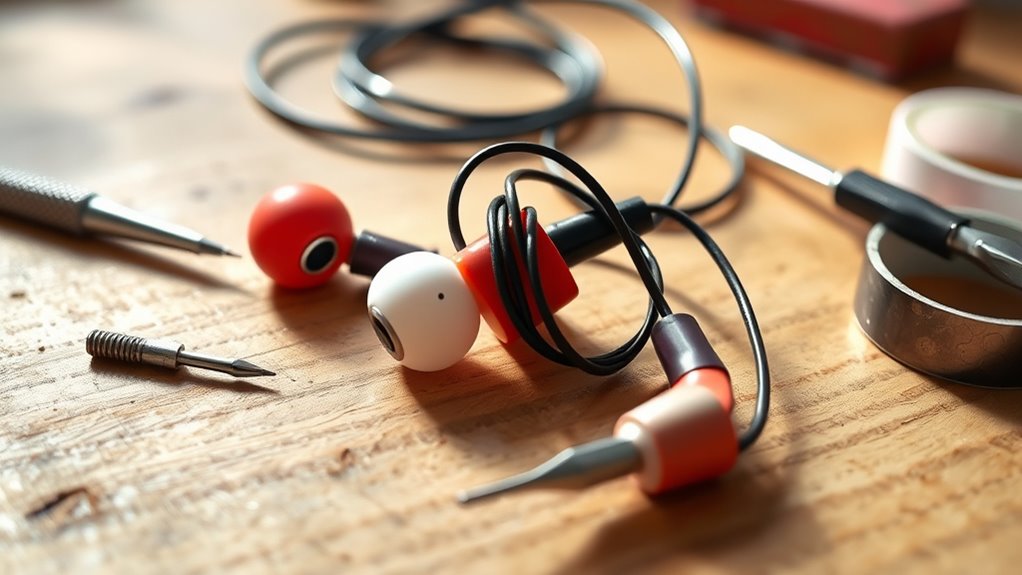

To fix your earbuds, inspect the cables for any frays or breaks that might affect audio quality. Clean the audio jack and earbud tips to remove dirt that can cause connectivity issues. Check your Bluetooth connection if you’re using wireless earbuds; ensuring they’re charged and within range can help. Balance audio settings to correct sound imbalances. If you find physical damage, you may need to repair or replace components. Discover deeper solutions further along.
Identifying Common Earbud Issues
When your earbuds suddenly stop working, what could be the cause? First, consider the cable integrity. Frays or breaks can disrupt connectivity, impacting both earbud longevity and sound quality. Next, check the audio jack; dirt or damage can hinder proper connection. If you’re using wireless earbuds, verify the battery’s charged and the Bluetooth connection is stable. Also, inspect the drivers; any physical damage can lead to sound distortion or complete failure. Finally, environmental factors like moisture can affect functionality. Each of these issues can compromise your listening experience, so identifying the root cause is essential. By troubleshooting these common problems, you can restore your earbuds to peak performance, enhancing your freedom to enjoy music without interruption.
Cleaning Your Earbuds for Better Sound
To maintain ideal sound quality, it’s crucial to remove earwax buildup from your earbuds regularly. Using proper cleaning tools, such as a soft brush and isopropyl alcohol, can help prevent audio distortion caused by debris. A clean connection guarantees a better listening experience and prolongs the lifespan of your earbuds.
Remove Earwax Buildup
How often should you clean your earbuds to guarantee ideal sound quality? Regular earwax removal is essential to maintaining crisp audio performance. Aim to clean your earbuds at least every two weeks, or more frequently if you notice a decrease in sound quality.
Here’s a quick reference for cleaning techniques:
| Cleaning Method | Frequency | Effectiveness |
|---|---|---|
| Wipe with a microfiber cloth | Every use | Removes surface grime |
| Use a soft brush | Bi-weekly | Clears earwax buildup |
| Rinse in warm water | Monthly | Deep cleans components |
Use Proper Cleaning Tools
Using the right tools is essential for effectively cleaning your earbuds and ensuring ideal sound quality. Start with a soft, lint-free cloth to wipe down the exterior. For stubborn grime, use a mild cleaning solution—preferably a 70% isopropyl alcohol mix. Avoid soaking the earbuds; instead, apply the solution to the cloth. Utilize a soft-bristled brush to gently dislodge debris from the mesh screens. Make sure to employ proper techniques: angle the brush to prevent pushing dirt further in. For silicone tips, warm soapy water works wonders—just rinse thoroughly and let them dry completely. By using these tools and techniques, you’ll maintain your earbuds’ performance and prolong their lifespan, giving you the freedom to enjoy your music without interruption.
Fixing Sound Imbalance Problems
If you’re experiencing sound imbalance in your earbuds, the first step is to check your audio settings for any balance adjustments. Next, inspect the connections of each earbud to guarantee they’re securely plugged in and free of debris. These simple checks can often resolve the issue before considering more complex repairs.
Check Audio Settings
Have you ever noticed that one earbud sounds quieter than the other? This imbalance could stem from your audio settings. First, check your device’s audio levels. Go to the sound settings and verify that the balance slider is centered; if it’s skewed to one side, it can drastically affect sound quality. Additionally, look for any equalizer settings that might favor certain frequencies, which can also create an uneven listening experience. If you’re using a music app, check its internal settings, as they may have their own balance adjustments. Sometimes, simple tweaks here can restore that rich sound quality you expect from your earbuds, allowing you to enjoy your music without distraction.
Inspect Earbud Connections
Inspecting earbud connections is essential when addressing sound imbalance issues. Begin by checking the connection types; verify your earbuds are fully plugged into the device. Loose or damaged connections can lead to uneven sound distribution. Next, examine the cable durability. Look for frays, kinks, or exposed wires, as these can compromise audio quality. If you notice any damage, it’s important to repair or replace the cable to restore balance. Additionally, clean the jack and earbud tips to eliminate debris that might obstruct sound flow. By meticulously inspecting these aspects, you can effectively troubleshoot sound imbalances and enjoy a more harmonious listening experience, giving you the freedom to immerse yourself in your favorite audio without distractions.
Resolving Connectivity Issues
While connectivity issues can be frustrating, addressing them often involves a few straightforward steps. Start by checking for Bluetooth interference, as this can greatly affect signal strength.
- Verify your earbuds are within range of the device.
- Disconnect and reconnect your Bluetooth connection.
- Restart both your earbuds and the device.
- Check for any software updates for your earbuds or device.
- Eliminate potential sources of interference, like other Bluetooth devices or Wi-Fi routers.
Repairing Physical Damage to Earbuds
If you’ve resolved connectivity issues but still experience problems with your earbuds, physical damage might be the cause. Start by inspecting the cables for frays or breaks; if you find any, you’ll likely need to solder wires to restore functionality. Carefully strip the insulation from the damaged section, making sure you don’t cut into the wires themselves. Twist the strands together and solder them securely, applying heat shrink tubing for insulation. If the sound quality is poor or nonexistent, the drivers may be damaged. Replacing drivers is a more advanced task, requiring disassembly of the earbuds. Verify you match the specifications of the original drivers for peak performance. With patience and precision, you can breathe new life into your earbuds.
Preventive Maintenance Tips
Regular maintenance can greatly extend the lifespan of your earbuds. By practicing preventive care and conducting regular inspections, you can avoid costly repairs down the line. Here are some tips to guarantee your earbuds remain in peak condition:
- Clean them regularly to prevent debris buildup.
- Store them properly in a case to avoid tangling and damage.
- Avoid exposure to moisture—keep them dry during workouts or rainy days.
- Check the wiring for frays or damage periodically.
- Adjust the volume to prevent speaker strain and maintain sound quality.
When to Consider Replacement Options
Knowing when to evaluate replacement options for your earbuds can save you time and money, especially when repairs become impractical. If you notice persistent sound issues despite troubleshooting, it’s a sign to contemplate replacement. Assess the replacement cost versus potential repair expenses; if repairs exceed half the cost of new earbuds, opt for a replacement. Additionally, if your earbuds lack modern upgrade features like noise-cancellation or improved battery life, it might be worth investing in a new model that enhances your listening experience. Keep in mind that frequent cable fraying or connectivity issues can indicate a need for replacement. Ultimately, weigh the benefits of new technology against the inconveniences of ongoing repairs to make an informed decision.
Frequently Asked Questions
Can I Use a Different Cable for My Earbuds?
Yes, you can use a different cable for your earbuds, but make certain it’s compatible. Mismatched cables might degrade audio quality, affecting sound clarity. Always check specifications to maintain ideal performance and achieve the best listening experience.
How Do I Know if My Earbuds Are Waterproof?
Determining if your earbuds are waterproof’s like checking a lifeguard’s certification. Look for their waterproof rating, typically indicated by an IPX code. Regular earbud maintenance guarantees longevity, but always verify specifications to avoid damage.
What Materials Are Safe for Cleaning Earbuds?
For cleaning earbuds, use isopropyl alcohol or gentle soap solutions with a soft cloth. Safe tools like microfiber cloths and soft brushes guarantee effective cleaning without damaging components, preserving sound quality and longevity.
Can I Repair My Earbuds With Household Items?
Yes, you can repair your earbuds with household items. For effective earbud maintenance, consider using tape for loose connections, a cotton swab for cleaning, or a small screwdriver for tightening screws during DIY repairs.
How Long Should Earbuds Typically Last?
Earbuds typically last about 1 to 3 years, depending on their earbud lifespan and durability factors. Frequent use, exposure to moisture, and handling can greatly affect their performance and longevity, so handle them with care.
