
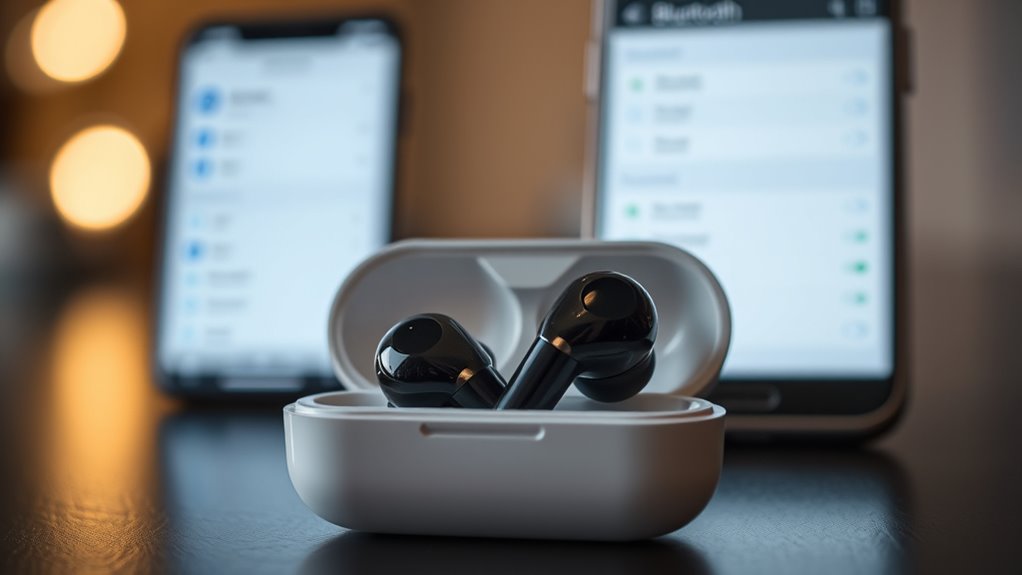

To pair your earbuds, start by charging them fully and turning them on. Put them in pairing mode, usually by pressing and holding the power button. Next, go to your device’s Bluetooth settings and toggle Bluetooth on to make it discoverable. Look for your earbuds in the device list and select them to complete the pairing process. If you encounter any issues, there are simple troubleshooting steps that can help you.
Understanding Bluetooth Technology
Although you might not realize it, Bluetooth technology is the backbone of wireless audio devices like earbuds. At its core, Bluetooth basics allow devices to communicate without wires, offering you the freedom to move without being tethered. This wireless technology uses radio waves to transmit audio signals between your earbuds and connected devices, like smartphones and laptops. With a range typically around 30 feet, you can enjoy your favorite tunes or podcasts while staying active. The beauty of Bluetooth lies in its simplicity; once paired, your earbuds automatically connect to your device, making it hassle-free. Understanding how Bluetooth works can enhance your listening experience, ensuring you get the most out of your wireless audio gear.
Preparing Your Earbuds for Pairing
Before you can enjoy your favorite music or podcasts, you’ll need to prepare your earbuds for pairing. First, check your device’s earbud compatibility. Make sure your earbuds are designed to connect with your device, whether it’s a phone, tablet, or computer. Second, fully charge your earbuds. Low battery can hinder effective pairing and lead to frustration. Finally, familiarize yourself with the different pairing methods available. Most earbuds support standard Bluetooth pairing, but some might offer quick-connect features or app-based connections. By following these steps, you’ll set yourself up for a smooth pairing experience. With everything ready, you’ll be just moments away from diving into your audio world!
Activating Pairing Mode on Your Earbuds
To start pairing your earbuds, you’ll first need to locate the power button to turn them on. Once they’re powered up, make sure your device’s Bluetooth settings are enabled. This will set the stage for a seamless connection between your earbuds and your device.
Locate Power Button
Finding the power button on your earbuds is essential for activating pairing mode. Knowing the power button location can save you time and frustration. Here’s how to locate it:
- Check the Earbud Design: Look for a raised button or a specific area that’s slightly indented—this often signals the power button.
- Refer to the Manual: If you’re unsure, the user manual typically outlines the button functions and their locations.
- Test the Button: Press and hold the button for a few seconds to see if the earbuds power on or enter pairing mode.
Once you’ve found the power button, you’re one step closer to enjoying your wireless freedom!
Enable Bluetooth Settings
After locating the power button, it’s time to enable your device’s Bluetooth settings to activate pairing mode on your earbuds. Start by exploring the Bluetooth options on your smartphone or tablet—this is usually found in the settings menu. Turn on Bluetooth, and your device will begin searching for available connections. Make sure your earbuds are powered on and in pairing mode; this often involves holding down the power button until you see a blinking light. Once your earbuds appear on the list, select them to pair. Keep in mind that device compatibility can vary, so if you’re having trouble connecting, check the manufacturer’s guidelines for any specific requirements. Enjoy your wireless freedom!
Accessing Bluetooth Settings on Your Device
Accessing Bluetooth settings on your device is a straightforward process that can usually be completed in just a few taps. To guarantee Bluetooth compatibility and prepare for device recognition, follow these steps:
Accessing your device’s Bluetooth settings is quick and easy, allowing for seamless pairing with your earbuds.
- Open Settings: Locate the settings icon on your device’s home screen or app drawer.
- Find Bluetooth: Scroll through the options until you see “Bluetooth”—tap on it to access the Bluetooth menu.
- Toggle On: If Bluetooth isn’t already enabled, switch it on to make your device discoverable.
Once you’ve completed these steps, your device will be ready to recognize your earbuds, paving the way for a seamless pairing experience. Enjoy the freedom of wireless listening!
Finding Your Earbuds in the Device List
Once you’re in the Bluetooth settings, it’s time to check for your earbuds in the device list. Make sure your earbuds are powered on and ready to connect, then scan for available devices. You should see your earbuds pop up, making it easy to pair them with your device.
Checking Bluetooth Settings
Before you can enjoy your music or podcasts, you’ll need to check your Bluetooth settings to find your earbuds in the device list. Confirm your earbuds are on and ready for pairing, then follow these steps for a smooth experience:
- Turn on Bluetooth: Activate Bluetooth on your device to guarantee it’s searching for compatible gadgets.
- Check device visibility: Make sure your earbuds are visible to other devices; this is vital for establishing a connection.
- Look for your earbuds: In the Bluetooth settings, scroll through the list to find your earbuds. They should appear as an option if they’re within range and compatible.
Once you see them, you’re one step closer to enjoying your audio freedom!
Scanning for Devices
With Bluetooth activated and your earbuds ready, it’s time to scan for devices. Open your device’s Bluetooth settings and look for the option to search for new devices. Your earbuds should appear in the list, provided they’re within the Bluetooth range, typically about 30 feet. Keep in mind that device compatibility matters; not all earbuds work with every device. If you don’t see your earbuds immediately, verify they’re in pairing mode—this often involves pressing and holding a button until a light flashes. Once you spot your earbuds, select them from the list, and you’re one step closer to enjoying your favorite tunes. Embrace the freedom of wireless listening!
Completing the Pairing Process
To complete the pairing process, make certain your earbuds are in pairing mode and within range of your device. You’ll want to guarantee device compatibility for a smooth connection. Here are some quick pairing tips to help you out:
Ensure your earbuds are in pairing mode and close to your device for seamless connection.
- Select Your Earbuds: On your device, find your earbuds in the Bluetooth menu and select them.
- Confirm Connection: You might see a prompt asking you to confirm the connection—just tap ‘Yes’ or ‘Connect.’
- Test Sound: Once connected, play some audio to verify everything’s working perfectly.
Troubleshooting Common Pairing Issues
Pairing earbuds can sometimes feel like a puzzle, especially when things don’t go as planned. If you’re facing common issues, like your earbuds not showing up on Bluetooth, try turning them off and back on. Make sure they’re fully charged; low battery can cause connectivity problems. Another tip is to check if they’re connected to another device. Disconnect it to facilitate the pairing process. If you experience audio lag, consider moving closer to the device or restarting both your earbuds and the device. Finally, resetting your earbuds can often resolve persistent issues. Follow these troubleshooting tips, and you’ll be back to enjoying your music in no time!
Maintaining Your Earbuds for Optimal Performance
After troubleshooting those pesky pairing issues, it’s time to focus on keeping your earbuds in top shape. Proper earbud care can boost sound quality and prolong their lifespan. Here are three essential tips:
- Clean Regularly: Wipe down your earbuds with a soft, dry cloth to remove dirt and sweat. Use a cotton swab to clean the speaker mesh gently.
- Store Safely: When not in use, store your earbuds in a protective case to prevent tangles and damage.
- Avoid Extreme Temperatures: Don’t leave your earbuds in hot or cold environments, as this can affect battery life and performance.
Frequently Asked Questions
Can I Connect My Earbuds to Multiple Devices Simultaneously?
You can’t connect your earbuds to multiple devices simultaneously for audio streams. While some earbuds boast multi-device connectivity, they typically switch between devices rather than playing audio from more than one at a time.
How Do I Reset My Earbuds to Factory Settings?
To reset your earbuds to factory settings, hold the power button and volume buttons simultaneously for about ten seconds. This earbud troubleshooting method clears any issues, restoring them to their original state for a fresh start.
What Should I Do if My Earbuds Won’t Turn On?
If your earbuds won’t turn on, check for battery issues first. Try charging them fully. If they still don’t work, consider earbud troubleshooting steps like resetting or checking for software updates to resolve the problem.
Are My Earbuds Compatible With All Bluetooth Devices?
Not all earbuds are compatible with every Bluetooth device. Different earbud types might support various Bluetooth versions. Check your earbud specifications to verify they match your device’s requirements for seamless connectivity and freedom to roam.
How Far Can I Be From My Device While Using My Earbuds?
You can typically enjoy a Bluetooth range of about 30 feet. However, obstacles like walls can weaken the signal strength, so it’s best to keep your device nearby for ideal sound quality and freedom of movement.
