
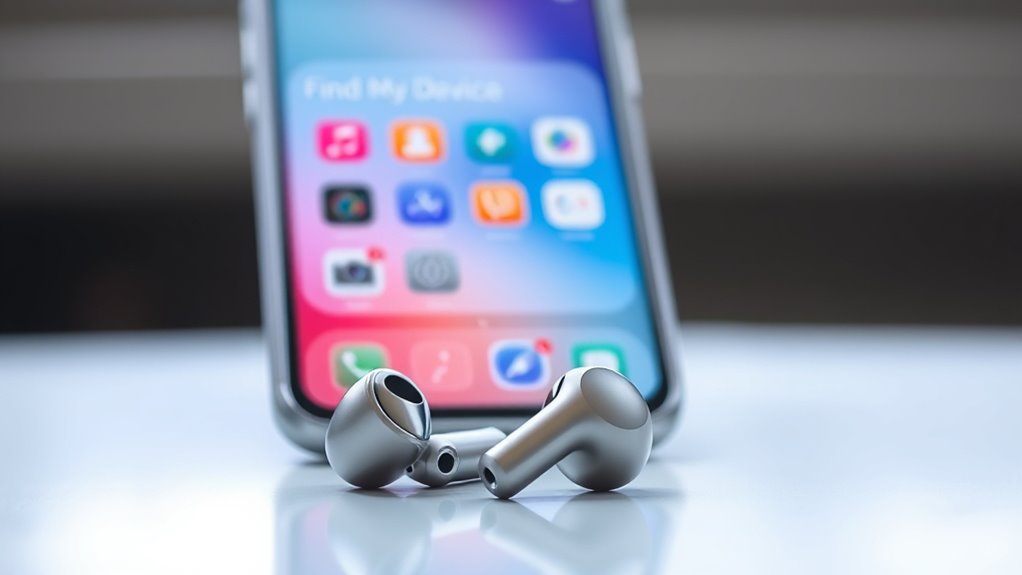

To add your earbuds to Find My Device, first, verify they’re compatible with your phone. For Apple users, just open the lid of your AirPods case near your iPhone and follow the prompts to connect. For Android, activate Bluetooth and check for manufacturer-specific apps to pair your earbuds. Once connected, you can track their location. Keep going to discover tips for troubleshooting and ways to keep your earbuds safe.
Understanding the ‘Find My Device’ Feature
When you misplace your earbuds, the ‘Find My Device’ feature can be a lifesaver, helping you locate them quickly. Understanding this feature highlights the importance of tracking your devices, ensuring you never lose your valuable audio companions. With earbuds security in mind, using the ‘Find My Device’ app allows you to pinpoint their last known location, giving you peace of mind. You can easily track your earbuds’ proximity, even if they’re tucked away under a couch or left in a different room. This feature not only saves you time but also enhances your freedom to enjoy your lifestyle without constantly worrying about losing your gear. So, make sure to take advantage of this convenient tracking tool for your earbuds.
Compatibility of Earbuds With Find My Device
Not all earbuds are created equal when it comes to compatibility with the ‘Find My Device’ feature. To make the most of this tracking technology, you’ll want to verify your earbuds come equipped with the right earbud features. Many popular brands, like Apple’s AirPods, seamlessly integrate with this feature, allowing you to easily locate them if misplaced. However, not every model supports this functionality, so it’s essential to check the specifications before making a purchase. Look for earbuds that specifically mention compatibility with ‘Find My Device’ or similar tracking capabilities. By choosing the right earbuds, you can enjoy the freedom of knowing you’ll never lose track of your audio companions again.
Setting Up Your Apple Device for Earbud Tracking
To track your earbuds, you need to guarantee your Apple device is properly set up. Start by enabling Bluetooth to establish a connection, then access the Find My app. Finally, make certain to pair your earbuds correctly for seamless tracking.
Enable Bluetooth Connection
Enabling Bluetooth on your Apple device is crucial for tracking your earbuds effectively. To guarantee your earbuds, regardless of their types, can be located easily, follow these steps to adjust your Bluetooth settings.
| Step | Action | Result |
|---|---|---|
| 1. Open Settings | Tap on the Settings app | Access your device settings |
| 2. Select Bluetooth | Find and tap Bluetooth | Enter Bluetooth settings |
| 3. Toggle On | Switch the Bluetooth toggle to ON | Activate Bluetooth connection |
| 4. Connect Earbuds | Pair your earbuds with the device | Enjoy seamless tracking and freedom |
With Bluetooth enabled, you’re one step closer to keeping your earbuds safe and sound, allowing you to roam freely without worry.
Access Find My App
With Bluetooth now activated, you can proceed to access the Find My app on your Apple device. This app is essential for tracking your earbuds. Here’s how to set it up effectively:
- Open the Find My app from your home screen.
- Tap on Devices to view your connected items.
- Confirm you’re accessing settings to allow the app to locate devices.
- Check that you’re managing permissions for location services.
- If prompted, agree to share your location for better tracking.
Following these steps guarantees your earbuds will be easily trackable when needed. Embrace the freedom of knowing you can find your belongings with just a tap!
Pair Earbuds Properly
Pairing your earbuds isn’t just a simple task—it’s an essential step for guaranteeing you can track them later. To begin, make certain your earbuds are charged and in pairing mode. On your Apple device, open the Bluetooth settings and look for your earbuds in the list. If you encounter any pairing issues, try resetting your earbuds and verify they’re close to your device.
Once connected, it’s wise to follow some earbud maintenance tips, like keeping them clean and stored safely. This not only enhances their lifespan but also guarantees smoother connectivity. Remember, properly paired earbuds allow you to utilize the Find My app effectively, giving you peace of mind and freedom to roam without worrying about losing your gear.
Adding AirPods to Find My for Apple Users
Adding your AirPods to the Find My app is a straightforward process that can help you keep track of your earbuds. With their impressive AirPods features, you’ll enjoy enhanced tracking accuracy, guaranteeing you never lose them. To get started, follow these steps:
- Verify your AirPods are charged and in their case.
- Open the lid of the case and hold it near your iPhone.
- Wait for a prompt on your screen to connect.
- Confirm the connection, and your AirPods will automatically sync with the Find My app.
- Check the app for real-time tracking and location updates.
Setting Up Your Android Device for Earbud Tracking
If you want to keep track of your earbuds on an Android device, setting up the necessary features is vital. First, make certain your device’s Bluetooth is activated, as this is fundamental for connecting and utilizing earbud features. Next, check that your earbuds are compatible with your device to guarantee peak tracking accuracy. You might also want to install any specific apps provided by the earbud manufacturer, as these can enhance your tracking capabilities. Additionally, enabling location services will help in pinpointing your earbuds if they go missing. Once these settings are configured, you’ll be ready to enjoy the freedom of knowing your earbuds are always within reach, making your listening experience seamless and worry-free.
Adding Bluetooth Earbuds to Find My Device on Android
To add your Bluetooth earbuds to Find My Device on Android, you’ll first need to pair them with your phone. Make sure location services are enabled so you can track them easily. Once paired, you can use the Find My Device feature to locate your earbuds whenever needed.
Bluetooth Pairing Process
Connecting your Bluetooth earbuds to your Android device is a straightforward process that allows you to track them using the Find My Device feature. To guarantee ideal earbud functionality and connection stability, follow these steps:
- Turn on your earbuds and put them into pairing mode.
- Open your Android device’s Settings and navigate to Bluetooth.
- Enable Bluetooth if it’s not already on.
- Select your earbuds from the list of available devices.
- Confirm the connection when prompted to complete the pairing.
Once connected, you can enjoy your music or calls while having peace of mind knowing you can track your earbuds whenever needed.
Enabling Location Services
Before you can track your Bluetooth earbuds with the Find My Device feature on your Android device, you’ll need to guarantee that Location Services are enabled. To do this, head to your device’s Settings and look for “Location” or “Location Services.” Once you find it, tap to enable the service. This step is essential for enabling tracking, as it allows your device to determine and share its location with the Find My Device feature. Make sure to grant the necessary location permissions for the app to function correctly. After completing these steps, your earbuds will be ready to be tracked if they ever go missing, giving you peace of mind and a sense of freedom.
Using Find My Device
Once you’ve confirmed that Location Services are enabled, adding your Bluetooth earbuds to Find My Device is a straightforward process. This feature enhances your device security, ensuring you can easily track your earbud technology if they go missing. Here’s how to do it:
- Open the Find My Device app on your Android.
- Make sure your earbuds are powered on and connected via Bluetooth.
- Tap on the “Devices” tab to see your connected devices.
- Locate your earbuds from the list and select them.
- Follow the on-screen prompts to finalize the setup.
Now you can enjoy the freedom of knowing your earbuds are always within reach!
Locating Your Earbuds Using Find My Device
If you’ve misplaced your earbuds, using Find My Device can be a lifesaver. This feature offers robust earbud security, ensuring you can locate your lost items quickly. Simply open the app on your phone, and you’ll see a map displaying your earbuds’ last known location. The tracking accuracy is impressive, allowing you to pinpoint their whereabouts with ease. If they’re nearby, you can even play a sound to help guide you to them. Remember, for the best results, make sure your earbuds are connected and have battery life. By utilizing Find My Device, you gain the freedom to enjoy your earbuds without the constant worry of losing them again.
Troubleshooting Common Issues With Earbud Tracking
Even with the convenience of Find My Device, you might encounter some common issues that can hinder your earbud tracking experience. Here are a few problems to watch out for:
- Low earbud battery: If the battery’s dead, tracking won’t work.
- Bluetooth connectivity: Make sure your earbuds are connected to your device.
- Tracking accuracy: Walls and obstacles can interfere with location signals.
- Outdated software: Update your device to guarantee peak performance.
- Distance limitations: Remember, the tracking range is limited to Bluetooth distance.
Addressing these issues can greatly enhance your tracking experience. Keep your earbuds charged, maintain a clear line of sight, and regularly check for software updates to boost both functionality and accuracy.
Tips for Keeping Your Earbuds Safe
To guarantee your earbuds remain in top condition, it’s essential to adopt some simple safety practices. First, prioritize earbud security by always using a case when you’re not using them. This prevents scratches and protects them from dust and moisture. Second, designate a specific spot for safe storage, whether it’s in your bag or on a shelf. This helps you avoid misplacing them. Third, avoid pulling on the cord or wire while using them, as this can damage connections. Finally, keep them away from extreme temperatures, which can affect battery life and sound quality. By following these tips, you’ll guarantee your earbuds stay safe, functional, and ready for your next adventure.
Exploring Additional Features of Find My Device
When you use Find My Device, you’ll discover impressive location tracking capabilities that help you keep tabs on your earbuds. Plus, it offers compatibility with a variety of devices, ensuring you can locate more than just your headphones. Let’s explore how these features can enhance your experience.
Location Tracking Capabilities
While you might think of Find My Device solely as a tool for locating lost smartphones or tablets, its location tracking capabilities extend to a variety of devices, including earbuds. Thanks to advancements in earbud technology, you can enjoy impressive tracking accuracy that helps you find your misplaced accessories effortlessly. Here are a few features that enhance your tracking experience:
- Real-time location updates
- Proximity alerts when you’re near your earbuds
- Sound alerts to help you locate them quickly
- Integration with your device’s map for easy navigation
- Battery level notifications for proactive tracking
Utilizing these features can guarantee you’re never too far away from your favorite earbuds, granting you the freedom to enjoy music without worrying about loss.
Device Compatibility Options
Understanding the compatibility of your earbuds with the Find My Device feature is vital for maximizing its tracking capabilities. Not all earbud brands offer the same level of integration, so it’s important to check if yours supports this feature. Popular brands like Apple, Samsung, and Jabra have earbuds that work seamlessly with Find My Device, enhancing tracking accuracy. If you’re using earbuds from lesser-known brands, you might find limited or no compatibility. Before you lose your earbuds, confirm they’re compatible by checking the manufacturer’s website or user manual. This way, you can enjoy the freedom of knowing you can locate your earbuds quickly, minimizing the stress of misplacing your gear and allowing you to focus on what truly matters.
Frequently Asked Questions
Can I Track Non-Bluetooth Earbuds Using Find My Device?
You can’t track non-Bluetooth earbuds with Find My Device. These devices lack the digital breadcrumbs needed for detection, leaving you adrift in a sea of lost sound, yearning for the freedom to find your belongings.
How Do I Reset My Earbuds for Re-Pairing?
To reset your earbuds for re-pairing, try common earbud troubleshooting methods. Typically, press and hold the power button for 10 seconds or follow specific reset methods in the user manual for your model.
Will Find My Device Work if My Earbuds Are Out of Battery?
If your earbuds’ battery’s dead, Find My Device won’t track them. Without power, tracking limitations kick in, leaving you searching blindly. To find them, make certain they’re charged and connected before relying on the app.
Are There Any Subscription Fees for Using Find My Device?
No, there aren’t any subscription costs for using Find My Device. It’s a free service provided by Apple and Google, allowing you to locate your devices without needing to pay any fees. Enjoy the freedom!
Can I Use Find My Device for Other Bluetooth Accessories?
Yes, you can use Find My Device for other Bluetooth accessories, provided they’re compatible. This feature enhances accessory tracking, helping you locate items easily and enjoy the freedom of knowing where your devices are at all times.
