
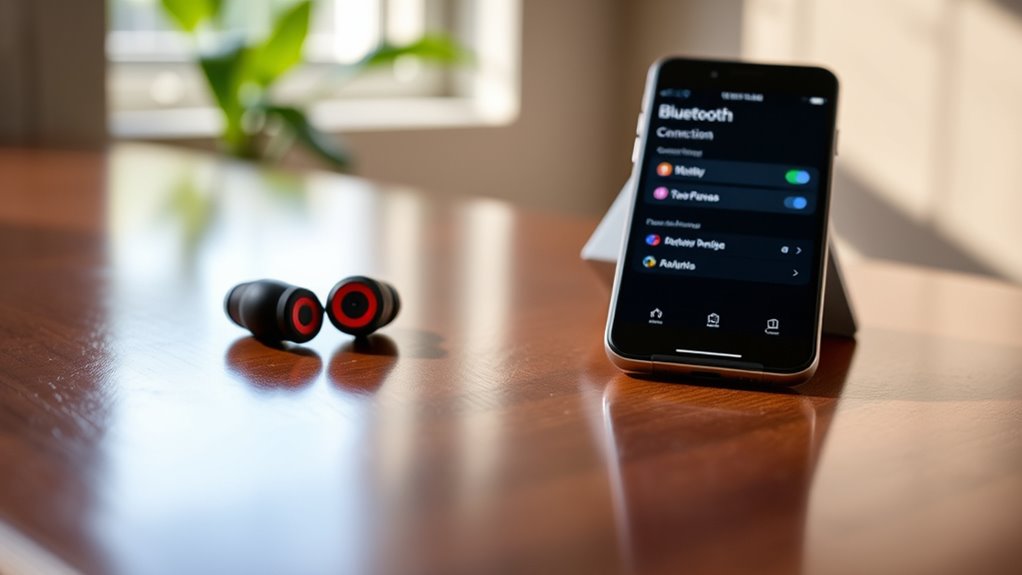

To connect your JBL earbuds, first verify your device supports Bluetooth. Activate Bluetooth in your device settings. Place your earbuds in pairing mode by holding the power button until the LED flashes. In your device’s Bluetooth settings, search for available devices and select your JBL earbuds. You’ll hear a confirmation sound when they’re successfully paired. If you encounter issues, there are troubleshooting steps to help you maintain a stable connection and enhance your audio experience.
Understanding Your JBL Earbuds
To effectively connect to your JBL earbuds, it’s important to understand their features and functions. JBL earbuds utilize advanced earbud technology, ensuring high-quality audio performance and comfort. Their wireless capabilities allow you to enjoy music and calls without the hassle of tangled wires, giving you the freedom to move seamlessly. You’ll find touch controls for easy navigation, enabling you to play, pause, or skip tracks with just a tap. Additionally, many models offer voice assistant integration, enhancing your hands-free experience. Charging is simple, thanks to their compact charging cases, which provide extended battery life for on-the-go use. Familiarizing yourself with these features will set you up for a seamless connection and an enjoyable listening experience.
Preparing Your Device for Connection
Before connecting your JBL earbuds, verify your device is ready for a smooth pairing process. First, check device compatibility; confirm your smartphone, tablet, or laptop supports Bluetooth and is updated to the latest software version. This guarantees ideal performance and minimizes connection issues. Next, clear any previous Bluetooth connections to avoid interference. Keep in mind that the connection range of most JBL earbuds is typically around 30 feet (10 meters), so stay within that distance for a stable link. If your device has multiple Bluetooth options, select the correct one to pair with your earbuds. By preparing your device properly, you’ll enjoy a hassle-free experience and maximize the performance of your JBL earbuds.
Activating Bluetooth on Your Device
Once you’ve confirmed your device is ready, activating Bluetooth is the next step to connect your JBL earbuds. First, locate the Bluetooth settings on your device; this is usually found in the settings menu or quick access panel. If you’re using a smartphone, swipe down from the top of the screen to find the Bluetooth icon. Tap it to turn Bluetooth on. Verify your device compatibility with JBL earbuds; most modern devices support Bluetooth technology. Once activated, your device will start scanning for available devices nearby. Keep your earbuds close during this process to guarantee a successful connection. With Bluetooth enabled, you’re now set to move on to pairing your JBL earbuds for a seamless audio experience.
Pairing Your JBL Earbuds
Now that your device’s Bluetooth is activated, pairing your JBL earbuds is straightforward. Start by placing your earbuds in pairing mode; usually, this involves pressing and holding the power button until the LED indicator flashes. Next, on your device, navigate to the Bluetooth settings to search for available devices. Select your JBL earbuds from the list.
If you have multiple pairing methods available, such as NFC, you can use that for quicker connection. Once paired, you’ll hear a confirmation sound in your earbuds. For peak performance, keep your earbuds and device within a few feet of each other, and verify both are charged. Following these connection tips will guarantee a seamless listening experience with your JBL earbuds.
Troubleshooting Connection Issues
If you’re experiencing connection issues with your JBL earbuds, there are several troubleshooting steps you can take to resolve the problem quickly. First, check if your earbuds are charged; low battery can lead to connectivity problems. If they’re charged, try resetting the earbuds by holding the power button for about 10 seconds until you see a flashing light. This can clear any glitches. Additionally, verify there are no interference issues; other electronic devices nearby can disrupt the Bluetooth signal. Move away from potential sources of interference, like Wi-Fi routers or microwaves. Finally, make certain your device’s Bluetooth is turned on and that it’s not already connected to another device. Following these steps can help you regain a stable connection.
Enjoying Your Audio Experience
To truly enjoy your audio experience with JBL earbuds, you’ll want to focus on sound quality features and how well they fit. High-quality audio enhances your listening experience, while a comfortable fit guarantees they stay in place during use. Let’s explore these aspects to maximize your enjoyment.
Sound Quality Features
Sound quality is a crucial aspect of your audio experience with JBL earbuds. You’ll appreciate the features designed to elevate your listening enjoyment. Here’s what to expect:
- Sound Clarity: Enjoy crisp, clear audio that brings every note to life.
- Bass Enhancement: Feel the deep, rich bass that adds dimension to your music.
- Adaptive Sound Control: Automatically adjusts sound settings based on your environment.
- Noise Isolation: Block out distractions for an immersive listening experience.
With these features, your JBL earbuds transform ordinary listening sessions into extraordinary ones, allowing you to enjoy your music, podcasts, or videos like never before. Embrace the freedom to indulge in high-quality sound that suits your lifestyle.
Comfort and Fit
While enjoying high-quality sound, comfort and fit play an essential role in your overall audio experience with JBL earbuds. You’ll find various ear tip options designed to provide a secure and comfortable fit, enhancing both sound isolation and comfort during extended use. Choose from different sizes and materials to find what suits you best. Additionally, take advantage of adjustable settings on some models, allowing you to customize how the earbuds sit in your ears. This flexibility guarantees that you can enjoy your music or podcasts without discomfort or distraction. Prioritizing comfort not only enhances your listening experience but also empowers you to use your JBL earbuds for longer periods, providing the freedom you crave while enjoying your favorite audio.
Frequently Asked Questions
Can I Connect My JBL Earbuds to Multiple Devices Simultaneously?
No, you can’t connect your JBL earbuds to multiple devices simultaneously. While they offer Bluetooth connectivity, they typically support dual device compatibility by switching between devices, but not both connected at the same time.
How Do I Reset My JBL Earbuds if Needed?
To reset your JBL earbuds, press and hold the power button for about 10 seconds until you see the LED flash. This reset process can solve connectivity issues; consider these troubleshooting tips for better performance.
Are JBL Earbuds Water-Resistant or Waterproof?
JBL earbuds typically feature water resistance rather than waterproof ratings, meaning they can withstand splashes and sweat. However, they shouldn’t be submerged in water, so always check the specific model’s rating for details.
How Long Does the Battery Last on JBL Earbuds?
JBL earbuds typically offer a battery lifespan of up to 10 hours on a single charge. To maximize this freedom, use smart charging tips like avoiding complete discharges and storing them in a cool place.
Can I Use JBL Earbuds for Phone Calls?
Yes, you can use JBL earbuds for phone calls. Their Bluetooth connectivity guarantees seamless pairing, while the phone call quality is generally clear, allowing you to enjoy conversations without sacrificing freedom or mobility.
