
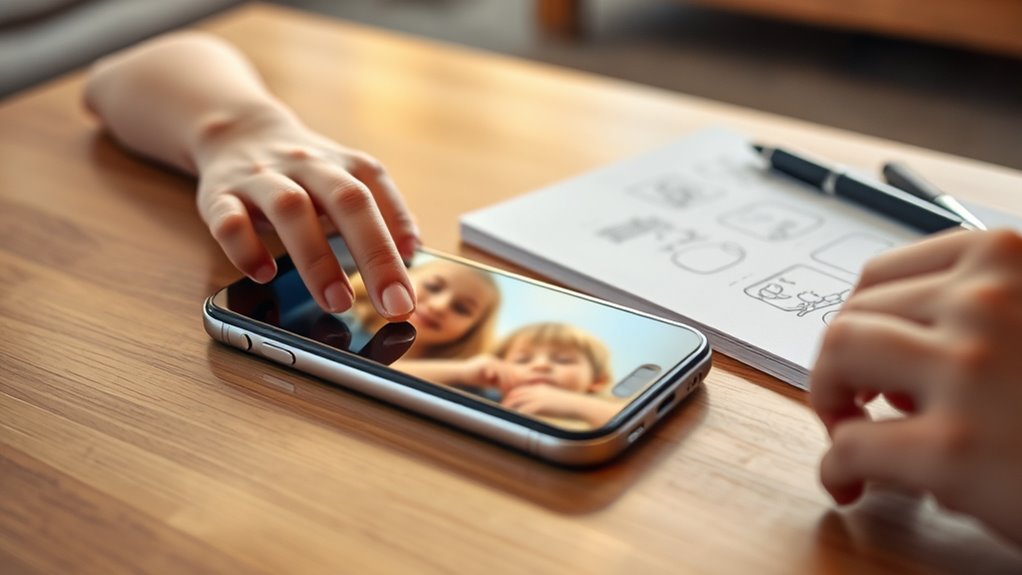

To monitor your child’s iPhone effectively, start by enabling parental controls and setting up Screen Time to manage app usage and encourage healthy habits. Utilize location tracking features for safety, while promoting open communication about sharing their location. Monitor app activity through daily usage reports and set limits for specific content to guarantee a safe experience. By fostering trust and setting clear guidelines, you’ll promote responsible device use. Discover more about tools to help you along this journey.
Understanding Parental Controls on Iphone
When it comes to keeping your kids safe online, understanding the parental controls on an iPhone is essential. You’ll find various parental control options designed to give you peace of mind while allowing your children some freedom. With features like content restrictions, app limits, and privacy settings, you can tailor their experience to fit your family’s values. Effective monitoring is key; it enables you to track usage and block inappropriate content without infringing on their independence. By familiarizing yourself with these tools, you empower your kids to explore the digital world responsibly. Remember, the goal is to strike a balance between safety and freedom, ensuring your children can enjoy their online experiences without unnecessary risks.
Setting Up Screen Time Features
Setting up Screen Time on your child’s iPhone is a crucial step in managing their device usage. By enabling Screen Time and setting app limits, you can create a healthier balance between online activities and offline time. Let’s explore how these features can help you guide your child’s digital habits effectively.
Enable Screen Time
Enabling Screen Time on your child’s iPhone is an essential step in helping them navigate the digital world responsibly. This feature offers screen time benefits, allowing you to monitor usage and encourage healthy habits. By setting limits, you can help your child enjoy their device while also addressing screen time challenges, like overuse or distraction. To enable Screen Time, go to Settings, tap on Screen Time, and follow the prompts. You can set daily limits for specific apps or categories, giving your child the freedom to choose how they use their time while still guiding them. Remember, it’s about balance—supporting their independence while ensuring they develop a healthy relationship with technology.
Set App Limits
To help your child manage their time effectively on their iPhone, it’s important to set app limits within the Screen Time feature. This allows you to monitor and control app usage, fostering a healthier digital balance. Start by accessing Screen Time in the settings and selecting “App Limits.” Here, you can set daily limits for specific apps or categories, encouraging your child to prioritize essential activities over mindless scrolling. You can also customize limits for weekends versus weekdays, granting them some freedom while still maintaining structure. By establishing these boundaries, you’re not just restricting usage; you’re teaching your child valuable lessons about time management and self-discipline, ultimately helping them navigate the digital world responsibly.
Utilizing Location Tracking
Location tracking can be an invaluable tool for parents wanting to keep an eye on their kids’ safety. With features like location sharing and geo fencing, you can create a sense of security while still allowing them independence. Here are some benefits of utilizing location tracking:
Location tracking empowers parents to ensure their children’s safety while fostering independence through features like geo-fencing and real-time updates.
- Real-time updates: Instantly know where your child is at any given moment.
- Safe zones: Set up geo-fencing to receive alerts when they enter or leave designated areas.
- Emergency assistance: Quickly locate your child in case of an urgent situation.
- Promote open communication: Discuss location sharing as a way to build trust and safety.
Monitoring App Usage and Activity
Monitoring your child’s app usage can be an essential part of ensuring their safety online. With features like Screen Time and app restriction settings, you can gain valuable insights into their digital habits and set appropriate limits. This way, you can foster a balanced relationship with technology while keeping them protected.
Screen Time Features
While it can be intimidating to keep tabs on your child’s iPhone usage, Apple’s Screen Time features provide a straightforward way to monitor app activity and set healthy boundaries. You can help your child understand the screen time effects while managing distractions effectively.
Consider these helpful features:
- Daily Usage Reports: See how much time your child spends on specific apps.
- App Limits: Set daily limits for particular apps to promote balanced usage.
- Downtime: Schedule breaks from screens to encourage offline activities.
- Content & Privacy Restrictions: Control what your child can access, ensuring a safe digital environment.
With these tools, you can foster a healthier relationship with technology while respecting your child’s desire for independence.
App Restrictions Settings
To guarantee your child’s iPhone experience remains safe and balanced, utilizing App Restrictions settings is essential. These settings let you manage app permissions, ensuring your child only accesses age-appropriate content. You can restrict certain apps or set limits on usage, which promotes healthy habits and prevents excessive screen time.
Encouraging Open Communication
Open communication is essential for fostering trust and understanding between you and your child, particularly when it comes to their use of technology. Start an open dialogue about their online experiences and feelings. This trust-building approach helps them feel safe discussing any concerns.
- Share your own experiences with technology
- Ask open-ended questions about their favorite apps
- Encourage them to express their feelings about online interactions
- Listen actively and validate their thoughts
Establishing Healthy Boundaries and Guidelines
Building on the foundation of open communication, setting healthy boundaries and guidelines is essential in helping your child navigate their iPhone safely. Start by creating family agreements that outline acceptable usage times and content. This fosters a sense of responsibility while prioritizing digital wellbeing. Encourage your child to take breaks from screens, promoting balance between online and offline activities. Discuss the importance of privacy and respectful interactions in digital spaces. By establishing these guidelines together, you empower your child to make informed choices, allowing them the freedom to explore safely. Remember, it’s not just about restrictions; it’s about teaching them to navigate their digital world responsibly, ensuring they feel supported and understood in this journey.
Frequently Asked Questions
Can I Monitor My Child’s Iphone Without Them Knowing?
You can monitor your child’s iPhone without them knowing, but consider the ethical implications and privacy concerns. Open communication fosters trust, allowing your child to feel respected while you guarantee their safety online.
What if My Child Disables the Parental Controls?
If your child disables parental controls, consider alternative strategies that respect their privacy while maintaining safety. Open communication about boundaries can help address concerns, fostering trust and encouraging responsible device use without resorting to invasive measures.
Are There Third-Party Apps for Monitoring?
Yes, there are third-party apps for monitoring. You can explore various spyware options and app comparisons to find one that suits your needs, ensuring you balance your child’s freedom with necessary oversight for their safety.
How Do I Handle Resistance From My Child?
When kids learn 70% of parents use monitoring tools, they may resist. Focus on open communication, explaining your intentions. Trust building is key; show them it’s about safety, not control, and encourage their input.
Can I Track Texts and Calls on Their Iphone?
Yes, you can track texts and monitor calls on their iPhone using certain apps and features. Just guarantee you’re respecting their privacy while fostering open communication about the importance of safety and trust.
