
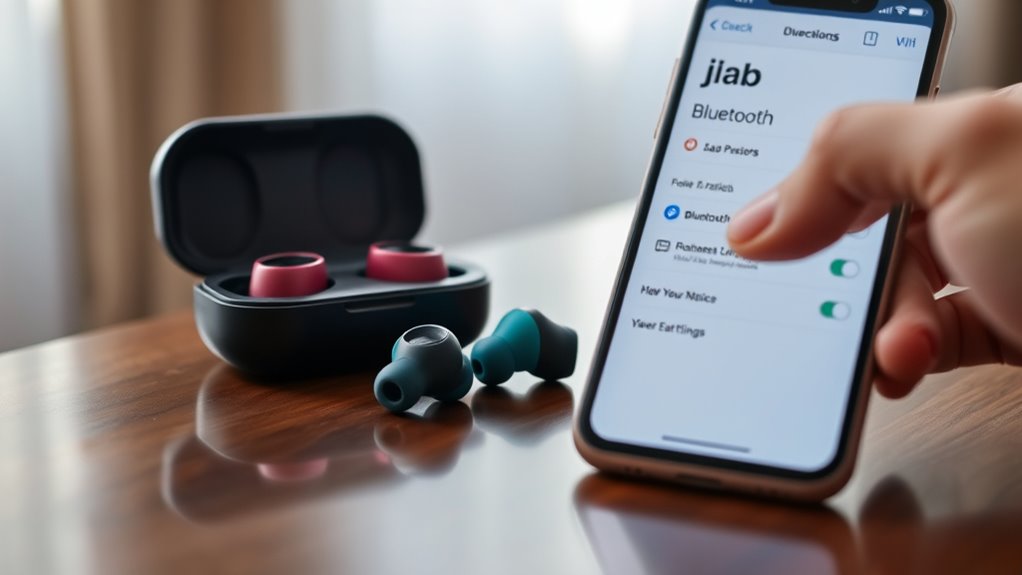

To pair your JLab earbuds to a new device, first, make certain they’re charged. Activate Bluetooth on your device and make sure it’s discoverable. Next, power on your earbuds by holding the button until the light flashes and then alternates colors for pairing mode. Look for your earbuds in the Bluetooth settings on your device and select them to connect. If you encounter issues, there are simple troubleshooting steps that can help resolve them.
Preparing Your JLab Earbuds for Pairing
Before you can enjoy your music, you’ll need to get your JLab earbuds ready for pairing. Start by checking that your earbuds are charged, as low battery can affect performance. Familiarize yourself with their earbud features; for instance, the noise isolation and customizable fit enhance sound quality tremendously. To prepare for pairing, simply turn on your earbuds by pressing the designated button until you see a flashing light. This indicates they’re in pairing mode, ready to connect with your device. Remember, the superior sound quality you seek will be most enjoyable once they’re properly paired. With your JLab earbuds set up, you’re one step closer to experiencing your favorite tunes without limitations. Enjoy your newfound freedom!
Activating Bluetooth on Your Device
To connect your JLab earbuds, you’ll need to activate Bluetooth on your device. Start by locating the Bluetooth settings. On most smartphones or tablets, you can find this in the settings menu. If you’re using a laptop, look for the Bluetooth icon in the taskbar. Once you’re there, toggle Bluetooth activation to the “on” position. This will allow your device to search for compatible devices nearby. Make sure your device is compatible with JLab earbuds, as some older models might not support newer Bluetooth versions. Remember, having Bluetooth turned on is essential for a smooth connection. Once activated, you’re one step closer to enjoying your favorite tunes wirelessly!
Entering Pairing Mode on JLab Earbuds
Once you’ve activated Bluetooth on your device, it’s time to put your JLab earbuds into pairing mode. This step is essential for ensuring headphone compatibility with your device. Here are some pairing tips to make the process smoother:
Activate Bluetooth on your device and put your JLab earbuds in pairing mode for seamless connectivity.
- Power on your earbuds: Press and hold the power button until you see a flashing light.
- Enter pairing mode: For most models, continue holding the button until the light alternates colors.
- Keep them close: Make sure your earbuds are within a few feet of your device.
- Check the manual: Different models might have unique instructions, so it’s a good idea to refer to the user guide.
Once in pairing mode, you’re ready to connect your JLab earbuds to your device!
Connecting JLab Earbuds to Your Device
Now that your JLab earbuds are in pairing mode, connecting them to your device is a straightforward process. First, go to the Bluetooth settings on your smartphone, tablet, or computer. Make certain Bluetooth is enabled, then look for your JLab earbuds in the list of available devices. Once you see them, tap on their name to initiate the connection. Your earbuds’ excellent sound quality and various earbud features will enhance your listening experience, whether you’re enjoying music, podcasts, or calls. If you encounter any issues, verify your device is within range and that no other devices are interfering with the connection. Enjoy the freedom that comes with wireless listening!
Confirming the Connection
After connecting your JLab earbuds to your device, it’s crucial to confirm that the connection is successful. Here are some pairing tips to guarantee you’re all set for an enjoyable listening experience:
- Check for a solid LED indicator on the earbuds; usually, a steady light means they’re connected.
- Play some audio to see if sound comes through the earbuds.
- Look for your earbuds’ name in the Bluetooth settings of your device. It should say “Connected.”
- Try moving around a bit while listening to verify the connection holds strong.
Confirming connection success is essential for uninterrupted enjoyment of your favorite tunes. If everything checks out, you’re ready to rock! Enjoy the freedom of wireless listening.
Troubleshooting Common Pairing Issues
If you’re having trouble pairing your Jlab earbuds, there are a couple of common issues to check. Start by reviewing your Bluetooth settings to guarantee they’re enabled and discoverable. If that doesn’t work, try resetting your earbuds properly to establish a fresh connection.
Check Bluetooth Settings
While troubleshooting pairing issues with your Jlab earbuds, it’s essential to check your Bluetooth settings. Verifying your device’s Bluetooth compatibility is vital, as some older devices may face limitations. Here’s what to look for:
- Make sure Bluetooth is turned on.
- Confirm your earbuds are in pairing mode.
- Check for any device limitations that might hinder connection.
- Verify that no other devices are currently connected to your earbuds.
Reset Earbuds Properly
Sometimes, resetting your Jlab earbuds can resolve stubborn pairing issues that persist despite checking your Bluetooth settings. To do this, you’ll want to use specific reset methods tailored to your model. Generally, start by placing the earbuds in the charging case and ensuring they’re charging. Then, press and hold the touch sensors on both earbuds for about 10 seconds until you see a flashing light, indicating they’re resetting. This process restores them to factory settings, clearing any previous connections. Afterward, try pairing them again with your device. If problems persist, repeat the reset process. This simple step can often breathe new life into your earbuds, giving you the freedom to enjoy your music without hassle.
Frequently Asked Questions
Can I Pair JLAB Earbuds With Multiple Devices Simultaneously?
No, you can’t pair JLab earbuds with multiple devices simultaneously. They offer multi-device connectivity, but typically, you’ll need to disconnect from one device before Bluetooth pairing with another. Enjoy the freedom of switching between your devices!
How Do I Reset My JLAB Earbuds for Pairing?
When your earbuds feel tangled in pairing issues, try the reset method: hold the power button for 10 seconds until they flash. This clears past connections, setting your music free and ready to pair anew.
Are JLAB Earbuds Compatible With All Devices?
Jlab earbuds are generally compatible with most devices that support Bluetooth connection. However, checking specific device compatibility is always a good idea to guarantee a seamless experience and enjoy your freedom of sound.
What Should I Do if My Earbuds Won’t Charge?
If your earbuds won’t charge, check the charging port for debris, try a different cable or power source, and make certain they’re not fully drained. Poor battery life could indicate they need replacing.
How Can I Update JLAB Earbuds Firmware?
“An ounce of prevention is worth a pound of cure.” To update your Jlab earbuds’ firmware, download the JLab app, connect your earbuds, and follow the prompts. It’ll enhance earbud performance and keep them running smoothly.
