
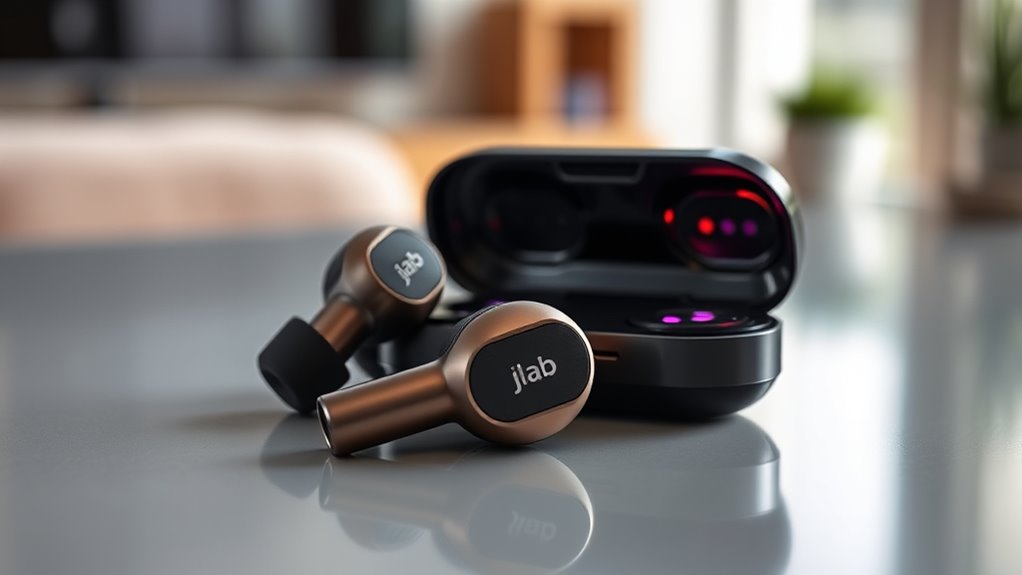

To pair your JLab earbuds together, first, verify they’re fully charged. Turn on both earbuds by pressing and holding the power button until the LED lights indicate they’re powered. Then, press the multifunction button on the left earbud to enter pairing mode. Do the same for the right earbud. They should connect automatically. If you face any issues, don’t worry—there are simple troubleshooting steps that can help you get connected smoothly.
Understanding JLab Earbuds Features
When it comes to JLab earbuds, understanding their features can enhance your listening experience. These earbuds boast impressive specifications, including battery life, sound quality, and fit, all designed to provide you with freedom while you enjoy your favorite tunes. The wireless technology used in JLab earbuds guarantees seamless connectivity and mobility, so you can move freely without being tethered to your devices. You’ll appreciate features like customizable sound profiles, touch controls, and sweat resistance, making them ideal for an active lifestyle. By knowing what these earbud specifications offer, you can choose the perfect pair that aligns with your needs and preferences, allowing you to immerse yourself in music without limitations. Embrace the freedom JLab earbuds provide!
Preparing Your Earbuds for Pairing
Before you can pair your JLab earbuds, make sure they’re fully charged to guarantee a smooth connection. If you’re having trouble connecting, a quick reset can help. Let’s get your earbuds ready for pairing!
Charge Your Earbuds
To guarantee a seamless pairing experience, it’s essential to start with fully charged Jlab earbuds. A well-charged pair not only enhances performance but also extends battery lifespan. Here are some helpful charging tips:
| Charging Tips | Benefits |
|---|---|
| Use the original cable | Guarantees ideal charging |
| Avoid overcharging | Protects battery health |
| Charge regularly | Maintains battery lifespan |
| Keep away from heat | Prevents damage |
| Store in case | Shields from dust & debris |
Reset for Pairing
Resetting your Jlab earbuds is an essential step for a successful pairing process. By executing the reset procedure, you’ll return your earbuds to their factory settings, eliminating any previous connections that could hinder pairing. Here’s how to do it:
- Power Off: Turn off your earbuds completely.
- Reset: Press and hold the power button for about 10 seconds until you see a flashing light indicating a reset.
- Reconnect: After resetting, your earbuds will be ready to pair with a new device.
This quick reset guarantees your earbuds are fresh and ready for peak performance. So, embrace the freedom of seamless connectivity by following these steps!
Turning On Your JLab Earbuds
To turn on your JLab earbuds, locate the power button, usually found on the side or back of the earbuds. Press and hold the button until you see the LED light indicate they’re powered up. This will also activate pairing mode, making it easy to connect to your device.
Power Button Location
Finding the power button on your JLab earbuds is essential for getting them up and running. Knowing its location can save you time and frustration. Here’s a quick location guide to help you out:
- Earbud Body: Look for a small, circular button on the outer side of each earbud. This is typically the power button.
- Indicators: Many JLab models have an LED light near the power button, indicating whether the earbuds are on or off.
- Instruction Manual: If you’re still unsure, check the user manual included with your earbuds for a visual reference.
Once you’ve located the power button, you can easily turn on your JLab earbuds and enjoy your music with freedom!
Pairing Mode Activation
Activating pairing mode on your JLab earbuds is a straightforward process that allows you to connect them to your devices. To start, power on the earbuds by pressing the power button. Then, enter pairing mode by holding the button until you see a flashing LED light. This signals that your earbuds are ready to connect. Here’s a quick reference table to guide you through this activation process:
| Step | Action | Indicator |
|---|---|---|
| 1 | Power On | Steady light |
| 2 | Hold Button for 3 secs | Flashing light |
| 3 | Search on Device | Pairing available |
| 4 | Confirm Connection | Steady light |
Now you’re ready to enjoy your music wirelessly!
Entering Pairing Mode
Entering pairing mode is a straightforward process that lets you connect your JLab earbuds to your device. If you encounter any pairing challenges, don’t worry! Just follow these simple steps:
- Power on your earbuds by pressing and holding the power button until you see a flashing light.
- Activate pairing mode by pressing the button again until the light flashes rapidly, indicating it’s ready to connect.
- Troubleshoot if necessary by resetting your earbuds; this often resolves common issues.
Pairing the Left and Right Earbuds
To pair your left and right JLab earbuds, first guarantee they’re both powered on. Once they’re on, take the left earbud and press the multifunction button for a few seconds until you see a blinking light, indicating it’s in pairing mode. Next, do the same for the right earbud. They should automatically find each other and connect. If you’re having trouble, try turning off both earbuds and repeating the process. Remember, if the left earbud isn’t connecting, it might need to be paired first. With this simple pairing, you’ll enjoy seamless audio freedom, allowing you to experience your favorite tunes in perfect harmony. Enjoy your JLab earbuds, and let the music flow!
Connecting to Your Device
Once your JLab earbuds are paired with each other, connecting them to your device is a breeze. Just follow these simple steps to guarantee smooth device compatibility:
- Activate Bluetooth: Go to your device’s Bluetooth settings and turn on Bluetooth if it’s not already enabled.
- Select Your Earbuds: Look for your JLab earbuds in the list of available devices. Tap on them to connect.
- Confirm Connection: Once connected, you’ll usually hear a confirmation sound in your earbuds.
That’s it! You’re ready to enjoy your music or podcasts without the hassle. Just make certain your device’s Bluetooth is on, and you can experience the freedom of wireless listening anywhere you go!
Testing the Connection
Now that your JLab earbuds are successfully connected to your device, it’s important to test the connection to confirm everything is working properly. Start by playing your favorite song or podcast. Pay attention to the audio quality—verify the sound is clear and balanced without distortion. Move around your space to check connection stability; you should experience no dropouts or interruptions. If you notice any issues, it might be worth adjusting the distance from your device or checking for obstructions. Remember, a solid connection will enhance your listening experience, allowing you to enjoy every beat and note. Testing this out confirms you’re set for freedom in sound, ready to immerse yourself in your world without worries.
Troubleshooting Common Pairing Issues
Even if you’ve followed the pairing instructions, you might still encounter some common issues that can disrupt your connection. Don’t worry; these troubleshooting steps can help you get back on track:
Even with correct pairing, issues may arise. Follow these troubleshooting tips to restore your connection smoothly.
- Check Battery Levels: Verify your earbuds are charged. Low battery can prevent proper pairing.
- Clear Previous Connections: Sometimes, your earbuds may try to connect to an old device. Forget any unwanted Bluetooth connections in your device’s settings.
- Restart Devices: A simple restart of both your earbuds and the device can often resolve connection hiccups.
Enjoying Your Wireless Experience
Enjoying your wireless experience with JLab earbuds opens up a world of convenience and freedom. With seamless connectivity, you can easily pair your earbuds to your device and plunge into high-quality wireless audio. Whether you’re hitting the gym, commuting, or just lounging at home, these earbuds let you move freely without tangled cords. You’ll love how quickly they connect, allowing you to switch between calls, music, and podcasts effortlessly. Plus, the long battery life guarantees you won’t miss a beat during your day. Embrace the freedom of movement and enjoy immersive sound without the hassle of wires. With JLab, you’re not just listening; you’re experiencing audio like never before. Immerse yourself in your world of wireless audio bliss!
Frequently Asked Questions
Can I Use JLAB Earbuds With Multiple Devices Simultaneously?
No, you can’t use Jlab earbuds with multiple devices simultaneously. While they offer multi device connectivity, they only stream audio from one device at a time, so you’ll need to switch between them for different audio sources.
How Can I Reset My JLAB Earbuds if They Won’t Pair?
To reset your JLab earbuds, hold the power button for 10 seconds until the LED flashes. This reset process can help resolve any pairing issues, letting you reconnect effortlessly to your devices.
What Is the Battery Life of JLAB Earbuds During Use?
JLab earbuds typically offer impressive battery longevity, lasting around 10 hours on a single charge. For ideal usage, keep ’em stored in the case when not in use, and make sure they’re charged regularly for uninterrupted listening.
Are JLAB Earbuds Waterproof or Water-Resistant?
JLab earbuds boast impressive water resistance features, but they’re not fully waterproof. With a solid waterproof rating, they can handle sweat and splashes, letting you embrace your adventures without fear of damaging your music companions.
Do JLAB Earbuds Support Voice Assistants Like Siri or Google Assistant?
Yes, Jlab earbuds support voice assistant compatibility with Siri and Google Assistant. These features enhance your listening experience, allowing you to enjoy hands-free control and seamless access to your favorite voice commands for ultimate freedom.
