
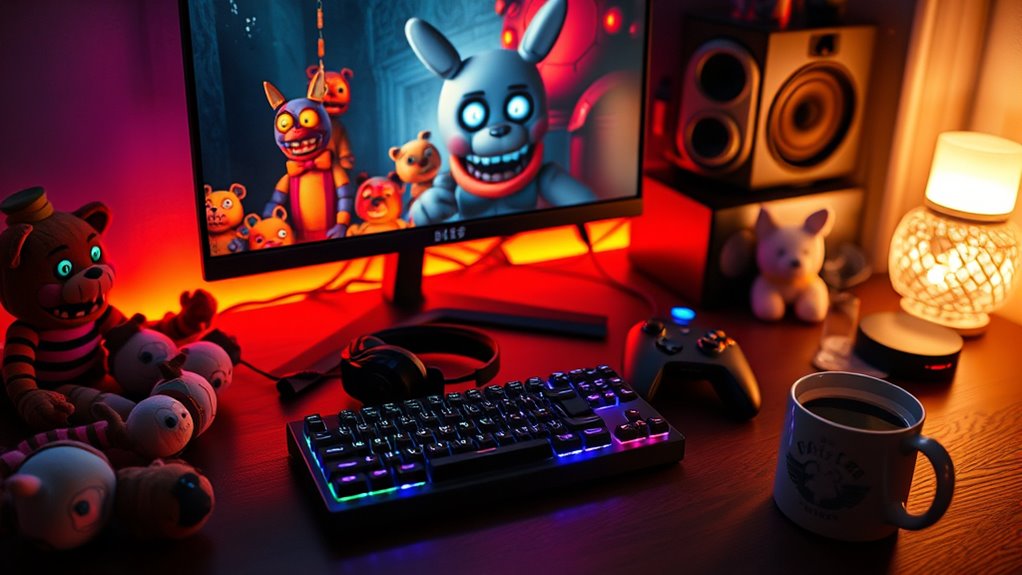

You can easily play FNAF Help Wanted without a VR headset, as it features a non-VR mode for traditional gaming on PC and consoles. Start by ensuring your system meets the requirements, then purchase and install the game through digital platforms like Steam. Once installed, adjust graphics settings for peak performance. Familiarize yourself with animatronic behaviors and survival strategies to enhance your experience. There’s so much more to uncover about the game’s mechanics and community!
Understanding FNAF Help Wanted
Understanding FNAF Help Wanted is essential for both newcomers and seasoned fans of the franchise, especially if you’re considering diving into this unique experience without a VR headset. The game serves as a bridge, connecting various elements of FNAF lore, allowing players to revisit familiar locations and characters. Each mini-game offers a chance for character analysis, helping you grasp the motivations and backstories behind the animatronics that haunt the franchise. As you navigate the challenges, you’ll uncover hidden Easter eggs that deepen your understanding of the overarching narrative. This immersive experience not only fuels your curiosity but also enhances your appreciation for the intricate storytelling that defines Five Nights at Freddy’s. Embrace the thrill, and let the lore unfold!
System Requirements for PC and Console
Before jumping into FNAF Help Wanted, you need to know what your system can handle. The game has minimum and recommended requirements that guarantee you get the best experience without VR. Let’s break down what you’ll need for both PC and console so you can prepare accordingly.
Minimum System Requirements
To plunge into the spooky world of FNAF Help Wanted without a VR headset, you’ll need to make certain your system meets some essential requirements. First, check the minimum system requirements: a Windows 7 or higher OS, Intel Core i5-2500 or AMD FX-8120 processor, and at least 8GB of RAM. You’ll also need a graphics card like NVIDIA GeForce GTX 660 or AMD Radeon HD 7870. These specs guarantee a playable experience, but don’t forget about performance optimization. Closing background applications and adjusting graphics settings can enhance your gameplay. By meeting these requirements, you’ll enjoy a smoother experience, allowing you to fully immerse yourself in the chilling atmosphere of FNAF Help Wanted without the need for VR!
Recommended System Specifications
While meeting the minimum system requirements is essential for a functional experience, aiming for the recommended specifications will greatly enhance your gameplay in FNAF Help Wanted. To achieve peak performance, consider a system with at least an Intel Core i5-4590 or AMD Ryzen 5 1500X processor, 8GB RAM, and a GTX 970 or RX 480 graphics card. These components guarantee smoother visuals and quicker load times, providing a more immersive experience. Additionally, verify your hardware compatibility with your operating system, whether it’s Windows or a console. Investing in these specs leads to significant performance improvement, allowing for enhanced frame rates and reduced lag. Ultimately, this results in a more engaging and enjoyable adventure in the eerie world of FNAF.
Purchasing the Game
When you’re ready to jump into FNAF Help Wanted, you’ll need to contemplate where to buy it. The game is available on various platforms, including PC and consoles, which means you have options that suit your setup. Understanding these availability choices will help you make the best purchase decision for your gaming experience.
Game Availability Options
Finding the right platform to purchase FNAF Help Wanted can greatly enhance your gaming experience, especially if you’re opting for the non-VR version. You’ll find the game on various digital platforms, allowing for flexible game distribution options. Steam, for instance, is a popular choice for PC gamers, while consoles like PlayStation and Xbox also offer easy access. Each platform may feature exclusive deals or discounts, so it’s worth checking across multiple sites. If you prefer a physical copy, retailers might have you covered, but digital versions often provide quicker access and updates. Ultimately, consider your preferred gaming setup and budget to choose the best option for purchasing FNAF Help Wanted. Enjoy the freedom of selecting what suits your style!
Supported Platforms Overview
FNAF Help Wanted is available on several platforms, giving you plenty of options to choose from. This flexibility allows for diverse gameplay experiences and game console compatibility, catering to your preferred playstyle. Whether you’re a console gamer or prefer PC, there’s a version for you.
Here’s a quick overview of supported platforms:
| Platform | Compatibility |
|---|---|
| PlayStation VR | VR Mode |
| PC | VR & Non-VR |
| Nintendo Switch | Non-VR |
| Xbox | Non-VR |
| Oculus Quest | VR Mode |
These choices enable alternative playstyles, ensuring you can enjoy the thrill of FNAF Help Wanted in a way that suits you best. So, pick your platform and plunge into the world of Freddy Fazbear!
Installing the Game
To get started with installing FNAF Help Wanted without VR, you’ll first need to verify your gaming platform is compatible. The game is available on PC, PlayStation, and Xbox, but make sure your system meets the software requirements for peak performance. Head to your platform’s digital store—Steam for PC, PlayStation Store, or Xbox Marketplace—and search for FNAF Help Wanted. Once you’ve located the game, initiate the game installation process by following the on-screen prompts. Keep an eye on your storage space; you wouldn’t want to run out mid-install! After the installation is complete, you’re one step closer to experiencing the thrill of the game without a VR headset. Enjoy your adventure in the eerie world of Freddy Fazbear’s Pizza!
Adjusting Settings for Non-VR Play
When diving into FNAF Help Wanted without a VR headset, adjusting the game settings is crucial for a superior experience. Start by tweaking the graphics. Lowering the resolution may enhance performance on less powerful systems, while increasing details can make the environment more immersive. Experiment with the field of view to find a comfortable perspective that suits your play style. Next, customize the controls to fit your preferences—don’t hesitate to remap keys or adjust sensitivity settings to guarantee fluid navigation. This flexibility allows you to tailor your gameplay, enhancing your overall enjoyment. By taking the time to adjust these settings, you’ll create a more engaging and personalized experience, making your journey through the terrifying world of FNAF much more enjoyable.
Navigating the Game Mechanics
As you explore the mechanics of FNAF Help Wanted, understanding the game’s unique approach to horror and gameplay is fundamental for maneuvering its challenges effectively. Familiarizing yourself with the game controls is your first step. You’ll navigate a user interface that may seem intimidating at first but becomes intuitive with practice. Pay attention to your surroundings; the sound design plays an essential role in alerting you to threats. Quick reflexes are key, especially when managing multiple animatronics. Use the available tools wisely—monitoring cameras and managing power are critical for survival. Embrace the tension and adapt your strategies as you progress. Each challenge is designed to test your wits, so stay alert and think creatively to explore the chilling world of FNAF.
Exploring Different Game Modes
While diving into FNAF Help Wanted, you’ll discover that the game offers a variety of modes, each tailored to enhance your experience in unique ways. These mode variations provide different gameplay techniques that keep the adventure fresh and thrilling.
Here’s a quick overview:
| Mode | Description |
|---|---|
| Story Mode | Follow the narrative while solving puzzles. |
| Night Terrors | Survive against relentless animatronics. |
| Custom Night | Customize your challenges and difficulty. |
| Minigames | Enjoy various entertaining side quests. |
| Help Wanted | Experience the classic horror in a new light. |
Tips for Surviving the Horror
Maneuvering the thrilling modes of FNAF Help Wanted can be exhilarating, but facing the horror elements requires strategy and skill. To enhance your survival strategies and guarantee a more enjoyable horror immersion, consider these essential tips:
- Stay alert and manage your resources wisely.
- Use sound cues to anticipate animatronic movements.
- Keep your movements deliberate and avoid panic.
- Learn the patterns of each animatronic to predict their behavior.
- Don’t forget to breathe; staying calm helps you think clearly.
Engaging With the FNAF Community
Engaging with the FNAF community can greatly enhance your gaming experience, especially when diving into the lore and sharing strategies. By participating in forums and social media groups, you can exchange fan theories that deepen your understanding of the game’s intricate story. You’ll find that discussing these theories not only fuels your passion but also sparks new ideas. Additionally, keep an eye out for community events like game nights or fan art contests, where you can showcase your skills and connect with fellow enthusiasts. These interactions create a sense of belonging and make the horror of FNAF even more thrilling. So, don’t hesitate—immerse yourself in the community, and let the shared excitement elevate your gameplay!
Frequently Asked Questions
Can I Play FNAF Help Wanted With a Gamepad?
Yes, you can use a gamepad to play FNAF Help Wanted. Just adjust the control settings in the game menu for ideal gamepad compatibility. Enjoy the thrill without needing a VR headset!
Is There a Difference in Graphics Between VR and Non-Vr Modes?
Yes, there’s a noticeable difference in graphics. VR offers higher graphic fidelity, immersing you in a hauntingly vivid world, while non-VR modes provide a more standard visual comparison, lacking that immersive depth and detail.
Are There Any Exclusive Features in the VR Version?
Yes, the VR version offers exclusive content, enhancing your experience with immersive gameplay. You’ll feel the tension more vividly, as VR immersion draws you deeper into the terrifying atmosphere, making each encounter uniquely thrilling.
What Should I Do if the Game Crashes on Startup?
If your game crashes on startup, don’t panic! First, check system requirements and confirm your hardware meets them. Then, try troubleshooting tips like updating drivers or verifying game files for a smoother experience.
Can I Play Offline, or Do I Need an Internet Connection?
You can play offline without needing an internet connection, but some features might require online access. If you’re looking for freedom from constant connectivity, offline gameplay lets you enjoy the experience without interruptions.
