
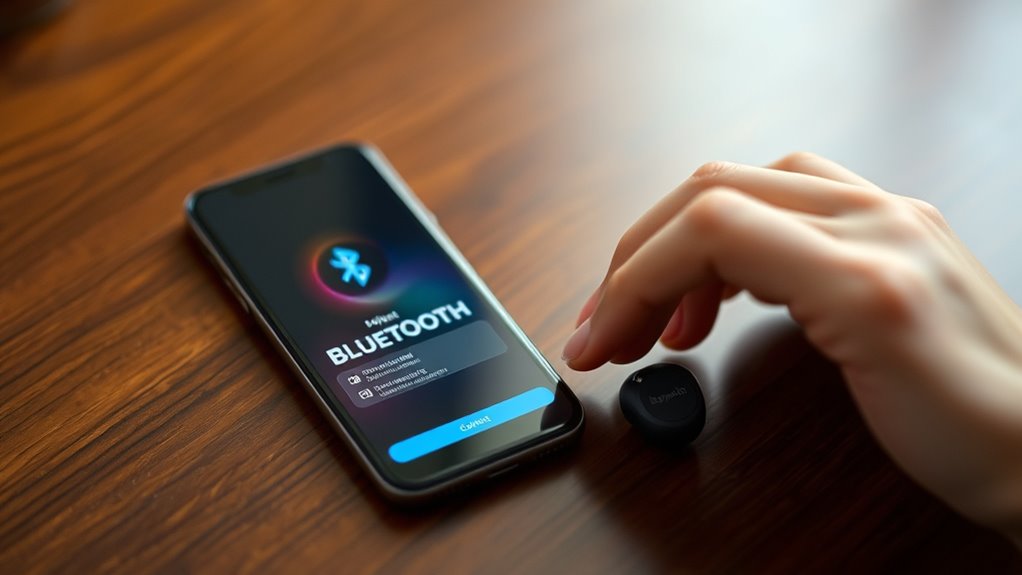

To sync your Jaybird earbuds, first, make sure they’re charged and turned on. Go to your device’s Bluetooth settings and enable Bluetooth. Look for your Jaybird model in the list and tap to connect. If you encounter issues, try powering off both the earbuds and your device, then turn them back on. You can reset the earbuds by holding the power button for 10 seconds if problems persist. There’s more to optimize your audio experience, so keep exploring!
Understanding Your Jaybird Earbuds
To get the most out of your Jaybird earbuds, it’s essential to understand their features and functionalities. These earbuds are designed for versatility, offering customizable sound profiles that let you tailor the audio to your preferences. With impressive sound quality, you’ll enjoy clear highs and deep bass, perfect for any genre. The sleek design provides a comfortable fit, allowing you to wear them for hours without discomfort. They also come equipped with a long battery life, giving you the freedom to enjoy your music or podcasts throughout the day. Additionally, their sweat and water resistance means you can take them on any adventure, whether you’re running or hitting the gym. Embrace the freedom of sound with your Jaybird earbuds!
Preparing Your Device for Connection
Before you can enjoy your Jaybird earbuds, it’s essential to prepare your device for a seamless connection. Start by accessing your device settings. Whether you’re using a smartphone, tablet, or computer, find the Bluetooth section. Make certain Bluetooth activation is toggled on; this will allow your device to discover nearby Bluetooth devices. If you’ve previously connected other devices, it might be wise to remove them to avoid confusion. Additionally, confirm your Jaybird earbuds are charged and turned on. With these steps, you’re setting the stage for a hassle-free experience. Once everything’s in order, you’ll be ready to pair your earbuds and embrace the freedom of wireless listening. Enjoy the journey ahead!
Pairing Your Jaybird Earbuds
Now that your device is ready, it’s time to pair your Jaybird earbuds. Start by turning on your earbuds; you’ll hear a voice prompt indicating they’re ready to connect. On your device, go to Bluetooth settings and look for your Jaybird model in the list. Tap to connect. If you’re connecting multiple devices, keep in mind that Jaybird earbuds can remember previous connections, making it easy to switch between them. If you encounter issues, you might need to reset your earbuds. To do this, press and hold the power button for about 10 seconds until the LED flashes. This will clear any previous connections and allow for a fresh start. Enjoy your freedom with your newly paired earbuds!
Troubleshooting Connection Issues
While enjoying your Jaybird earbuds, you might occasionally face connection issues that can disrupt your listening experience. If you encounter problems, start with basic troubleshooting steps. First, try performing connection resets by turning off both your earbuds and the device they’re paired with, then power them back on. This often resolves minor connectivity hiccups. Next, verify that your earbuds have the latest firmware updates installed. Outdated firmware can lead to persistent connection issues, so check the Jaybird app regularly for updates. If problems persist, unpair your earbuds from the device, then reconnect them. Remember, staying updated and performing resets can help maintain a smooth and enjoyable audio experience, allowing you to truly savor your freedom to move.
Enjoying Your Audio Experience
To truly enjoy your audio experience with Jaybird earbuds, it’s essential to optimize both sound quality and comfort. Start by adjusting the fit; use different ear tips to find the perfect seal. This not only enhances comfort but also boosts audio quality by minimizing outside noise. Take advantage of the customizable EQ settings in the Jaybird app to tailor the sound to your liking—whether you prefer bass-heavy tunes or crisp highs, you can find the perfect balance. Embrace the wireless convenience of your earbuds; move freely without tangled cords, making workouts or commutes more enjoyable. Remember, your audio experience should be immersive and liberating, allowing you to fully escape into your favorite tracks without distractions.
Frequently Asked Questions
Can I Use Jaybird Earbuds With Multiple Devices Simultaneously?
You can’t use Jaybird earbuds with multiple devices simultaneously; they only connect to one at a time. Embrace the freedom of seamless audio performance by switching devices when needed, enjoying multi-device connectivity in your own way.
How Do I Reset My Jaybird Earbuds to Factory Settings?
To reset your Jaybird earbuds to factory settings, press and hold the power button for about 10 seconds until you see the LED flash. This initiates the reset procedure, restoring your earbuds to original settings.
Are Jaybird Earbuds Waterproof or Water-Resistant?
Your Jaybird earbuds are water-resistant, not fully waterproof. They’ve got a solid waterproof rating for sweat resistance, like a trusty shield protecting you during workouts, but keep ’em away from deep water adventures.
What Is the Battery Life of Jaybird Earbuds?
Jaybird earbuds typically offer up to 14 hours of battery performance with charging tips like fully charging before first use and keeping them clean. This way, you’ll enjoy uninterrupted freedom during your workouts or adventures.
How Can I Clean My Jaybird Earbuds Properly?
To clean your Jaybird earbuds, use soft cloths and mild soap. For earbud maintenance, avoid moisture in the charging ports. Regularly check for debris and use cleaning techniques like a gentle brush to preserve performance.
