
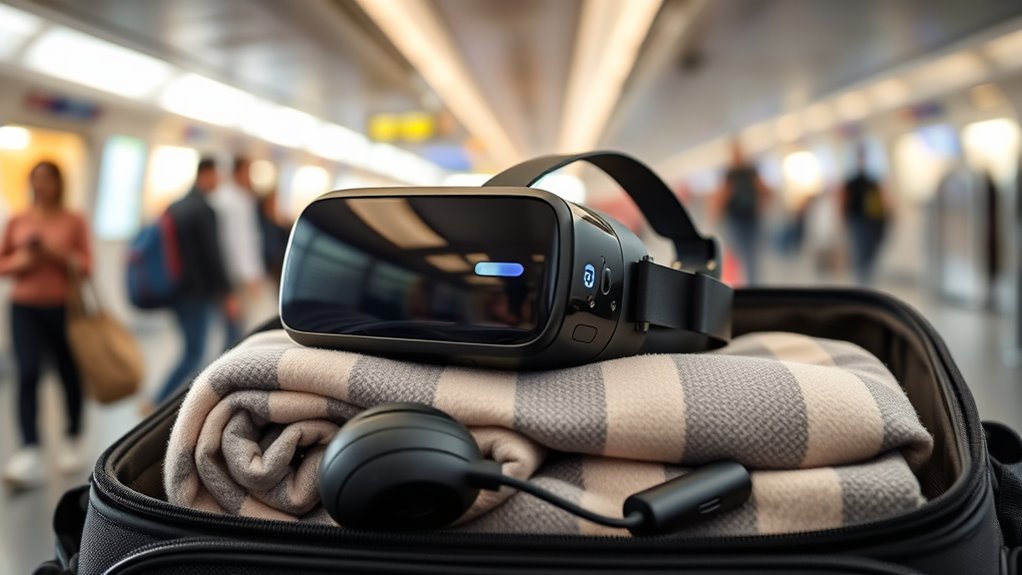

Taking your VR headset on a plane is straightforward, but you need to know the rules. First, remove batteries and pack it in a sturdy, protective case to prevent damage. At security, be ready to take it out for screening. Once you’re airborne and the seatbelt sign is off, set up your VR for fun, relaxing experiences. Keep your headset accessible, and you’ll enjoy a smooth journey. Keep going to discover more tips for hassle-free travel!
Understanding Airline Regulations for Electronics
Understanding airline regulations for electronics can feel challenging, especially if you’re not familiar with the rules. Each airline has its own policies regarding electronics, but there are common guidelines you should know. Generally, you’re allowed to bring your VR headset in your carry-on luggage, ensuring it’s easily accessible during security checks. Most airlines require you to power on devices to verify they’re functioning, so be prepared for that. Additionally, some airlines may have restrictions on the use of electronics during takeoff and landing, so check their specific policies. Familiarizing yourself with these electronics guidelines can help you avoid surprises and make your travel experience smoother. Knowing the rules allows you to enjoy your journey with confidence and freedom.
Preparing Your VR Headset for Travel
Before you hit the airport, it’s important to pack your VR headset securely to prevent any damage during travel. Make sure to remove any batteries and store your device in a protective case for added safety. By taking these steps, you’ll guarantee your VR gear is ready for action when you reach your destination.
Packing Your Headset Securely
When it comes to packing your VR headset securely, a little preparation can go a long way. To guarantee your headset stays safe during travel, focus on good headset cushioning and effective travel organization. Here are four essential items to include:
- Soft Case: Invest in a padded carrying case designed specifically for your headset.
- Microfiber Cloth: Use a microfiber cloth to protect the lenses from scratches.
- Cable Ties: Keep your cables organized and untangled with cable ties or Velcro straps.
- Foam Inserts: Consider using foam inserts for extra cushioning inside your case.
Battery and Storage Tips
As you prepare your VR headset for travel, managing battery life and storage is essential to ensuring a smooth experience. Start with battery maintenance—charge your headset fully before the trip, but don’t overcharge. Consider using a portable charger for on-the-go power. You’ll want to monitor battery levels, especially during long flights.
For storage solutions, make sure your headset is secure in its case, preventing damage from bumps or drops. Use soft padding for extra protection. If you’re bringing additional accessories, organize them in a separate pouch to avoid tangling. Keeping everything tidy not only saves space but also enhances your travel experience, letting you focus on enjoying your VR adventures wherever you go!
Packing Your VR Headset: Best Practices
When packing your VR headset for air travel, it’s essential to prioritize protection. Use a sturdy case to shield it from bumps and drops, and don’t forget to remove any accessories before packing. Finally, make sure to secure your cables properly to prevent tangling or damage during your journey.
Use Protective Case
A protective case is essential for safely transporting your VR headset on a plane. It shields your device from bumps and jolts during travel, guaranteeing your immersive experiences remain intact. Consider these best practices when choosing your travel case:
- Durable Material: Look for hard-shell cases that withstand impact.
- Protective Padding: Confirm there’s sufficient cushioning to protect your headset and lenses.
- Custom Fit: Opt for cases designed specifically for your VR model to prevent movement inside the case.
- Extra Compartments: Find cases with pockets for cables and accessories, keeping everything organized.
Investing in a quality protective case means your VR headset is ready for adventure, letting you focus on enjoying your travels.
Remove Accessories First
Before you pack your VR headset for your flight, it’s essential to remove any accessories first. Different accessory types, like facial interfaces, lens covers, and straps, can take up space and increase the risk of damage. Start by carefully detaching these components; most can be pulled off gently or unscrewed, depending on the model. For facial interfaces, simply slide them out, while lens covers often just pop off. Don’t forget to store these accessories in a separate pouch to keep everything organized. This not only protects your headset but also creates more room in your bag. By following these removal methods, you’ll guarantee your VR gear travels safely and you can enjoy your adventures without worry.
Secure Cables Properly
Securing your cables properly is essential for preventing damage to your VR headset during travel. Effective cable management not only protects your gear but also enhances your travel organization. Here’s how to guarantee your cables stay safe:
- Use Velcro Straps: Bundle cables neatly with Velcro straps to avoid tangling.
- Cable Pouches: Invest in a small pouch for your cables, keeping them separate from your headset.
- Avoid Sharp Folds: Don’t bend cables sharply; instead, loop them gently to maintain their integrity.
- Label Cables: Consider labeling your cables for quick identification, making setup easier once you arrive at your destination.
Security Checkpoints: What to Expect
As you approach the security checkpoint, it’s essential to know what to expect when traveling with your VR headset. You’ll likely need to remove it from your bag along with other electronic devices. TSA security procedures typically require you to place your headset in a separate bin for scanning. Be prepared for possible additional screening, as they may want to inspect your device closely. To guarantee a smooth process, make sure your headset is easily accessible and free from tangled cables. Remember, staying calm and cooperative with the security staff can make the experience much more pleasant. By following these guidelines, you can breeze through the checkpoint and get ready for your adventure in virtual reality.
Using Your VR Headset During the Flight
Once you’re settled in your seat and the fasten seatbelt sign is off, you can immerse yourself in your virtual reality experience. Your VR headset can elevate in-flight entertainment, transforming the mundane into an interactive adventure. Here are some tips to enhance your journey:
Immerse yourself in a virtual reality adventure once the fasten seatbelt sign is off, transforming your flight into an interactive experience.
- Choose the Right Content: Opt for immersive experiences that match your mood, whether it’s gaming, relaxation, or exploration.
- Adjust Settings: Make certain your headset is comfortable and the visuals are clear for peak enjoyment.
- Be Mindful of Space: Keep your movements minimal to avoid disturbing fellow passengers.
- Stay Aware of Announcements: Keep an ear out for any important flight announcements to guarantee you’re not missing anything vital.
With these tips, your flight can become a thrilling escape!
Tips for a Smooth In-Flight VR Experience
To make the most of your VR experience while flying, consider a few practical tips that can help guarantee everything runs smoothly. First, download your VR travel experiences before you board; in-flight Wi-Fi can be spotty and slow. Next, make sure your headset’s battery is fully charged, and bring a portable charger for backup. For comfort, use noise-canceling headphones to immerse yourself in your virtual world, blocking out the noise of in-flight entertainment. Also, keep your VR headset easily accessible in your carry-on, so you can quickly set it up when you’re ready to escape. Finally, be mindful of your surroundings and respectful of fellow passengers while enjoying your VR adventure. Safe travels!
Frequently Asked Questions
Can I Use My VR Headset During Takeoff and Landing?
You can’t use your VR headset during takeoff and landing due to safety guidelines. In-flight usage typically starts once the plane reaches cruising altitude, so enjoy your VR time once you’re safely airborne!
What if My VR Headset Gets Damaged During Travel?
If your VR headset gets damaged during travel, consider getting VR headset insurance. Always use proper travel storage to protect it from bumps. This way, you can enjoy peace of mind while exploring new destinations.
Are There Any Age Restrictions for Using VR Headsets on Planes?
Like a bird in flight, you’re free to explore virtual worlds, but age recommendations vary by headset. Always check safety guidelines to guarantee a safe experience, especially for younger users who might need supervision.
Can I Bring Extra Accessories for My VR Headset on Board?
Yes, you can bring extra accessories for your VR headset on board. Just remember to pack them wisely. Use travel cases to protect your gear and guarantee it fits within carry-on size limits for hassle-free travel.
How Do I Handle My VR Headset During Layovers?
During layovers, securely store your VR headset in a padded case to avoid damage. Consider using it for layover entertainment if time allows, ensuring it’s easily accessible for your next flight or adventure.
