
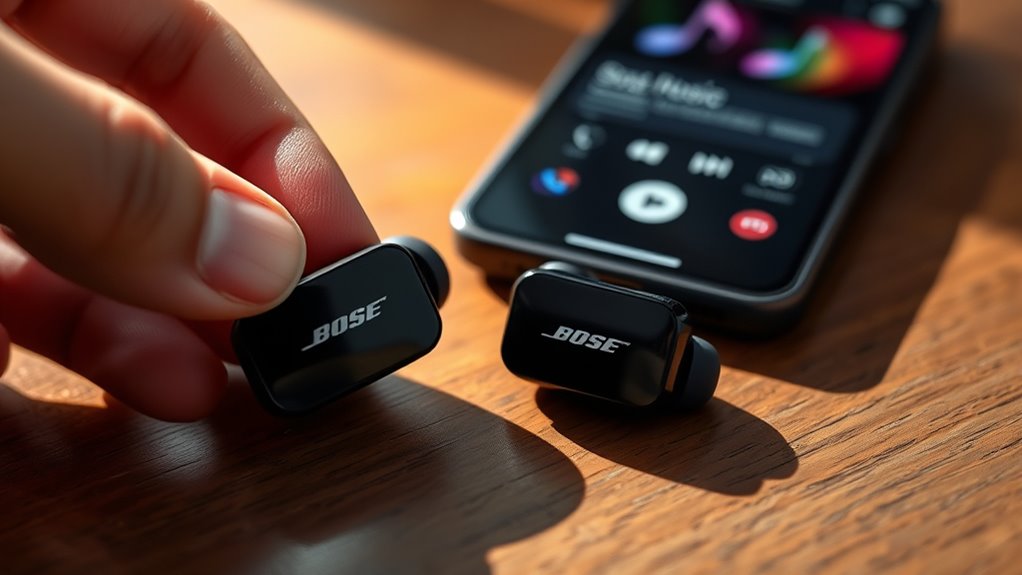

To use your Bose earbuds, start by turning them on; they’ll usually enter pairing mode automatically. Connect via your device’s Bluetooth settings. Customize sound profiles with the Bose Music app, and control music with touch gestures or voice commands for hands-free convenience. Keep an eye on battery life by charging regularly and using certified accessories. Encounter issues? A quick restart or firmware update often helps. Continue exploring to access more features and tips for your earbuds!
Pairing Your Bose Earbuds With Devices
Before you can enjoy your favorite tunes or podcasts, you’ll need to pair your Bose earbuds with your device. Start by turning on your earbuds; they usually enter pairing mode automatically. Next, grab your smartphone or tablet and head to the Bluetooth settings. Make sure Bluetooth is enabled, then look for your Bose earbuds in the list of available devices. Once you see them, tap to connect. You’ll hear a confirmation sound when it’s successful. If you encounter any issues, try resetting the earbuds or ensuring they’re not connected to another device. After you’ve paired, you’re free to roam while enjoying crisp sound quality without tangled wires. Now, you’re all set to experience your audio bliss!
Customizing Sound Settings
Customizing sound settings on your Bose earbuds can greatly enhance your listening experience. Start by accessing the Bose Music app, where you can adjust the equalizer settings to fit your personal taste. Whether you prefer a bass-heavy sound or a more balanced profile, these settings let you create your perfect audio environment. Don’t forget about noise cancellation; it’s a game-changer for immersing yourself in music without distractions. You can toggle between different levels to find the right balance for your surroundings, allowing you the freedom to enjoy every note. Take the time to experiment with these features, and you’ll find that your Bose earbuds can adapt perfectly to your unique listening preferences.
Utilizing Touch Controls and Voice Assistants
Bose earbuds come equipped with intuitive touch controls and voice assistant integration, making them incredibly user-friendly. You can easily navigate your music and calls with gesture shortcuts. For instance, a simple tap can play or pause your tunes, while swiping can adjust the volume or skip tracks. If you prefer hands-free operation, you can utilize voice commands to control your earbuds. Just say the wake word for your voice assistant, and you can ask for directions, set reminders, or make calls without lifting a finger. These features not only enhance your listening experience but also provide you with the freedom to stay connected and focused on what matters most. Enjoy the seamless blend of technology and convenience!
Managing Battery Life and Charging
While enjoying the convenience of touch controls and voice assistants, it’s important to keep an eye on your earbuds’ battery life. To enhance performance, follow these battery maintenance tips:
| Tip | Details |
|---|---|
| Charge Regularly | Keep them topped off when not in use. |
| Use Quality Charging Accessories | Opt for original or certified cables. |
| Avoid Overcharging | Disconnect once fully charged. |
| Store in Cool, Dry Places | Heat can damage battery longevity. |
| Update Firmware | Verify you’re using the latest version for peak performance. |
Troubleshooting Common Issues
If you experience any hiccups with your earbuds, troubleshooting can often resolve the issue quickly. Start by checking for firmware updates; keeping your earbuds updated can greatly enhance performance and fix bugs. If you notice a dip in audio quality, verify your devices are within range and properly connected via Bluetooth. Sometimes, simply restarting your earbuds or the paired device can clear up connection issues. If sound is still lacking, try adjusting the equalizer settings in your app to find the perfect balance. Finally, if the problem persists, resetting your earbuds to factory settings might be the way to go. This can restore them to peak performance, giving you the freedom to enjoy your music without interruptions.
Frequently Asked Questions
Can I Use Bose Earbuds While Exercising or Running?
Absolutely, you can use Bose earbuds while exercising or running! Studies show that quality sound can enhance your exercise duration by up to 30%. Enjoy your workouts with excellent sound quality and freedom to move!
Are Bose Earbuds Water-Resistant or Sweat-Proof?
Bose earbuds have varying water resistance ratings, with some models designed to resist sweat and splashes. They’re perfect for workouts, but check the specific features of your model to guarantee peak performance during exercise.
How Do I Clean My Bose Earbuds Properly?
To clean your Bose earbuds, use gentle cleaning techniques like a soft, dry cloth for the exterior and a damp cloth for the silicone tips. Regular maintenance tips include avoiding moisture and storing them properly after use.
Can I Connect Multiple Devices to My Bose Earbuds Simultaneously?
You can’t connect multiple devices to your Bose earbuds simultaneously. They only pair with one device at a time. However, switching devices is easy; just reconnect, like a bird hopping from branch to branch.
What Is the Warranty Period for Bose Earbuds?
Bose earbuds typically come with a one-year warranty. For full warranty details, you should register your product online. This process guarantees you’re covered for any manufacturing defects and helps you enjoy your earbuds worry-free.
