
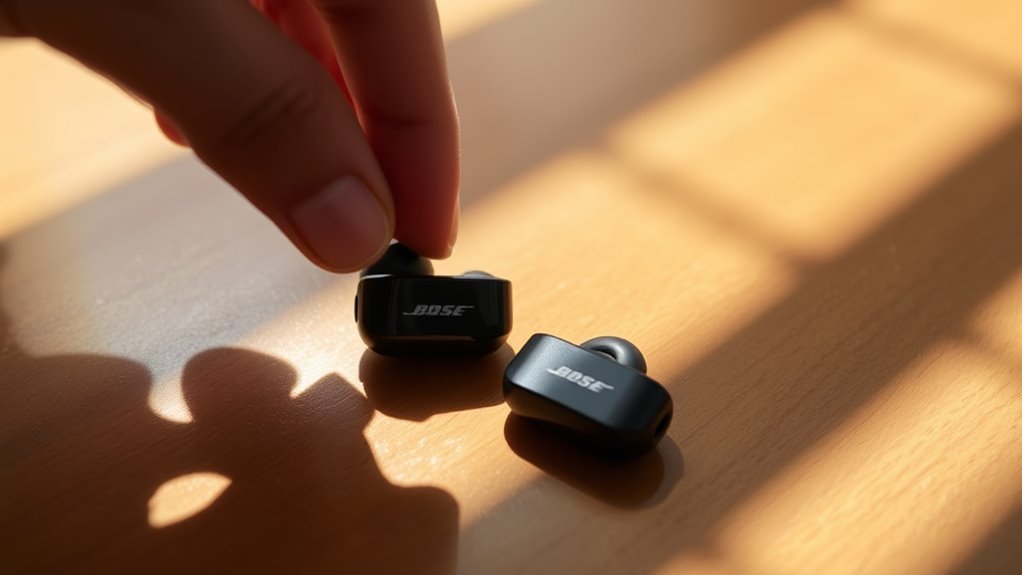

To use your Bose QC earbuds, start by unboxing them and fully charging for peak performance. Power them on by pressing the button until the indicator light appears. Connect to your device by enabling Bluetooth and selecting your earbuds from the list. Make use of touch controls for music and calls, and customize sound settings via the Bose Music app. For deeper insights and tips on maximizing your earbuds’ features, keep exploring further.
Getting Started With Your Bose QC Earbuds
Getting started with your Bose QC earbuds is a straightforward process that guarantees you can enjoy high-quality sound right away. First, unbox your earbuds and refer to the user manual for the initial setup instructions. Charge your earbuds fully using the provided cable; this secures peak performance. Once charged, power them on by pressing the button until you see the indicator light. You’ll want to familiarize yourself with the touch controls for play, pause, and volume adjustments, all of which offer you the freedom to enjoy your music without hassle. Don’t forget to explore the various ear tip sizes included to find the perfect fit for your comfort. With this simple setup, you’re ready to experience your favorite tunes like never before.
Connecting Your Earbuds to Devices
Connecting your Bose QC earbuds to devices is a simple process that enhances your listening experience. First, verify your earbuds are charged and in pairing mode. To activate Bluetooth pairing, press and hold the power button until you see the Bluetooth indicator light flash. Next, go to the Bluetooth settings on your device, whether it’s a smartphone, tablet, or computer. Look for your Bose QC earbuds in the list of available devices. Once you select them, your earbuds will connect, confirming device compatibility. If you encounter any issues, make sure your device’s Bluetooth is enabled and that it’s within range. Now you’re ready to enjoy your favorite music or podcasts with freedom and clarity!
Exploring the Touch Controls
Once your Bose QC earbuds are connected, you’ll want to make the most of their touch controls. These controls are designed for effortless use, giving you the freedom to manage your music and calls without fumbling for your device. The earbuds feature gesture sensitivity that allows you to tap or swipe to play, pause, or skip tracks. A double-tap activates your voice assistant, while a long press can toggle noise cancellation. You’ll notice the touch responsiveness is quick, so you won’t miss a beat. If you find the controls too sensitive or not responsive enough, you can adjust settings through the app. Explore these features to enhance your listening experience and enjoy seamless control at your fingertips.
Customizing Sound Settings
While enjoying your Bose QC earbuds, you might want to customize the sound settings to match your personal preferences. Access the Bose Music app to explore the equalizer settings, allowing you to fine-tune the audio to your liking. You can create and save different sound profiles for various genres or activities, ensuring your listening experience is always optimized. Whether you prefer booming bass for workouts or crisp highs for podcasts, these adjustments let you take control. Experiment with the presets or manually adjust the sliders until you find the perfect balance. With just a few taps, you can achieve a personalized sound that enhances your enjoyment, giving you the freedom to experience music the way you want.
Utilizing Noise Cancellation Features
After fine-tuning your sound settings, you can further enhance your listening experience by utilizing the noise cancellation features of your Bose QC earbuds. These features offer significant noise cancellation benefits, allowing you to immerse yourself in your music or podcasts without distractions. To activate this function, simply use the companion app or the touch controls on your earbuds. You can also experiment with adjusting noise settings to find the perfect balance for your environment—whether you want complete silence or a bit of ambient sound. This flexibility gives you the freedom to tailor your listening experience to suit any situation, making your Bose QC earbuds a versatile companion for daily life. Enjoy the peace and clarity they provide!
Managing Battery Life and Charging
To guarantee your Bose QC earbuds are always ready for use, managing their battery life and charging is essential. Here are some effective battery-saving and charging tips:
Managing the battery life of your Bose QC earbuds is crucial for ensuring they’re always ready for use.
- Charge Regularly: Keep your earbuds charged between 20% and 80% for ideal battery health. Avoid letting them drain completely.
- Turn Off When Not in Use: Utilize the automatic shut-off feature or manually turn them off when you’re not using them to conserve power.
- Use the Charging Case: Store your earbuds in the charging case when not in use. This not only protects them but also guarantees they’re always charged.
Tips for Comfortable Fit
Ensuring your Bose QC earbuds fit comfortably is just as important as managing their battery life. A proper fit enhances sound quality and minimizes discomfort during extended use. Start by experimenting with different earbud sizes and ear tip selection to find what suits you best.
Here’s a quick guide to help you choose the right ear tips:
| Earbud Size | Recommended Use |
|---|---|
| Small | Smaller ears or casual use |
| Medium | Average ear sizes, general use |
| Large | Larger ears, active lifestyle |
| Foam | Noise isolation, comfort |
| Silicone | Durability, easy cleaning |
Updating Firmware for Optimal Performance
While you enjoy your Bose QC earbuds, keeping their firmware updated is crucial for ideal performance and access to new features. Regular updates can enhance sound quality, improve battery life, and fix bugs. Here’s the simple update process:
- Download the Bose Music app: Install the app on your smartphone to manage your earbuds.
- Connect your earbuds: Verify they’re paired with your device and open the app.
- Check for updates: The app will notify you if a firmware update is available. Follow the prompts to complete the installation.
Troubleshooting Common Issues
If you experience any issues with your Bose QC earbuds, troubleshooting is often straightforward. Here are some common problems and solutions to help you get back to enjoying your music.
| Issue | Solution |
|---|---|
| Earbud connectivity issues | Verify Bluetooth is enabled on your device and restart both the earbuds and the device. |
| Sound quality problems | Check if your earbuds are clean and that the volume isn’t too high. Try resetting them if the issue persists. |
| Battery not charging | Make sure the charging case is plugged in properly and clean the charging contacts. |
| Unresponsive touch controls | Reset your earbuds to restore functionality. |
Caring for Your Bose QC Earbuds
After resolving any connectivity or sound issues, it’s important to focus on how to care for your Bose QC earbuds to keep them in top shape. Here are some essential tips:
- Cleaning Techniques: Use a soft, dry cloth to wipe down the earbuds regularly. For deeper cleaning, gently remove ear tips and rinse them with mild soap and water, ensuring they’re completely dry before reattaching.
- Battery Care: Charge your earbuds regularly to maintain battery health. Avoid letting them drain completely before recharging.
- Storage Solutions: When not in use, store your earbuds in the protective case to prevent damage and tangling. Keep them away from extreme temperatures.
Frequently Asked Questions
Can I Use Bose QC Earbuds While Exercising?
Yes, you can use Bose QC earbuds while exercising. They offer excellent sound quality and comfort, making them great for workouts. Just verify they fit securely to maintain that freedom of movement during your routine.
Are Bose QC Earbuds Water-Resistant?
Bose QC earbuds aren’t water-resistant, but they do deliver exceptional sound quality. Proper earbud maintenance, like keeping them dry, can enhance their lifespan, ensuring you enjoy your music without interruptions during workouts or daily activities.
What Devices Are Compatible With Bose QC Earbuds?
Bose QC earbuds are compatible with any Bluetooth-enabled device, including smartphones, tablets, and laptops. You’ll enjoy exceptional audio quality, making your listening experience enjoyable anywhere, whether you’re at home or on the go.
Can I Wear Bose QC Earbuds With Glasses?
Wearing Bose QC earbuds with glasses is like fitting puzzle pieces together; they can be comfortable. You might need to make fit adjustments to guarantee your comfort levels are just right while enjoying your music.
How Long Do Bose QC Earbuds Last on a Single Charge?
Bose QC earbuds can last up to 20 hours on a single charge, showcasing impressive battery performance. Charging times are relatively quick, allowing you to get back to enjoying your music without much wait.
