
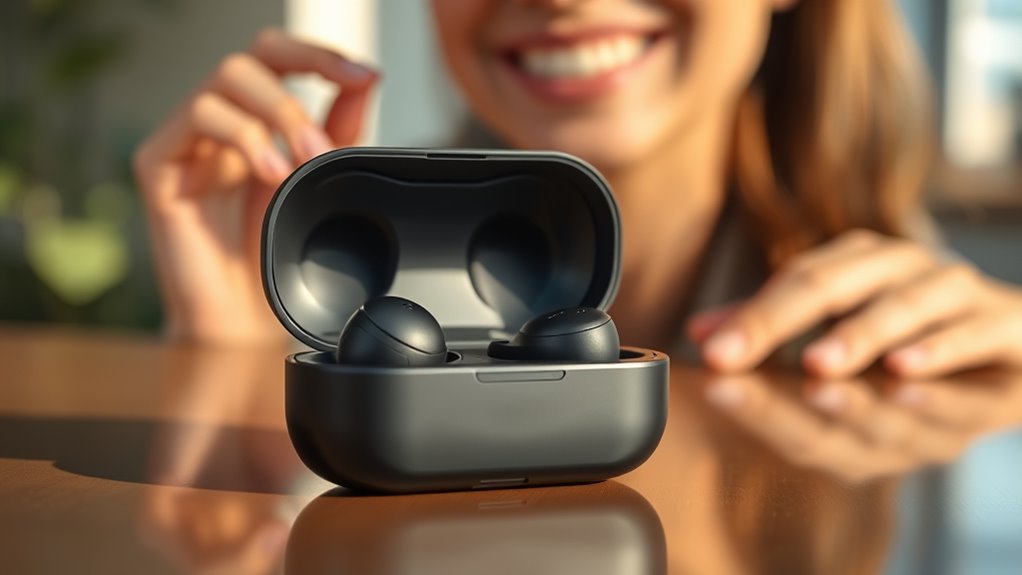

To use your Raycon earbuds, start by unboxing them and charging the case. Once charged, remove the earbuds to enter pairing mode, then connect through your device’s Bluetooth settings. Familiarize yourself with the touch controls to play, pause, or adjust volume easily. For best sound quality, verify the right ear tips are fitted. If you encounter issues, follow simple troubleshooting steps. Continue to explore for tips on maintaining your earbuds for lasting performance.
Unboxing Your Raycon Earbuds
When you first open the box of your Raycon earbuds, you’ll be greeted with a sleek design that promises quality and convenience. The earbuds’ design features aren’t just about aesthetics; they’re crafted for comfort, ensuring a snug fit that lets you enjoy music without distractions. You’ll also appreciate the variety of color options available, allowing you to express your personal style. Whether you prefer classic black, vibrant red, or cool blue, there’s something for everyone. The lightweight construction means you can wear them for hours without discomfort, giving you the freedom to move and groove wherever you go. Get ready to experience sound that matches the impressive design, making your listening experience truly enjoyable.
Charging Your Earbuds
Charging your Raycon earbuds is essential for keeping your tunes playing. You’ll want to familiarize yourself with the charging case, battery indicator lights, and some ideal charging tips to maximize battery life. Let’s explore how to guarantee your earbuds are always ready to go!
Charging Case Overview
The Raycon charging case is essential for keeping your earbuds powered and ready for use. Its sleek design not only looks great but also fits easily in your pocket or bag, making it perfect for on-the-go lifestyles. The charging case features a powerful battery that provides multiple charges for your earbuds, ensuring you won’t run out of power during your day. Simply place your earbuds in the case, and they’ll begin charging automatically. Plus, the secure magnetic closure keeps them safe and snug, so you can be carefree while enjoying your music. Embrace the freedom of movement with Raycon earbuds, knowing your charging case is designed to keep your audio experience seamless and uninterrupted.
Battery Indicator Lights
How can you tell if your Raycon earbuds are charging properly? The battery indicator lights make it easy! These lights let you know the status of your earbuds and their battery lifespan. Here’s a quick reference:
| Indicator Light Color | Meaning |
|---|---|
| Solid Red | Charging in progress |
| Solid White | Fully charged |
| Flashing Red | Low battery |
Understanding these lights helps you manage your charging cycles effectively. When you keep an eye on the indicators, you can enjoy your earbuds without unexpected interruptions. Remember, maintaining peak battery health is key to getting the most out of your Raycon experience. Happy listening!
Optimal Charging Tips
To guarantee your Raycon earbuds stay in peak condition, it’s essential to follow some ideal charging tips. First, always use the provided charging case for best charging techniques. Avoid letting the battery drop to 0%—try to recharge when it hits around 20%. This simple practice can greatly enhance your battery lifespan. Additionally, don’t leave your earbuds plugged in for extended periods; overcharging can shorten battery life. If you’re not using them for a while, store them with a partial charge—about 50% is perfect. Finally, keep your charging ports clean to maintain efficient charging. By following these battery lifespan tips, you’ll enjoy longer-lasting performance and the freedom to enjoy your music uninterrupted.
Pairing With Your Device
Wondering how to connect your Raycon earbuds to your device? The pairing process is simple, and you’ll enjoy the freedom of wireless listening in no time. First, verify your device is compatible with Bluetooth. Turn on your earbuds by removing them from the case, and they’ll automatically enter pairing mode. On your device, navigate to Bluetooth settings and select your Raycons from the list.
Here’s a quick compatibility guide:
| Device Type | Compatibility | Pairing Steps |
|---|---|---|
| Smartphone | Yes | Open Bluetooth, select Raycon |
| Tablet | Yes | Open Bluetooth, select Raycon |
| Laptop | Yes | Open Bluetooth, select Raycon |
| Smart TV | Sometimes | Check for Bluetooth option |
| Gaming Console | Limited | Refer to specific manual |
Once paired, you’re ready to enjoy!
Understanding the Controls
Now that you’ve paired your Raycon earbuds with your device, it’s time to get familiar with the controls. Understanding the touch controls will help you manage playback and adjust volume settings effortlessly. Let’s explore how to maximize your listening experience.
Touch Controls Overview
While using your Raycon earbuds, mastering the touch controls can greatly enhance your listening experience. These controls allow you to manage your music and calls effortlessly. You can play or pause tracks with a simple tap, and swiping gestures let you adjust the volume or skip songs. The gesture sensitivity is designed to respond accurately, ensuring you won’t accidentally trigger commands.
For a more personalized experience, explore control customization. Adjust settings to suit your preferences, whether it’s changing the function of a tap or swipe. This flexibility empowers you to create a setup that feels just right. Explore and experiment with these features, and you’ll discover how freeing it is to control your audio with ease.
Pairing With Devices
To get the most out of your Raycon earbuds, it’s vital to pair them with your devices correctly. First, verify your device supports Bluetooth connectivity; most smartphones, tablets, and laptops do. Turn on your earbuds by holding the power button until you see the LED light flashing. Go to your device’s Bluetooth settings, and look for your Raycon earbuds in the list of available devices. Select them to establish the connection. Once paired, you’ll enjoy seamless audio without hassle. Remember, device compatibility is important, so check your device specifications if you encounter any issues. With these steps, you’ll be ready to experience the freedom and quality that Raycon earbuds bring to your listening experience.
Adjusting Volume Settings
Adjusting the volume on your Raycon earbuds is simple and intuitive, allowing you to tailor your listening experience to your preference. You’ll find that managing volume adjustment is quick, making it easy to switch between sound preferences.
Here’s a quick overview of the controls:
| Action | Gesture | Result |
|---|---|---|
| Increase Volume | Double-tap right earbud | Raises the volume |
| Decrease Volume | Double-tap left earbud | Lowers the volume |
| Mute/Unmute | Press and hold either earbud | Toggles sound on/off |
With these controls, you can effortlessly adapt your audio experience, ensuring it suits your mood. Enjoy the freedom to adjust as needed!
Optimizing Sound Quality
How can you get the most out of your Raycon earbuds’ sound quality? Start by guaranteeing a proper fit. The right ear tips not only enhance comfort but also improve sound isolation, blocking out unwanted noise. This allows you to fully immerse yourself in your music or podcasts. Next, play around with the equalizer settings on your device to achieve ideal audio balance. Adjusting frequencies can help accentuate bass or treble, depending on your preferences. Also, keep your earbuds updated with the latest firmware for enhanced performance. Finally, make sure you’re listening to high-quality audio files; compressed formats can diminish sound quality. By following these steps, you’ll enjoy a richer, more dynamic listening experience with your Raycon earbuds.
Troubleshooting Common Issues
While enjoying your Raycon earbuds, you might encounter some common issues that can disrupt your listening experience. Here’s how to troubleshoot:
- Connection issues: Confirm your device is within range and that Bluetooth is enabled.
- Sound distortion: Check for obstructions between your earbuds and the audio source.
- Battery problems: Make certain your earbuds are charged; a low battery can impact performance.
- Uneven sound: Clean the ear tips to remove any debris that might be affecting audio output.
- Volume fluctuations: Restart your device to reset any software glitches.
Maintaining Your Earbuds
To keep your Raycon earbuds in top condition, regular maintenance is essential. Start with effective cleaning techniques; gently wipe the earbuds with a soft, dry cloth. For stubborn grime, a slightly damp cloth can work wonders, but avoid getting moisture in the speaker mesh. Don’t forget to clean the ear tips regularly—detachable tips are easy to wash with soap and water.
When it comes to storage solutions, always place your earbuds in their charging case when not in use. This not only protects them from damage but also keeps them charged. Avoid tossing them in bags or pockets where they can get tangled or scratched. With a little care, you’ll enjoy your Raycon earbuds’ performance for years to come!
Frequently Asked Questions
Can I Use Raycon Earbuds While Exercising or Running?
Absolutely, you can use Raycon earbuds while exercising or running! They’re designed for comfort and stability, enhancing your running performance without distractions. Enjoy your freedom to move while staying connected to your favorite tunes!
Are Raycon Earbuds Water-Resistant or Sweat-Resistant?
Like a shield against the storm, Raycon earbuds offer sweat protection, but they aren’t fully waterproof. Check their waterproof ratings before diving into rigorous activities—they’ll keep you grooving even when the sweat’s pouring.
How Long Do Raycon Earbuds Typically Last on a Single Charge?
Raycon earbuds typically last about six hours on a single charge, with an additional 24 hours available from the charging case. It only takes about an hour to fully recharge them, ensuring you’re ready to go!
Do Raycon Earbuds Have a Warranty?
Yes, Raycon earbuds come with warranty details. If you encounter issues, you can file warranty claims within the specified period. Always check the official website for the latest information on coverage and procedures.
Can I Use Raycon Earbuds for Phone Calls?
Yes, you can use Raycon earbuds for phone calls. They provide decent call quality and good microphone performance, ensuring your conversations are clear and enjoyable. Enjoy the freedom of wireless communication without compromising on sound!
