
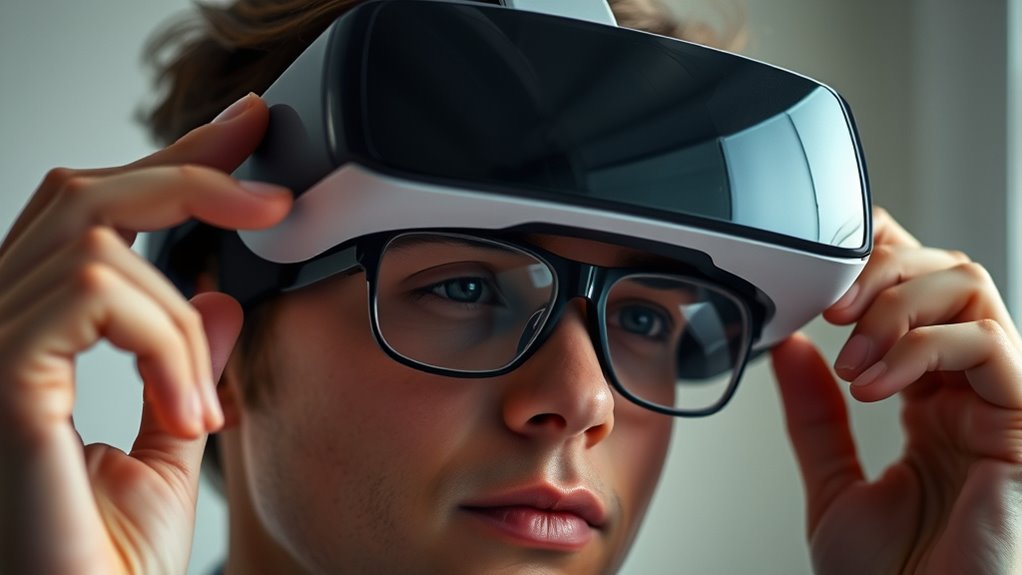

Using a VR headset while wearing glasses can be easy with the right adjustments. First, choose a headset designed for glasses wearers for comfort. Adjust the fit to avoid pressure points and guarantee a snug but not tight feel. Consider using prescription lens inserts for enhanced clarity. Remember to take breaks and keep hydrated during extended sessions. With these tips, you’ll improve your VR experience considerably, and there are even more helpful insights waiting for you.
Choosing the Right VR Headset for Glasses Wearers
When you’re shopping for a VR headset and wear glasses, it’s essential to contemplate specific features that can enhance your experience. First, consider the frame styles of your glasses. Some headsets accommodate larger frames better than others, so look for options with adjustable lenses or extra space. Additionally, lens thickness plays a significant role. Thicker lenses may create discomfort or misalignment, so finding a headset that allows for adjustments is important. Opt for models designed specifically for glasses wearers, as these often include built-in features to reduce pressure on your frames. Finally, always check customer reviews to verify other glasses wearers had a positive experience. This way, you can enjoy VR without compromising comfort or vision quality.
Adjusting the Headset for Optimal Fit
Achieving an ideal fit for your VR headset is essential, especially if you wear glasses. Start by using fitting techniques to adjust the headset’s straps for a snug yet comfortable fit. Loosen or tighten the straps until the headset feels secure but not overly tight; you want to avoid pressure points. Pay attention to the distance between the lenses and your eyes, as this can impact your experience. If your headset has comfort adjustments, utilize them to enhance your overall comfort. Experiment with different angles and positions, ensuring your glasses sit comfortably inside the headset without any obstruction. A proper fit will not only improve your VR experience but also allow you to enjoy immersive freedom without discomfort.
Lens Options for Enhanced Clarity
Choosing the right lens options can greatly enhance clarity while using a VR headset with glasses. You’ll want to explore various lens types that accommodate your prescription needs. Some headsets offer built-in adjustments for better focus, but if you require specific prescription options, consider aftermarket solutions. Many companies now provide customizable lens inserts tailored to your vision, allowing you to enjoy your VR experience without the hassle of glasses. These lens inserts can often be easily swapped, ensuring comfort and clarity. When selecting your lenses, always check for compatibility with your headset model. This way, you’ll experience immersive visuals without straining your eyes, giving you the freedom to fully engage in the virtual world.
Using Prescription Lens Inserts
Many VR users find that using prescription lens inserts greatly improves their experience. Instead of struggling with glasses inside your headset, prescription lens options offer a seamless alternative. These inserts are custom lens solutions designed specifically for your vision needs, ensuring clarity and comfort while you immerse yourself in virtual worlds.
To get started, consult with an eye care professional to obtain your prescription details. Many companies provide a range of lens options compatible with various VR headsets. Once you’ve selected your inserts, simply snap them into your headset. This not only enhances your visual experience but also reduces the discomfort often caused by wearing glasses. Enjoy the freedom to plunge into VR without the hassle of adjusting your eyewear!
Tips for Comfort During Extended Use
While diving into immersive virtual experiences can be thrilling, comfort is key when you’re using a VR headset for extended periods. To enhance your experience, consider these tips for comfort:
- Make padding adjustments to fit your headset snugly without pinching.
- Use comfort accessories like VR covers or face cushions to reduce pressure.
- Take regular breaks to stretch your neck and eyes.
- Verify your headset isn’t too tight; loosen straps if necessary for better airflow.
- Stay hydrated and take time to relax your mind between sessions.
Maintaining Your Glasses and Headset
Maintaining your glasses and VR headset is essential for a seamless experience. Start with glass cleaning; use a microfiber cloth and gentle lens cleaner to avoid scratches. Regularly check for smudges or dust on your lenses, as they can interfere with your vision in VR. For headset maintenance, wipe down the exterior with a soft cloth to keep it clean. Pay attention to the lenses—clean them with the same microfiber cloth to guarantee clarity. Also, inspect the foam padding for wear and tear; replacing it as needed will enhance comfort. By keeping both your glasses and headset in top condition, you’ll enjoy a more immersive and enjoyable virtual reality experience.
Finding the Right VR Content
Finding the right VR content can greatly enhance your experience, especially if you’re new to virtual reality. You’ll want to explore various genres to find what resonates with you. Here are some VR content recommendations to get you started:
- Adventure Games: Immerse yourself in thrilling quests and explore vast worlds.
- Immersive Storytelling: Experience narratives that pull you in emotionally.
- Fitness Experiences: Get active while having fun in virtual environments.
- Educational Programs: Learn new skills or explore historical events in 3D.
- Social VR: Connect with friends or meet new people in shared spaces.
Troubleshooting Common Issues
If you’re experiencing issues while using your VR headset with glasses, there are a couple of common fixes to contemplate. First, adjusting the lens settings can help improve your viewing experience. Additionally, checking your glasses’ frame compatibility with the headset can prevent discomfort and guarantee a better fit.
Lens Adjustment Techniques
While using a VR headset with glasses can enhance your gaming or viewing experience, you might encounter issues with lens adjustments that can affect clarity. Here are some techniques to troubleshoot common issues:
- Adjust inter-pupillary distance (IPD): Confirm the lenses align with your eyes for ideal focus.
- Clean the lenses: Use a microfiber cloth to avoid scratches and improve visibility.
- Prevent lens fogging: Keep the headset in a cool, dry area before use, and consider anti-fog wipes.
- Test different positions: Slightly adjusting the headset’s position can help find the sweet spot for clarity.
- Check for scratches: Inspect your glasses and headset lenses for damage that may blur your view.
With these tips, you can enhance your VR experience considerably.
Frame Compatibility Check
When it comes to ensuring a smooth VR experience with glasses, frame compatibility is essential. First, check your frame sizes. Many VR headsets can accommodate various sizes, but some might struggle with larger or bulkier frames. If your glasses are oversized, they may not fit comfortably inside the headset.
Next, consider your frame styles. Rimless or thinner frames generally work better than thick, oversized ones. If you find your glasses pressing against the headset, it could lead to discomfort during use.
You might also want to look into prescription lens inserts designed specifically for your VR model. They can offer a more comfortable fit and enhance your overall experience, freeing you from the hassle of wearing glasses in VR.
Exploring Beyond Gaming: Other VR Experiences
Although many people associate virtual reality (VR) with gaming, it offers a diverse range of experiences that go far beyond just playing video games. You can immerse yourself in a world of creativity and exploration, where every moment feels immersive and freeing.
Virtual reality transcends gaming, offering a realm of creativity and exploration that invites you to immerse yourself in unique experiences.
Here are some exciting VR experiences to try:
- Virtual reality art: Create and explore stunning 3D artworks.
- Immersive storytelling: Experience narratives in a way that pulls you into the plot.
- Virtual travel: Visit exotic locations without leaving your home.
- Educational simulations: Learn new skills or subjects through interactive environments.
- Fitness and wellness: Engage in fun workouts or meditative experiences.
These alternatives to gaming allow you to expand your horizons and enjoy the limitless possibilities of VR.
Frequently Asked Questions
Can I Wear Contact Lenses Instead of Glasses in a VR Headset?
Yes, you can wear contact lenses in a VR headset. They often provide better comfort and a wider field of vision compared to glasses. Just make certain your lenses are clean and properly fitted for the best experience.
Will the VR Headset Damage My Glasses?
No, a VR headset won’t damage your glasses if you guarantee proper glasses protection and headset compatibility. Adjust the headset carefully, use a glasses-friendly model, and enjoy your virtual experience without worry.
How Do I Clean My Glasses and Headset Safely?
To clean your glasses and headset safely, use microfiber cloths and lens cleaner. Avoid harsh chemicals to maintain lens protection. Regularly wipe down surfaces with gentle cleaning techniques for clarity and to prevent scratches.
Are There Specific VR Games Recommended for Glasses Wearers?
If you’re seeking delightful adventures, consider glasses-friendly titles like “Beat Saber” or “Job Simulator.” These VR game recommendations guarantee comfort while you explore immersive worlds, letting you enjoy every moment without compromising your vision.
Can I Wear Sunglasses With a VR Headset?
You can’t typically wear sunglasses with a VR headset due to fit issues, but comfort adjustments may help. It’s best to use prescription lenses or inserts designed for compatibility with your headset for ideal experience.
