
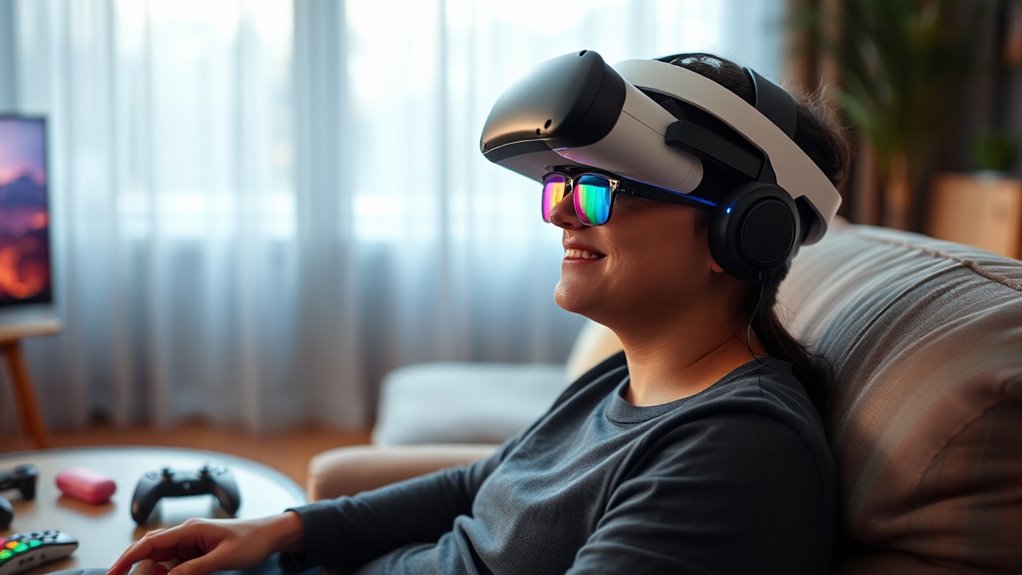

Using a VR headset with glasses is definitely doable, but it requires some attention. Start by checking headset compatibility for glasses; some models are specially designed for wearers. Adjust the straps to get a secure fit without putting pressure on your frames. Consider using prescription lens inserts for improved comfort and clearer vision. Don’t forget to take breaks and adjust the headset as needed for the best experience. You can explore more tips to enhance your VR journey.
Understanding VR Headset Compatibility With Glasses
When you’re diving into the world of virtual reality, it’s crucial to understand how your glasses fit into the equation. Not all VR headsets are created equal, and compatibility with various glasses styles can greatly impact your experience. You’ll want to take into account the size and shape of your frames, as some VR specs are designed with extra room to accommodate glasses comfortably. Additionally, look for headsets with adjustable features, like removable padding or straps that can help create a better fit. The goal is to make sure your vision remains clear and unobstructed while immersing yourself in virtual worlds. Understanding these factors will help you enjoy the freedom and excitement of VR without the hassle of discomfort.
Choosing the Right VR Headset for Glasses Wearers
When choosing a VR headset as a glasses wearer, you’ll want to take into account lens compatibility to guarantee a comfortable fit. Look for adjustable features that allow the headset to accommodate your glasses without compromising your experience. Finding the right mix of these elements can make all the difference in your virtual reality adventures.
Lens Compatibility Considerations
Choosing the right VR headset can be a game-changer for glasses wearers, especially since lens compatibility plays a crucial role in your overall experience. You’ll want to weigh several factors to guarantee your headset meets your needs:
- Lens options: Some headsets allow for interchangeable lenses, which can enhance comfort.
- Prescription compatibility: Confirm your prescription lenses can fit or be adapted to the headset.
- Comfort fit: Look for headsets designed to accommodate glasses without pressure.
- Adjustable features: Check if the headset has features that can be modified for your specific needs.
Adjustable Headset Features
While selecting a VR headset, it’s essential to evaluate adjustable features that cater to glasses wearers. Look for adjustable straps that let you find the perfect fit without compromising comfort. A snug fit is key for an immersive experience, so make sure the headset accommodates your head size and glasses. Additionally, consider models with generous foam padding around the eye area. This padding not only enhances comfort but also helps create a seal that keeps you engaged in the virtual world. Some headsets even offer removable or customizable padding, giving you the freedom to adjust it as needed. By prioritizing these adjustable features, you can enjoy a seamless VR experience without sacrificing your vision.
Adjusting the VR Headset for Optimal Comfort
To get the most out of your VR experience, adjusting the headset for a proper fit is essential. You’ll want to make certain it sits comfortably and securely on your head while also fine-tuning the lenses for ideal clarity. Let’s explore some effective techniques to achieve that perfect balance.
Proper Headset Fit
Achieving the perfect fit for your VR headset is essential for an immersive experience, especially if you wear glasses. A proper fit not only enhances your comfort but also improves your visual experience. Here are some comfort adjustments to take into account:
- Strap Tightness: Adjust the straps to guarantee the headset feels secure but not overly tight.
- Eye Relief: Position the headset so it sits comfortably on your face, allowing for proper eye relief.
- Cushion Placement: Make certain the foam padding makes even contact with your skin to prevent pressure points.
- Lens Alignment: Align the lenses with your eyes to maintain clarity and reduce strain.
Taking the time to fine-tune these elements will lead to a more enjoyable VR journey.
Lens Adjustment Techniques
When you’re diving into a virtual reality experience, adjusting the lenses of your headset can make a significant difference in your comfort and visual clarity. Start by checking if your headset has adjustable lenses—this feature allows you to customize the distance between the lenses and your eyes. If you wear glasses, verify your headset fits snugly over them. Don’t forget to do some lens cleaning before use; smudges can hinder your vision clarity. Rotate or slide the lenses to find the perfect position, enhancing your immersive experience. Finally, take a moment to fine-tune the focus settings if available, making certain everything appears sharp. These simple adjustments can elevate your VR adventure, giving you the freedom to explore without discomfort.
Using Prescription Lens Inserts
If you’ve ever struggled to wear your glasses under a VR headset, you might find that using prescription lens inserts can be a game changer. These custom lens options fit directly into your headset, allowing you to enjoy immersive experiences without the hassle of glasses. Here are some lens insert benefits that make them worth considering:
- Comfort: No more pressure from glasses against your face.
- Clarity: Experience sharper visuals tailored to your prescription.
- Convenience: Easily swap lenses based on your needs.
- Protection: Reduces the risk of scratches on your glasses.
With prescription lens inserts, you can immerse yourself in virtual worlds freely, enhancing your enjoyment and comfort during every session. Say goodbye to the frustration of adjusting glasses and hello to seamless gaming!
Maintaining Clear Vision in VR
Having prescription lens inserts can greatly enhance your VR experience, but maintaining clear vision in virtual reality goes beyond just the lenses you use. To guarantee peak vision clarity, keep your headset clean and free from smudges. Regularly wipe the lenses with a microfiber cloth to avoid distortions. Additionally, be mindful of lens fogging, which can occur due to temperature changes or sweating. To combat this, consider using anti-fog sprays or wipes designed for eye wear. Adequate ventilation in your headset can also help reduce moisture buildup. By taking these steps, you’ll not only enjoy a more immersive experience but also guarantee your vision remains sharp and clear throughout your virtual adventures.
Tips for Extended VR Sessions With Glasses
Although wearing glasses can pose challenges during extended VR sessions, there are several strategies you can employ to enhance your comfort and enjoyment. Here are some tips to reduce eye strain and guarantee a better experience:
Wearing glasses in VR can be challenging, but with a few strategies, you can enhance your comfort and enjoyment.
- Take regular comfort breaks: Step away from the headset every 20-30 minutes to rest your eyes and prevent fatigue.
- Adjust headset fit: Make sure your headset is snug but not too tight, allowing enough space for your glasses.
- Use anti-reflective coatings: Consider lenses with anti-reflective coatings to minimize glare and enhance clarity.
- Stay hydrated: Keep water nearby to stay refreshed, as dehydration can contribute to eye strain.
These simple adjustments can make a significant difference, letting you fully immerse yourself in your VR adventures.
Troubleshooting Common Issues for Glasses Wearers
Even with the right adjustments for comfort during extended VR sessions, glasses wearers might still encounter specific issues that can impact their experience. One common problem is glasses fogging, especially when you’re immersed in a heated game or environment. To combat this, try using anti-fog sprays or wipes on your lenses before putting on the headset.
Another issue is headset weight, which can cause discomfort during long sessions. If the headset feels heavy, consider adding extra padding or redistributing the weight for better balance. Additionally, adjusting the headset’s fit can help relieve pressure on your glasses. By addressing these concerns, you can enhance your VR experience and fully enjoy the freedom of virtual worlds.
Frequently Asked Questions
Can I Wear Contact Lenses Instead of Glasses in VR?
Can you imagine experiencing virtual reality without any obstructions? Yes, you can wear contact lenses instead of glasses! They often provide better comfort and enhance your virtual reality vision, giving you a more immersive experience.
Will VR Headsets Damage My Glasses?
No, VR headsets typically won’t damage your glasses, but ensuring proper glasses protection is essential. Check your headset compatibility for extra padding or adjustments, ensuring a comfortable fit while enjoying your virtual adventures without worry.
How Do I Clean My VR Headset Lenses?
To clean your VR headset lenses, use a microfiber cloth and lens cleaning solution. Avoid harsh materials. Regular lens maintenance tips include gently wiping in circular motions to keep your view clear and immersive.
Are There VR Headsets Specifically Designed for Larger Glasses?
Yes, some VR headsets offer better compatibility for larger glasses, featuring adjustable lenses or added space. Check models specifically designed with glasses adjustments in mind to guarantee a comfortable and immersive experience without compromising your vision.
Can Children Wear VR Headsets With Prescription Glasses?
Absolutely, kids can wear VR headsets with prescription glasses. Just guarantee the headset’s comfortable enough to accommodate their children’s vision needs, allowing them to explore new worlds without the hassle of discomfort.
