
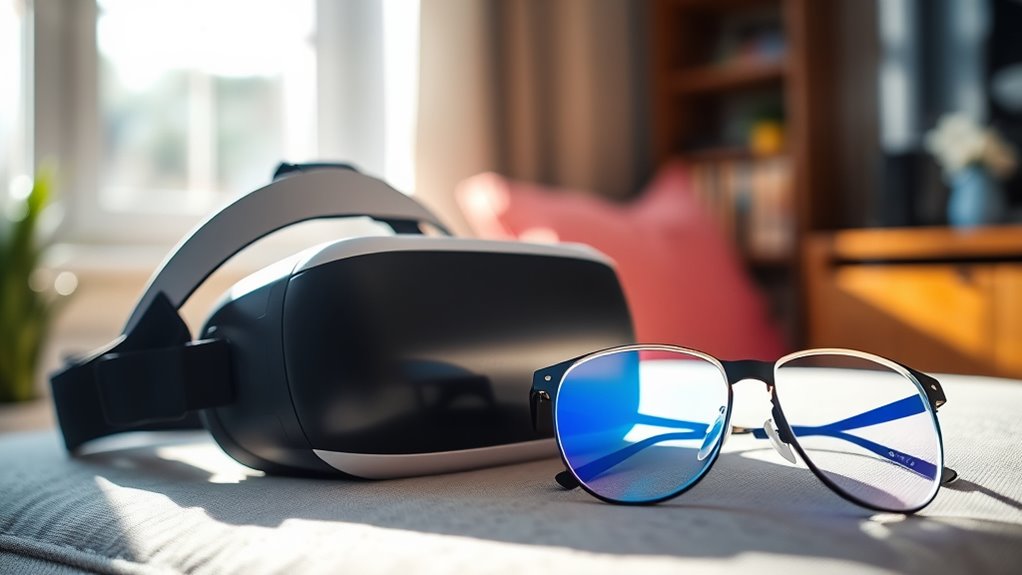

To protect your eyes while using VR headsets, adjust the brightness and field of view for comfort. Follow the 20-20-20 rule: take breaks every 20 minutes to focus on distant objects. Make sure your headset fits properly, with lenses positioned 1.5 to 2 inches from your eyes. Stay hydrated and schedule regular eye exams to track your eye health. These steps can greatly reduce strain and enhance your VR experience, while more tips are available to guarantee safe usage.
Understanding Eye Strain and VR Headsets
When using VR headsets, it’s vital to recognize that prolonged exposure can lead to eye strain, especially if you’re not taking regular breaks. Eye strain can negatively impact your eye health, causing discomfort, fatigue, and blurred vision. This occurs due to the close proximity of screens, which forces your eyes to work harder than usual. Maintaining visual comfort is essential; consider following the 20-20-20 rule: every 20 minutes, look at something 20 feet away for at least 20 seconds. Additionally, make certain that your headset is properly fitted and that the lenses are adjusted for your vision needs. By being mindful of these factors, you can enhance your VR experience while protecting your eyes from unnecessary strain.
Adjusting Your VR Settings for Comfort
Since ideal comfort is essential for an enjoyable VR experience, adjusting your headset settings can greatly enhance your immersion. Start by adjusting brightness; too much light can cause eye strain, while too little can make it hard to see details. Find a balance that suits your environment. Next, customize the field of view to guarantee a comfortable fit. A wider field can enhance immersion, but if it feels overwhelming, narrowing it can help. Additionally, make sure the headset fits snugly but not too tight, as this affects your comfort during extended use. By fine-tuning these settings, you’ll create a more enjoyable experience, allowing you to explore virtual worlds without discomfort or distraction.
Taking Regular Breaks During VR Sessions
Even with ideal settings for comfort, spending long periods in a VR headset can lead to fatigue and discomfort. That’s why understanding the importance of breaks is essential for maintaining your eye health. Scheduling sessions with regular intervals allows your eyes to rest and recover, improving your overall experience. Consider incorporating these strategies during your VR activities:
- Take a 10-minute break every hour.
- Focus on distant objects to reduce eye strain.
- Stretch and move around to enhance blood circulation.
- Hydrate to prevent dryness and fatigue.
Maintaining Proper Distance and Fit
To guarantee a superior VR experience, you’ll need to maintain the correct viewing distance from the headset’s lenses. Adjusting the headset for a snug fit is equally important, as it helps reduce discomfort and enhances visual clarity. Taking these steps can greatly improve both your immersion and safety while using the device.
Optimal Viewing Distance
Maintaining the ideal viewing distance when using VR headsets is essential for a comfortable and immersive experience. The best screen distance helps prevent eye strain and enhances visual clarity. Here are some key points to take into account:
- Position the headset so the lenses are about 1.5 to 2 inches from your eyes.
- Make sure the virtual screen feels natural and not too close or far away.
- Adjust the headset to accommodate your facial structure for better alignment.
- Take regular breaks to reduce fatigue and maintain focus.
Correct Headset Adjustment
Achieving the right fit and distance with your VR headset is essential for maximizing comfort and immersion. Proper headset ergonomics can greatly enhance your eye comfort and overall experience. Start by adjusting the straps to guarantee a snug fit without pressure points. Then, position the lenses at a distance that allows for clear vision without straining your eyes.
| Adjustment Aspect | Importance | Tips |
|---|---|---|
| Strap Tightness | Prevents headset slippage | Adjust for a secure fit |
| Lens Positioning | Reduces eye strain | Align lenses with your pupils |
| Interpupillary Distance | Enhances depth perception | Adjust sliders for comfort |
| Nose Bridge Fit | Ensures stability | Find the right cushion size |
| Weight Distribution | Affects long-term comfort | Balance headset weight evenly |
Choosing the Right VR Content for Eye Health
While exploring virtual reality, it’s essential to take into account the impact of content on your eye health. Not all VR experiences are created equal, and choosing the right content can help minimize eye strain. Look for immersive experiences that prioritize comfort and visual clarity. Consider these factors when selecting VR content:
Choosing the right VR content is crucial for eye health; prioritize comfort and visual clarity to minimize strain.
- Content Variety: Opt for a range of experiences to prevent overexposure to a single type of visual stimulus.
- Brightness Levels: Choose content with adjustable brightness settings to suit your environment.
- Frame Rate: Higher frame rates can reduce motion blur, enhancing comfort.
- Duration: Limit your sessions with longer experiences to avoid fatigue.
Consulting a Professional for Eye Care
Regular eye examinations are essential for maintaining your visual health, especially if you frequently use VR headsets. During these check-ups, make certain to discuss your VR usage with your eye care professional. This dialogue can help identify any potential issues and guarantee your eyes remain healthy while enjoying virtual experiences.
Regular Eye Examinations
Ensuring your eyes remain healthy is essential, especially when using VR headsets frequently. Regular eye examinations play an important role in maintaining your eye health and ensuring vision safety. These check-ups can help detect potential issues early, especially those that might arise from prolonged headset use.
Consider these points for eye exams:
- Routine check-ups: Schedule at least once a year.
- Specialist consultations: Seek an optometrist familiar with VR-related issues.
- Symptoms tracking: Report any discomfort or changes in vision.
- Personalized advice: Get tailored recommendations based on your VR habits.
Taking proactive steps with regular eye examinations can safeguard your vision and enhance your overall experience with VR technology. Prioritize your eye health for a safer virtual journey.
Discuss VR Usage
If you’re frequently using VR headsets, consulting a professional for eye care is essential to prevent potential vision problems. With the rise of VR gaming trends, it’s vital to stay informed about the impact on your eye health. Regular check-ups can help identify any strain or discomfort early on. Eye health tips, such as taking breaks every 20 minutes, adjusting headset settings for comfort, and ensuring proper lighting, can greatly enhance your VR experience while minimizing risks. Additionally, discussing any symptoms with an eye care specialist will provide personalized recommendations tailored to your specific usage patterns. Remember, proactive eye care not only enhances your gaming enjoyment but also safeguards your long-term vision health. Don’t compromise your freedom to see clearly!
Frequently Asked Questions
Can I Use VR Headsets While Wearing Glasses?
Yes, you can use VR headsets while wearing glasses. Most headsets offer glasses compatibility and lens adjustments, ensuring a comfortable fit. Just make sure your glasses aren’t too bulky to enhance your immersive experience.
How Do VR Headsets Affect Vision Over Time?
Using VR headsets can lead to long-term effects on your vision, like strain and discomfort. If you’re not careful, it might result in blurred vision or fatigue, similar to staring at a computer screen too long.
Are There Age Restrictions for Using VR Headsets?
Yes, most VR headset manufacturers recommend age guidelines, typically advising against use for children under 12 due to health considerations. It’s vital to monitor usage duration and guarantee breaks to minimize potential eye strain.
Can VR Headsets Cause Motion Sickness?
Using a VR headset can be like riding a roller coaster; it might induce motion sickness. Motion sickness causes include visual-vestibular mismatch. To prevent it, try shorter sessions, take breaks, and adjust settings for comfort.
What Should I Do if I Experience Discomfort in VR?
If you experience discomfort in virtual reality, take regular breaks, adjust the headset fit, and reduce brightness to minimize eye strain. Also, make certain your play area is clear to enhance comfort and freedom during use.
