
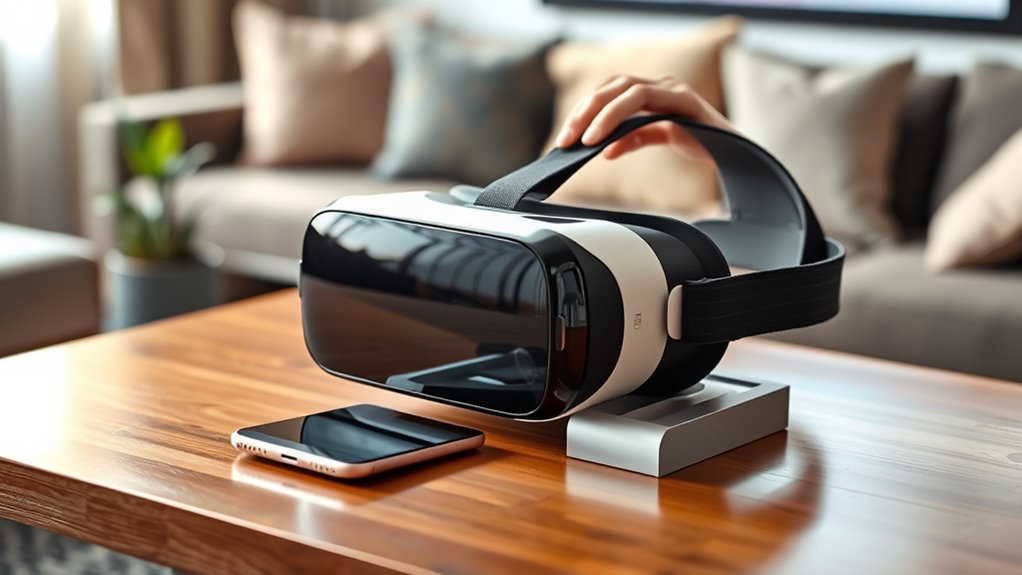

To use a VR headset with your phone, start by choosing the right headset that fits your budget and needs. Download compatible VR apps from your app store. Next, prepare your smartphone by ensuring it’s charged and compatible. Insert your phone into the headset, adjusting for a snug fit. Make any necessary lens adjustments for comfort, then calibrate the experience. Finally, explore a variety of VR content that interests you, and find out even more tips to enhance your journey!
Choose the Right VR Headset
When selecting the right VR headset for your phone, how do you know which one suits your needs best? Start by considering your budget options. There are plenty of affordable headsets that don’t skimp on quality. Look for features like adjustable lenses, comfortable straps, and compatibility with your smartphone model. Do you want a headset that supports 360-degree viewing or one that focuses on mobile gaming? Knowing what you’ll use it for can narrow your choices. Additionally, check user reviews to see how others feel about the headset’s performance and comfort. Ultimately, the right headset should enhance your experience, giving you the freedom to explore virtual worlds without breaking the bank. Select wisely, and enjoy the adventure!
Download Compatible VR Apps
To fully enjoy your VR headset, you’ll want to download compatible apps that enhance your experience. Start by exploring app recommendations tailored for VR. Popular options include Google Cardboard, YouTube VR, and Within, offering everything from immersive videos to interactive games.
To download these apps, head to your phone’s app store, whether it’s Google Play or the Apple App Store. Simply search for the titles, hit download, and wait for the magic to happen. Don’t forget to check user reviews and ratings to guarantee you’re choosing the best options.
With the right apps in your library, you’ll reveal a world of virtual adventures. So, immerse yourself and let your imagination roam free!
Prepare Your Smartphone
Before diving into the virtual world, it’s essential to prepare your smartphone for an ideal experience. Confirming your device is ready will enhance your VR journey. Here’s what you need to do:
Preparing your smartphone is crucial for an immersive VR experience that enhances your virtual journey.
- Check phone compatibility: Make sure your smartphone is compatible with the VR headset you’re using.
- Adjust screen resolution: Set your phone’s screen resolution to the highest available for clearer visuals.
- Clear storage space: Free up storage to allow smooth app performance and updates.
- Charge your battery: Confirm your phone is fully charged to avoid interruptions during your VR escapades.
Insert Your Phone Into the VR Headset
Inserting your phone into the VR headset is a straightforward process that sets the stage for your immersive experience. First, make certain your headset is compatible with your phone model. Once confirmed, open the headset’s compartment and carefully place your phone inside, guaranteeing proper phone alignment with the lenses. Secure the phone in place and prepare to plunge into virtual worlds.
Here’s a quick reference table to check compatibility:
| Feature | Check for Your Phone | Importance |
|---|---|---|
| Size | Fits snugly | Avoids dislodging |
| Screen Resolution | High quality | Enhances visuals |
| Sensor Placement | Centered | Guarantees accurate tracking |
Now you’re ready to explore!
Adjust the Headset for Comfort
Once your phone is securely placed in the VR headset, the next step is to make sure it fits comfortably on your head. Proper headset sizing is essential for an immersive experience. Here are some comfort adjustments you can make:
- Strap Tightness: Adjust the straps so they’re snug but not too tight.
- Lens Distance: Shift the lenses to match your eye distance for a clearer view.
- Weight Distribution: Confirm the headset’s weight is evenly distributed to avoid strain.
- Padding Adjustments: Check if the padding is aligned with your forehead and cheeks for added comfort.
Taking these steps will guarantee you can enjoy your VR experience without discomfort, letting you explore virtual worlds freely!
Calibrate the VR Experience
To fully immerse yourself in the virtual experience, calibrating the VR settings is essential. Start by adjusting the lens distance to match your eyes; this simple calibration technique can drastically enhance clarity. Next, confirm your phone’s display settings are optimized for brightness and contrast, as these immersive adjustments can make the virtual world more vibrant. Don’t forget to check the headset’s tracking sensors—position your phone correctly to avoid lag in movement. If your headset has an app, use it to fine-tune settings based on your preferences. With these calibration techniques in place, you’ll create a seamless and engaging VR experience that feels liberating and truly immersive. Enjoy your journey into the virtual domain!
Explore and Enjoy VR Content
Now that you’ve calibrated your VR setup, it’s time to explore the exciting content available to you. Start by finding compatible apps that suit your interests, whether it’s gaming, travel, or education. You’ll be amazed at the immersive experiences waiting just a headset away!
Find Compatible Apps
Finding compatible apps for your VR headset can open up a world of immersive experiences, allowing you to explore everything from stunning landscapes to interactive games. To get started, check out these tips for discovering the right apps:
- App Compatibility: Verify the app supports your specific headset model.
- User Reviews: Read feedback from other users to gauge the app’s quality and performance.
- Categories: Look for apps in various genres like gaming, education, or travel to suit your interests.
- Updates: Opt for regularly updated apps to enjoy new features and improvements.
Discover Immersive Experiences
How can you truly immerse yourself in virtual reality? Start by diving into a world of immersive gaming experiences that your VR headset can access. Browse popular platforms for VR content, and don’t hesitate to explore games that transport you to fantastical environments or adrenaline-pumping adventures. Whether it’s solving puzzles, engaging in action-packed battles, or exploring serene landscapes, the options are vast.
You’ll find interactive narratives that make you feel like a part of the story. Connect with friends for multiplayer experiences or enjoy solo adventures that challenge your skills. With every session, you’ll discover new ways to push the boundaries of reality and release your imagination. So, gear up and let virtual reality redefine your gaming experience!
Frequently Asked Questions
Can I Use a VR Headset With Any Smartphone Model?
You can’t use just any smartphone with a VR headset. Check smartphone compatibility and headset requirements first. Some models work better than others, so make sure your device meets the necessary specifications for an ideal experience.
What if My Phone Overheats While Using the VR Headset?
If your phone overheats while using a VR headset, it’s essential to pause and cool it down. Did you know 70% of smartphone users face overheating? Consider phone cooling strategies to prevent damage and guarantee longevity.
Is There a Maximum Screen Size for VR Headsets?
Yes, most VR headsets work best with screens up to 6.5 inches for maximum resolution and ideal comfort. Going larger can distort images and reduce immersion, so stick to the recommended sizes for the best experience.
How Do I Clean My VR Headset Lenses?
To clean your VR headset lenses, use a microfiber cloth and lens care solutions designed for optics. Avoid harsh chemicals or paper products, as they can scratch. Regular cleaning keeps your visuals clear and immersive.
Can I Use Headphones With My VR Headset?
You can definitely use headphones with your VR headset! Just make sure they’re wireless for seamless compatibility. This’ll enhance your audio quality, letting you immerse yourself in experiences without missing a beat. Enjoy the freedom!
